
1. Introduction
Thank you for choosing the Baseus 45W USB C Charger Block and 100W Retractable USB C Cable Kit. This product bundle is designed to provide efficient and versatile charging solutions for a wide range of USB-C compatible devices, including smartphones, tablets, and laptops. Please read this manual carefully before use to ensure optimal performance and safety.
2. Product Components
Your Baseus charging kit includes the following components:
- Baseus 45W USB C Charger Block (2 units)
- Baseus 100W Retractable USB C to USB C Cable (2 units)

2.1 Baseus 45W USB C Charger Block
This compact charger features 45W Power Delivery (PD 3.0) and PPS fast charging technology, optimized for rapid charging of compatible devices. It incorporates advanced thermal management for safe and efficient operation.
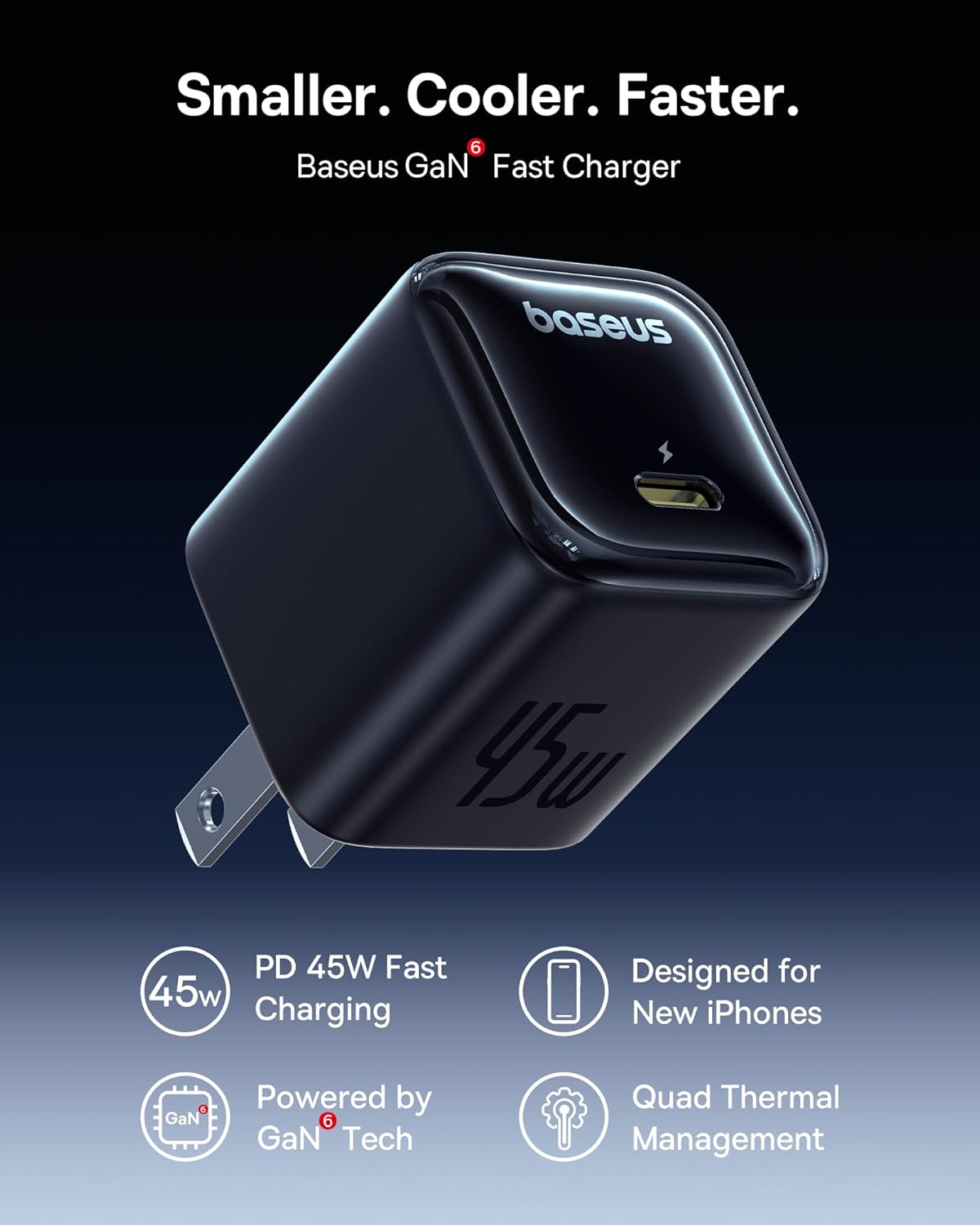

2.2 Baseus 100W Retractable USB C Cable
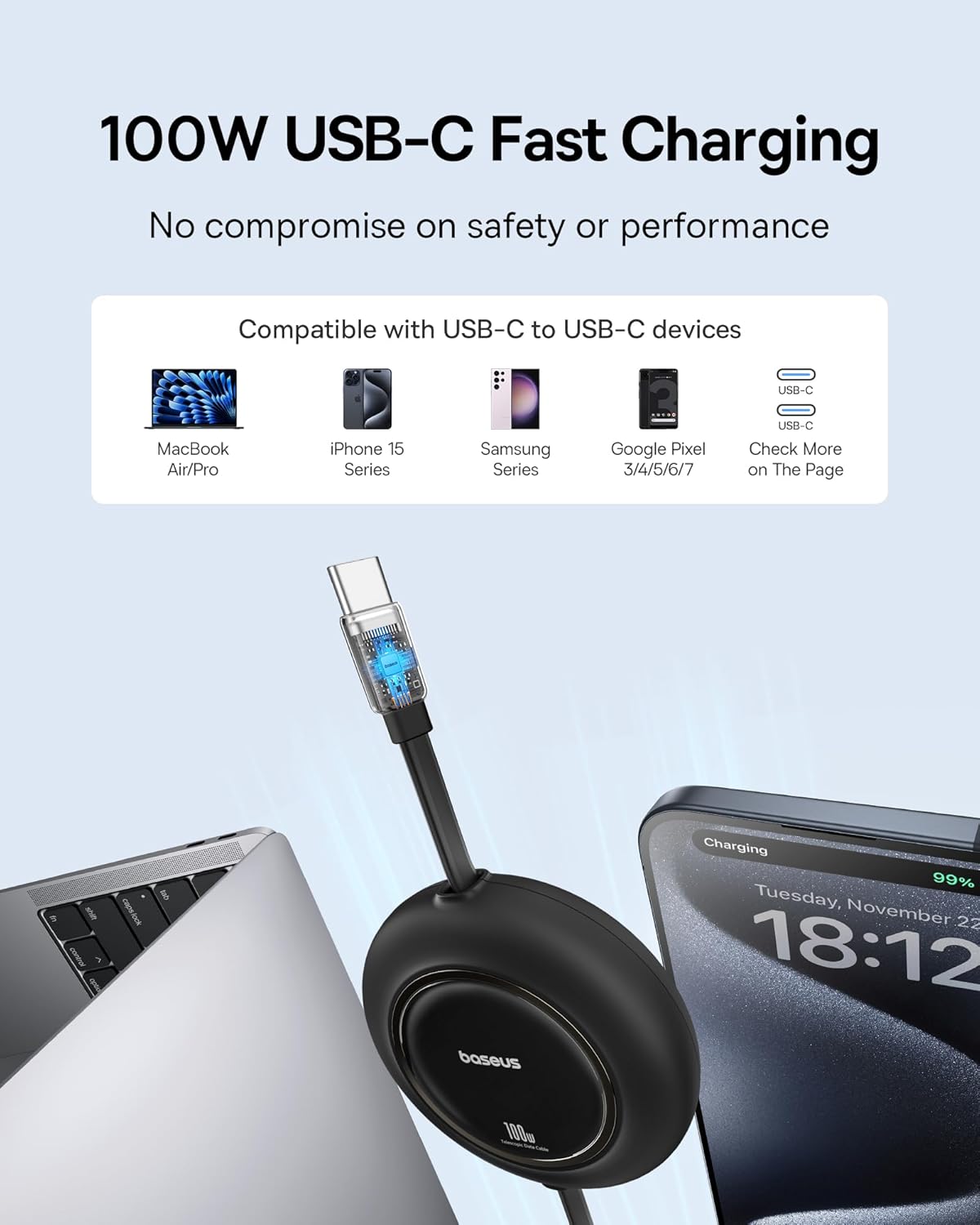
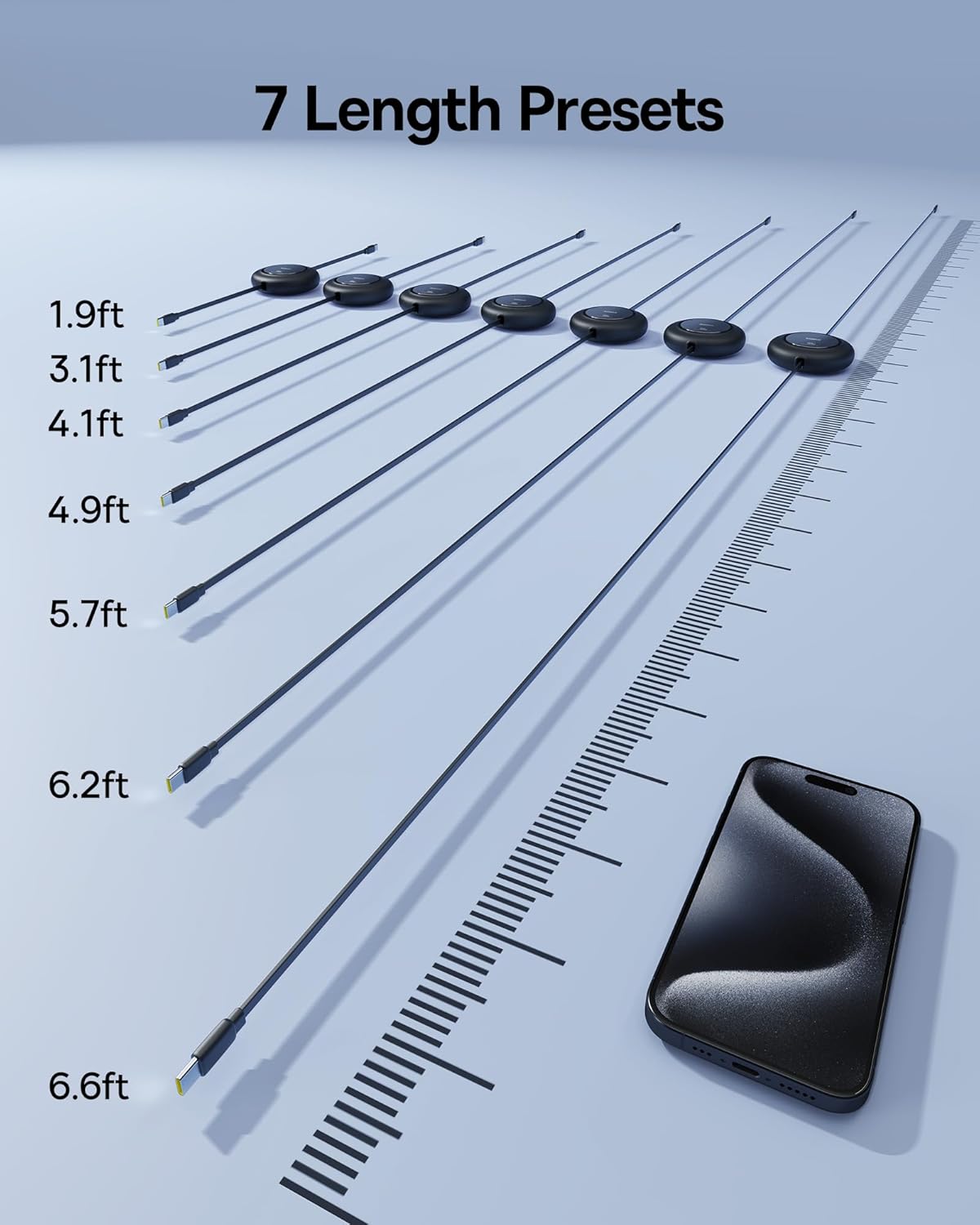
The 6.6ft (2-meter) retractable cable supports up to 100W Power Delivery, making it suitable for high-power devices. Its retractable design ensures a clutter-free experience and easy storage. Note: This cable supports data transfer at 480Mbps but does not support video transmission.
3. Setup and Connection
Follow these steps to set up and connect your Baseus charging kit:
- Unpack Components: Carefully remove the charger blocks and retractable cables from their packaging.
- Connect Cable to Charger: Insert one end of the Baseus 100W Retractable USB C Cable into the USB-C port of the Baseus 45W USB C Charger Block. Ensure a firm connection.
- Plug Charger into Outlet: Insert the charger block into a standard wall outlet. The charger is designed to be compact and minimize obstruction of adjacent outlets.
- Connect to Device: Insert the other end of the retractable USB C cable into the USB-C charging port of your device (e.g., smartphone, tablet, laptop).
Note: The charger plug is non-foldable.
4. Operation
4.1 Charging Your Device
Once connected, the charger will automatically detect your device and begin charging. The 45W charger supports fast charging protocols (PPS/PD 3.0) to deliver optimal power to compatible devices.
- For iPhone 16 series: Expect up to 56% battery in approximately 30 minutes.
- For Galaxy S24 series: Expect up to 61% battery in approximately 30 minutes.
- For Super Fast Charge 2.0 on Samsung devices, use a 5A charging cable (the included 100W cable supports this).

4.2 Adjusting and Retracting the Cable
The retractable cable features a unique mechanism for length adjustment and storage:
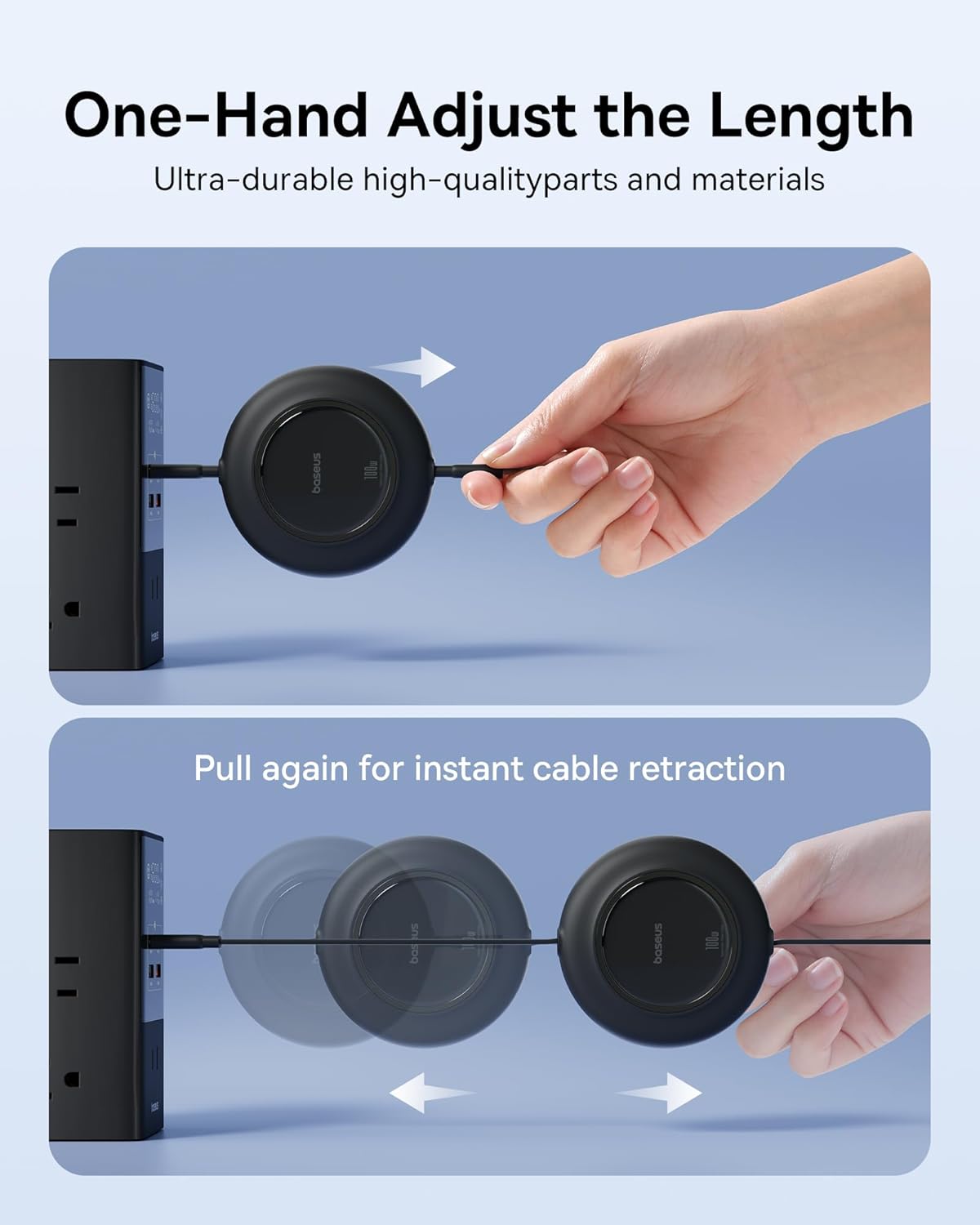
- To Extend: Gently pull both ends of the cable simultaneously to extend it to your desired length. The cable has 7 preset lengths.
- To Retract: Pull both ends of the cable slightly further until you hear a click, then release. The cable will automatically retract into its housing.
5. Maintenance and Care
To ensure the longevity and optimal performance of your Baseus charging kit, follow these maintenance guidelines:
- Cleaning: Disconnect the charger from the power outlet and your device before cleaning. Use a soft, dry cloth to wipe the surfaces of the charger and cable. Do not use liquid cleaners or aerosols.
- Storage: Store the charger and cable in a cool, dry place away from direct sunlight and extreme temperatures. Utilize the retractable feature of the cable for neat storage.
- Handling: Avoid dropping the charger or subjecting it to strong impacts. Do not bend the cable excessively or pull it forcefully from the retractable mechanism.
- Moisture: Keep the product away from water and high humidity. If the product comes into contact with liquid, discontinue use immediately.
6. Troubleshooting
If you encounter issues with your Baseus charging kit, refer to the following common problems and solutions:
| Problem | Possible Cause | Solution |
|---|---|---|
| Device not charging | Loose connection, faulty outlet, incompatible device, damaged cable/charger. | Ensure all connections are secure. Try a different wall outlet. Verify your device supports USB-C charging. Test with another cable or charger if available. |
| Slow charging | Device not supporting fast charging, background apps, non-PD/PPS compatible cable (not applicable with included cable), high device temperature. | Ensure your device supports PD/PPS fast charging. Close unnecessary background applications. Allow device to cool if overheating. |
| Charger feels warm | Normal operation during high-power charging, poor ventilation. | It is normal for the charger to feel warm during use. Ensure adequate ventilation around the charger. If it becomes excessively hot, disconnect immediately and contact support. |
| Cable not retracting properly | Mechanism jam, internal damage. | Gently pull both ends of the cable slightly further out, then release. Do not force the mechanism. If the issue persists, the cable may be damaged. |
7. Product Specifications
| Component | Specification |
|---|---|
| Baseus 45W USB C Charger Block | |
| Max Output Power | 45W |
| Fast Charging Technology | PPS/PD 3.0 |
| Cooling Technology | Quad Thermal Management (Graphene, Polymer Silicon-based design) |
| Monitoring | 720K/h charging status monitoring |
| Baseus 100W Retractable USB C Cable | |
| Max Power Delivery | 100W |
| Cable Length | 6.6 ft (2 meters) |
| Retraction | 7-stage length presets, one-hand adjust and retract |
| Data Transfer Speed | 480Mbps (USB 2.0) |
| Video Transmission | Not supported |
| General | |
| ASIN | B0F44117Q3 |
| Date First Available | April 8, 2025 |
8. Warranty and Support
Baseus products are manufactured with high-quality standards. For warranty information and customer support, please refer to the documentation provided with your purchase or contact the Baseus Brand Store directly through the platform where you purchased the product.
For further assistance, you may visit the official Baseus website or contact their customer service team. Please have your product model and purchase details ready when seeking support.