
Monster MS62120
Monster S620 Wireless Portable Outdoor Bluetooth Speaker Instruction Manual
Model: MS62120
1. Introduction
Thank you for purchasing the Monster S620 Wireless Portable Outdoor Bluetooth Speaker. This manual provides essential information for the safe and optimal use of your device. Please read it thoroughly before use and retain it for future reference.

Figure 1: Front view of the Monster S620 Bluetooth Speaker.
2. Package Contents
Ensure all items are present upon unboxing:
- Monster S620 Bluetooth Speaker
- USB-C Charging Cable
- Quick Start Guide
3. Product Overview
The Monster S620 speaker features a robust design with intuitive controls and versatile connectivity options.
3.1. Controls and Indicators
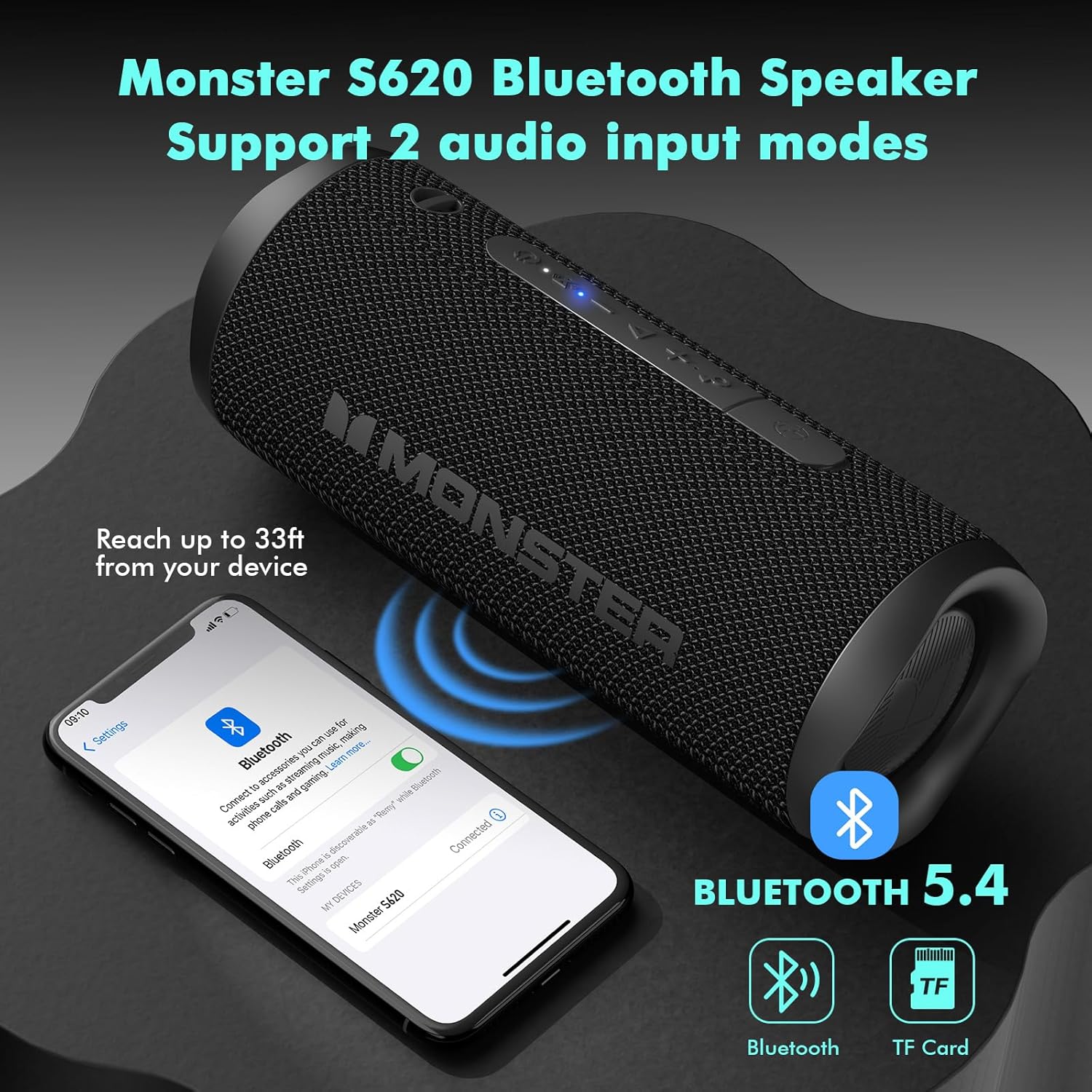
Figure 2: Top panel controls and indicators.
- Power Button: Press and hold to power on/off. Short press to check battery status.
- Bluetooth Indicator: Blue LED indicates Bluetooth status.
- Volume Down / Previous Track: Short press for volume down. Long press for previous track.
- Play/Pause / Call Management: Short press to play/pause music or answer/end calls. Long press to reject a call. Double press to activate voice assistant.
- Volume Up / Next Track: Short press for volume up. Long press for next track.
- EQ Button: Short press to cycle through EQ modes (e.g., Bass Boost, Default).
- TWS Pairing Button: Press to initiate True Wireless Stereo pairing.
3.2. Ports

Figure 3: Charging and TF card ports, protected by a silicone cover.
- USB-C Charging Port: For charging the speaker.
- TF Card Slot: For playing music directly from a microSD card.
4. Setup
4.1. Charging the Speaker
Before first use, fully charge the speaker. Connect the provided USB-C cable to the speaker's charging port and the other end to a USB power adapter (not included).
- The charging indicator will illuminate during charging.
- The indicator will turn off or change color when fully charged.
4.2. Powering On/Off
- Power On: Press and hold the Power Button for 2-3 seconds until you hear an audible prompt and the Bluetooth indicator flashes.
- Power Off: Press and hold the Power Button for 2-3 seconds until you hear an audible prompt and the indicators turn off.
4.3. Bluetooth Pairing
The speaker uses Bluetooth 5.4 for stable and fast connections.
- Ensure the speaker is powered on and the Bluetooth indicator is flashing, indicating it's in pairing mode.
- On your device (smartphone, tablet, laptop), enable Bluetooth and search for available devices.
- Select "Monster S620" from the list.
- Once connected, the Bluetooth indicator will remain solid blue, and you will hear a confirmation tone.
Figure 4: Bluetooth 5.4 connectivity for seamless pairing.
4.4. True Wireless Stereo (TWS) Pairing
Connect two Monster S620 speakers for an immersive stereo experience.
- Ensure both S620 speakers are powered on and not connected to any other Bluetooth device.
- On one speaker (this will be the primary speaker), short press the TWS Pairing Button. The speaker will enter TWS pairing mode.
- The primary speaker will automatically search for the secondary speaker. Once connected, you will hear a confirmation tone, and the Bluetooth indicators on both speakers will synchronize.
- Now, connect your device to the primary speaker via Bluetooth as described in Section 4.3.

Figure 5: Dual Pairing for True Wireless Stereo sound.
4.5. TF Card Playback
Insert a TF (microSD) card with music files into the TF card slot. The speaker will automatically switch to TF card playback mode.
5. Operating
5.1. Basic Controls
- Volume Adjustment: Short press the Volume Up (+) or Volume Down (-) buttons.
- Play/Pause: Short press the Play/Pause button.
- Next Track: Long press the Volume Up (+) button.
- Previous Track: Long press the Volume Down (-) button.
5.2. Call Management
With the built-in microphone, you can manage calls directly from the speaker when connected to a smartphone.
- Answer/End Call: Short press the Play/Pause button.
- Reject Call: Long press the Play/Pause button.
- Activate Voice Assistant: Double press the Play/Pause button.

Figure 6: Built-in microphone allows for hands-free calls.
5.3. EQ Modes
Customize your audio experience by switching between different Equalizer (EQ) modes.
- Change EQ Mode: Short press the EQ button to cycle through available sound profiles, such as Bass Boost and Default.
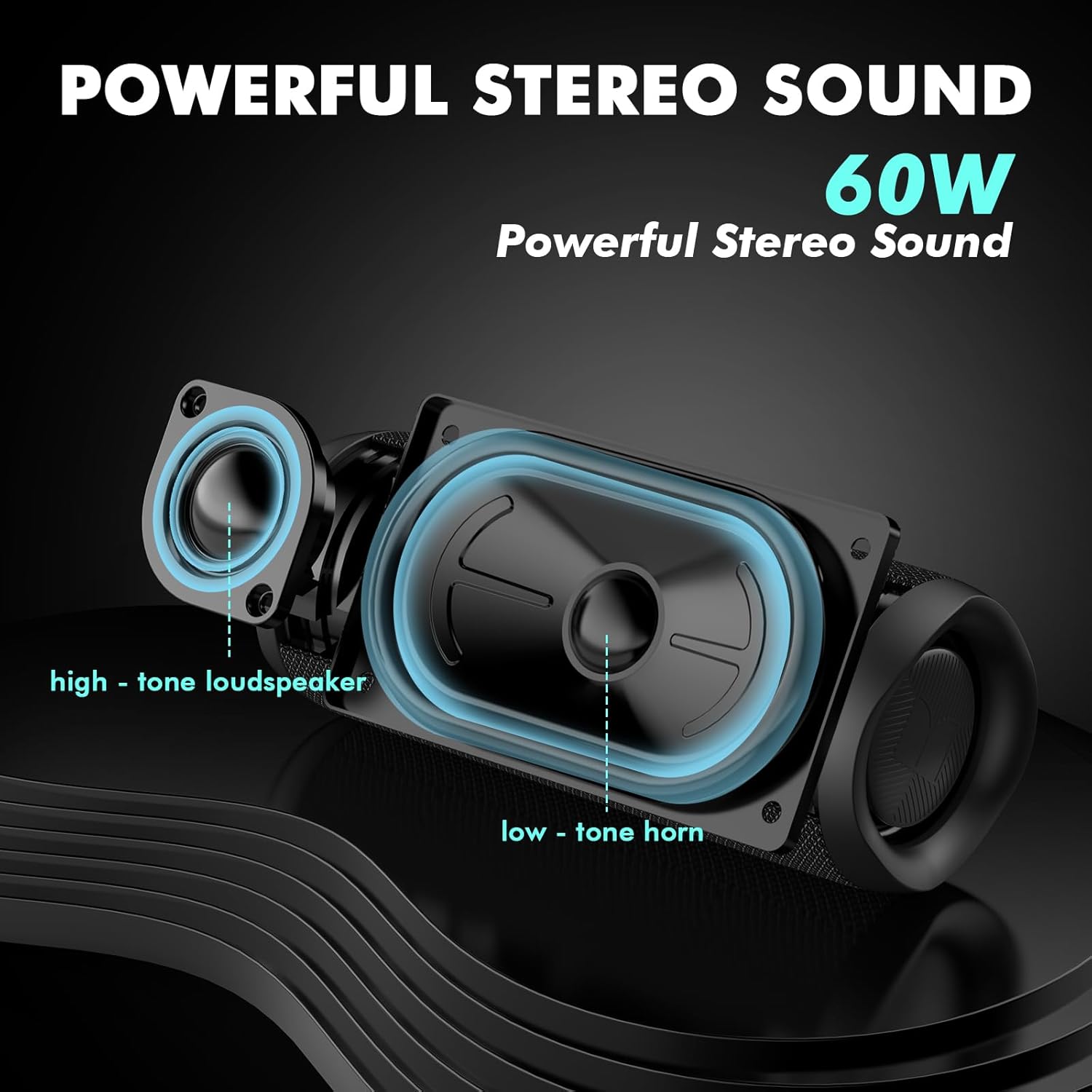
Figure 7: Internal components contributing to powerful stereo sound.
6. Maintenance
To ensure the longevity and optimal performance of your Monster S620 speaker, follow these maintenance guidelines:
- Cleaning: Use a soft, damp cloth to wipe the speaker's surface. Avoid harsh chemicals or abrasive cleaners.
- Storage: Store the speaker in a cool, dry place away from direct sunlight and extreme temperatures.
- Water Resistance: The speaker is IPX8 waterproof. Ensure the silicone cover for the ports is securely closed before exposing it to water. Do not intentionally submerge for extended periods or at depths beyond specified limits.

Figure 8: The speaker's IPX8 waterproof rating allows for use in wet environments.
7. Troubleshooting
If you encounter issues with your speaker, refer to the following common solutions:
| Problem | Possible Solution |
|---|---|
| Speaker does not power on. | Ensure the speaker is charged. Connect to a power source and try again. |
| Cannot pair via Bluetooth. | Ensure the speaker is in pairing mode (flashing blue LED). Turn off and on Bluetooth on your device. Move closer to the speaker. Disconnect from other devices. |
| No sound or low volume. | Adjust volume on both the speaker and your connected device. Ensure the speaker is not muted. Check audio source. |
| TWS pairing fails. | Ensure both speakers are S620 models and not connected to other devices. Place them close to each other and try TWS pairing again. |
| Poor sound quality. | Ensure the speaker is within Bluetooth range. Check for obstructions. Try different EQ modes. |
8. Specifications
| Feature | Detail |
|---|---|
| Brand | Monster |
| Model Name | MS62120 |
| Connectivity Technology | Bluetooth 5.4 |
| Wireless Range | Up to 33 Feet |
| Speaker Maximum Output Power | 60 Watts |
| Audio Output Mode | Stereo (supports True Wireless Stereo pairing) |
| Water Resistance Level | IPX8 Waterproof |
| Special Features | Built-in Mic, TF Card Slot, Dual Pairing |
| Control Method | Touch Buttons |
| Power Source | Battery Powered |
| Material | Plastic |
| Item Weight | 1.62 pounds (734 Grams) |
| Product Dimensions | 3.31 x 3.31 x 8.58 inches |
| UPC | 810079705634 |
9. Safety Information
Please observe the following safety precautions:
- Do not expose the speaker to extreme temperatures or direct flame.
- Avoid dropping or subjecting the speaker to strong impacts.
- Keep out of reach of children.
- Do not attempt to disassemble or repair the speaker yourself. Contact qualified service personnel.
- Dispose of the speaker and its battery responsibly according to local regulations.
10. Official Product Videos
Monster Wireless Outdoor Speaker with Dual Pairing & Mic
This video provides an overview of the Monster S620 Wireless Outdoor Speaker, highlighting its dual pairing capabilities and built-in microphone for hands-free communication.
Full Review Monster Bluetooth Speaker S620
A detailed review of the Monster S620 Bluetooth Speaker, covering its features, performance, and user experience.
What You Should Know Before Buying This Speaker
This video provides key information and considerations for potential buyers of the Monster S620 speaker.
Ask a question about this manual
Ask about setup, troubleshooting, compatibility, parts, safety, or missing instructions. Manuals+ will review the question and use this page’s manual context to help answer it.