
Introduction
This manual provides essential instructions for the setup, operation, and maintenance of your Accutime Peanuts Characters Kids Digital Watch. Please read this manual thoroughly to ensure proper use and longevity of your watch.
Product Overview
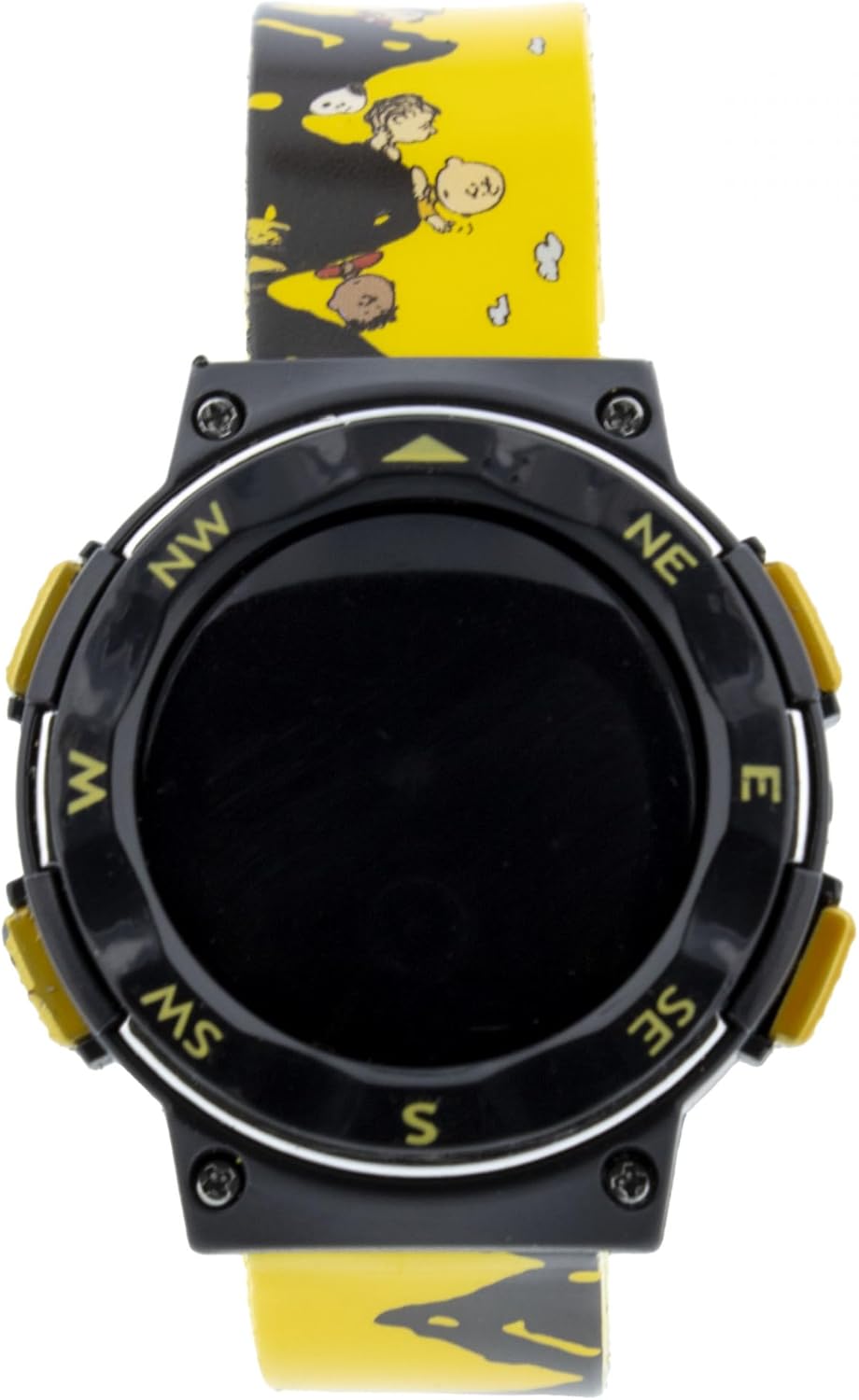
Image 1: Front view of the Accutime Peanuts Kids Digital Watch. The watch features a black digital display area surrounded by a black bezel with compass markings (NW, NE, E, SE, S, SW, W). Yellow buttons are visible on the sides. The yellow watch band is adorned with various Peanuts characters.

Image 2: Full length view of the Accutime Peanuts Kids Digital Watch. This image displays the entire yellow polyurethane wristband, which features a pattern of Peanuts characters. The watch case is black with yellow accents and a digital display.
The Accutime Peanuts Characters Kids Digital Watch is designed for children, featuring a digital time display and a durable polyurethane wristband with Peanuts characters. The watch case is made of metal, ensuring resilience for daily wear.
Setup
1. Initial Activation
Upon first use, if the display is not active, gently remove any plastic battery tab that may be protruding from the side of the watch case. This tab prevents battery drain during storage.
2. Setting the Time
- Locate the buttons on the side of the watch. Typically, there are two to four buttons.
- Press the MODE button (often labeled 'M' or 'Mode') repeatedly until the time display starts flashing or you enter the time setting mode.
- Use the SET or ADJUST button (often labeled 'S' or 'A') to change the flashing digits (hours, minutes). Pressing this button usually increments the value.
- Press the MODE button again to move to the next setting (e.g., minutes, then AM/PM).
- Once the time is set, press the MODE button one last time to exit the setting mode. The display should stop flashing.
Note: Button functions may vary slightly. Refer to the specific button labels on your watch.
Operating the Watch
Time Display
The watch primarily displays the current time in a digital format (hours and minutes). Some models may also show seconds.
Changing Modes
Press the MODE button to cycle through available display modes. Common modes include:
- Time: Standard hour and minute display.
- Date: Month and day display.
- Seconds: Display of current seconds.
Backlight Function
If your watch is equipped with a backlight, press the LIGHT button (often located on the top left or right side) to illuminate the display for a few seconds in low-light conditions.
Maintenance
Cleaning
To clean your watch, wipe it gently with a soft, damp cloth. Avoid using harsh chemicals or abrasive materials, as these can damage the watch case or band. Ensure the watch is dry after cleaning.
Battery Replacement
When the display becomes dim or stops working, the battery may need replacement. This watch uses a standard watch battery. Battery replacement should ideally be performed by a qualified watch technician to ensure proper sealing and function. If attempting yourself, carefully open the back case, replace the battery with the correct type, and ensure the case is securely closed.
Water Resistance
This watch is designed for everyday use and is generally splash-resistant. It is not recommended for swimming, showering, or submersion in water. Exposure to excessive moisture may cause damage.
Troubleshooting
| Problem | Solution |
|---|---|
| Display is blank or dim. | The battery may be depleted. Replace the battery or have it replaced by a professional. Ensure any battery tab has been removed. |
| Time is incorrect. | Reset the time following the "Setting the Time" instructions in the Setup section. |
| Buttons are unresponsive. | Check if the watch is in a locked mode (unlikely for a basic kids' watch, but possible). If not, the battery may be low, or there could be an internal issue. Try replacing the battery first. |
Specifications
- Brand: Accutime
- Model Number: 030506625469
- ASIN: B0F3Y19VL3
- Department: Boys
- Watch Type: Digital
- Case Material: Metal
- Band Material: Polyurethane
- Clasp Type: Buckle
- Manufacturer: Accutime Watch Corp.
Warranty and Support
For warranty information or technical support, please contact Accutime Watch Corp. directly. Details regarding specific warranty periods and coverage are typically provided with the product packaging or can be obtained from the manufacturer's official website.
For further assistance, you may visit the Accutime Store on Amazon.


