
1. Introduction
This manual provides detailed instructions for the installation, operation, and maintenance of your Fanbulous 42-inch ceiling fan. Please read this manual thoroughly before installation and retain it for future reference. Proper installation and operation are crucial for optimal performance and safety.
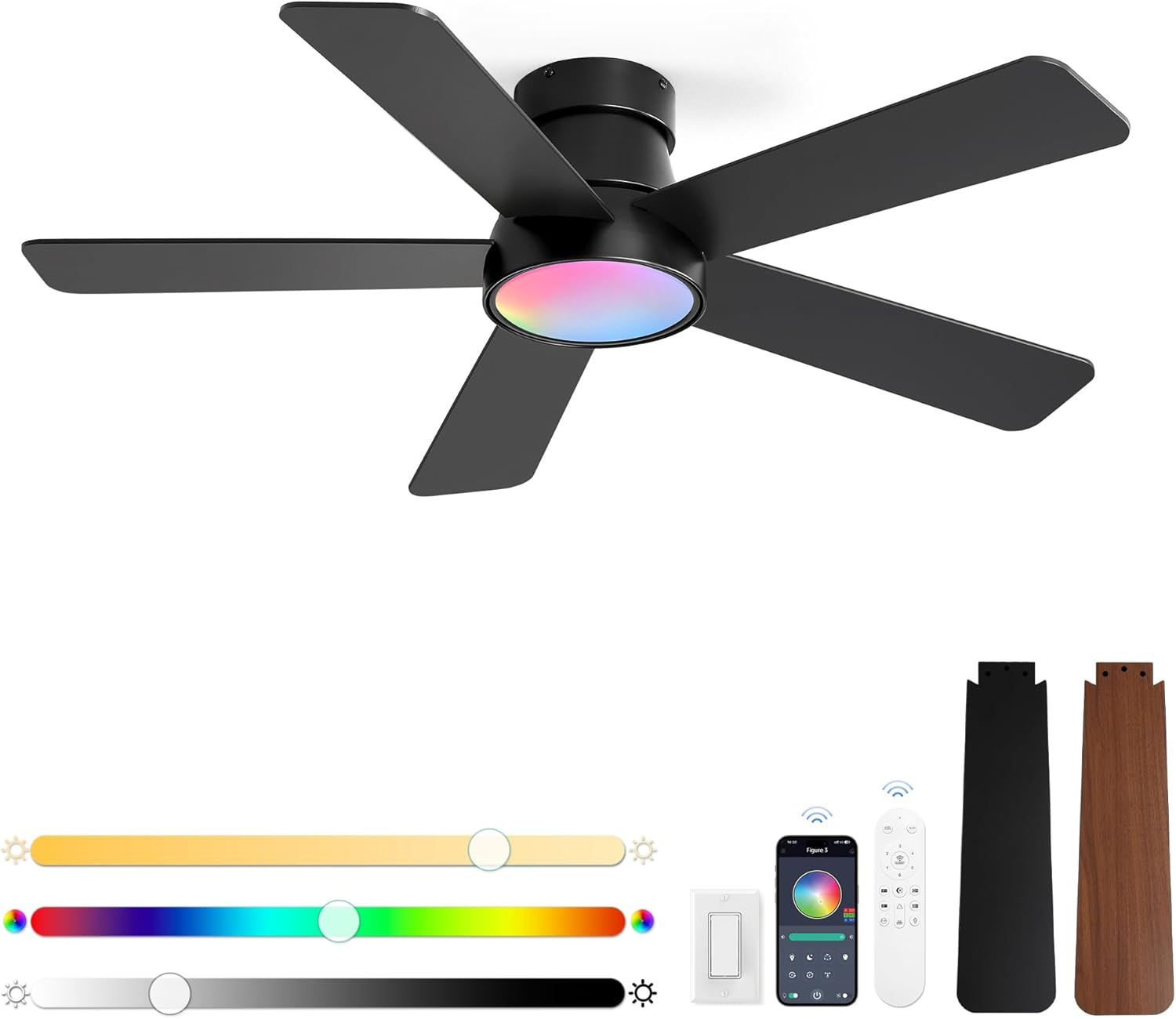
Image 1.1: The Fanbulous 42-inch ceiling fan, featuring five black blades and a central light with RGB capabilities.
2. Safety Information
Always follow basic safety precautions when installing and operating electrical appliances to reduce the risk of fire, electric shock, and personal injury.
- Electrical Safety: Ensure the power is turned off at the circuit breaker before installation or servicing. All wiring must be in accordance with national and local electrical codes.
- Mounting: The mounting structure must be capable of supporting the weight of the fan (approximately 11.47 pounds) plus the dynamic load of the fan in operation.
- Blade Clearance: Ensure there is adequate clearance from the fan blades to any obstacles, including walls and furniture.
- Professional Installation: If you are unfamiliar with electrical wiring, consult a qualified electrician.
3. Package Contents
Verify that all components are present before beginning installation. If any parts are missing or damaged, contact customer support.
- Ceiling Fan Motor Housing
- Fan Blades (5x, reversible black/walnut finish)
- Mounting Bracket
- Remote Control
- Wall Cradle for Remote
- Hardware Pack (screws, wire nuts, etc.)
- Instruction Manual

Image 3.1: The fan includes reversible blades, offering both a modern black and a vintage walnut finish.
4. Installation
Follow these steps for proper installation of your ceiling fan. It is recommended to have two people for installation.
- Turn Off Power: Locate the circuit breaker for the fan location and turn off the power.
- Mounting Bracket Installation: Secure the mounting bracket to the ceiling junction box. Ensure the junction box is rated for ceiling fan support.
- Wiring: Connect the fan's electrical wires to the household wiring according to the wiring diagram provided in the separate wiring guide. Ensure all connections are secure with wire nuts.
- Hang Fan Motor: Carefully lift the fan motor assembly and hang it onto the mounting bracket.
- Attach Blades: Securely attach each fan blade to the motor housing using the provided screws. Ensure blades are firmly fastened.
- Secure Canopy: Push the canopy up to the ceiling and secure it to the mounting bracket with the provided screws.
- Remote Pairing: After installation, restore power. Within 30 seconds of turning on the power, press and hold the 'Pairing Fan On/Off' button on the remote control for 3-5 seconds until you hear a 'beep' sound, indicating successful pairing.
5. Operating Instructions
Your Fanbulous ceiling fan is operated via the included remote control. Familiarize yourself with the remote's functions for optimal use.

Image 5.1: Remote control layout with labeled buttons for fan and light functions.
5.1 Remote Control Functions
- Light On/Off: Toggles the light on or off.
- All Off: Turns off both the fan and the light.
- 1-6 Fan Speed: Adjusts fan speed from 1 (lowest) to 6 (highest).
- Pairing Fan On/Off: Used for initial remote pairing and to turn the fan on/off.
- Quick-switch CCT: Cycles through 3000K (Warm White), 4500K (Natural White), and 6000K (Cool White) color temperatures.
- CCT + / CCT -: Fine-tunes the color temperature.
- RGB mode: Activates RGB color cycling.
- RGB ON/OFF RGB: Toggles RGB lighting on or off.
- Brightness + / Brightness -: Adjusts light brightness.
- F/R (Forward/Reverse): Changes fan direction for summer (downward airflow) or winter (upward airflow for heat circulation).
- Timer (1/4/8 H): Sets the fan to turn off automatically after 1, 4, or 8 hours.
5.2 Light Memory Function
The fan's light features a memory function. Customize your preferred brightness and color temperature. If the light is turned off for more than 10 seconds, it will recall the last settings when turned back on. If the light is turned on within 10 seconds of being turned off, it will cycle to the next color temperature setting.
5.3 Reversible DC Motor
The DC motor allows for reversible blade rotation, optimizing air circulation for different seasons.
- Summer Mode: Blades rotate counter-clockwise, pushing cool air downwards.
- Winter Mode: Blades rotate clockwise, drawing cool air up and circulating warm air downwards.
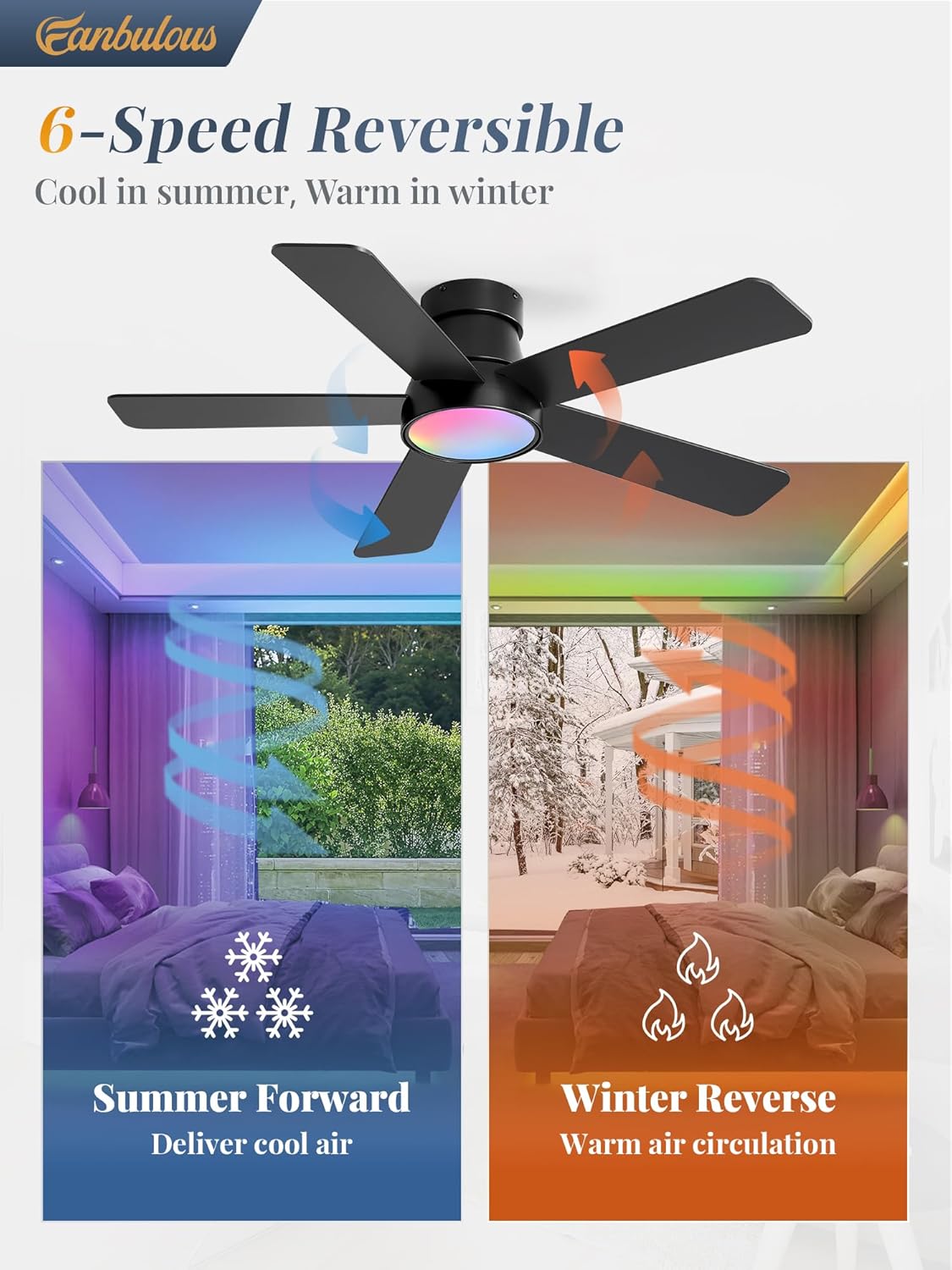
Image 5.2: Illustration of the fan's reversible function, providing cooling airflow in summer and warm air circulation in winter.
6. Maintenance
Regular maintenance ensures the longevity and efficient operation of your ceiling fan.
- Cleaning: Use a soft, damp cloth to clean the fan blades and motor housing. Do not use abrasive cleaners or solvents.
- Blade Inspection: Periodically check that all blade screws are tight. Loose blades can cause wobbling and noise.
- Dust Removal: Dust the fan regularly to prevent buildup, which can affect performance and appearance.
- No Lubrication Needed: The DC motor is permanently lubricated and does not require additional oiling.
7. Troubleshooting
Refer to this section for solutions to common issues. If problems persist, contact customer support.
| Problem | Possible Cause | Solution |
|---|---|---|
| Fan does not start | No power to the fan; Loose wire connections; Remote not paired. | Check circuit breaker; Verify all wire connections are secure; Re-pair the remote control. |
| Light does not work | No power to the light; Loose wire connections; LED driver issue. | Check power; Verify light wire connections; Contact customer support if LED driver is suspected. |
| Fan wobbles | Loose blade screws; Unbalanced blades; Loose mounting bracket. | Tighten all blade screws; Ensure blades are installed correctly; Check mounting bracket for secure attachment. |
| Remote not responding | Dead batteries; Remote not paired; Obstruction between remote and receiver. | Replace remote batteries; Re-pair the remote; Ensure clear line of sight to the fan. |
| Fan noise | Loose screws; Motor housing rubbing; Blades hitting an obstruction. | Check and tighten all screws; Ensure no parts are rubbing; Verify blade clearance. |
8. Specifications
Key technical details for the Fanbulous 42-inch ceiling fan.
- Brand: Fanbulous
- Model Number: 7527fd44-81b8-4c33-a466-770a80ba6425
- Size: 42 inch
- Product Dimensions: 42"D x 42"W x 8"H
- Item Weight: 11.47 pounds
- Power Source: AC/DC
- Wattage: 20 watts
- Motor Type: DC Quiet Motor
- Fan Speeds: 6
- Light Type: LED
- Color Temperature (CCT): 3000K (Warm White), 4500K (Natural White), 6000K (Cool White)
- Special Features: Reversible Motor, RGB Lighting, Light Memory Function, Timer (1/4/8 H)
- Control Method: Remote Control
- Indoor/Outdoor Usage: Indoor
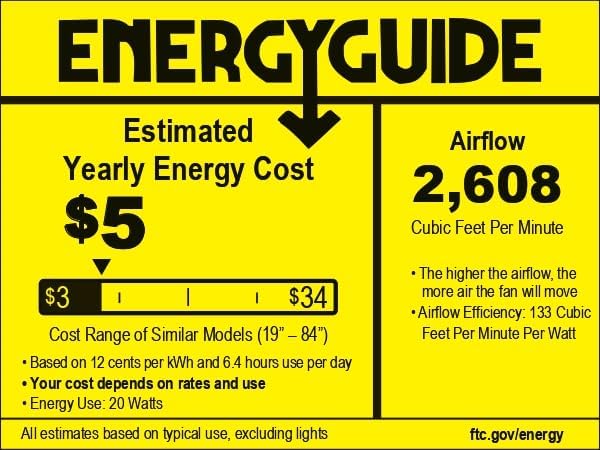
Image 8.1: EnergyGuide label indicating estimated yearly energy cost and airflow efficiency.
9. Warranty and Support
Fanbulous provides 2 years of customer support service for this product. For any questions, assistance, or warranty claims, please contact our professional team through the retailer where the product was purchased or visit the official Fanbulous website.


