
PLAUD NB-100
PLAUD AI Voice Recorder User Manual
Model: NB-100
1. Introduction
The PLAUD AI Voice Recorder is an advanced note-taking device designed to enhance productivity through intelligent audio recording, transcription, and summarization. Featuring dual-mode precision recording and AI-powered capabilities, it is ideal for lectures, meetings, and calls, providing clear audio and actionable insights.
2. What's in the Box
- 1 PLAUD NOTE Recording Device
- 1 Magnetic Dark Blue Case
- 1 Magnetic Ring
- 1 Magnetic Charging Cable
- Complimentary 300 mins/month for advanced AI-powered transcription and summarization services (Starter Plan)

Figure 2.1: Included accessories with the PLAUD AI Voice Recorder.
3. Setup
3.1 Initial Charging
Before first use, fully charge your PLAUD NOTE device using the provided magnetic charging cable. Connect the magnetic end to the device and the USB-C end to a compatible power adapter (not included).
3.2 Device Activation and App Pairing
- Download the official PLAUD App from your device's app store.
- Open the app and follow the on-screen instructions to create an account or log in.
- Activate your PLAUD NOTE device within the app. This will grant you access to the complimentary Starter Plan.
- Pair your PLAUD NOTE with your smartphone via Bluetooth as prompted by the app.
3.3 Attaching the Magnetic Ring and Case
The PLAUD NOTE comes with a magnetic dark blue case and a magnetic ring. The magnetic case allows for secure attachment to your smartphone, enabling seamless call recording. The magnetic ring can be used to enhance magnetic attachment if needed.
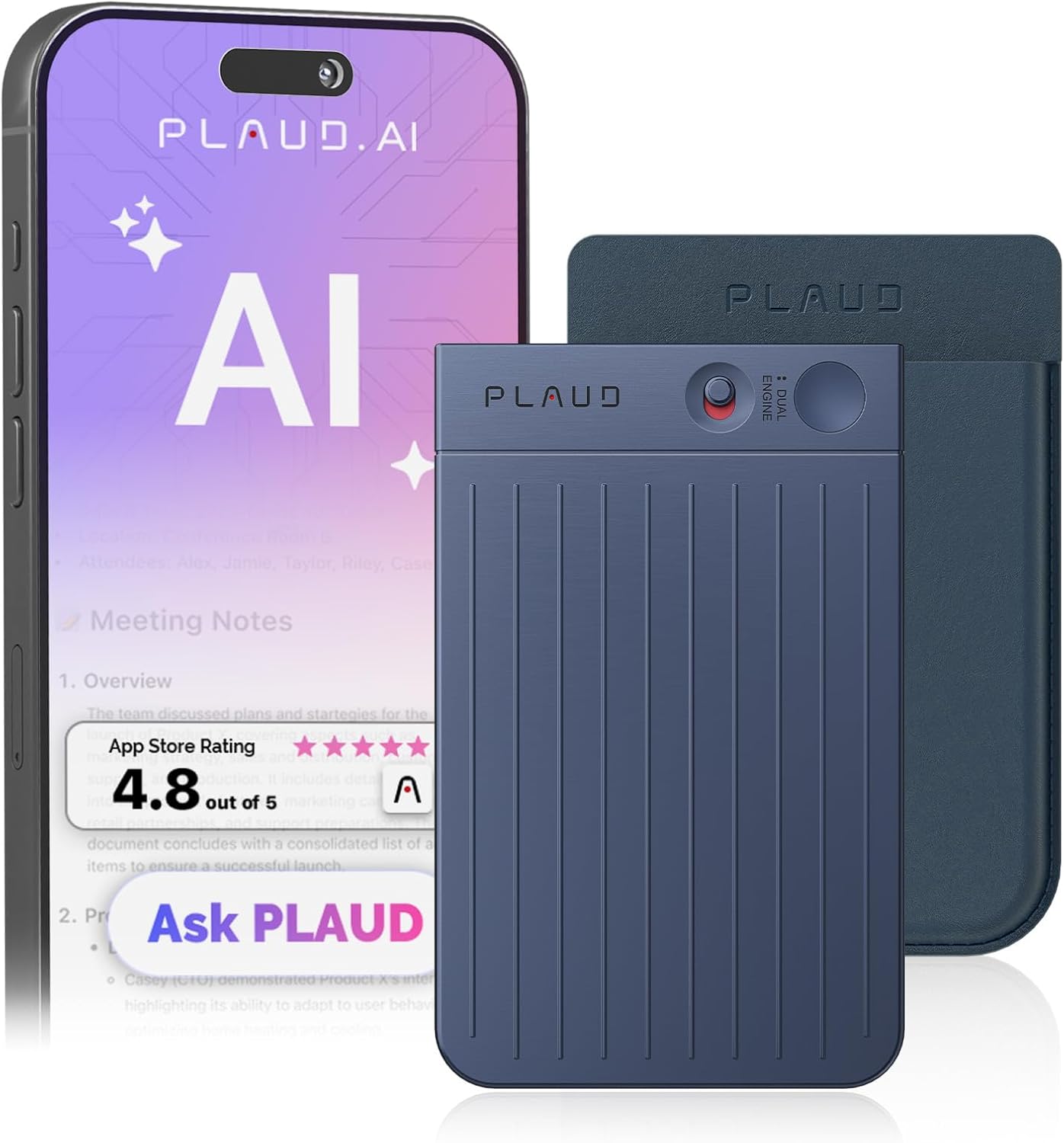
Figure 3.1: PLAUD NOTE attached to a smartphone for convenient use.
4. Operating Instructions
4.1 Recording Modes
The PLAUD NOTE features a dual recording engine:
- Air Conduction Sensor: Captures high-quality ambient sounds for meetings, lectures, and presentations.
- Vibration Conduction Sensor (VCS): Ensures clear call recordings by capturing internal phone sounds when attached to your smartphone.

Figure 4.1: Illustration of dual recording modes for phone calls and general notes.
4.2 One-Press Recording
To start recording, simply slide the switch on the device to the desired mode and press the record button. The device is designed for instant capture of voice anytime, anywhere.
4.3 PLAUD App Features
The PLAUD App provides comprehensive tools for managing your recordings:
- Transcription: Swift and accurate transcription in 112 languages.
- AI Summarization: Developed on advanced AI models (GPT-4.1, Claude 4.0, o3-mini, Gemini 2.5 Pro), allowing creation of summaries, meeting minutes, and to-do lists.
- Audio Trimming: Easily edit and remove unwanted segments from your recordings.
- Speaker Labels: Visually distinguish different speakers within your recordings.
- Audio Import: Option to import external audio files for transcription and summarization.
- Cloud Storage: Unlimited cloud storage via the PLAUD App and Web portal for easy management, sorting, and sharing of files.
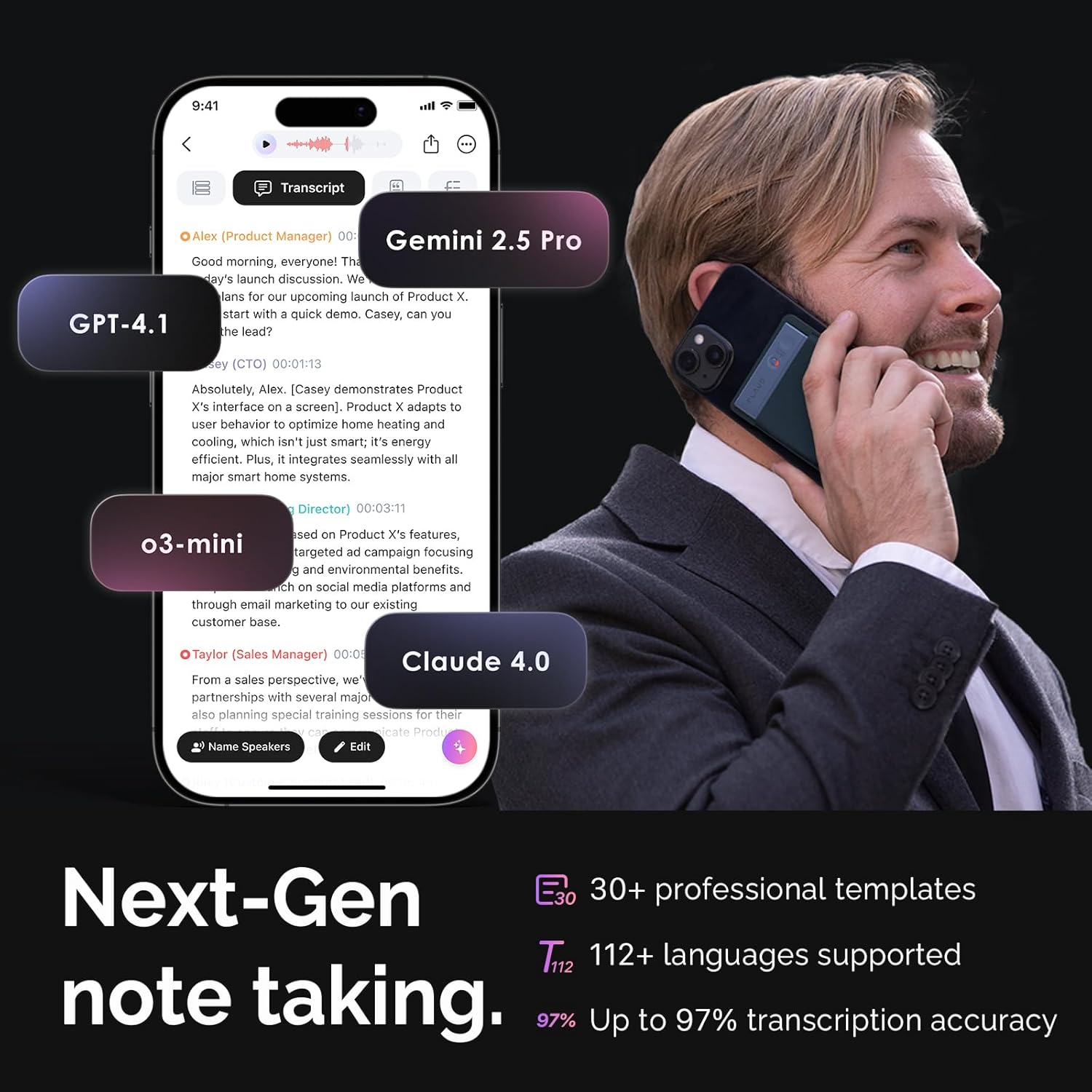
Figure 4.2: PLAUD App interface demonstrating transcription and summarization capabilities.
5. Features and Benefits
- Advanced AI Technology: Integrates cutting-edge AI for transcription and summarization across 112 languages.
- Compact and Portable: Sleek 0.12" aluminum alloy build, weighing only 1.06 ounces (30g).
- Long Battery Life: Up to 30 hours of continuous recording on a single charge, with 60 days of standby time.
- Ample Storage: 64GB internal storage, accommodating up to 480 hours of recordings.
- Privacy-Focused: Local data is encrypted, and cloud files are exclusive to you, with data processing only upon your authorization.

Figure 5.1: Key features of the PLAUD NOTE: Tiny, Mighty, Always Ready.
6. Specifications
| Feature | Detail |
|---|---|
| Product Dimensions | 3.35 x 0.12 x 2.17 inches |
| Item Weight | 1.06 ounces (30 Grams) |
| Model Number | NB-100 |
| Batteries | 1 CR5 battery required (included) |
| Compatible Devices | Smartphone |
| Hardware Interface | Bluetooth |
| Microphone Form Factor | Built-In |
| Format | WAV |
| Headphones Jack | No headphones jack |
| Memory Storage Capacity | 64 GB |
7. Subscription Plans
Upon activation, you receive a complimentary Starter Plan. For extended features and increased transcription minutes, optional subscription plans are available:
- Starter Plan (Free): Includes 300 transcription minutes per month.
- Pro Plan: Offers 1200 minutes monthly AI transcription & summary time, plus more professional summary templates.
- Unlimited Plan: Provides unlimited AI transcription and summary time, along with all features from the Pro Plan.
Note: Prices for Pro and Unlimited plans may vary by region. Please refer to the PLAUD App or Web for current pricing details.

Figure 7.1: Overview of available PLAUD AI subscription plans.
8. Troubleshooting
If you encounter any issues with your PLAUD AI Voice Recorder, consider the following common solutions:
- Device Not Responding: Ensure the device is fully charged. Try restarting the device by holding the power button for 10 seconds.
- Pairing Issues: Ensure Bluetooth is enabled on your smartphone and the PLAUD NOTE is within range. Try unpairing and re-pairing the device in the PLAUD App settings.
- Transcription Inaccuracy: Ensure the recording environment is quiet and the device is positioned optimally to capture clear audio. Check your internet connection for app-based transcription.
- App Functionality Issues: Ensure your PLAUD App is updated to the latest version. Clear the app cache or reinstall the app if problems persist.
For more detailed troubleshooting or persistent issues, please refer to the official User Guide or contact customer support.
9. Warranty and Support
PLAUD provides comprehensive support for its products.
- User Guide: For detailed instructions and information, please refer to the Official User Guide (PDF).
- Warranty Information: Details regarding your product warranty can be found in the Warranty Document (PDF).
- Customer Support: For any inquiries or assistance, please visit the PLAUD Official Store on Amazon or contact their customer service directly.
Related documentsNB-100


Ask a question about this manual
Ask about setup, troubleshooting, compatibility, parts, safety, or missing instructions. Manuals+ will review the question and use this page’s manual context to help answer it.