
Important Safety Information
- Always connect the unit to a grounded circuit to avoid the risk of electrocution.
- Disconnect from main power before any service or maintenance.
- Ensure proper ventilation. Do not block ventilation openings.
- Do not operate in wet or damp locations.
- Minimum distance from flammable materials: 20cm.
- Maximum external surface temperature: 120°C.
- Avoid direct eye exposure to the light source.
- This device is for indoor use only.
Product Overview
The Flashback Events 6x15W RGBW Bee-Eye Moving Head DJ Light is a versatile stage lighting fixture designed for dynamic visual effects. It features six 15W RGBW 4-in-1 LEDs, offering a Bee-Eye configuration, LED ring, and starry sky projection. The unit provides 540° pan and 270° tilt movement for comprehensive stage coverage.

Figure 1: Front view of the 6x15W RGBW Bee-Eye Moving Head DJ Light.
The light supports multiple control modes including DMX512, Auto, Sound-Activated, and Master-Slave, making it suitable for various event setups. Its robust construction from aluminum and ABS housing ensures durability and professional reliability.
What's in the Box
Upon unpacking, verify that all components are present and undamaged. The package should contain the following items:
- 1x Moving Head DJ Light (FBE-SB6151)
- 1x Mount Bracket
- 1x Power Cable
- 1x User Manual (this document)
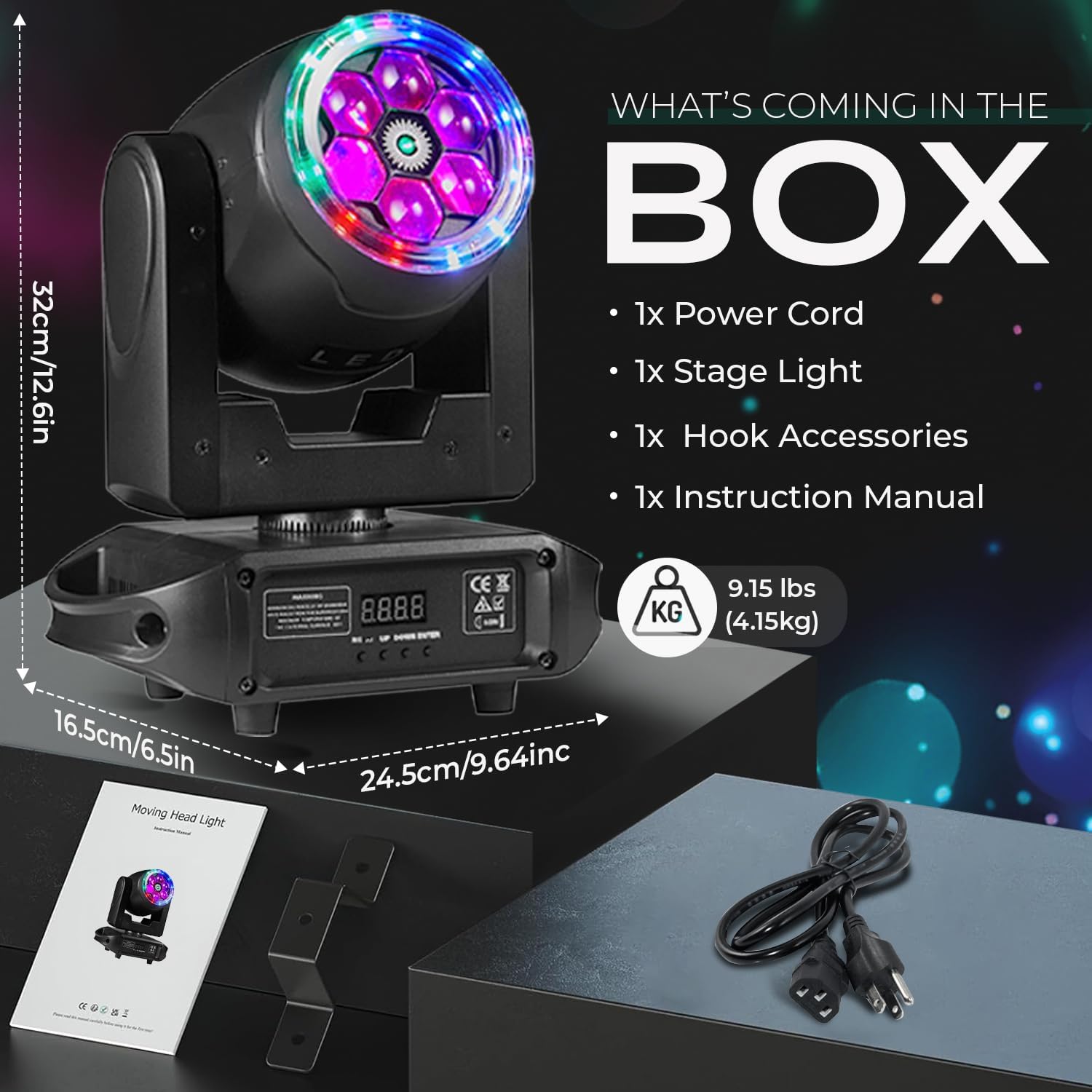
Figure 2: Included components: Moving Head DJ Light, power cable, mount bracket, and user manual.
Setup
1. Mounting the Light
The Moving Head DJ Light can be mounted on a floor or truss. Ensure the mounting surface or truss is capable of supporting the weight of the fixture. Use the provided mount bracket for secure installation.
- Truss Mounting: Attach the mount bracket securely to a compatible truss using appropriate clamps (not included). Ensure all connections are tightened to prevent movement.
- Floor Placement: Place the unit on a stable, level surface. Ensure there is adequate space around the unit for ventilation and movement.
2. Power Connection
Connect the provided power cable to the power input on the rear of the unit and then to a suitable grounded power outlet (AC100-240V, 50/60Hz).
3. DMX Connection (Optional)
For DMX control, connect a DMX cable from your DMX controller to the DMX IN port on the light. If linking multiple units, connect the DMX OUT of the first unit to the DMX IN of the next, and so on. Ensure the last unit in the chain has a DMX terminator (not included) connected to its DMX OUT port.
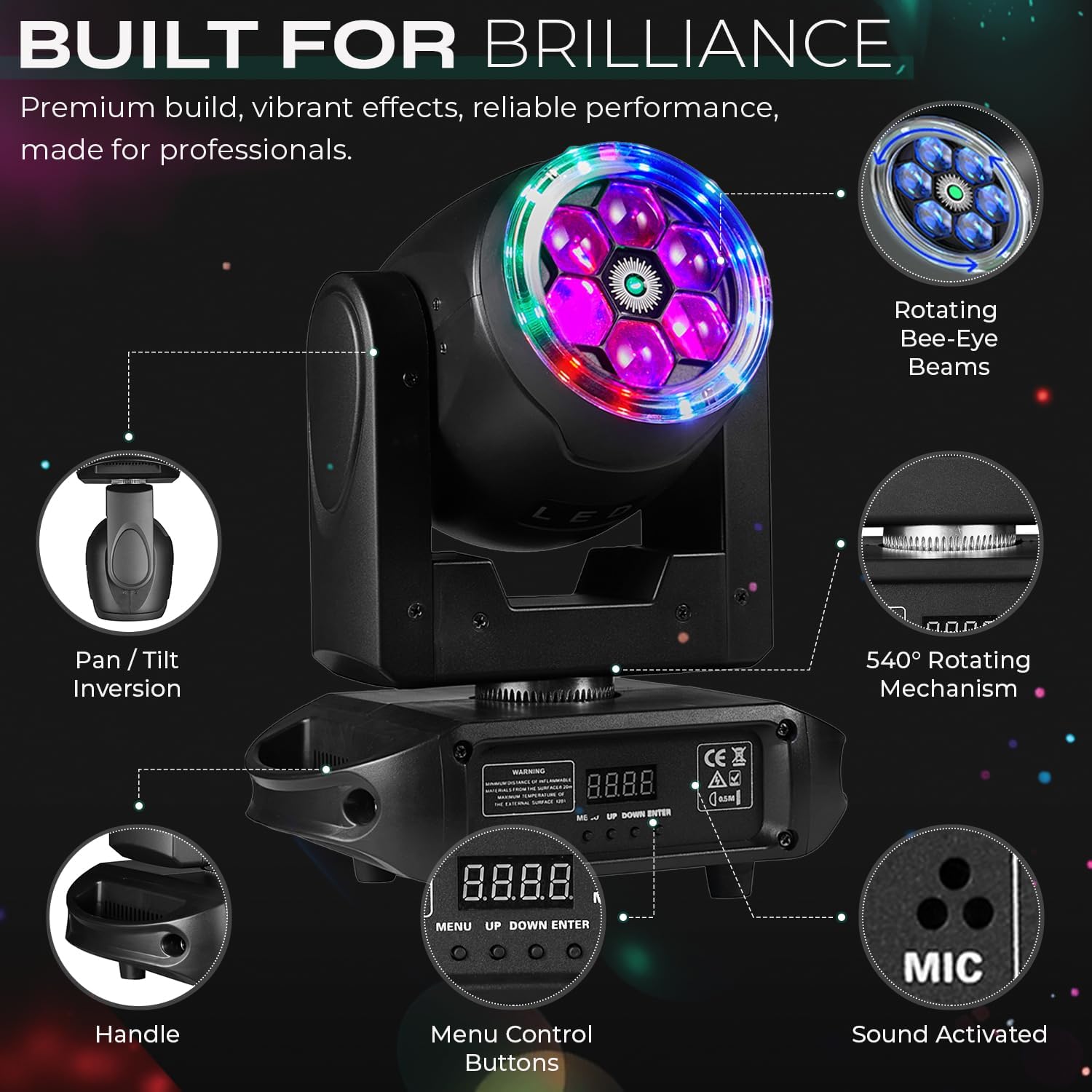
Figure 3: Rear panel with Power switch, DMX IN, and DMX OUT ports.
Operating Instructions
The light can be operated in several modes, controlled via the 4-button digital display on the base or an external DMX controller.
1. Control Panel Navigation
The 4-button digital display allows for menu navigation and setting adjustments:
- MENU: Accesses the main menu or moves back one level.
- UP: Scrolls up through menu options or increases a value.
- DOWN: Scrolls down through menu options or decreases a value.
- ENTER: Confirms a selection or enters a submenu.

Figure 4: Control panel with menu buttons and digital display.
2. Operating Modes
- DMX512 Mode: Allows precise control over all functions (pan, tilt, color, strobe, dimming, effects) using a 17-channel DMX controller. Set the DMX address via the control panel.
- Auto Mode: The light runs through pre-programmed sequences automatically. Select various auto programs via the menu.
- Sound-Activated Mode: The light reacts to ambient sound, changing patterns and colors in sync with music. Adjust sensitivity via the menu.
- Master-Slave Mode: Link multiple units where one acts as the master (controlling unit) and others as slaves (following the master's commands). Connect DMX cables in a daisy chain.
3. Key Features and Effects
- Pan & Tilt: 540° horizontal pan and 270° vertical tilt movement. Speed is adjustable.
- RGBW LEDs: Six 15W RGBW 4-in-1 LEDs for vibrant color mixing.
- Bee-Eye Effect: Unique lens design creates a multi-beam "Bee-Eye" effect.
- LED Ring: An outer LED ring provides additional ambient lighting and effects.
- Starry Sky Projection: Projects a dynamic starry sky pattern.
- Strobe: Adjustable strobe rate from 0-20 Hz.
- Dimming: 0-100% linear dimming for smooth intensity control.

Figure 5: Overview of key features including movement ranges and control options.
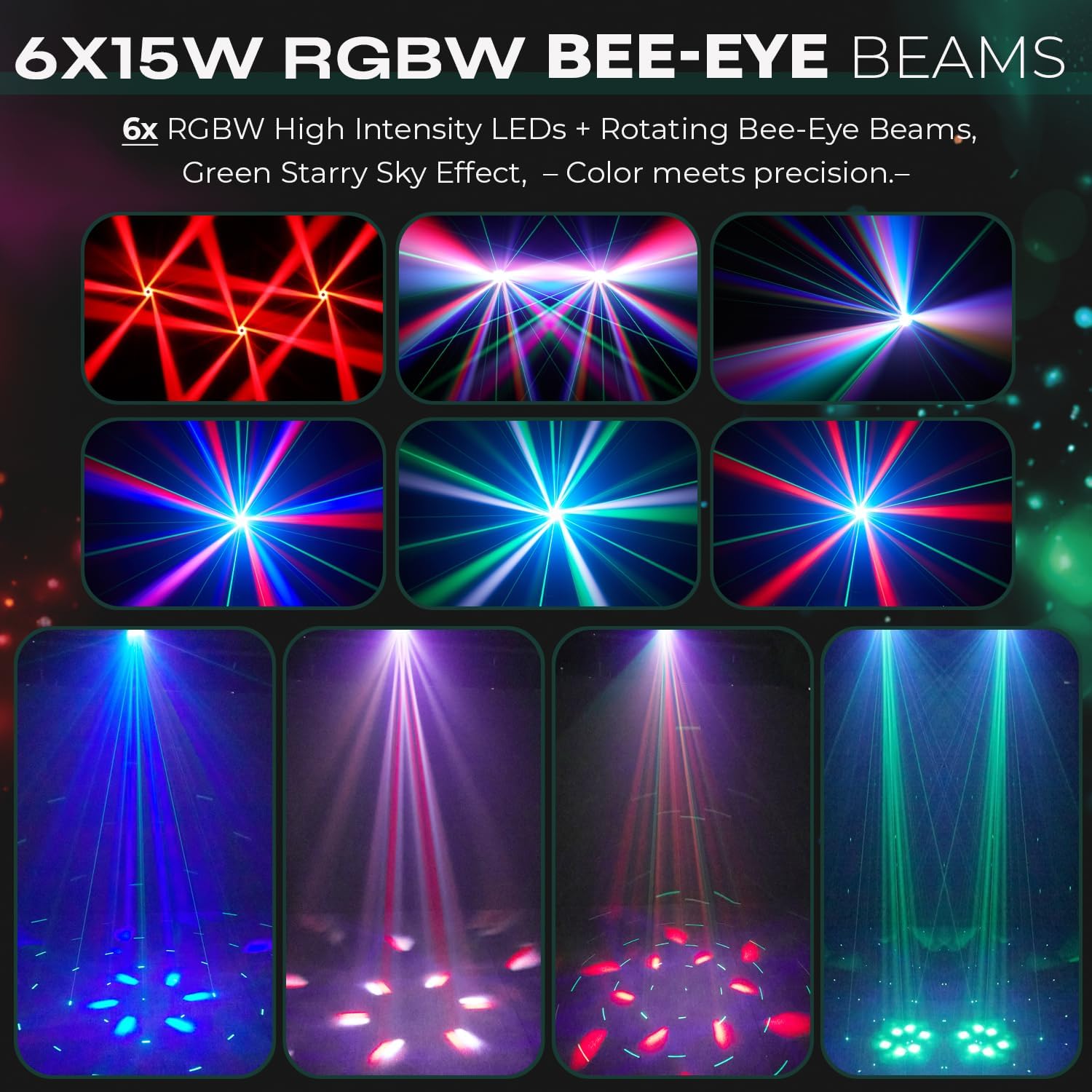
Figure 6: Examples of dynamic beam effects and LED halo.
4. Visual Demonstration
Watch the official product video for a demonstration of the light's various effects and operating modes.
Video 1: Demonstration of the 6x15W Bee-Eye DJ Light's features, including working modes, scanning speed, color effects, and self-propelled mode.
Maintenance
Regular maintenance ensures optimal performance and extends the lifespan of your DJ light.
- Cleaning: Periodically clean the lenses and exterior casing with a soft, lint-free cloth. Do not use abrasive cleaners or solvents. Ensure the unit is powered off and unplugged before cleaning.
- Ventilation: Keep ventilation openings clear of dust and debris to ensure efficient heat dissipation. The unit features a convective heat transfer and air cooling system.
- Inspection: Regularly inspect power cables, DMX cables, and mounting hardware for any signs of wear or damage. Replace damaged components immediately.
- Storage: When not in use, store the light in a dry, dust-free environment.
Troubleshooting
If you encounter issues with your DJ light, refer to the following common troubleshooting steps:
| Problem | Possible Cause | Solution |
|---|---|---|
| No power | Power cable disconnected, faulty outlet, power switch off. | Check power cable connection, try a different outlet, ensure power switch is ON. |
| No light output | Dimmer at 0%, DMX signal issue, internal fault. | Increase dimmer level, check DMX connections and address, try Auto or Sound mode. |
| No movement (Pan/Tilt) | Movement disabled in DMX, motor fault, DMX signal issue. | Check DMX settings for pan/tilt control, try Auto or Sound mode. |
| Incorrect DMX control | Incorrect DMX address, faulty DMX cable, DMX controller issue. | Verify DMX address, replace DMX cable, check DMX controller settings. |
| Overheating | Blocked ventilation, prolonged use in high ambient temperature. | Ensure ventilation is clear, allow unit to cool down, operate in a well-ventilated area. |
If the problem persists after attempting these solutions, please contact Flashback Events customer support for further assistance.
Specifications
| Feature | Detail |
|---|---|
| Model Number | FBE-SB6151 |
| Rated Voltage | AC100-240V, 50/60Hz |
| Rated Power | 90W |
| Light Source | 6 x 15W RGBW 4-in-1 LEDs |
| Beam Angle | 4 Degrees |
| Dimming | 0-100% Linear Dimming |
| Strobe | 0-20 Hz |
| Pan Movement | 540° (adjustable speed) |
| Tilt Movement | 270° (adjustable speed) |
| Control Modes | DMX512 (17-channel), Master-Slave, Auto, Sound-Activated |
| Housing Material | Aluminum, Acrylonitrile Butadiene Styrene (ABS) |
| Product Dimensions | 9.65"L x 6.5"W x 12.6"H |
| Item Weight | 8.59 pounds |
| Average LED Life | 50,000 Hours |
Warranty and Support
Flashback Events stands behind the quality of its products. This DJ light is covered by a manufacturer's warranty against defects in materials and workmanship.
Customer Support
For any questions, technical assistance, or warranty claims, please contact Flashback Events customer support. Our team is available to assist you within 24 hours.
- Contact: Refer to your purchase documentation or the Flashback Events official website for contact details.
- Online Resources: Visit the Flashback Events Store on Amazon for additional product information and support.