TCL 55Q6C 4K UHD Smart QD-Mini LED Google TV
User Manual
1. Product Overview
The TCL 55Q6C is a 55-inch 4K UHD Smart QD-Mini LED Google TV, designed to deliver an immersive viewing experience with advanced display and audio technologies. It features a 144 Hz refresh rate, precise dimming zones, and integrated ONKYO speakers for superior performance.
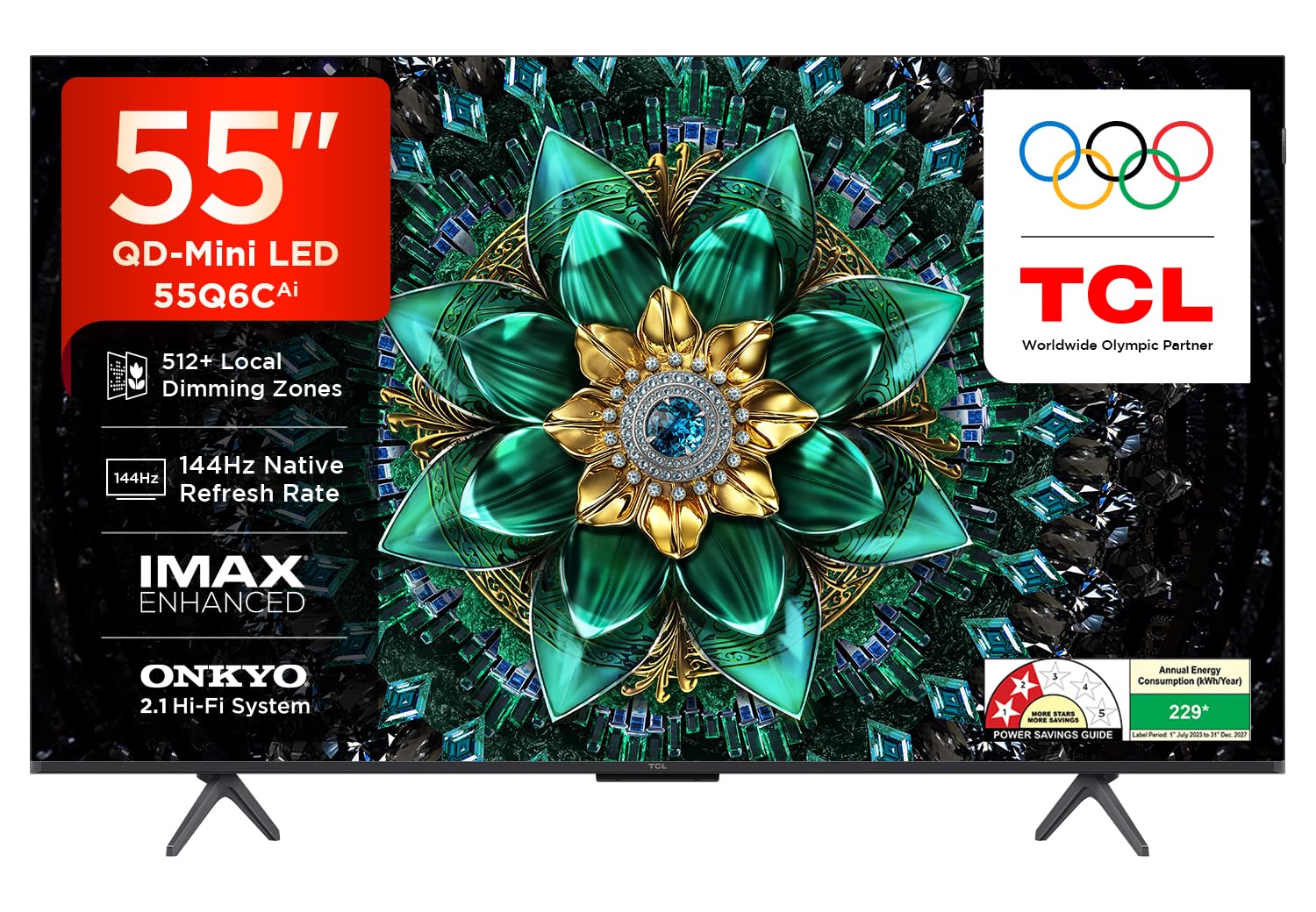
Front view of the TCL 55Q6C 4K UHD Smart QD-Mini LED Google TV.
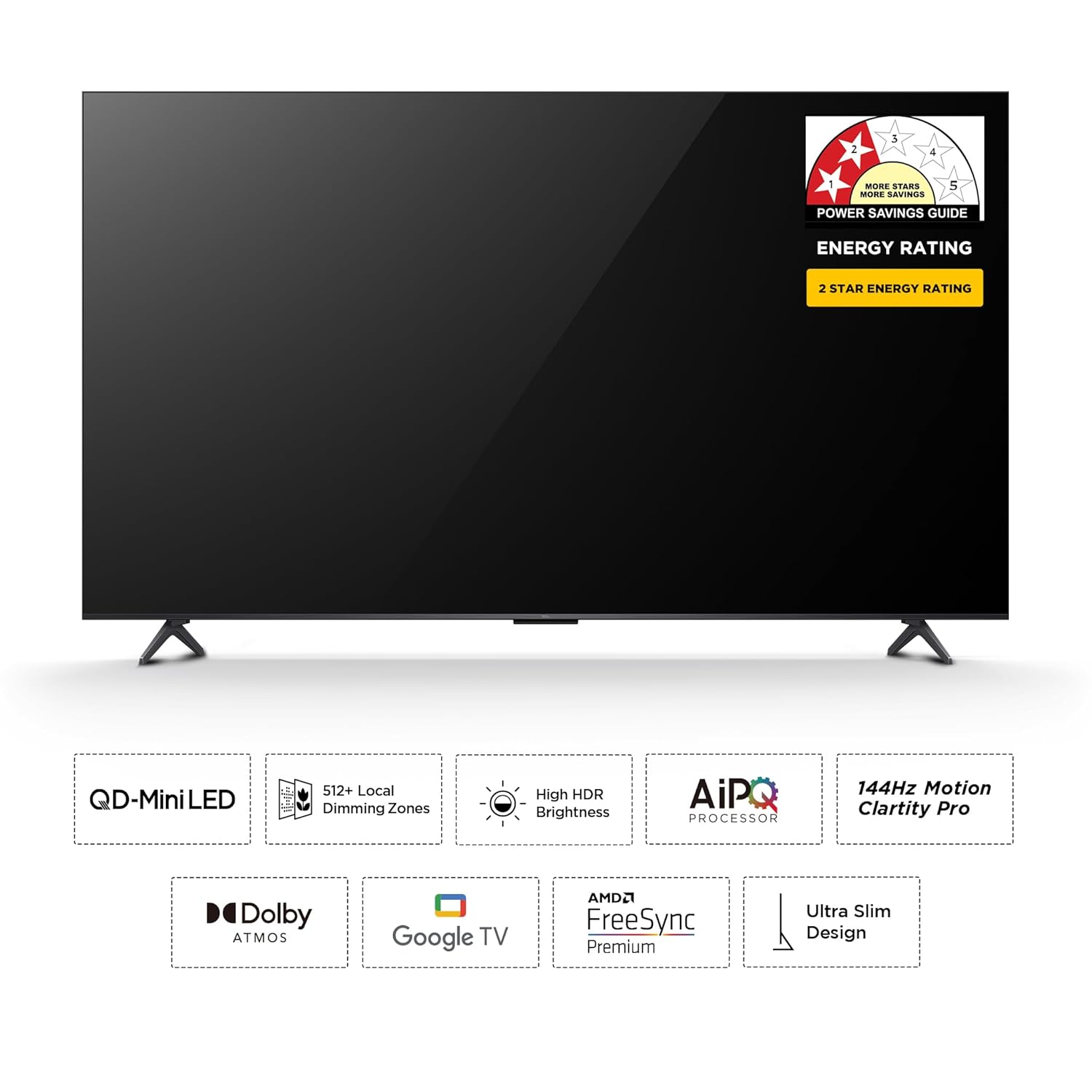
Key features of the TCL 55Q6C, including QD-Mini LED, 512+ Local Dimming Zones, High HDR Brightness, AiPQ Pro Processor, 144Hz Motion Clarity Pro, Dolby Atmos, Google TV, AMD FreeSync Premium, and Ultra Slim Design. Also shows the 2-star energy rating.
2. Setup Guide
2.1. Unboxing and Package Contents
Carefully open the packaging and remove all components. Ensure all items listed below are present.

Contents of the box: LED TV, Audio Cable, Table Top TV Stand, Batteries, TV Remote, and Power Cord.
- 1N LED TV
- 1N Audio Cable
- 1N Stand (for table-top mounting)
- 1N Power cord
- 1N Remote Control
- 2N AAA Batteries
2.2. Physical Installation
Choose between table-top installation using the provided stand or wall-mounting (wall mount bracket not included). Ensure proper ventilation around the TV.
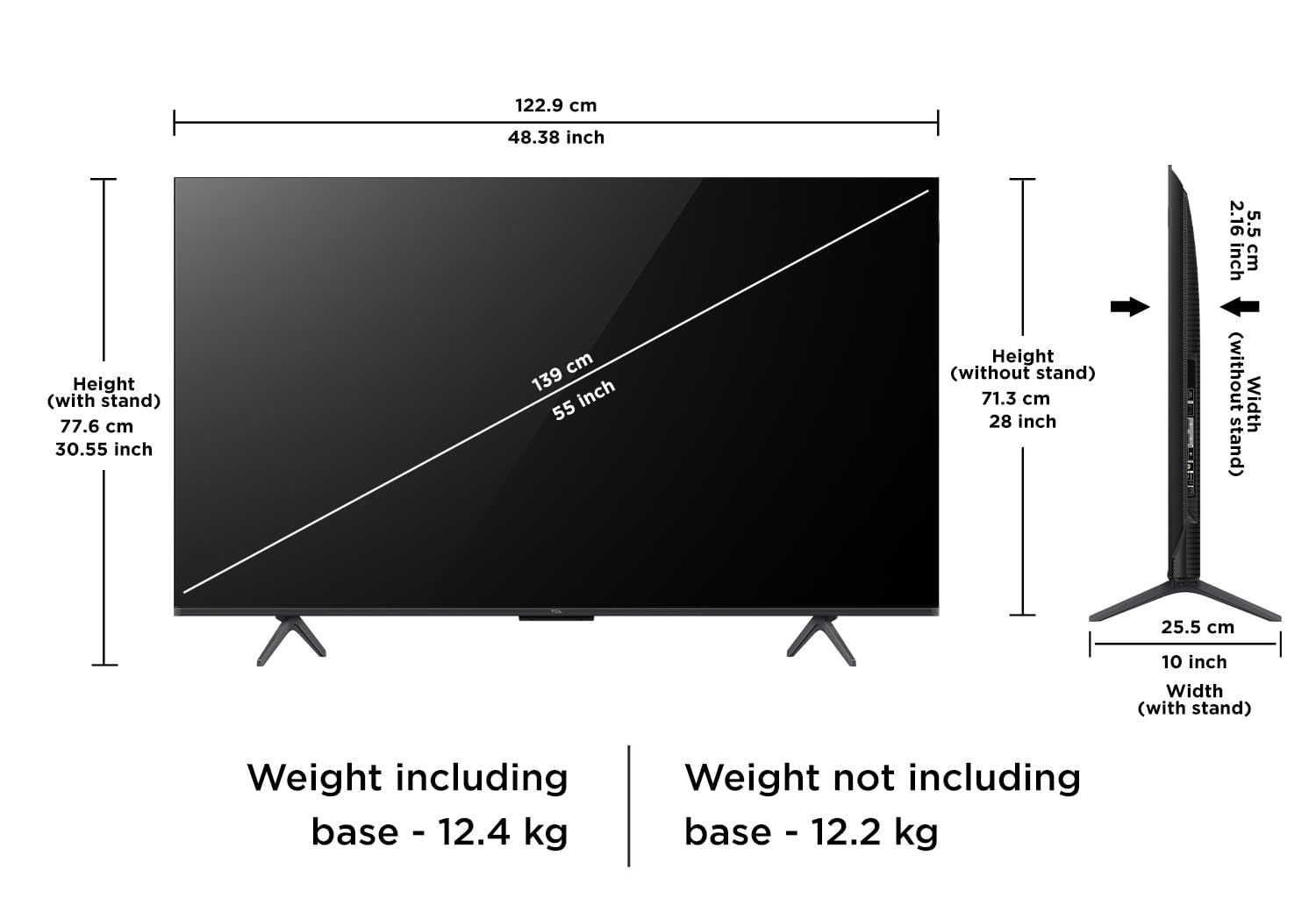
Dimensions of the TCL 55Q6C TV, including width (122.9 cm / 48.38 inch), height with stand (77.6 cm / 30.55 inch), height without stand (71.3 cm / 28 inch), and depth with stand (25.5 cm / 10 inch). Weight including base is 12.4 kg, and without base is 12.2 kg.
2.3. Connectivity
Connect your devices to the appropriate ports on the TV. The TV offers a variety of input options.

Detailed diagram of the TCL 55Q6C TV's side ports: 1. USB 3.0, 2. LAN, 3. HDMI 1 (4K@144Hz, eARC/ARC), 4. HDMI 2 (4K@144Hz, Service port), 5. HDMI 3 (4K@60Hz), 6. HDMI 4 (4K@60Hz), 7. Cable/Antenna Input, 8. Satellite Input, 9. Common Interface, 10. Digital Audio Out (Optical).
- HDMI Ports: 3 (2x 4K@144Hz, 2x 4K@60Hz) for high-definition video and audio.
- USB Port: 1 (USB 3.0) for media playback or connecting peripherals.
- LAN: For wired internet connection.
- Antenna/Satellite Input: For broadcast TV signals.
- Digital Audio Out (Optical): For connecting to external audio systems.
2.4. Initial Power On
After connecting the power cord, press the power button on the remote control or the TV to turn it on. Follow the on-screen instructions for initial setup, including network connection and Google account login.
3. Operating Instructions
3.1. Remote Control
The smart remote control provides quick access to various functions and streaming services.

The TCL 55Q6C remote control features a built-in microphone for Google Assistant voice control and dedicated hotkeys for Netflix, Prime Video, SonyLIV, TCL Channel, and YouTube for quick access to popular streaming services.
- Power Button: Turns the TV on/off.
- Navigation Pad: For menu navigation.
- Google Assistant Button: Activates voice control.
- Volume +/-: Adjusts volume.
- Channel +/-: Changes channels.
- Dedicated Hotkeys: Quick access to Netflix, Prime Video, YouTube, and other services.
3.2. Smart TV Features (Google TV)
The TCL 55Q6C runs on Google TV, offering a personalized content experience and access to a vast library of apps.

The Google TV interface on the TCL 55Q6C, showing popular streaming applications like YouTube, Prime Video, Disney+ Hotstar, SonyLIV, Netflix, Zee5, ALTBalaji, Voot Select, Google Play, and JioCinema.
- Content Discovery: Personalized recommendations across your subscriptions.
- Voice Control: Use Hands-Free Voice Control or Google Assistant via remote.
- App Store: Download apps from Google Play Store (Prime Video, Netflix, Hotstar, Zee5, etc.).
- Screen Mirroring: Cast content from your smartphone or tablet.
- Works with Alexa & Airplay 2: Seamless integration with smart home ecosystems.
3.3. Display Technology
Experience stunning visuals with QD-Mini LED technology and advanced image processing.

Visual representation of QD-Mini LED technology, combining QLED and Mini LED for brighter, more vivid images with pixel-level precision.
- QD-Mini LED Panel: Fuses QLED and Mini LED for superior brightness, contrast, and color gamut.
- Precise Dimming Series: Over 512 local dimming zones for deeper blacks and higher brightness.
- 144 Hz Native Refresh Rate: Ensures smoother and clearer motion, ideal for fast-paced content and gaming.
- Dolby Vision IQ & HDR 10: Enhanced dynamic range for incredible detail and vibrant colors.
- AiPQ Pro Processor: An AI picture quality processor that optimizes contrast, color, clarity, motion, and HDR.
- TCL All-domain Halo Control Technology: Minimizes halo effects for cleaner visuals.
3.4. Audio Features
The TV delivers powerful and immersive audio with its integrated sound system.
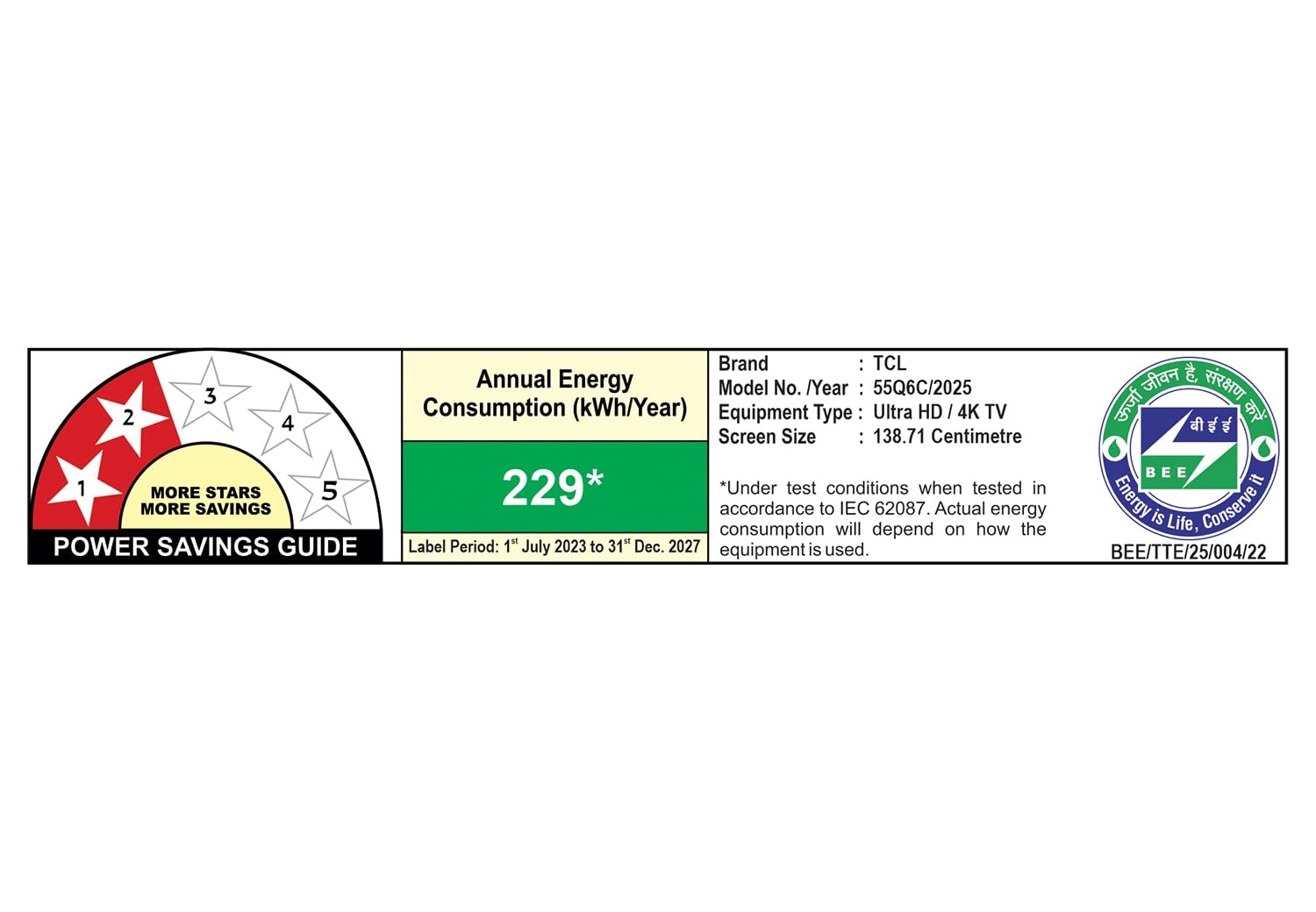
Illustration of Dolby Atmos audio, providing immersive, theatrical sound enjoyment.
- 40 Watts Output: Powerful sound delivery.
- Dolby Atmos: Experience immersive, multi-dimensional sound.
- DTS Virtual-X: Virtualized 3D sound that appears to emerge from above, beside, and behind you.
- Integrated ONKYO Speakers: High-quality audio components for clarity and rich sound.
3.5. Gaming Features
Optimized for gaming with features that ensure smooth and responsive gameplay.
- Game Master: Enhances gaming performance.
- AMD FreeSync Premium Pro: Eliminates screen tearing and stuttering for fluid gameplay.
- 144Hz Refresh Rate: Provides ultra-smooth motion for competitive gaming.
3.6. Energy Saving Mode
The TV includes an energy-saving mode to reduce power consumption.
- Adjust brightness, adaptive brightness, and dynamic brightness settings to conserve energy.
4. Maintenance
4.1. Cleaning the Screen
Gently wipe the screen with a soft, lint-free cloth. For stubborn marks, slightly dampen the cloth with water or a specialized screen cleaner. Avoid using harsh chemicals or abrasive materials.
4.2. General Care
- Keep the TV away from direct sunlight and heat sources.
- Ensure adequate ventilation around the TV to prevent overheating.
- Unplug the TV during lightning storms or when unused for extended periods.
5. Troubleshooting
If you encounter issues with your TCL TV, refer to the following common solutions:
- No Power: Check if the power cord is securely plugged into both the TV and the wall outlet. Ensure the outlet is functional.
- No Picture/Sound: Verify that the correct input source is selected. Check all cable connections (HDMI, audio). Try restarting the TV.
- Remote Not Responding: Replace the batteries in the remote control. Ensure there are no obstructions between the remote and the TV's IR sensor.
- Network Connection Issues: Check your Wi-Fi router or LAN cable connection. Try restarting your router. Ensure the TV's network settings are correct.
- Picture Quality Issues: Adjust picture settings (brightness, contrast, color). Ensure the content source is high quality.
For more detailed troubleshooting or persistent issues, please refer to the official TCL support website or contact customer service.
6. Specifications
Detailed technical specifications for the TCL 55Q6C TV.
| Feature | Specification |
|---|---|
| Model | 55Q6C |
| Screen Size | 55 Inches (139 cm) |
| Display Technology | QD-Mini LED |
| Resolution | 4K UHD (3840 x 2160) |
| Refresh Rate | 144 Hz |
| Sound Output | 40 Watts (Dolby Atmos, DTS Virtual-X) |
| Operating System | Google TV |
| RAM | 3 GB |
| ROM | 32 GB |
| Connectivity | 3 HDMI Ports, 1 USB Port, LAN, Wi-Fi, Bluetooth |
| Product Dimensions (LxWxH) | 34.1 x 122.9 x 77.6 cm |
| Item Weight | 12.2 kg |
| Energy Rating | 2 Star |

Energy Savings Guide label for TCL 55Q6C, showing 2-star rating and annual energy consumption of 229 kWh/Year.
7. Warranty and Support
7.1. Warranty Information
The TCL 55Q6C comes with a 2-year warranty provided by the manufacturer from the date of purchase. Please retain your invoice as proof of purchase to avail warranty services.
Extended warranty plans are also available for purchase:
- 2 Year Extended Warranty Plan
- 1 Year Extended Warranty Plan
7.2. Customer Support
For any queries, technical assistance, or warranty claims, please contact TCL customer support. You can find contact details on the official TCL website or refer to the product details section where this manual was accessed.


