
TECKNET AF-2006
TECKNET Personal Safety Alarm (Model AF-2006) Instruction Manual
Brand: TECKNET | Model: AF-2006
Introduction
The TECKNET Personal Safety Alarm is a compact, rechargeable device designed to enhance personal safety with a powerful 135dB alarm and a versatile 4-mode LED flashlight. Its IPX4 waterproof rating and clip-on design make it suitable for various outdoor activities and emergency situations, providing peace of mind for users of all ages.
Key Features:
- 135dB Personal Alarm: Emits a high-frequency sound audible up to 500 feet to deter threats and attract attention.
- SOS Strobe Light: Integrated flashing lights for enhanced visibility and emergency signaling.
- 4-Mode Flashlight: Includes flashing red, blue, white, and steady white light modes for various lighting needs.
- Rechargeable Battery: Long-lasting 300mAh battery, fully charges in 1.5 hours via USB-C. Features a low-battery warning.
- IPX4 Waterproof: Resistant to water splashes from all angles, suitable for outdoor use in various weather conditions.
- Easy to Carry: Equipped with a sturdy clip and keychain for attachment to bags, clothing, belts, or keys.
Package Contents
- TECKNET Personal Safety Alarm (Model AF-2006)
- USB-C Charging Cable
- Keychain
- User Manual

Image: Contents of the TECKNET Personal Safety Alarm package, including the alarm unit, USB-C cable, and keychain.
Setup
1. Initial Charging
Before first use, fully charge the device. Connect the included USB-C cable to the charging port on the side of the alarm and to a USB power source.
- A red light indicates the device is charging.
- A green light indicates the device is fully charged.
- Full charge takes approximately 1.5 hours.

Image: The personal safety alarm connected to a power bank via its USB-C charging port.
2. Attaching the Keychain/Clip
The alarm comes with a sturdy clip and a detachable keychain for versatile carrying options.
- Keychain: Attach the provided keychain to the loop at the top of the alarm. This allows you to secure it to keys, zippers, or bag straps.
- Clip: Use the integrated clip on the back of the device to attach it directly to clothing, belts, hats, or backpack straps.
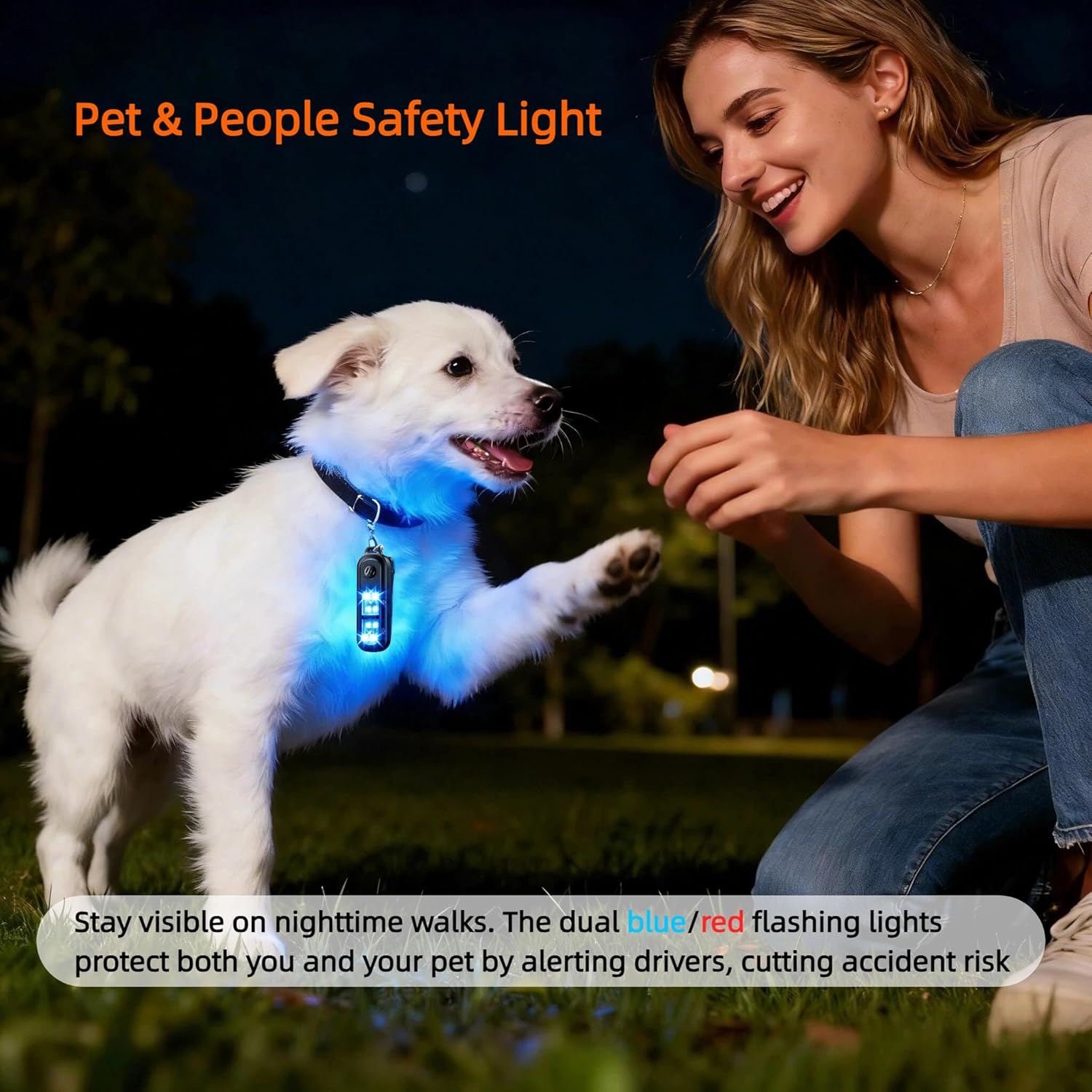
Image: The personal safety alarm showing its keychain attachment and integrated back clip for hands-free carrying.
Operating Instructions
1. Activating the Personal Alarm (135dB Siren & Strobe Light)
In an emergency, quickly activate the alarm to draw attention and deter potential threats.
- To Activate: Double-click the top button (marked with a speaker icon). The 135dB siren will sound, and the white strobe lights will flash.
- To Deactivate: Press and hold the top button for 3 seconds.
Video: Demonstration of activating and deactivating the TECKNET Personal Safety Alarm's siren and strobe light. Double-click to activate, press and hold for 3 seconds to deactivate.

Image: Visual guide on how to activate the 135dB personal alarm by double-clicking and deactivate by pressing and holding for 3 seconds.
2. Using the Flashlight (4 Modes)
The bottom button controls the flashlight functions.
- To Cycle Flashing Modes: Press the bottom button (marked with a light bulb icon) once to activate the flashing red light. Press again for flashing blue, then flashing white. A fourth press will turn the flashing lights off.
- To Activate Steady White Light: Press and hold the bottom button for 3 seconds.
- To Turn Off Steady White Light: Press and hold the bottom button for 3 seconds again.
Video: Demonstration of cycling through the four flashlight modes (flashing red, blue, white, and steady white) and turning them off.

Image: Illustration of the four lighting modes: flashing red, flashing blue, flashing white, and steady white, with their respective durations.
Maintenance
1. Charging
Recharge the device when the low-battery warning is activated (3 short beeps plus a flashing white light when turning off). Use the provided USB-C cable for optimal charging.
2. Cleaning
Wipe the device with a soft, dry cloth. Do not use harsh chemicals or abrasive cleaners. Ensure the USB-C port cover is securely closed to maintain water resistance.
3. Water Resistance
The device has an IPX4 waterproof rating, meaning it is resistant to water splashes from any direction. It is suitable for use in rain or damp conditions but should not be submerged in water.

Image: The personal safety alarm being used outdoors in light rain, highlighting its IPX4 waterproof feature.
Troubleshooting
| Problem | Possible Cause | Solution |
|---|---|---|
| Alarm does not activate or is too quiet. | Low battery; incorrect activation method. | Ensure the device is fully charged. Double-click the top button quickly to activate. |
| Flashlight does not turn on or cycle modes. | Low battery; incorrect button press. | Charge the device. Press the bottom button once to cycle flashing modes, or press and hold for 3 seconds for steady white light. |
| Device falls off clothing when clipped. | Improper attachment; clip not secure. | Ensure the clip is firmly attached to a secure part of your clothing or bag. Consider using the keychain for added security. |
Specifications
| Feature | Detail |
|---|---|
| Brand | TECKNET |
| Model | AF-2006 |
| Audible Noise | 135 Decibels |
| Power Source | Battery Powered (Rechargeable) |
| Battery Capacity | 300mAh (approx.) |
| Charging Time | 1.5 Hours |
| Flashlight Modes | Flashing Red, Flashing Blue, Flashing White, Steady White |
| Waterproof Rating | IPX4 |
| Control Method | Push Button |
| Product Dimensions (L x W x H) | 2.36" x 0.79" x 3.35" |
Warranty and Support
The TECKNET Personal Safety Alarm comes with a 36-month service warranty. For any product inquiries, technical support, or warranty claims, please contact TECKNET customer service through their official channels or the retailer where the product was purchased.
We hope you never need to use the alarm in an emergency, but rest assured it is designed to provide reliable protection when needed.
Ask a question about this manual
Ask about setup, troubleshooting, compatibility, parts, safety, or missing instructions. Manuals+ will review the question and use this page’s manual context to help answer it.