
Introduction
This manual provides essential instructions for the setup, operation, maintenance, and troubleshooting of your INTEX SimpleSpa Inflatable Hot Tub. Please read this manual thoroughly before installation and use to ensure safe and efficient operation of your spa.
The INTEX SimpleSpa is designed to provide a relaxing bubble massage experience for up to 6 people, featuring 140 powerful bubble jets and an integrated heating system.
Safety Information
Always adhere to all local electrical codes and regulations. Do not use extension cords. Ensure the spa is placed on a flat, stable surface capable of supporting its weight when filled. Keep children under supervision at all times. Do not operate the spa if the temperature is below 4°C (40°F).
- Do not jump or dive into the spa.
- Avoid using electrical appliances near the spa.
- Consult a physician before use if you have health conditions.
- Always use the provided insulated cover when the spa is not in use to prevent heat loss and ensure safety.
Setup
1. Unpacking and Site Selection
Carefully unpack all components. Choose a flat, level surface for your spa, free from sharp objects. The area must be able to support the weight of the filled spa (approximately 290 gallons of water plus occupants). Ensure adequate drainage is available.

Image: The Intex SimpleSpa Inflatable Hot Tub, showcasing its round shape and dark gray exterior with the Intex logo. This image provides an overview of the product's appearance.
2. Inflation
Connect the inflation hose to the spa's air valve and the control unit's inflation port. Turn on the inflation function on the control unit. Inflate the spa until it is firm to the touch but not overinflated. Do not use an air compressor not supplied with the unit.

Image: Diagram highlighting key features of the Intex SimpleSpa, including sturdy horizontal beam construction, sleek control unit, and strong mesh material. This illustrates the components involved in setup.
3. Filling with Water
Once inflated, place the thermal ground cloth underneath the spa. Position the insulated cover nearby. Fill the spa with water using a garden hose, ensuring the water level is between the minimum and maximum fill lines indicated on the spa's interior.

Image: The hot tub placed outdoors, with overlaid measurements indicating its 85-inch diameter and 26-inch height. This helps visualize the spa's size for placement.
4. Initial Power-Up and Accessory Installation
Connect the control unit to a grounded electrical outlet. Install the filter cartridges into the filter housing. Place the floating chemical dispenser in the spa water after adding appropriate chemicals (refer to water chemistry guidelines).
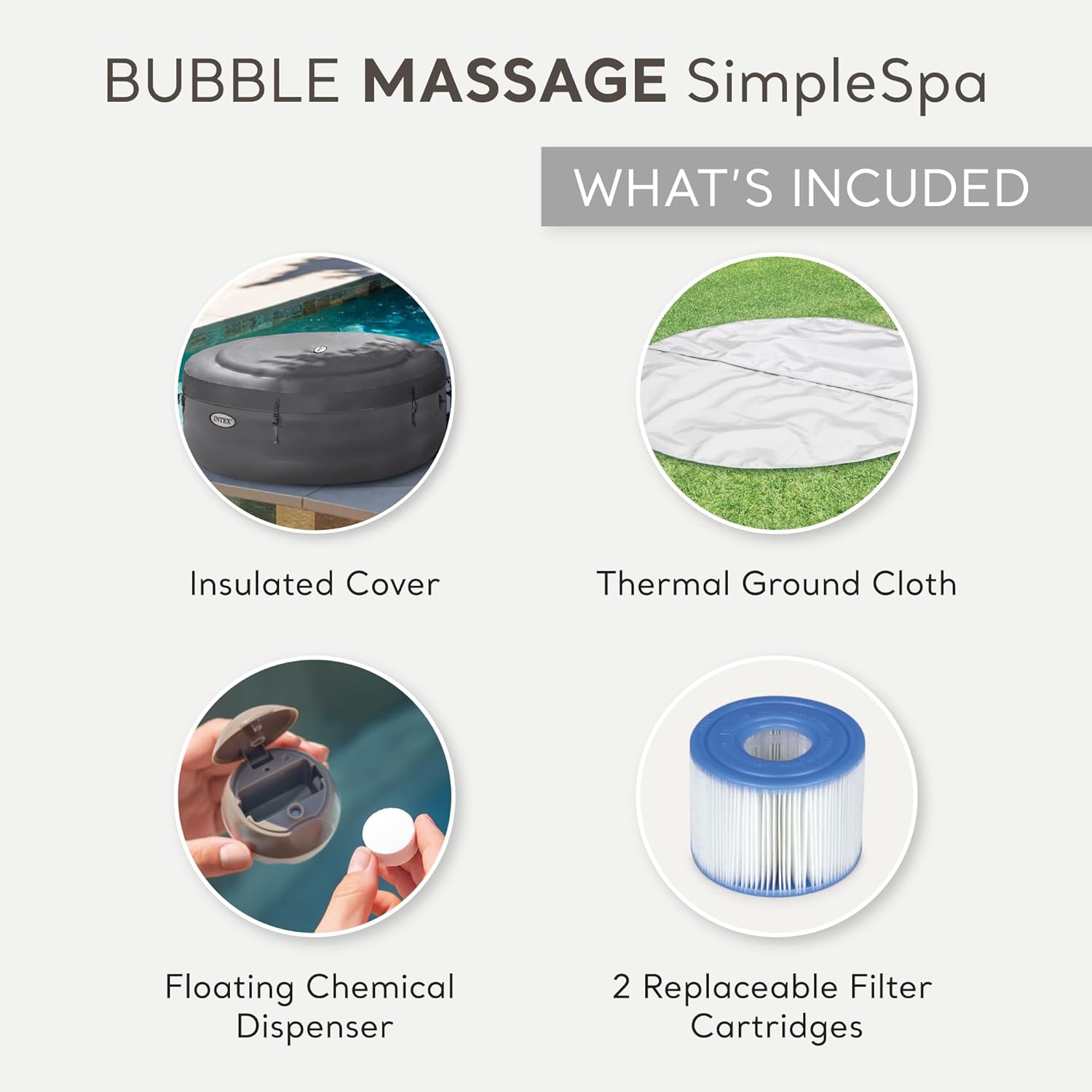
Image: Visual representation of included accessories: an insulated cover, thermal ground cloth, floating chemical dispenser, and two replaceable filter cartridges. These are crucial for initial setup and ongoing maintenance.
Operating Instructions
1. Control Unit Functions
The sleek and compact all-in-one control unit manages all spa functions. It features a touch button control panel for easy operation.
- Power Button: Turns the spa system on/off.
- Heater Button: Activates the heating system. The adjustable heating system allows you to set your desired water temperature up to 104°F (40°C).
- Bubble Jet Button: Activates the 140 powerful bubble jets for a soothing massage.
- Filter Button: Controls the filtration system to keep water clean.
- Temperature Adjustment Buttons: Use the up and down arrows to set the desired water temperature.

Image: Close-up of the Intex SimpleSpa control panel, showing the digital display and various function buttons for heating, bubbles, and filtration. This image helps users identify and operate the controls.
2. Hard Water Treatment System
The built-in Electronic Hard Water Treatment System reduces calcium buildup in the water, which helps increase the efficiency and lifespan of the spa's components, providing a more enjoyable spa experience. This system operates automatically when the spa is running.

Image: A couple enjoying the Intex SimpleSpa, with an overlay highlighting the Electronic Hard Water Treatment System. This illustrates the benefit of the system in action.
Maintenance
1. Water Chemistry
Maintaining proper water chemistry is crucial for the longevity of your spa and the health of its users. Regularly test the water using test strips and adjust chemical levels as needed. Use the floating chemical dispenser for chlorine or bromine tablets.
- pH Level: Maintain between 7.4 and 7.6.
- Chlorine/Bromine: Follow manufacturer's guidelines for sanitization.
- Alkalinity: Maintain between 80-120 ppm.
2. Filter Cartridge Replacement
The filter cartridges should be cleaned regularly (daily or every other day depending on usage) and replaced every 2-4 weeks to ensure optimal filtration and water clarity. Dirty filters can impede water flow and heating efficiency.

Image: Close-up of a replaceable filter cartridge, essential for maintaining water quality in the Intex SimpleSpa. Regular cleaning and replacement are vital for spa performance.
3. Cleaning and Draining
Periodically drain and clean the spa. This is recommended every 1-3 months depending on usage. Use a soft cloth and mild, non-abrasive cleaner for the interior and exterior surfaces. Ensure the spa is completely dry before storage.

Image: The Intex SimpleSpa hot tub covered with its insulated lid, positioned next to a pool. The cover helps maintain water temperature and keeps debris out, reducing cleaning frequency.
Troubleshooting
| Problem | Possible Cause | Solution |
|---|---|---|
| Spa not heating or heating slowly | Dirty filter cartridge, low water level, ambient temperature too low, heater malfunction. | Clean or replace filter. Ensure water level is correct. Avoid using in very cold weather. Check for error codes on control panel. |
| Error Code E90 | Indicates a flow sensor error, often due to clogged filter or debris in the pump/heater. | Turn off power, clean/replace filter, check water inlet/outlet for obstructions. Restart the unit. If persistent, contact customer support. |
| Bubbles not working | Air pump malfunction, blocked air nozzles. | Ensure the bubble button is activated. Check for any visible blockages in the air nozzles. |
| Water leaking from valve area | Loose or faulty air valve. | Ensure the air valve is securely tightened. If the leak persists, the valve may need inspection or replacement by a qualified technician. |
Specifications
| Feature | Detail |
|---|---|
| Brand | Intex |
| Model Name | 28489ST |
| Product Dimensions | 85"L x 85"W x 26"H |
| Material | Acrylic, Polyethylene (PE), Vinyl |
| Shape | Round |
| Capacity | 290 Gallons |
| Number of Jets | 140 |
| Seating Capacity | 6 Person |
| Assembly Required | Yes |

Image: Infographic detailing the specifications of the Intex SimpleSpa, including capacity for up to 6 people, 140 bubble jets, temperature range up to 104°F (40°C), and 290 gallons water capacity. This provides a quick visual summary of key specs.
Warranty and Support
For warranty information and technical support, please contact Intex Recreation Corp. customer service. Keep your purchase receipt as proof of purchase for any warranty claims.
While specific warranty details are not provided here, Intex typically offers a limited warranty on their products covering manufacturing defects. Please refer to the documentation included with your product or visit the official Intex website for the most current warranty policy and contact information.
For common issues, refer to the troubleshooting section. If the problem persists, professional assistance may be required.
You can visit the Intex Store on Amazon for more product information and support resources.


