Introduction
The ZERFUN S67 is a portable voice amplifier system designed for clear and powerful vocal projection. This system includes a lightweight wireless lavalier microphone and an 18W speaker, suitable for various applications such as teaching, tour guiding, and coaching. It features 2.4G wireless technology for automatic pairing, a long-lasting 2000mAh lithium battery, and a digital LED display for easy status monitoring. The integrated DSP smart chip provides intelligent noise reduction and anti-howling capabilities, ensuring clear audio output.
Package Contents
Please verify that all items listed below are included in your package:
- ZERFUN Voice Amplifier x1
- Wireless Lavalier Microphone x1
- Shoulder Strap x1
- Windscreen x1
- Charging Cable x1
- User Manual x1

Image: All components included in the ZERFUN S67 Voice Amplifier package.
Product Overview
Voice Amplifier Unit
The main amplifier unit features a speaker grille, a digital LED display, and control buttons for power, volume, and mode selection. It also includes ports for DC5V power input, AUX/MIC input, SD/TF card, and USB drive.
Wireless Lavalier Microphone
The compact wireless microphone is equipped with a flexible clip for easy attachment to clothing. It has a power button and volume controls. A windscreen is provided for improved audio clarity.

Image: The digital LED display on the ZERFUN S67 amplifier provides visual feedback on device status.
Setup
Charging the Devices
Before initial use, fully charge both the voice amplifier and the wireless microphone. Use the provided Type-C charging cable. Connect one end to the charging port on each device and the other end to a compatible USB power adapter (not included).
- The LED display on the amplifier will indicate charging status.
- A full charge provides up to 24 hours of continuous use for the amplifier.

Image: The ZERFUN S67 amplifier's battery features a 2000mAh capacity, offering extended usage and standby times.
Automatic Pairing
The ZERFUN S67 utilizes 2.4G wireless technology for instant and automatic pairing between the microphone and the amplifier.
- Power on the voice amplifier unit.
- Power on the wireless lavalier microphone.
- The devices will automatically connect. No manual configuration is required.

Image: The ZERFUN S67 system features 2.4G wireless technology for plug-and-play automatic pairing.
Operating Instructions
Voice Amplification
- Ensure both the amplifier and microphone are charged and paired.
- Clip the wireless lavalier microphone to your collar or clothing, ensuring it is close to your mouth for optimal sound capture.
- Speak into the microphone. Your voice will be amplified through the speaker.
- Adjust the volume using the dedicated buttons on the amplifier unit or the microphone.
DSP Intelligent Anti-Howling Technology
The ZERFUN S67 incorporates a self-developed DSP smart chip that provides intelligent noise reduction and prevents audio howling. This technology ensures clear and stable sound output even in various environments.

Image: The DSP Smart Chip provides intelligent noise reduction and eliminates howling for clear audio.
Multiple Playback Modes
The amplifier supports various audio playback options:
- TF Card: Insert a TF (MicroSD) card into the SD/TF slot to play stored audio files.
- USB Drive: Insert a USB flash drive into the USB slot to play audio files.
- Bluetooth: Activate Bluetooth mode on the amplifier and pair it with your smartphone or other Bluetooth-enabled device to stream audio wirelessly.
- AUX: Connect an external audio source (e.g., laptop, tablet) to the AUX/MIC port using an audio cable.

Image: The ZERFUN S67 supports various audio input methods including TF card, USB drive, Bluetooth, and AUX.
Maintenance
To ensure the longevity and optimal performance of your ZERFUN S67 Voice Amplifier, follow these maintenance guidelines:
- Cleaning: Wipe the amplifier and microphone with a soft, dry cloth. Do not use liquid cleaners, abrasive materials, or harsh chemicals.
- Storage: Store the device in a cool, dry place away from direct sunlight, extreme temperatures, and high humidity.
- Battery Care: For extended storage, charge the battery to approximately 50% every three months to maintain battery health.
Troubleshooting
| Problem | Possible Cause | Solution |
|---|---|---|
| No sound from amplifier | Device not powered on; Low battery; Microphone not paired; Volume too low. | Ensure both devices are powered on; Charge devices; Re-pair microphone; Increase volume. |
| Howling or feedback noise | Microphone too close to speaker; Volume too high; Microphone pointed directly at speaker. | Increase distance between microphone and speaker; Reduce volume; Adjust microphone position. |
| Poor sound quality or distortion | Microphone not positioned correctly; Low battery; Environmental interference. | Adjust microphone placement; Charge devices; Move away from sources of interference. |
| Device not charging | Charging cable not connected properly; Faulty cable or power adapter. | Ensure cable is securely connected; Try a different charging cable or power adapter. |
| Wireless connection unstable | Devices too far apart; Obstructions between devices; Interference from other 2.4G devices. | Keep devices within optimal range; Remove obstructions; Minimize other 2.4G device usage. |
Specifications
- Model Number: S67
- Brand: ZERFUN
- Color: Black
- Item Weight: 10.5 ounces
- Package Dimensions: 5.39 x 4.61 x 1.85 inches
- Power Source: Battery Powered
- Battery: 2000mAh Lithium Battery (Amplifier)
- Output Power: 18W
- Material: Acrylonitrile Butadiene Styrene (ABS), Metal
- Compatible Devices: Smartphone, Tablet
- Wireless Technology: 2.4G
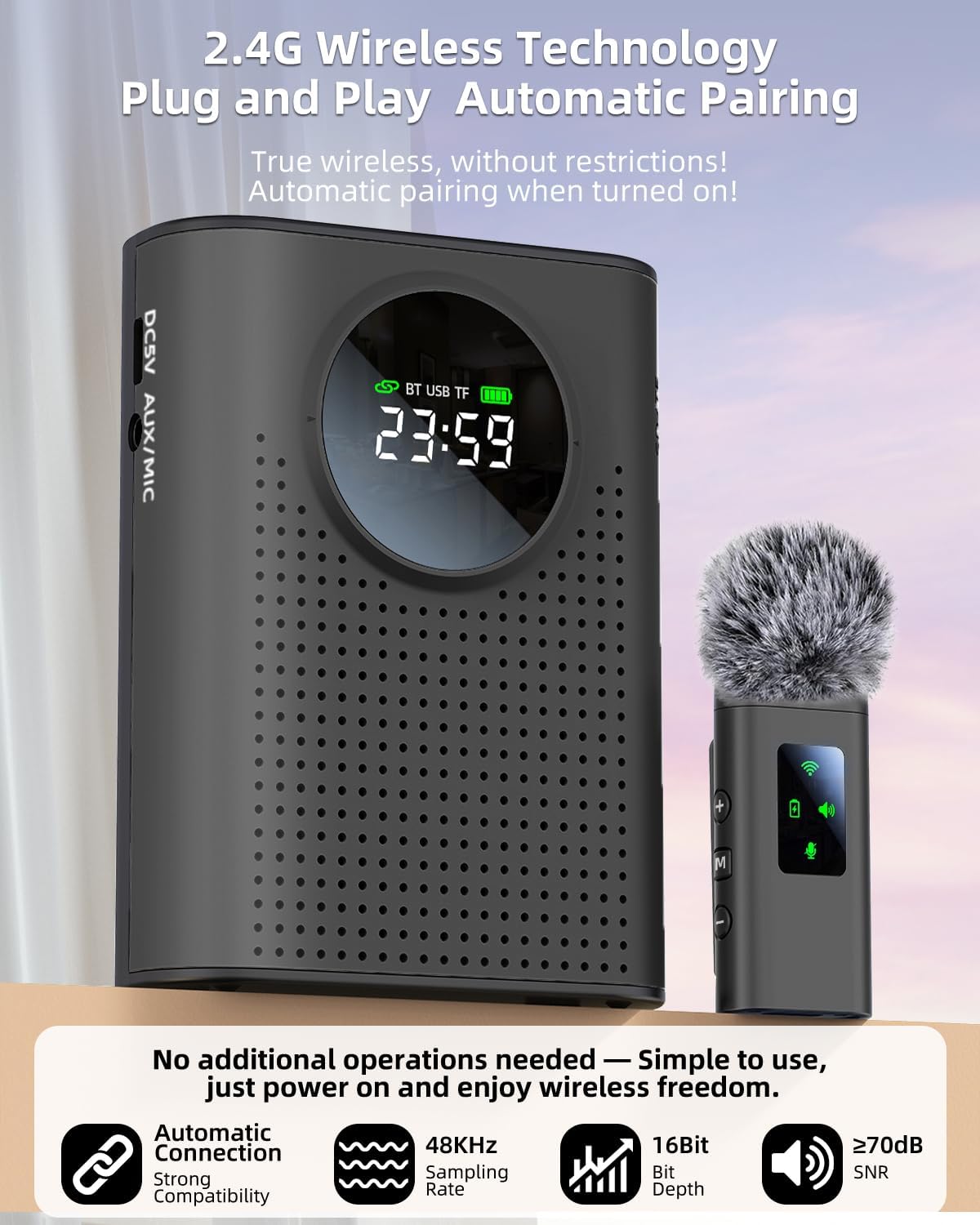
Image: Dimensions of the ZERFUN S67 voice amplifier and wireless microphone.
Warranty and Support
For detailed warranty information, technical support, or customer service inquiries regarding your ZERFUN S67 Voice Amplifier, please refer to the official ZERFUN website or contact their customer support channels. Contact information can typically be found on the product packaging or the ZERFUN brand's official online presence.


