Introduction
The COREBOX 10-Amp Car Battery Charger is a versatile and intelligent device designed to efficiently charge and maintain various 12V batteries. Its compact design and advanced features make it an essential tool for vehicle owners, ensuring optimal battery performance and longevity.
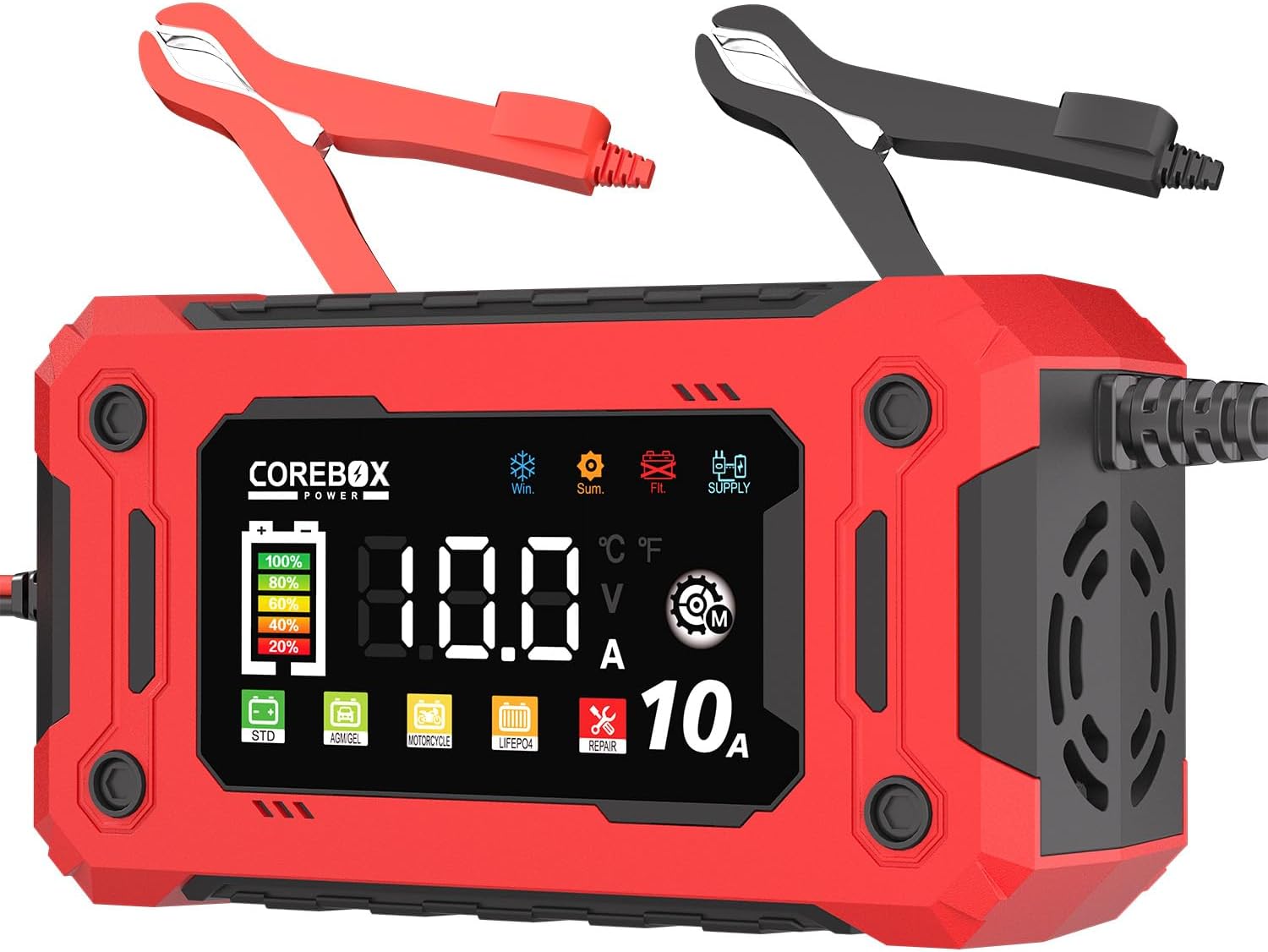
The COREBOX 10-Amp Car Battery Charger is a versatile and intelligent device designed to efficiently charge and maintain various 12V batteries. Its compact design and advanced features make it an essential tool for vehicle owners.
Safety Information
Always prioritize safety when operating electrical devices. Please read and understand all safety precautions before using the COREBOX Battery Charger.
- Read the user manual carefully before using the charger.
- Ensure proper ventilation and avoid charging in a confined space.
- Only use the charger with compatible battery types as specified.
- Avoid exposure to water or extreme temperatures.
- Keep children and pets away from the charger during operation.
- Disconnect the charger from the power source before disconnecting from the battery.
- If any abnormality or damage occurs, stop using the charger immediately and contact customer support.
- Follow the vehicle's battery charging guidelines for proper maintenance.
Product Overview
Product Components
- COREBOX 10-Amp Battery Charger Unit
- Battery Alligator Clamps (Red for Positive, Black for Negative)
- AC Power Cord
- User Manual
LCD Display Description

The clear LCD display provides real-time information including charging status, voltage, current, battery type, temperature, and error codes. This intuitive interface ensures easy monitoring of the charging process.
Setup
Initial Setup

Follow these simple steps to set up your COREBOX battery charger. Ensure all connections are secure before powering on the device.
Connection Steps:
- Step 1: Plug the battery charger into a power source.
- Step 2: Connect the alligator clips to the battery terminals. Attach the RED (+) clamp to the positive battery terminal and the BLACK (-) clamp to the negative battery terminal.
- Step 3: Press the mode button to select the appropriate charging mode/current, and then charging will begin automatically.
Operating Modes

The charger features a mode selection button to cycle through different charging programs tailored for specific battery types.
- Standard (STD) Mode: For ordinary Lead-Acid batteries, including AGM, GEL, SLA, Flooded, and WET batteries.
- AGM/GEL Mode: Specifically designed for AGM and GEL batteries.
- Motorcycle Mode: Optimized for motorcycle batteries and other small 12V batteries.
- LiFePO4 Mode: For Lithium Iron Phosphate batteries.
- Repair Mode: Suitable for batteries with issues that cannot be charged normally. This mode attempts to repair and reactivate the battery.
- Supply Mode: Provides a stable 12V DC power supply for equipment that requires it, when a 12V battery is not connected.
Compatible Battery Types:

This versatile charger supports a wide range of 12V battery types, ensuring compatibility with most vehicles and power needs.
Features and Protection
9-Stage Intelligent Charging:

The 9-stage intelligent charging system gently and accurately charges the battery, including advanced features like desulfation, repair, and low-current maintenance to restore, protect, and extend battery life.
Temperature Adjustment:

The charger automatically adjusts charging based on ambient temperature, activating Winter Mode below 50°F and Summer Mode above 80.6°F for optimal performance.
Multiple Protection Features:
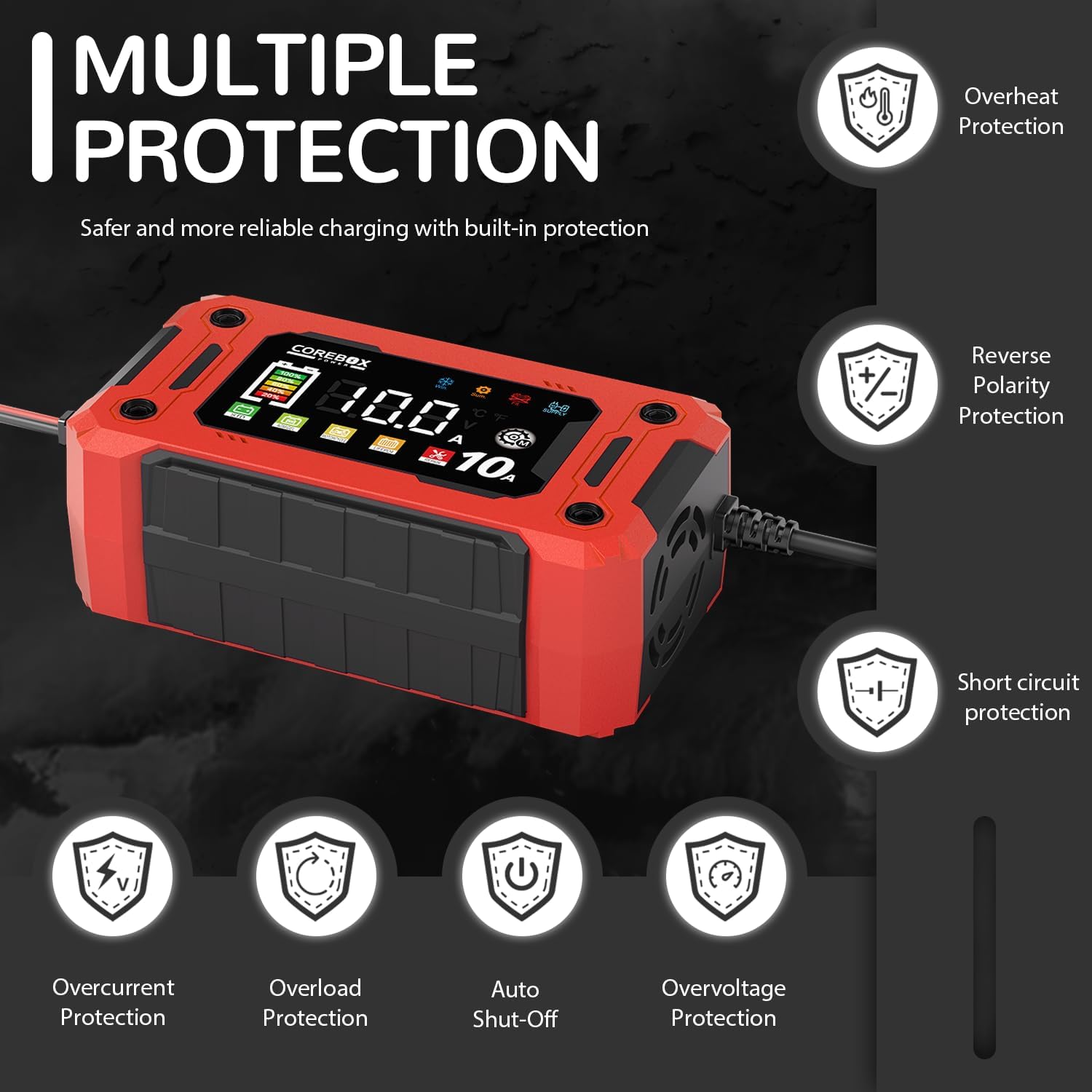
Equipped with comprehensive safety features including over-voltage, over-current, short-circuit, overheat, and reverse polarity protection, ensuring safe and worry-free use.
Maintenance
Proper maintenance of your battery and charger will extend their lifespan and ensure reliable operation.
- Regularly check battery terminals for corrosion and clean them as needed.
- Ensure the battery is securely mounted to prevent vibration damage.
- For vehicles stored for extended periods, use the trickle charge or maintenance mode to keep the battery optimally charged.
- Avoid fully discharging your battery, as this can shorten its lifespan.
- Store batteries in a cool, dry place when not in use.
Troubleshooting Common Problems
| Problem | Possible Cause | Solution |
|---|---|---|
| The battery is low, but charger displays "FUL" (Fully Charged) when charging. | The voltage of the battery has become too low after long period non-use or the battery can be vulcanized. | Try the Repair Mode. If the battery still cannot be charged, it may need replacement. |
| The charger is not responding when plugged in. | No mains input or faulty power supply. | Check if the socket is active. Ensure the power cord is securely connected. |
| AC power supply is powered on, but the LCD screen is off. | Battery has zero power or is severely damaged. | The charger may not recognize a completely dead battery. Try charging in parallel with a known good battery or replace the battery. |
| Dissatisfaction for a long time (battery not fully charging or taking too long). | The battery may be old, damaged, or experiencing high internal resistance. Charger may also be overheating. | Check battery health. Ensure proper ventilation around the charger. If the battery is boiling, it may be short-circuited and needs replacement. |
Technical Specifications
| Specification | Value |
|---|---|
| Product Dimensions | 8.4 x 2.6 x 4.3 inches |
| Item Weight | 1.28 pounds |
| ASIN | B0F388RQ59 |
| Customer Reviews | 4.8 out of 5 stars (53 ratings) |
| Best Sellers Rank | #33,396 in Automotive (#165 in Battery Chargers) |
| Date First Available | April 1, 2025 |
| Manufacturer | COREBOX |
| Brand | COREBOX |
| Color | Red-10E |
| Input Voltage | 12 Volts |
| UPC | 762949307922 |

Detailed dimensions of the COREBOX 10-Amp Car Battery Charger, highlighting its compact and portable design.
Official Product Videos
Watch the official product video from the seller for a visual guide on the COREBOX 10-Amp Car Battery Charger.
This video provides a quick overview of the COREBOX 12V Car Battery Charger (10E), demonstrating its compact size and basic functionality.
Warranty and Support
COREBOX stands behind the quality of its products. While our brand is new to Amazon, we have been providing high-quality products and exceptional customer service for years in the offline market. We offer a full satisfaction guarantee. If you encounter any issues, our dedicated support team is ready to assist you, ensuring peace of mind with every purchase.
For further assistance or inquiries, please refer to the contact information provided in your product packaging or visit the official COREBOX website.