
Introduction
This manual provides instructions for the ALLIMITY AKB73975614 replacement remote control. This remote is designed to be compatible with specific LG Portable Air Conditioner models, including AKB75415306, AKB75415302, and AKB75215414. It offers direct functionality without the need for programming.

Image: Angled view of the ALLIMITY AKB73975614 remote control, showing the display and various function buttons.
Setup
- Battery Installation: The remote control requires two AAA batteries (not included).
- Locate the battery compartment on the back of the remote control.
- Slide the battery compartment cover downwards to open it.
- Insert two AAA batteries, ensuring the positive (+) and negative (-) terminals match the diagrams inside the compartment.
- Replace the battery compartment cover by sliding it upwards until it clicks into place.
- No Programming Required: This replacement remote control is pre-programmed and ready to use with compatible LG Portable Air Conditioners immediately after battery installation. No additional setup or code entry is necessary.
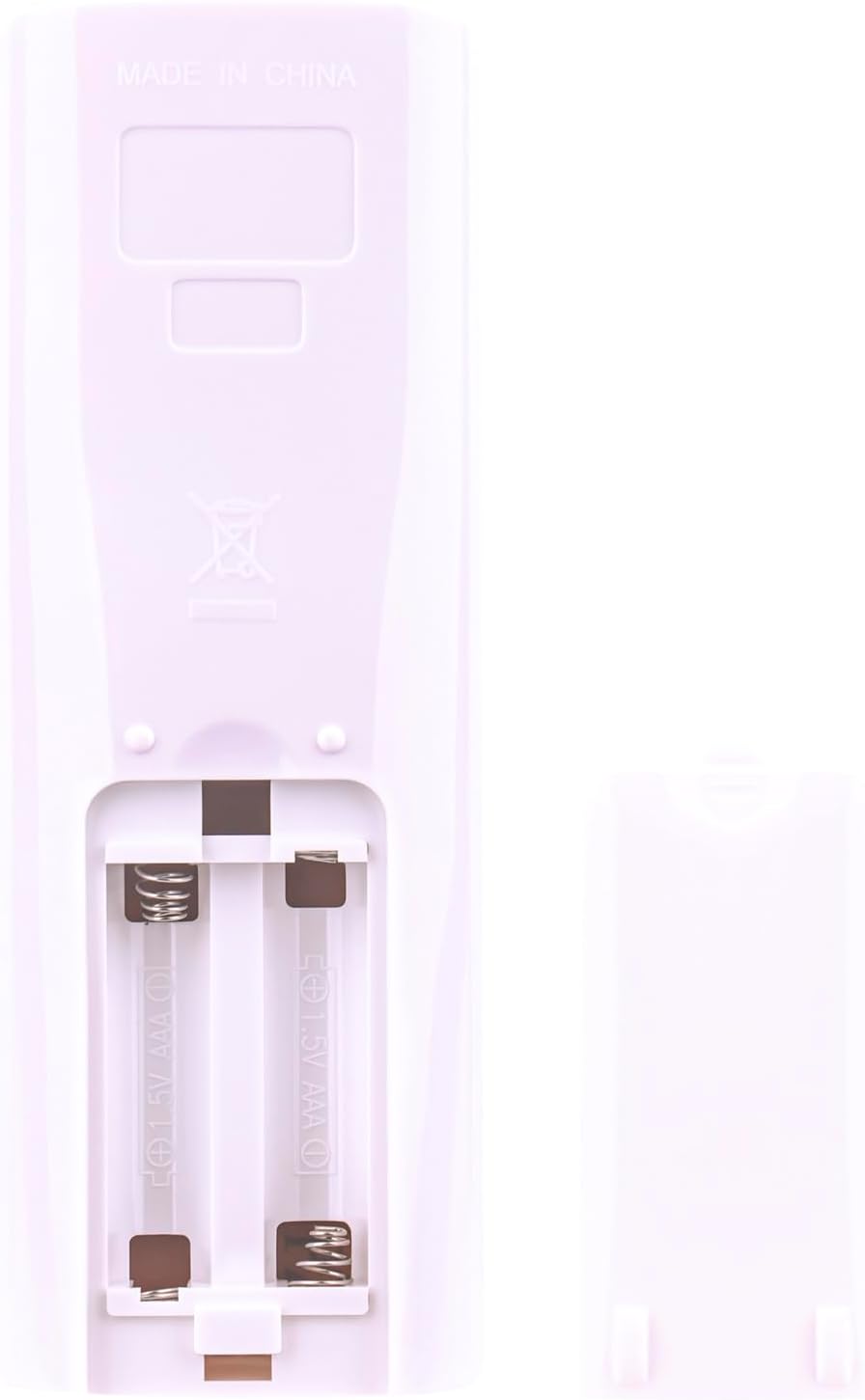
Image: Rear view of the remote control with the battery cover removed, showing the two AAA battery slots and polarity markings.
Operating Instructions
Point the remote control directly at the infrared receiver on your LG Portable Air Conditioner. Ensure there are no obstructions between the remote and the air conditioner.

Image: Front view of the remote control, displaying the LCD screen and all buttons, with dimensions indicating a length of 15.3 cm (6.02 in) and width of 5.3 cm (2.09 in).
Key Functions:
- Power (⑂): Turns the air conditioner on or off.
- Mode: Cycles through operating modes (e.g., Cool, Fan, Dry, Heat).
- Temp (▲/▼): Adjusts the temperature setting.
- Fan Speed: Changes the fan speed setting.
- Swing: Activates or deactivates the louver swing function.
- Sleep: Activates the sleep mode for quiet operation and energy saving.
- Timer ON/OFF: Sets the timer for the air conditioner to turn on or off automatically.
- Light: Controls the display light on the air conditioner unit.
- A/C Clean: Initiates the auto-clean function (if supported by the air conditioner).
- Energy Saving: Activates energy-saving features.
- M'SOON: Specific mode, typically for dehumidification or monsoon conditions.
- H'COOL: Activates a powerful cooling mode.
- Room Temp: Displays the current room temperature.
Maintenance
- Battery Replacement: Replace batteries when the remote control's range decreases or if the air conditioner does not respond to commands. Always replace both batteries at the same time with new AAA batteries.
- Cleaning: Wipe the remote control with a soft, dry cloth. Do not use liquid cleaners or abrasive materials, as these can damage the surface or internal components.
- Storage: If the remote control will not be used for an extended period, remove the batteries to prevent leakage and potential damage. Store in a cool, dry place.
Troubleshooting
| Problem | Possible Cause | Solution |
|---|---|---|
| Remote control not working | Dead or incorrectly installed batteries. | Replace batteries with new AAA batteries, ensuring correct polarity. |
| Limited range or intermittent response | Weak batteries, obstruction between remote and AC unit, or remote too far from AC unit. | Replace batteries. Remove any objects blocking the signal path. Move closer to the air conditioner. |
| Air conditioner does not respond to specific buttons | Function not supported by the specific air conditioner model. | Refer to your air conditioner's manual to confirm supported functions. |
Specifications
- Brand: ALLIMITY
- Model Number: AKB73975614
- Compatible Devices: LG Portable Air Conditioners (models AKB75415306, AKB75415302, AKB75215414)
- Special Feature: No Programming Required
- Color: Black
- Connectivity Technology: Infrared
- Button Quantity: 20
- Maximum Range: Approximately 3.28 Feet (1 meter)
- Batteries Required: 2 x AAA (not included)
- Item Weight: 2 Ounces (approx. 56.7 grams)
- Item Dimensions (L x W x H): 6" x 2" x 0.6" (approx. 15.3 cm x 5.3 cm x 1.5 cm)
Warranty and Support
For any questions regarding the operation or compatibility of this remote control, please refer to the product listing or contact the seller directly. Specific warranty information may be provided by the seller at the time of purchase.
