
BOBLOV A28
BOBLOV A28 Body Camera User Manual
Model: A28
1. Introduction
Thank you for choosing the BOBLOV A28 Small Body Camera. This compact and versatile device is designed for on-the-go recording, suitable for law enforcement, personal security, and outdoor activities. Featuring 2K video resolution, night vision capabilities, and a long battery life, the A28 ensures reliable performance in various environments. This manual provides detailed instructions for setup, operation, and maintenance to help you maximize your camera's potential.
2. Package Contents
Please verify that all items listed below are included in your package:
- BOBLOV A28 Body Camera
- Bike Mount
- Short 360° Clip
- USB Cable
- User Manual

Image: The BOBLOV A28 camera and its included accessories: bike mount, short 360-degree clip, USB cable, and user manual.
3. Product Overview
3.1. Camera Components
Familiarize yourself with the various parts of your BOBLOV A28 camera:
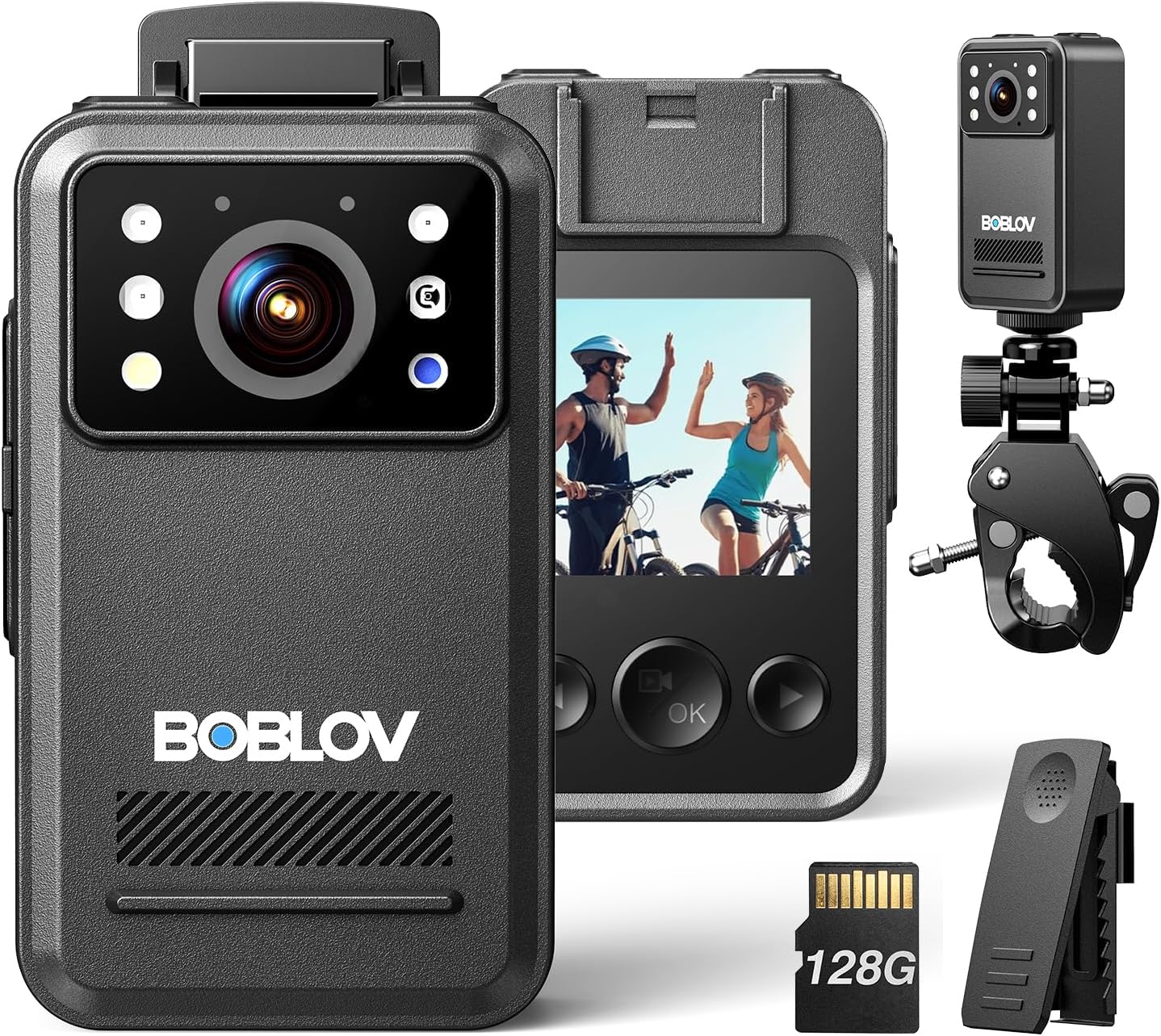
Image: Front and rear views of the BOBLOV A28 camera, highlighting its compact design, screen, and various ports. Accessories like the bike mount and clip are also shown.
- Lens: Main camera lens for video and photo capture.
- Infrared (IR) LEDs: For night vision recording.
- Display Screen: 1.54-inch screen for viewing recordings and navigating menus.
- Recording Button: Large, easy-to-press button for starting/stopping recordings.
- Menu/Playback Button: Used to access settings and review footage.
- Navigation Buttons: For menu navigation and selection.
- USB-C Port: For charging and data transfer.
- Micro SD Card Slot: For external memory card insertion.
- Clip Attachment Point: For attaching the short 360° clip.
- Tripod Mount: Standard screw hole for mounting on tripods or bike mounts.
4. Setup
4.1. Charging the Camera
Before first use, fully charge the camera. Connect the supplied USB cable to the camera's USB-C port and the other end to a USB power adapter (not included) or a computer's USB port. The charging indicator will show the charging status. A full charge provides approximately 9.5 hours of continuous recording at 1080P resolution.

Image: The BOBLOV A28 camera connected to a power outlet via its USB-C cable for charging.
4.2. Inserting the Memory Card
The A28 camera supports external Micro SD cards for storage. Locate the Micro SD card slot on the side of the camera. Gently insert the Micro SD card with the gold contacts facing down until it clicks into place. To remove, push the card in again until it springs out.
Note: Ensure the camera is powered off before inserting or removing the memory card to prevent data corruption.
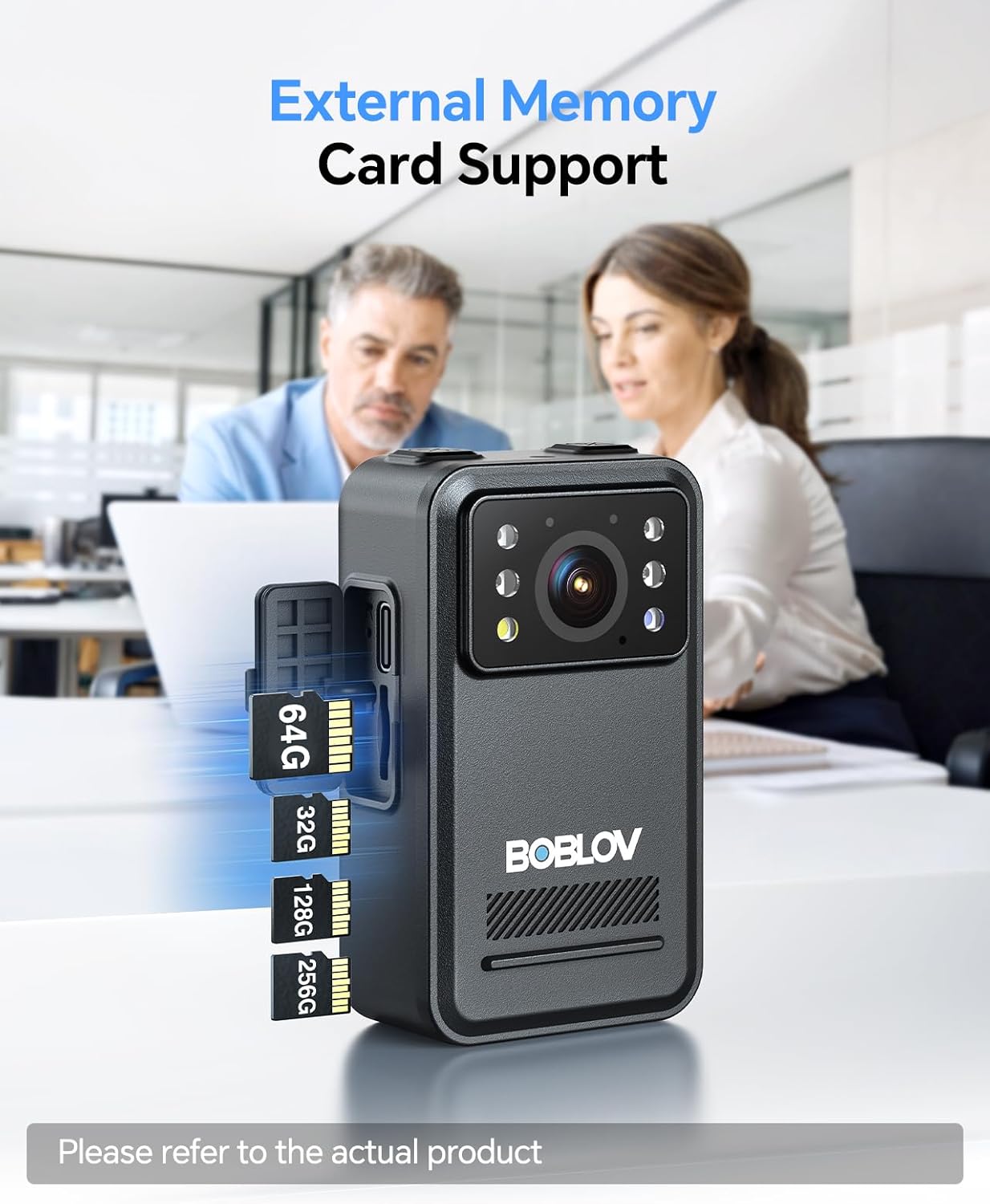
Image: A visual representation of inserting a Micro SD card into the camera's dedicated slot, indicating support for various card sizes.
5. Operating Instructions
5.1. Power On/Off
- Power On: Press and hold the Power button until the screen illuminates.
- Power Off: Press and hold the Power button until the camera shuts down.
5.2. Recording Video
From the main screen, press the dedicated Recording button to start video recording. The recording indicator will flash. Press the Recording button again to stop recording. Videos are saved automatically to the memory card.
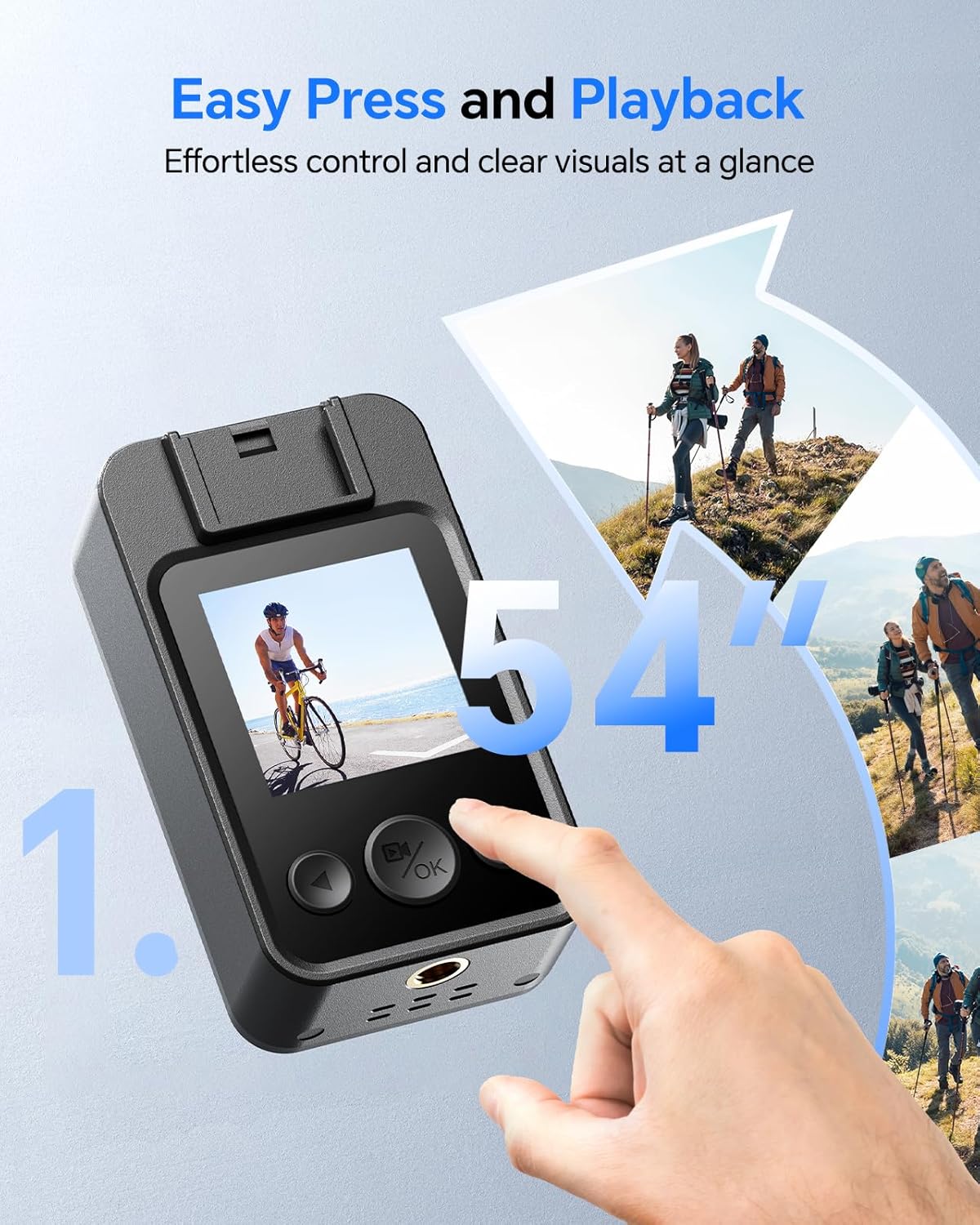
Image: A hand interacting with the BOBLOV A28 camera, demonstrating the ease of pressing the recording button and viewing content on its 1.54-inch display.
5.3. Taking Photos
Switch to photo mode (refer to menu navigation for mode selection). Press the Recording button to capture a still image. Photos are saved to the memory card.
5.4. Night Vision
The A28 features infrared night vision for clear recording in low-light or no-light conditions. Night vision can be set to automatic activation or manually toggled through the camera's menu settings. When active, the IR LEDs will illuminate, and recordings will be in black and white.

Image: The camera's screen showing a clear black-and-white image captured using night vision in a dark room, demonstrating its low-light capabilities.
5.5. Playback
To review recorded videos or photos, enter playback mode via the Menu/Playback button. Use the navigation buttons to browse through your files. Select a file to play or view it on the 1.54-inch display.
6. Advanced Settings
Access the camera's settings menu by pressing and holding the Menu/Playback button for approximately 5 seconds. Use the navigation buttons to scroll through options and the OK button to select. Common settings include:
- Video Resolution: Adjust video quality (e.g., 2K, 1080P, 720P). Higher resolutions consume more storage.
- Loop Recording: Enable or disable continuous recording that overwrites the oldest files when storage is full.
- Motion Detection: Activates recording only when motion is detected in the frame.
- Time/Date Stamp: Toggle the display of time and date on recordings.
- Password Protection: Set a password to prevent unauthorized access to settings or files.
- Night Vision Mode: Set to Auto, On, or Off.
7. Mounting Options
The BOBLOV A28 comes with versatile mounting accessories:
7.1. Short 360° Clip
Attach the short 360° clip to the camera's clip attachment point. This clip allows you to securely fasten the camera to clothing, pockets, or bags, offering flexible recording angles. The clip can be rotated to adjust the camera's orientation.
7.2. Bike Mount
Utilize the included bike mount to attach the camera to bicycle handlebars or other similar cylindrical surfaces. The camera features a standard tripod mount screw hole at the bottom for secure attachment to the bike mount.

Image: The BOBLOV A28 camera securely attached to a bicycle handlebar, demonstrating its use for on-the-go recording during cycling.
8. Maintenance
- Cleaning: Use a soft, dry cloth to clean the camera body. For the lens, use a specialized lens cleaning cloth and solution. Avoid abrasive materials or harsh chemicals.
- Storage: Store the camera in a cool, dry place away from direct sunlight and extreme temperatures. If storing for extended periods, ensure the battery is partially charged (around 50%) to prolong its lifespan.
- Water Resistance: The camera is resistant to dust and light splashes but is not waterproof. Avoid submerging the device in water.
9. Troubleshooting
| Problem | Possible Cause | Solution |
|---|---|---|
| Camera does not power on. | Low battery; faulty power button. | Charge the camera fully. If problem persists, contact support. |
| Cannot record video/take photos. | Memory card full or not inserted correctly; incorrect mode. | Check memory card insertion. Delete old files or replace card. Ensure correct mode is selected. |
| Poor video/audio quality. | Lens dirty; low light; microphone obstructed; resolution setting too low. | Clean the lens. Ensure adequate lighting. Check microphone for obstructions. Adjust video resolution in settings. |
| Camera freezes or becomes unresponsive. | Software glitch; full memory. | Perform a soft reset (power off and on). If unresponsive, press and hold power button for 10 seconds. Ensure sufficient memory. |
| Date/Time stamp is incorrect. | Not set or battery drained. | Adjust date/time in the camera settings menu. |
10. Specifications
| Feature | Detail |
|---|---|
| Model | A28 |
| Video Resolution | Up to 2K (1440p), 1080p, 720p |
| Photo Resolution | Up to 38MP |
| Display Screen | 1.54 Inches |
| Battery Life | Approx. 9.5 hours (1080P continuous recording) |
| Night Vision | Infrared (IR) |
| Storage | Supports Micro SD Card (up to 128GB included, external support) |
| Connectivity | USB |
| Video Format | MOV |
| Weight | Approx. 13.1 ounces |
| Color | Black |
11. Warranty and Support
For warranty information or technical support, please refer to the official BOBLOV website or contact their customer service directly. Keep your purchase receipt as proof of purchase for any warranty claims.
BOBLOV Official Website: www.boblov.com
Related documentsA28


Ask a question about this manual
Ask about setup, troubleshooting, compatibility, parts, safety, or missing instructions. Manuals+ will review the question and use this page’s manual context to help answer it.