
Introduction
This manual provides detailed instructions for the setup, operation, and maintenance of your Vehipa 2.4 Gallon Fish Tank Starter Kit. This smart multi-functional aquarium features a self-circulating 3-in-1 pump, adjustable 7-color lighting, an aromatherapy humidifier with three modes, and a real-time temperature display. Please read this manual thoroughly before use to ensure proper function and longevity of your product.
Safety Information
Important Safety Warning:
- To prevent damage to the pump, ensure it is fully submerged in water before plugging it in.
- Place the oxygen tube and valve outside the tank and keep the tube dry to ensure proper oxygen flow.
- The fish tank is made of glass. Handle with care during transportation, assembly, and use to avoid breakage.
- If any problems occur, contact customer support immediately for technical guidance.
Package Contents
Verify that all components are present in your package:
- Fish Tank with Light
- Plastic Plant Decoration (x3)
- Water Pump Accessories
- Built-in Humidifier
- Filter Sponge
- Oxygen Tube
- USB Adapter (x2)
- User Manual

Figure 1: Included components of the Vehipa Fish Tank Starter Kit.
Setup Instructions
Follow these steps to set up your new fish tank:
- Unpack Components: Carefully remove all items from the packaging. Inspect the tank and all accessories for any damage.
- Assemble the Pump: Connect the water pump accessories as shown in the diagram. Ensure all connections are secure.
- Install Filter Sponge: Place the reusable filter sponge into the designated filter compartment within the tank lid.
- Position Oxygen Tube: Attach the oxygen tube to the pump and ensure the valve end is positioned outside the tank, keeping it dry.
- Place Decorations: Arrange the included plastic plant decorations and any additional gravel (not included) at the bottom of the tank.
- Fill with Water: Slowly fill the tank with dechlorinated water, ensuring the pump is fully submerged before plugging it in.
- Connect Power: Plug in the USB adapters for the pump and lighting system.
Video 1: Unboxing and initial setup overview of the fish tank.
Video 2: Detailed look at the tank's features and setup process.
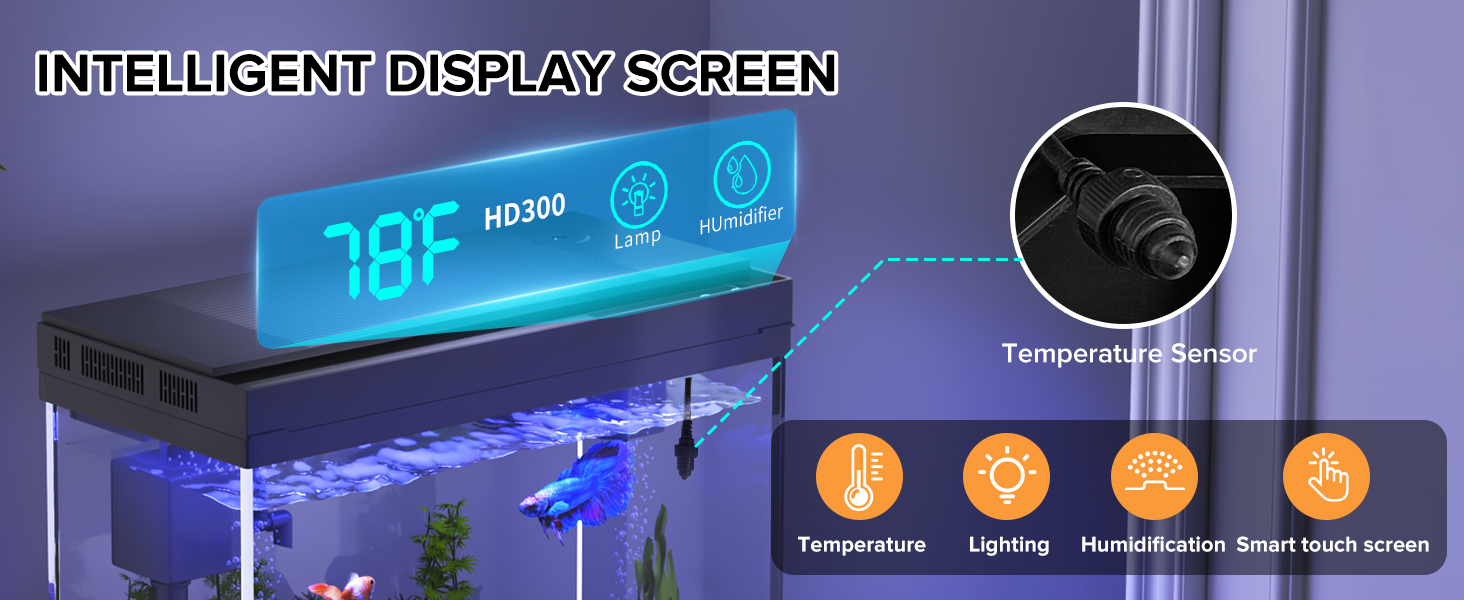
Figure 2: Pump installation guide.
Operating Instructions
Your Vehipa fish tank comes with several smart features for enhanced usability.
7-Color Lighting System
The tank features an adjustable 7-color lighting system. Use the 'Lamp' button on the display screen to cycle through colors. Long press the 'Lamp' button to adjust brightness.

Figure 3: Smart touch light and color options.
Real-Time Temperature Display
The built-in digital display shows the current water temperature, allowing you to monitor and ensure a safe environment for your fish.
Smart Humidifier
The integrated aromatherapy humidifier offers three adjustable spray modes (2-second interval, 1-second interval, continuous spray) to customize scent intervals and intensity. Use distilled water in the humidifier reservoir. Press the 'Humidifier' button to activate and cycle through modes.
Video 3: Demonstration of temperature display and 7-color lighting features.
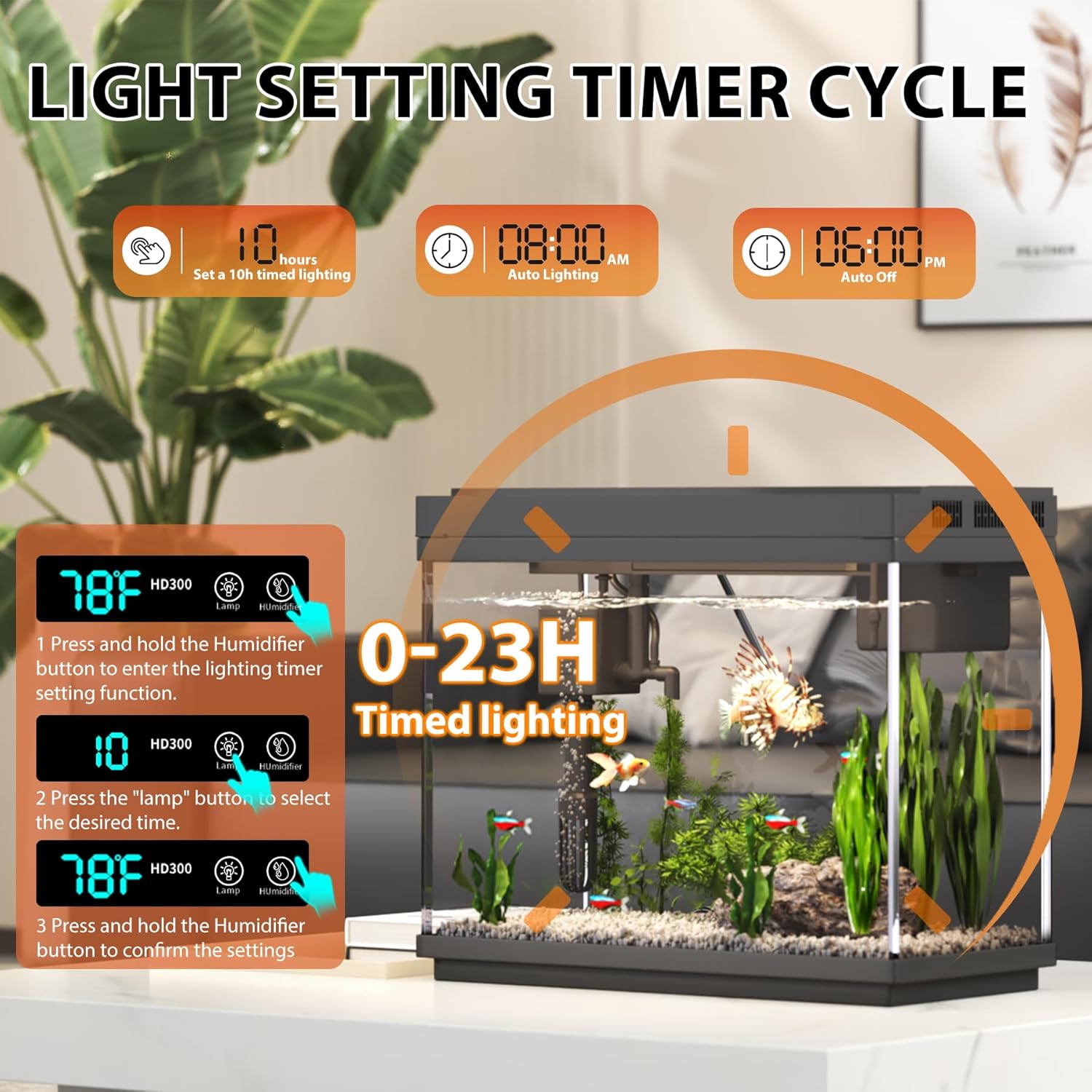
Figure 4: Light setting timer cycle.
Maintenance
Regular maintenance is crucial for a healthy aquarium environment.
Filtration System
The 3-in-1 pump provides efficient filtration, oxygenation, and water circulation. Regularly check and clean the reusable filter sponge to maintain clear water quality. The tank lid is designed to be flip-up and detachable for easy cleaning access.
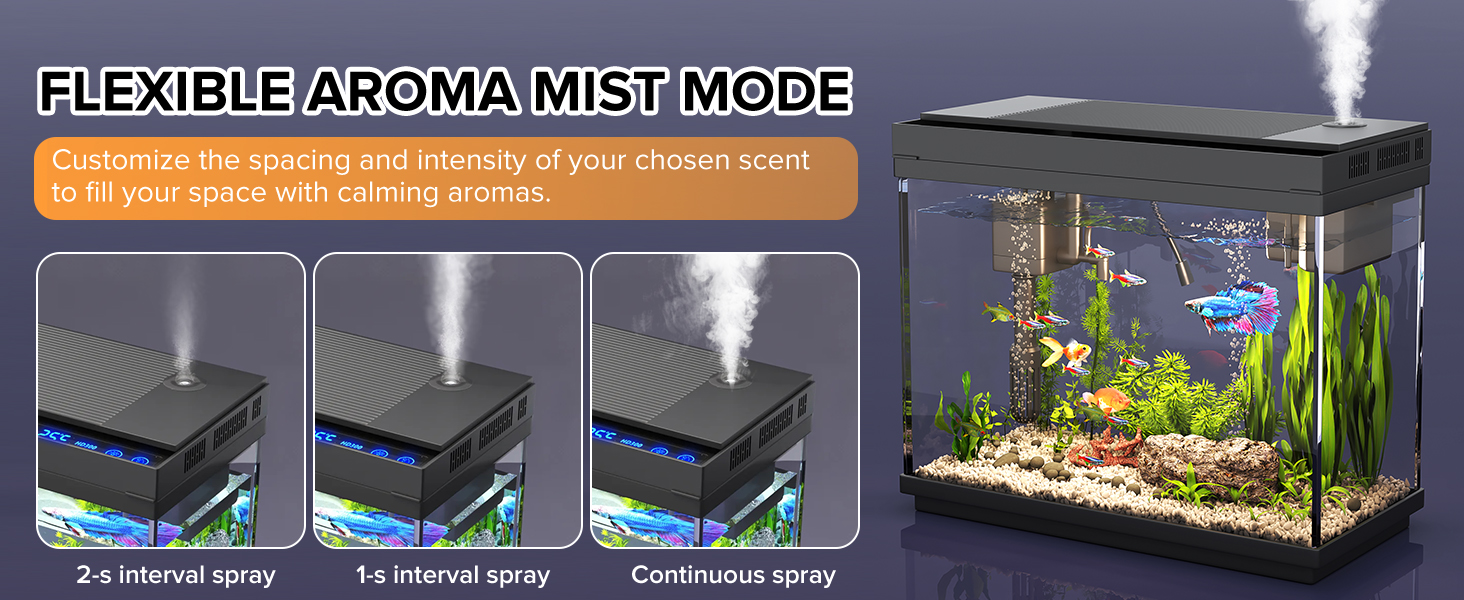
Figure 5: Self-cleaning water recycling system.
Water Changes
Perform regular partial water changes to keep the water parameters stable and healthy for your fish. The feeding port on the lid allows for easy feeding without fully opening the tank, which also helps prevent fish from jumping out.
Troubleshooting
If you encounter any issues with your fish tank, please refer to the following common problems and solutions:
- Pump Not Working: Ensure the pump is fully submerged in water before plugging it in. Check all power connections.
- Cloudy Water: This can be due to overfeeding, new tank syndrome, or insufficient filtration. Reduce feeding, perform a partial water change, and ensure the filter sponge is clean.
- Humidifier Not Producing Mist: Ensure the humidifier reservoir is filled with distilled water. Check for any blockages in the mist outlet.
- Temperature Display Issues: Verify the temperature sensor is properly placed and not obstructed.
For persistent issues or problems not listed here, please contact Vehipa customer support for assistance.
Specifications
| Feature | Detail |
|---|---|
| Product Dimensions | 11.81"L x 5.83"W x 9.53"H |
| Item Model Number | HD300 |
| Manufacturer | Vehipa |
| Material | Glass |
| Tank Volume | 2.4 Gallons |
| Special Feature | Transparent, Temperature Display, 7-Color Lighting, Humidifier |
| Item Weight | 3.72 Kilograms (8.2 Pounds) |
| Included Components | Decorative plants, Reusable filter sponge, 3-in-1 water pump, Clear user instructions |
Warranty and Support
Vehipa is committed to providing high-quality products. For any questions, technical assistance, or warranty inquiries, please contact our customer support team through the retailer where you purchased the product or visit the official Vehipa store online.
We aim to ensure your complete satisfaction with your purchase.