
1. Product Overview
This manual provides essential information for the safe and efficient operation of your JINJUNYE 18000BTU Mini Split Air Conditioner Ductless Inverter Heat Pump. This system is designed to provide both cooling and heating for spaces up to 1250 sq. ft., featuring energy-efficient inverter technology and a low noise level of 22 dB in sleep mode.
Key Features:
- Energy Efficient: ETL and AHRI certified, 17 SEER2 rating, inverter technology for up to 35% electricity savings.
- Multi-Mode Operation: Cooling, Heating, Fan, Dry, and Auto modes for year-round comfort.
- Quiet Operation: As low as 22dB in Sleep Function.
- Self-Cleaning: 131℉ high-temperature self-cleaning function for fresh air.
- Powerful Performance: 18000 BTU cooling capacity and 19000 BTU heating capacity.
- Advanced Functions: Timer (0.5-24H), Eco, Mute, Turbo, Health, Swing, Multi-Fan Speed, Child-Lock, I Set (Memory Function), I Feel.

Image 1.1: JINJUNYE 18000BTU Mini Split Air Conditioner system components, including the indoor unit, outdoor unit, remote control, and installation accessories.
2. Safety Information
Please read all safety warnings and instructions carefully before installation and operation to prevent injury or damage. Keep this manual for future reference.
- Professional Installation Required: This unit requires professional installation by a qualified technician. Improper installation can lead to electric shock, fire, or water leakage.
- Electrical Safety: Ensure the power supply matches the unit's requirements (208-230V). Do not operate with wet hands or near water.
- Refrigerant: This unit uses R-32 refrigerant. Handle with care and ensure proper ventilation during service.
- Children and Vulnerable Persons: This appliance is not intended for use by persons with reduced physical, sensory or mental capabilities, or lack of experience and knowledge, unless they have been given supervision or instruction.
- Maintenance: Always disconnect power before cleaning or performing maintenance.
3. What's in the Box
The JINJUNYE Mini Split Air Conditioner comes in two packages. Verify all components are present upon delivery.
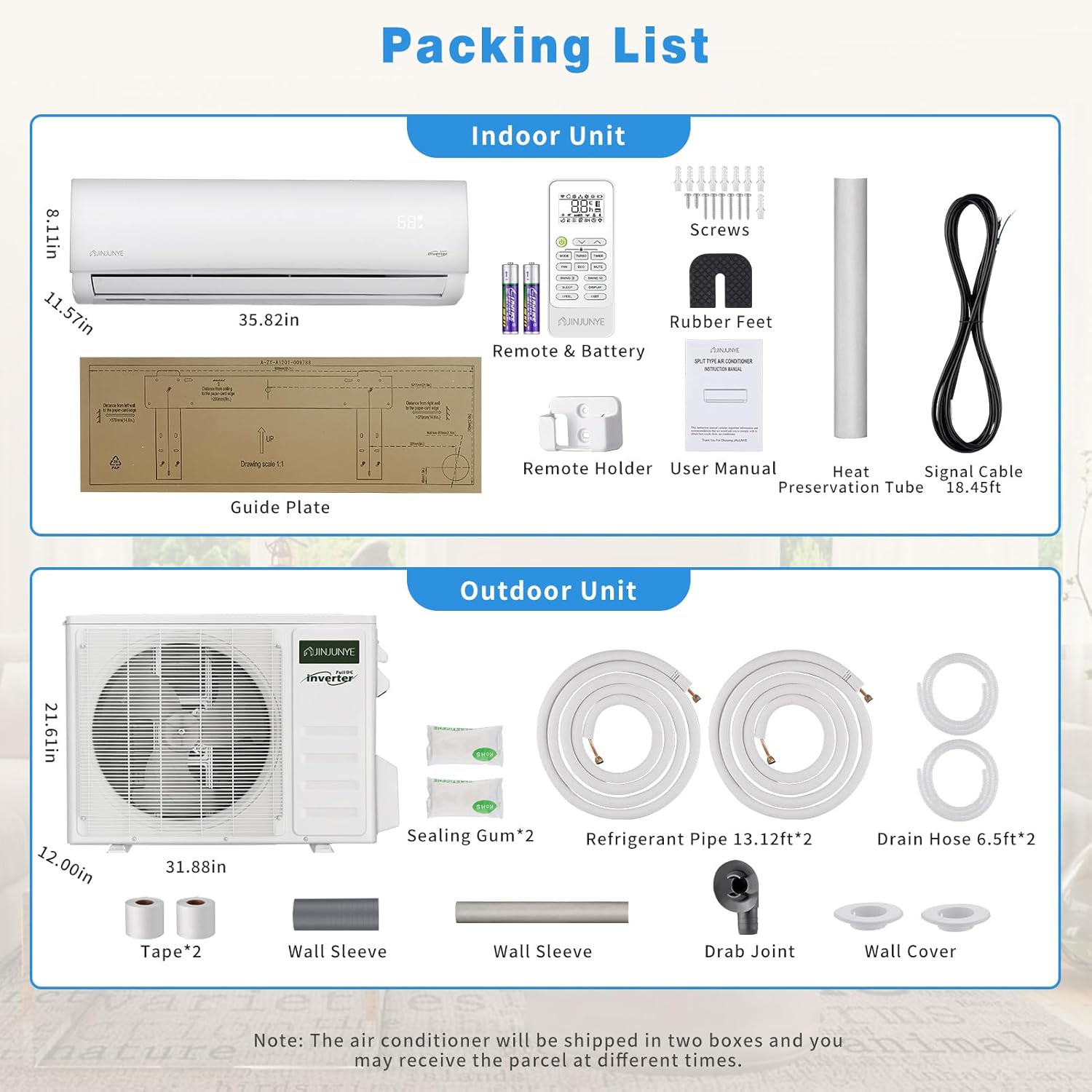
Image 3.1: Detailed packing list for both indoor and outdoor unit packages.
Indoor Unit Package:
- Indoor Unit
- 18.45ft Signal Cable
- Remote Control & Batteries
- User Manual
- Guide Plate
- Rubber Feet
- Screws
- Remote Holder
- Heat Preservation Tube
Outdoor Unit Package:
- Outdoor Unit
- Refrigerant Pipe 17ft (x2)
- Drain Hose 6.5ft (x2)
- Wall Sleeve
- Sealing Gum (x2)
- Tape (x2)
- Drab Joint
- Wall Cover
4. Setup and Installation
Important: This mini split system requires professional installation. Attempting to install the unit without proper training and tools can void the warranty and lead to serious injury or damage. Consult a certified HVAC technician for installation.
The installation kit includes all necessary components such as copper pipe sets and communication wires. The outdoor unit is designed to withstand high temperatures up to 132℉ and features an air-cooled technology to maintain optimal performance.
5. Operating Instructions
Your JINJUNYE Mini Split AC/Heating System offers multiple modes and functions for customized comfort. Use the provided remote control to access these features.
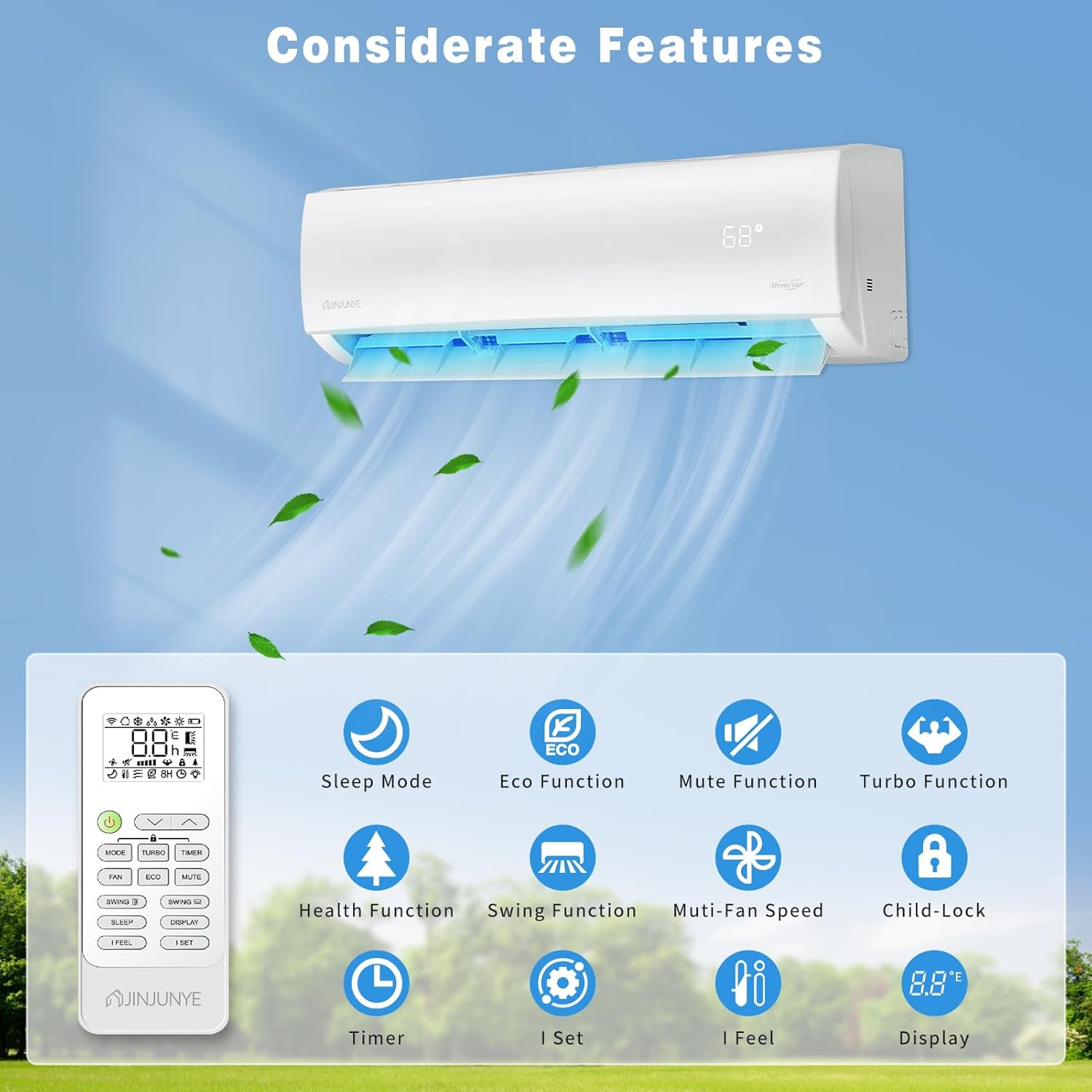
Image 5.1: Overview of the remote control and various functions available.
5.1 Operating Modes
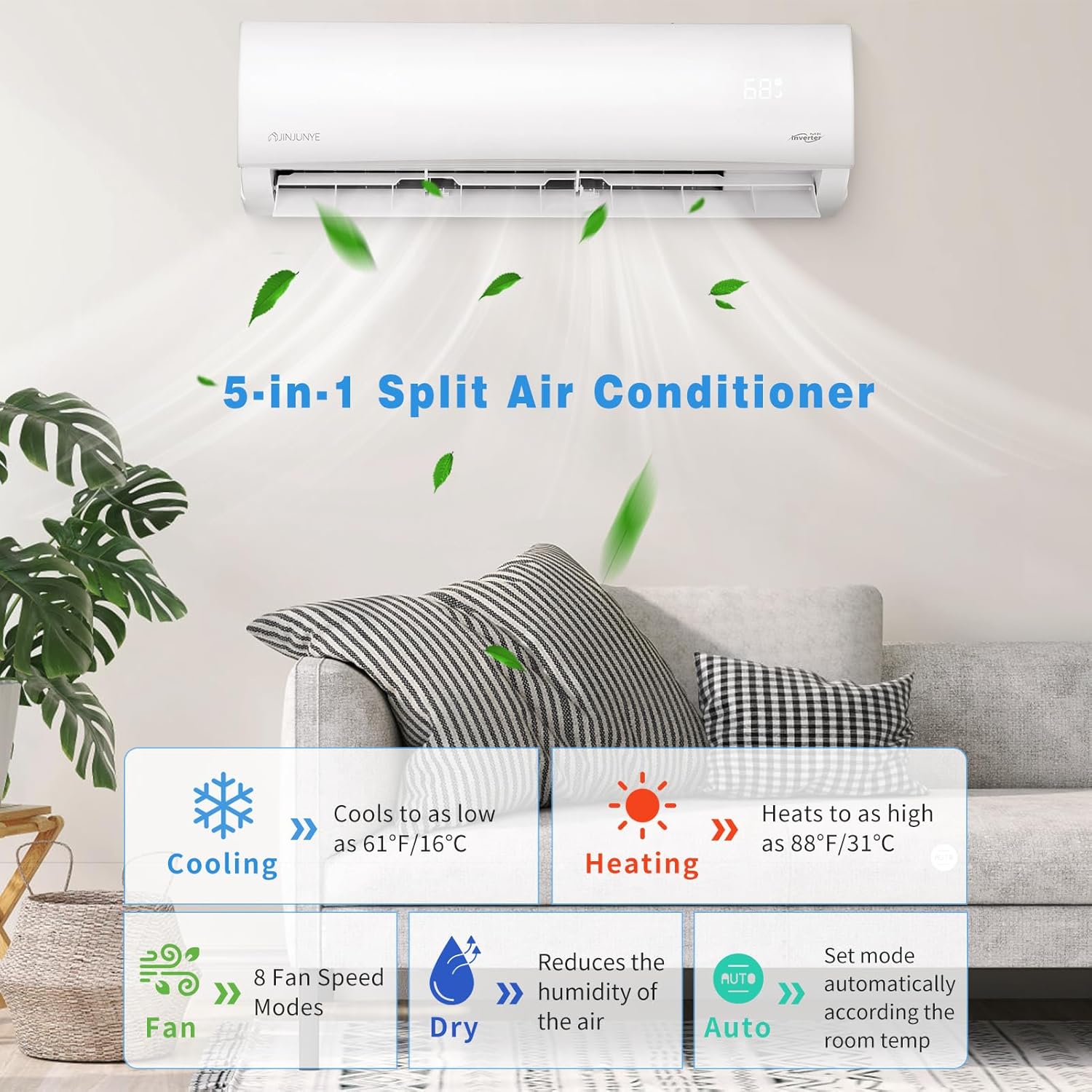
Image 5.2: Visual representation of the 5-in-1 split air conditioner modes.
- Cooling Mode: Cools the room down to 61℉ (16℃).
- Heating Mode: Heats the room up to 88℉ (31℃). Note: When starting heating mode, it may take 5-10 minutes to generate hot air due to the anti-cold air direct blowing function.
- Fan Mode: Circulates air with 8 adjustable fan speeds and 4D airflow.
- Dry Mode (Dehumidification): Reduces humidity in the air.
- Auto Mode: Automatically selects the appropriate mode based on the room temperature.
5.2 Special Functions
- Sleep Function: Operates at an ultra-quiet 22dB for undisturbed rest.
- Timer: Set the unit to turn on or off automatically within a 0.5-24 hour period.
- Eco Function: Optimizes energy consumption for efficiency.
- Mute Function: Silences operational sounds.
- Turbo Function: Provides rapid cooling or heating.
- Health Function: Enhances air quality.
- Swing Function: Controls the direction of airflow.
- Child-Lock: Prevents unintended changes to settings.
- I Set (Memory Function): Remembers your preferred settings (temperature, mode, fan speed).
- I Feel: Senses the temperature at the remote control's location for precise comfort.

Image 5.3: The unit operating in Sleep Mode, highlighting its quiet performance.

Image 5.4: Illustration of vector precision air supply with different swing and blow options.
6. Maintenance
Regular maintenance ensures optimal performance and longevity of your air conditioner.
6.1 Self-Cleaning Function
The unit features a 131℉ high-temperature self-cleaning function to maintain internal hygiene and air quality. This function automatically cleans the interior to protect your family's breathing health.

Image 6.1: The self-cleaning function in action, showing water cleaning the internal components.
6.2 Filter Cleaning
The air filter can be easily removed and cleaned under water. Refer to the user manual for detailed instructions on filter removal and cleaning frequency. If the display shows a 'CL' code, it indicates that the filter needs cleaning.
7. Troubleshooting
This section provides solutions to common issues you might encounter. For problems not listed here, or if issues persist, contact customer support.
| Problem | Possible Cause | Solution |
|---|---|---|
| Unit does not turn on | No power supply; Remote control batteries low; Unit in standby mode. | Check power connection; Replace remote batteries; Press power button on remote or unit. |
| Insufficient cooling/heating | Dirty air filter; Doors/windows open; Temperature setting incorrect; Obstruction to airflow. | Clean air filter; Ensure room is sealed; Adjust temperature setting; Remove obstructions. |
| Unusual noise | Loose parts; Unit not level; Foreign object inside. | Check for loose components; Ensure unit is level; Contact professional for inspection. |
| Water leakage | Clogged drain hose; Improper installation. | Clear drain hose; Contact professional for inspection and re-installation. |
| 'CL' code on display | Air filter needs cleaning. | Clean the air filter as per maintenance instructions. |
8. Specifications
| Specification | Detail |
|---|---|
| Brand Name | JINJUNYE |
| Model Number | KF450068-01 |
| Cooling Capacity | 18000 BTU |
| Heating Capacity | 19000 BTU |
| Voltage | 208-230 Volts |
| Seasonal Energy Efficiency Ratio (SEER2) | 17 |
| Noise Level | 22 dB (Sleep Mode) |
| Coverage Area | Up to 1250 Square Feet |
| Refrigerant | R-32 |
| Product Dimensions (Indoor Unit) | 11.57 x 35.82 x 8.11 inches |
| Item Weight | 85.4 pounds |
| Material Type | Iron, Copper, Plastic |
| Installation Type | Split System |
| Special Features | 4 Way Swing, Heating & Cooling Function, Inverter Compressor, Remote Controlled, Sleep Mode |

Image 8.1: Illustration of the unit's powerful cooling and heating output.
9. Warranty and Support
For warranty information, please refer to the documentation included with your product or contact JINJUNYE customer service. JINJUNYE offers customer support for inquiries and assistance with your product.
For further assistance, please visit the JINJUNYE Store or contact their customer service directly.
