
MEDca U88-AID
MEDca U88-AID Rechargeable Bluetooth Hearing Aids User Manual
Model: U88-AID | Brand: MEDca
Introduction
Thank you for choosing the MEDca U88-AID Rechargeable Bluetooth Hearing Aids. These devices are designed to enhance your hearing experience with advanced digital sound processing, Bluetooth 5.3 connectivity, and automatic noise cancellation. This manual provides detailed instructions for proper setup, operation, and maintenance to ensure optimal performance and longevity of your hearing aids.
Package Contents
Before using your MEDca U88-AID hearing aids, please verify that all items are present in the package:
- 2 x BTE Hearing Amplifiers (Left and Right)
- 1 x Rechargeable Carrying Case
- 1 x USB-C Charging Cable
- 6 x Single Layer Ear Domes (various sizes)
- 1 x User Manual (this document)
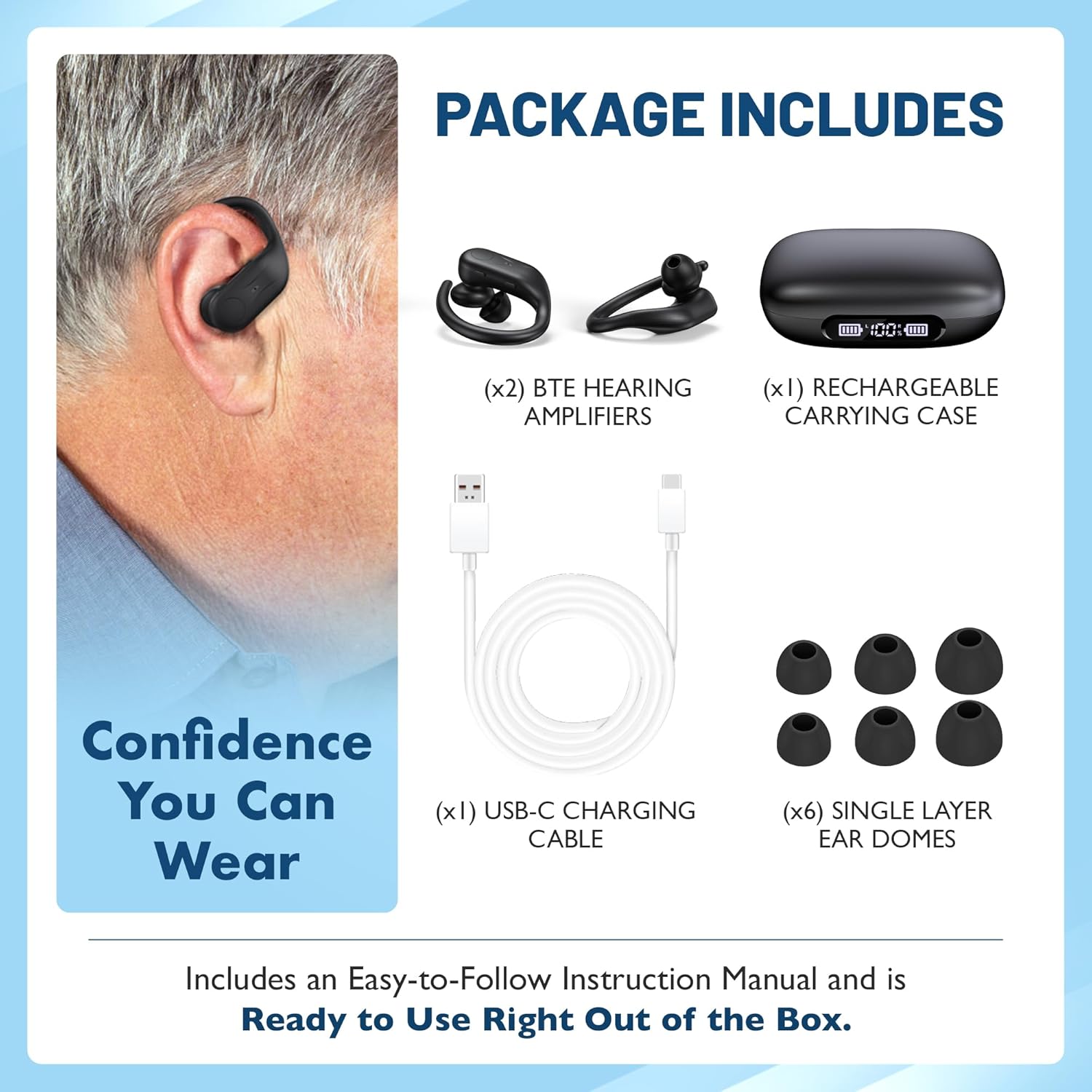
Figure 1: Contents of the MEDca U88-AID package.
Product Features
The MEDca U88-AID hearing aids are equipped with several features designed for clarity and convenience:
- Bluetooth 5.3 Connectivity: For seamless audio streaming of music and phone calls.
- Automatic Noise Cancellation: Reduces background noise for clearer listening.
- Three Preset Listening Modes: Adapt to various environments (Normal, Restaurant, Noise Reduction).
- 16-Channel Digital Chip: Provides adaptive feedback cancellation and wide dynamic range compression.
- Rechargeable Case with LED Display: Shows battery status for both hearing aids and the case, offering up to 60 hours of total use.
- Discreet BTE Design: Comfortable and secure fit behind the ear.
- Easy Controls: Intuitive buttons for volume adjustment and mode switching.

Figure 2: Dual functionality for hearing and streaming.

Figure 3: Up to 39dB sound amplification for clearer daily hearing.
Setup
- Initial Charge: Upon receiving your hearing aids, place them in the charging case. Connect the USB-C cable to the case and a power source. Allow them to charge fully before first use. The LED display on the case will indicate the charging status.
- Select Ear Domes: Choose the ear dome size that provides a comfortable and secure fit in your ear canal. A proper fit is crucial for optimal sound quality and to prevent feedback.
- Wearing the Hearing Aids: Gently place the hearing aid behind your ear, then insert the ear dome into your ear canal. Adjust the BTE (Behind-The-Ear) hook for a snug and comfortable fit.

Figure 4: Proper placement of the Behind-The-Ear hearing aid.
Operating Instructions
Power On/Off
- Power On: The hearing aids automatically power on when removed from the charging case.
- Power Off: Place the hearing aids back into the charging case to power them off and begin charging.
Volume Control
Each hearing aid has dedicated buttons for volume adjustment. Press the '+' button to increase volume and the '-' button to decrease volume. There are 5 levels of volume control.
Listening Modes
Your MEDca U88-AID hearing aids feature three preset listening modes to optimize your hearing experience in different environments. To switch between modes, press the mode button on the hearing aid (refer to the product diagram for button location).
- Normal Mode: General amplification for everyday quiet environments.
- Restaurant Mode: Designed to reduce background chatter and focus on speech in noisy social settings.
- Noise Reduction Mode: Provides enhanced noise cancellation for environments with significant ambient noise.

Figure 5: Three listening modes for various environments.
Charging
The MEDca U88-AID hearing aids come with a portable charging case that also functions as a power bank.
- Charging the Hearing Aids: Place the hearing aids into their respective slots in the charging case. They will automatically begin charging.
- Charging the Case: Connect the supplied USB-C cable to the charging port on the case and to a USB power adapter (not included) or a computer. The LED display will show the case's battery percentage.
- Battery Life: Each hearing aid provides 6-8 hours of use per charge. The fully charged case can provide multiple charges, extending total usage time up to 60 hours.
- Power Bank Function: The charging case can also be used to charge other small electronic devices via its USB-A output port in emergencies.
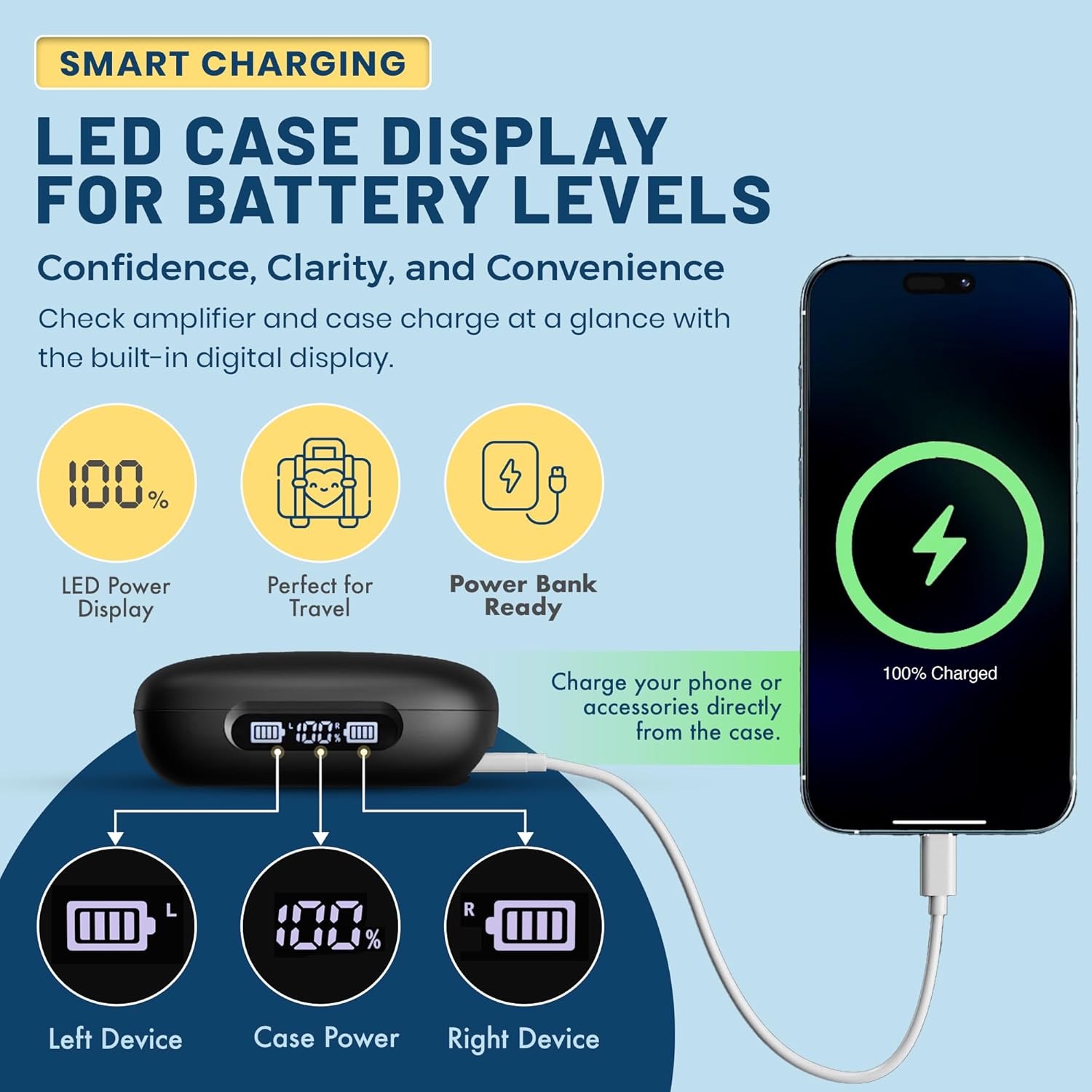
Figure 6: Smart charging case with LED display and power bank function.
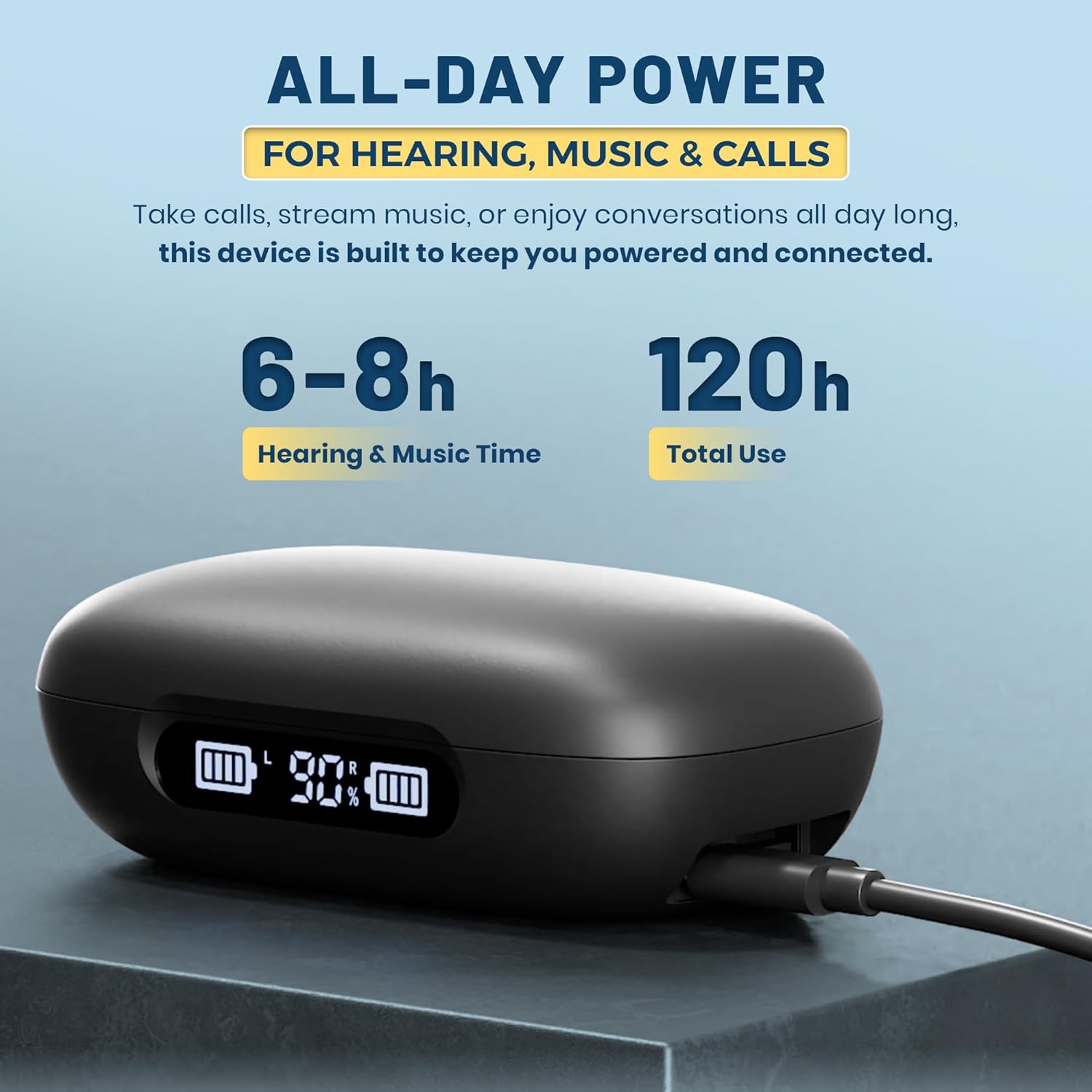
Figure 7: All-day power capabilities of the hearing aids and charging case.
Bluetooth Connectivity
Your MEDca U88-AID hearing aids can connect to your smartphone or other Bluetooth-enabled devices for streaming audio and calls.
- Pairing Mode: When removed from the charging case, the hearing aids automatically enter pairing mode.
- Connect to Device: On your smartphone, go to Bluetooth settings and search for available devices. Select "MEDca U88-AID" (or similar name) from the list to connect.
- Audio Streaming: Once connected, you can stream music, podcasts, and take phone calls directly through your hearing aids.
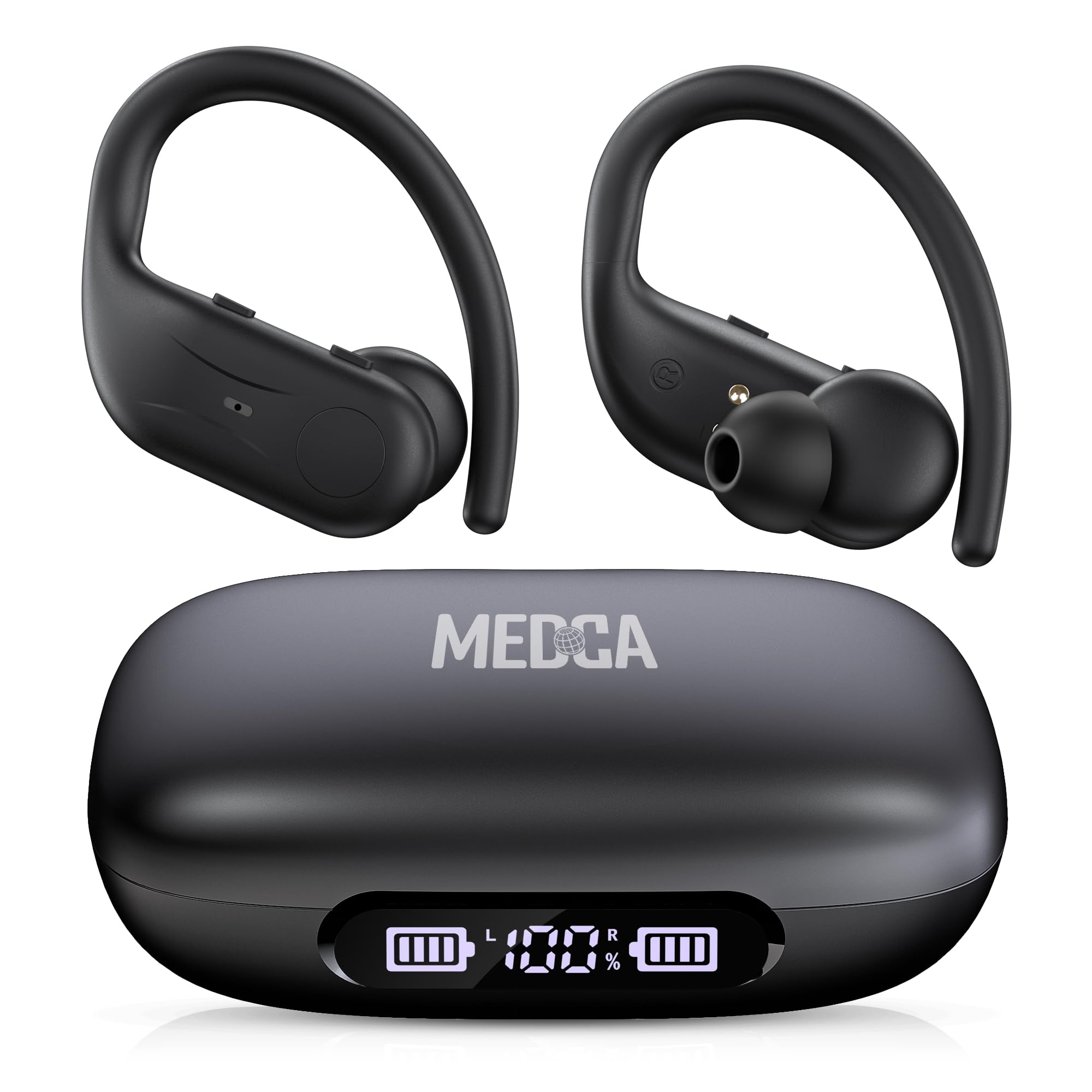
Figure 8: Bluetooth 5.3 connectivity for clear hearing and streaming.
Maintenance
- Cleaning: Regularly clean your hearing aids and ear domes with a soft, dry cloth. Do not use water or cleaning solutions directly on the electronic components.
- Ear Domes: Replace ear domes periodically or if they become damaged or discolored to maintain hygiene and sound quality.
- Storage: When not in use, store the hearing aids in their charging case to protect them from dust, moisture, and physical damage.
- Avoid Moisture: Keep the hearing aids and charging case away from water and excessive humidity.
Troubleshooting
| Problem | Possible Cause | Solution |
|---|---|---|
| No sound or weak sound | Low battery; blocked ear dome; incorrect volume setting. | Charge the hearing aids; clean or replace ear dome; increase volume. |
| Whistling or feedback sound | Improper fit of ear dome; ear dome too small; earwax buildup. | Ensure ear dome is properly seated; try a larger ear dome; consult a professional for earwax removal. |
| Cannot connect via Bluetooth | Hearing aids not in pairing mode; Bluetooth off on device; interference. | Ensure hearing aids are out of case; enable Bluetooth on device; move closer to device; restart both devices. |
| Charging case not charging | Cable not connected properly; faulty cable/adapter. | Check USB-C cable connection; try a different cable or power adapter. |
Specifications
- Brand: MEDca
- Model Name: U88-AID
- Color: Black
- Material: Plastic
- Style: BTE (Behind-the-Ear) Hearing Aids
- Power Source: Battery Powered (Rechargeable Lithium Polymer)
- Special Features: Adaptive Hearing Modes, Digital Display, Low Power Reminder, Noise Reduction, Rechargeable
- Fit Type: Behind-the-Ear
- Number of Batteries: 2 Lithium Polymer batteries (included)
- Compatible Devices: Smartphone
- Control Type: Button Control
- Noise Control: Sound Isolation
- Battery Weight: 1 Grams (each)
- Lithium Battery Weight: 0.85 Grams (each)
- UPC: 850055946972
Official Product Video
Video: An overview of the MEDca F-AID8 Rechargeable Hearing Amplifiers, demonstrating features and usage.
Warranty and Support
For warranty information or technical support, please refer to the contact details provided with your purchase documentation or visit the official MEDca website. Keep your proof of purchase for warranty claims.
Ask a question about this manual
Ask about setup, troubleshooting, compatibility, parts, safety, or missing instructions. Manuals+ will review the question and use this page’s manual context to help answer it.