
Introduction
This manual provides essential information for the safe and efficient use of your Rowenta X-Pert 3.60 RH6929WO cordless stick vacuum cleaner. Please read these instructions carefully before first use and keep them for future reference.
Important Safety Instructions
- Ensure the voltage indicated on the charger corresponds to your mains voltage.
- Do not use the appliance if the power cord or charger is damaged.
- This appliance is for domestic use only. Do not use it outdoors or on wet surfaces.
- Do not pick up flammable or combustible materials, hot ashes, or sharp objects.
- Keep hair, loose clothing, fingers, and all parts of the body away from openings and moving parts.
- Always turn off the appliance before connecting or disconnecting the motorized brush.
- Do not immerse the appliance in water or any other liquid.
Product Overview
Familiarize yourself with the components of your Rowenta X-Pert 3.60 RH6929WO vacuum cleaner.
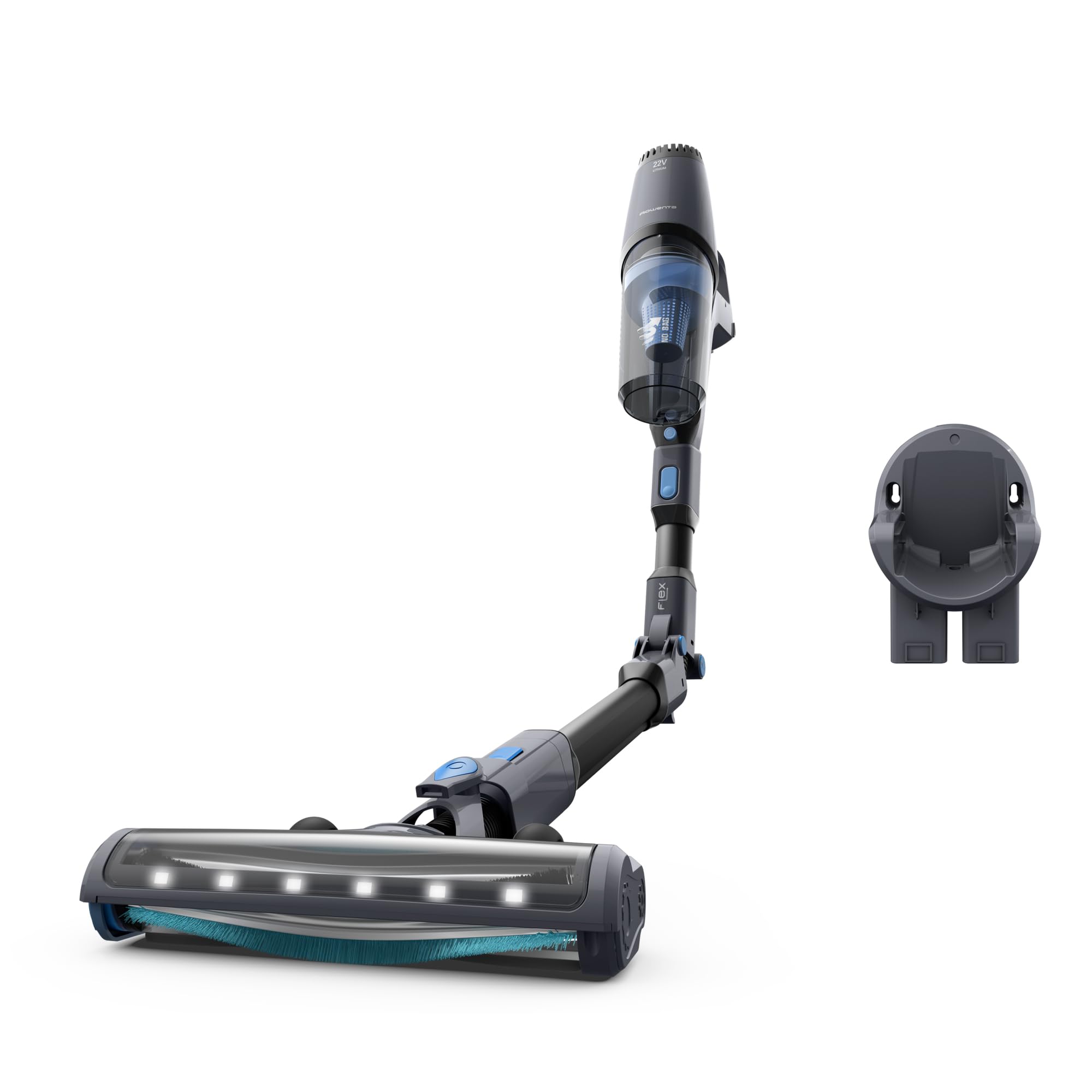
Figure 1: Main view of the Rowenta X-Pert 3.60 RH6929WO cordless stick vacuum cleaner and its wall-mounted charging base.
Figure 2: Various components and accessories included with the vacuum cleaner, showing the main unit, extension tube, brush head, and other attachments.
Setup and Initial Charging
- Unpack: Carefully remove all components from the packaging.
- Assemble: Connect the main unit to the extension tube, and then attach the motorized brush head. Ensure all connections click securely into place.
- Charge: Before first use, fully charge the battery. Connect the charger to the vacuum cleaner and plug it into a power outlet. The charging indicator light will show the charging status. A full charge takes approximately 4 hours.
- Wall Mount (Optional): If desired, install the wall-mounted charging base in a convenient location. Refer to the wall mount instructions for proper installation.
Operating Instructions
Powering On/Off and Mode Selection
- To turn on the vacuum cleaner, press the power button located on the main unit.
- Press the power button again to turn off the appliance.
- The vacuum cleaner may have different power modes (e.g., Eco, Standard, Boost). Select the appropriate mode for your cleaning task using the mode selection button (if available).
General Cleaning
The Rowenta X-Pert 3.60 is designed for efficient dry cleaning on various floor types.
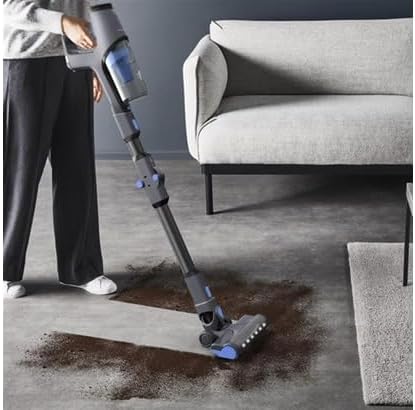
Figure 3: Demonstrates the vacuum cleaner in action, effectively cleaning spilled dirt on a hard surface.

Figure 4: The vacuum cleaner's front LED lights illuminate the cleaning path, enhancing visibility for quick and thorough cleaning.
Using the Flexible Tube
The flexible tube feature allows for easy cleaning under low furniture and in hard-to-reach areas without excessive bending.

Figure 5: The flexible tube allows the vacuum to reach under furniture, providing comprehensive cleaning coverage.
Maintenance and Care
Emptying the Dust Container
The Rowenta X-Pert 3.60 is a bagless vacuum cleaner. Empty the dust container regularly to maintain optimal suction performance.
- Ensure the appliance is turned off and disconnected from the charger.
- Locate the dust container release button, usually near the main unit.
- Press the button to detach the dust container.
- Open the dust container over a waste bin and empty its contents.
- Close the dust container and reattach it to the main unit until it clicks into place.
Cleaning the Filters
Regularly clean the filters to prevent clogging and maintain suction power. Refer to your specific model's instructions for filter removal and cleaning frequency.
- Remove the dust container and then access the filters.
- Tap the filters gently to remove loose dust. If washable, rinse them under cold running water.
- Allow filters to air dry completely for at least 24 hours before reinserting them. Do not use a dryer or other heating elements.
Cleaning the Brush Head
Hair and debris can get tangled in the brush roll. Periodically inspect and clean the brush head.
- Turn off the vacuum and detach the brush head.
- Use scissors or a brush to remove any tangled hair or fibers from the brush roll.
- Ensure the brush roll spins freely before reattaching the head.
Troubleshooting
| Problem | Possible Cause | Solution |
|---|---|---|
| Vacuum cleaner does not turn on. | Battery is not charged or not properly inserted. | Ensure the battery is fully charged and correctly seated in the appliance. |
| Low suction power. | Dust container is full, filters are clogged, or brush head is blocked. | Empty the dust container. Clean or replace the filters. Remove any blockages from the brush head or tube. |
| Battery does not charge. | Charger not properly connected or power outlet issue. | Check that the charger is securely plugged into both the vacuum and the wall outlet. Try a different outlet. |
| Unusual noise during operation. | Obstruction in the brush head or tube. | Turn off the vacuum and check for any foreign objects in the brush head, tube, or dust container. |
Technical Specifications

Figure 6: Dimensions of the Rowenta X-Pert 3.60 vacuum cleaner, indicating a height of 110 cm and a width of 21.5 cm.
| Feature | Detail |
|---|---|
| Brand | Rowenta |
| Model | X-Pert 3.60 (RH6929WO) |
| Product Type | Cordless Stick Vacuum Cleaner |
| Color | Black (as per specifications, though product images show grey/blue accents) |
| Dimensions (L x W x H) | 110 x 25 x 21.5 cm |
| Weight | 2.5 kg |
| Battery Voltage | 22 Volt |
| Battery Type | Lithium-Ion |
| Autonomy | Up to 45 minutes |
| Dust Container Type | Bagless |
| Special Features | Lightweight, Front LED light, Cordless, Flexible tube |
Warranty and Support
For warranty information, service, or technical support, please refer to the warranty card included with your product or visit the official Rowenta website. Keep your proof of purchase for any warranty claims.
You can find more information and contact details on the official Rowenta website: www.rowenta.com


