1. Introduction
Thank you for choosing the Baseus Bipow 2 Pro 10000mAh Portable Charger. This manual provides detailed instructions on how to set up, operate, maintain, and troubleshoot your device. Please read this manual carefully before use to ensure optimal performance and safety.
2. Product Overview
The Baseus Bipow 2 Pro is a compact and powerful portable charger designed for convenience and efficiency. It features a built-in USB-C cable, multiple output ports, and a digital display for battery status.

Figure 2.1: Overall view of the Baseus Bipow 2 Pro portable charger in white, showcasing its sleek design and integrated cable.
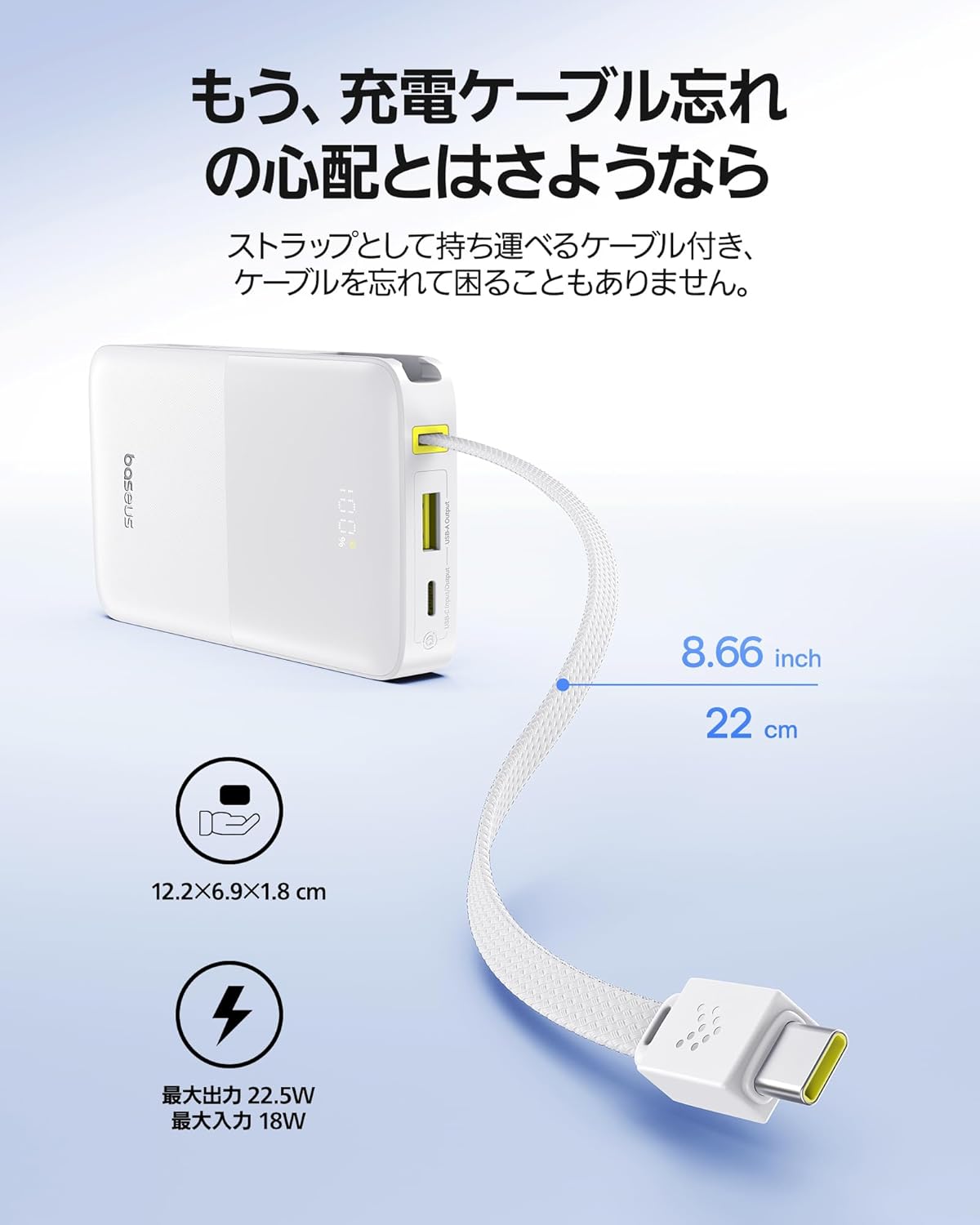
Figure 2.2: The portable charger with its built-in USB-C cable extended, highlighting its compact dimensions (12.2 x 6.9 x 1.8 cm) and the convenience of not needing an extra cable.
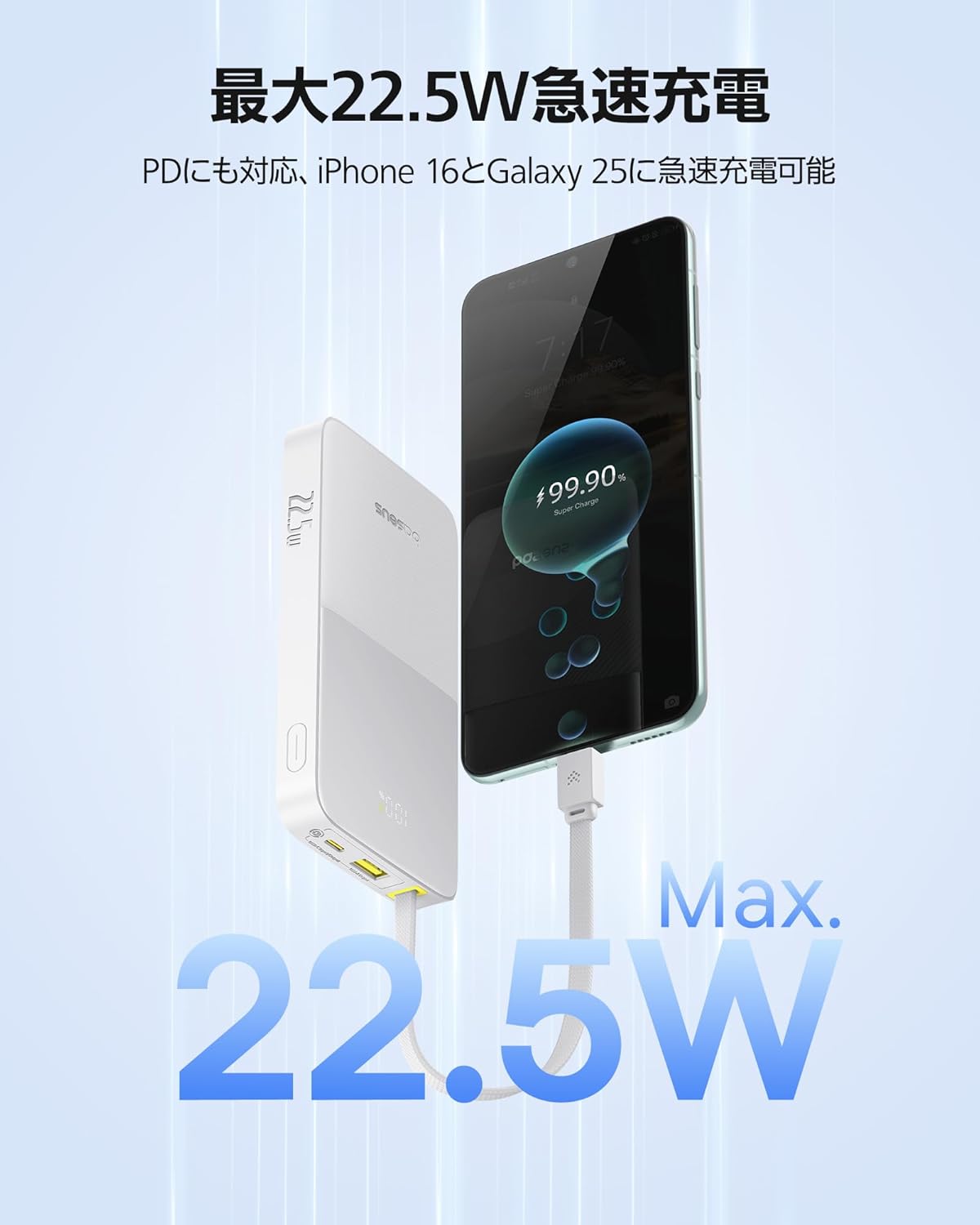
Figure 2.3: The power bank actively charging a smartphone, demonstrating its 22.5W fast charging capability for quick power delivery.

Figure 2.4: An illustration of the 10000mAh battery capacity, showing its ability to charge an iPhone 16 Pro approximately 1.5 times and an iPad mini once.

Figure 2.5: Close-up of the built-in cable, emphasizing its durable nylon braided construction, designed to withstand over 10,000 bends.

Figure 2.6: The power bank simultaneously charging a smartphone, a smartwatch, and a hairdryer, illustrating its capability to charge up to three devices at once using its various ports.
3. Key Features
- Built-in USB-C Cable: The integrated USB-C cable eliminates the need for carrying extra cables, making it highly convenient for on-the-go charging. It also doubles as a strap for easy carrying.
- Max 22.5W PD Fast Charging: Supports Power Delivery (PD) fast charging, delivering up to 22.5W output. It can charge an iPhone 16 Pro over 50% in just 30 minutes. The device intelligently monitors voltage and current to provide optimal and safe charging.
- 10000mAh Large Capacity: Provides ample power to fully charge an iPhone 16 Pro approximately 1.5 times or an iPad mini once, ensuring your devices stay powered throughout the day.
- 3 Devices Simultaneous Charging: Equipped with a built-in USB-C cable, a dedicated USB-C port, and a USB-A port, allowing you to charge up to three devices concurrently.
- Compact & Lightweight Design: With dimensions of 12.2 × 6.9 × 1.8 cm and a weight of only 204g, it is smaller than an iPhone and easily fits into bags or pouches without adding bulk.
- Wide Device Compatibility & Safety Features: Compatible with a broad range of devices via its USB-C and USB-A ports. Features multiple protection systems, including overcharge and overcurrent protection, and complies with UN38.3 standards and PSE certification for enhanced safety.
4. Setup
- Initial Charging: Before first use, fully charge your Baseus Bipow 2 Pro. Connect the power bank to a wall charger using its built-in USB-C cable or a separate USB-C cable via the dedicated USB-C input port. The digital display will show the charging progress.
- Check Battery Level: Press the power button once to check the current battery percentage on the digital display.
5. Operating Instructions
5.1 Charging Your Devices
- Using the Built-in USB-C Cable: Extend the built-in USB-C cable and plug it directly into your USB-C compatible device (e.g., iPhone 15/16, Android smartphones, tablets).
- Using the USB-C Port: For devices requiring a USB-C to USB-C connection, use your own USB-C cable and connect it to the power bank's USB-C output port.
- Using the USB-A Port: For devices requiring a USB-A connection, use your own USB-A cable and connect it to the power bank's USB-A output port.
- Simultaneous Charging: You can charge up to three devices simultaneously by utilizing the built-in USB-C cable, the USB-C port, and the USB-A port.
5.2 Understanding the Digital Display
The integrated digital display shows the real-time battery percentage of the power bank. When charging a device, it may also indicate the charging status or output voltage/current, providing clear information at a glance.
5.3 Low Current Mode
The power bank may feature a low current mode suitable for charging small devices like wireless earbuds or smartwatches. Refer to the product packaging or official Baseus website for specific instructions on activating this mode, if available.
6. Maintenance
- Cleaning: Wipe the power bank with a soft, dry cloth. Do not use harsh chemicals or abrasive materials.
- Storage: Store the power bank in a cool, dry place away from direct sunlight, extreme temperatures, and humidity.
- Battery Care: To prolong battery life, fully charge the power bank at least once every three months if not in regular use. Avoid completely draining the battery frequently.
7. Troubleshooting
| Problem | Possible Cause | Solution |
|---|---|---|
| Power bank not charging | Charging cable or adapter faulty; power bank fully charged; charging port dirty. | Try a different cable/adapter. Check if the power bank is already at 100%. Clean the charging port gently. |
| Device not charging from power bank | Power bank battery low; device cable faulty; incompatible device. | Recharge the power bank. Try a different cable. Ensure your device is compatible with the power bank's output. |
| Slow charging | Cable not supporting fast charging; device not supporting fast charging; multiple devices charging simultaneously. | Use a fast-charging compatible cable. Ensure your device supports fast charging. Disconnect other devices for faster charging of a single device. |
| Digital display not working | Power bank is off; internal malfunction. | Press the power button to activate the display. If the issue persists, contact customer support. |
8. Specifications
| Specification | Value |
|---|---|
| Brand | Baseus |
| Model | Bipow 2 Pro |
| Product Weight | 204 g |
| Package Dimensions | 15.2 x 8.4 x 2.7 cm; 204 g |
| Color | White |
| Battery Capacity | 10000mAh |
| Max Output | 22.5W |
| Connector Type | USB Type C, USB Type A |
| Special Features | Integrated USB-C Cable, PD Fast Charging, Display Battery Indicator, 3 Devices Simultaneous Charging |
| Voltage | 10 Volts |
| Country of Origin | China |
| First Available on Amazon.co.jp | March 25, 2025 |
| ASIN | B0F2FPPPXZ |
9. Warranty and Support
The Baseus Bipow 2 Pro comes with a 24-month warranty from the date of purchase, ensuring peace of mind and long-term usability. This warranty covers manufacturing defects and issues arising from normal use.
For technical support, warranty claims, or any inquiries regarding your product, please contact Baseus customer service through the official Baseus website or the retailer where you purchased the product. Please have your purchase receipt and product model information ready when contacting support.
Safety Certifications: This product complies with UN38.3 standards and is PSE certified, ensuring high safety standards for use and air travel.


