
Tribesigns QQHL0218
Tribesigns 85.8-Inch L-Shaped Executive Office Desk User Manual
Model: QQHL0218
1. Introduction
Thank you for choosing the Tribesigns 85.8-Inch L-Shaped Executive Office Desk. This manual provides detailed instructions for assembly, operation, maintenance, and troubleshooting to ensure optimal use and longevity of your product. Please read this manual thoroughly before beginning assembly or use.

Figure 1.1: Overall view of the Tribesigns L-Shaped Executive Office Desk.
2. Important Safety Information
Please observe the following safety precautions to prevent injury or damage to the product:
- This is a heavy and large desk. Always ensure proper assembly and handling to prevent injury or damage.
- Do not exceed the weight limit of the desk. Refer to the specifications section for details.
- Assemble the desk on a soft, clean surface to prevent scratches.
- Ensure all screws and fasteners are securely tightened before use. Periodically check and re-tighten as necessary.
- Keep small parts and packaging materials away from children and pets.
3. Package Contents
Your Tribesigns L-Shaped Executive Office Desk is shipped in two separate packages. Please ensure you have received both packages before beginning assembly. Verify all components and hardware against the included parts list (not provided in this digital manual, refer to physical manual). If any parts are missing or damaged, please contact customer support.

Figure 3.1: The desk is delivered in two separate packages.
4. Setup and Assembly
Assembly of this desk requires approximately 4-5 hours and is recommended for two people. All necessary assembly tools are included. Follow the step-by-step instructions provided in your physical assembly manual. Below are key considerations and visual aids for the assembly process.
4.1 Preparation
- Clear a spacious area for assembly.
- Lay out all components and hardware.
- Identify each part using the labels in the physical manual.
4.2 Assembly Steps (General Overview)
While specific steps are in the included manual, the general process involves:
- Assembling the main desk frame.
- Attaching the L-shaped return section.
- Installing the drawer slides and assembling the drawers.
- Installing the storage cabinet shelves and doors.
- Securing all connections and ensuring stability.

Figure 4.1: Desk dimensions and component layout for assembly planning.
It is advisable to build the desk in its intended final location if possible, especially if on carpet, as moving it after assembly may cause stress on the structure.
5. Operating and Usage
The Tribesigns L-Shaped Executive Office Desk is designed for high functionality and organization. Utilize its various features to enhance your workspace.
5.1 Spacious Workstation
The extra-long desktop (85.83 inches) provides ample space for multiple monitors, office equipment, and work materials.

Figure 5.1: The spacious desktop accommodates multiple devices and work items.
5.2 Storage Drawers
The desk includes three storage drawers. The bottom drawer is a file drawer equipped with a hanging file system, suitable for A4/letter size files. The top two drawers are for general storage of office supplies.

Figure 5.2: Detail of the file drawer and storage drawers.
5.3 Open and In-Cabinet Storage Shelves
The L-shaped return features open storage shelves and an in-cabinet storage shelf. These are ideal for books, decorative items, or additional office supplies. The in-cabinet shelf has an adjustable installation height for flexible storage options.

Figure 5.3: Open and concealed storage options.
5.4 CPU Compartment
A dedicated CPU compartment is integrated into the desk design, providing a discreet and protected space for your computer tower.
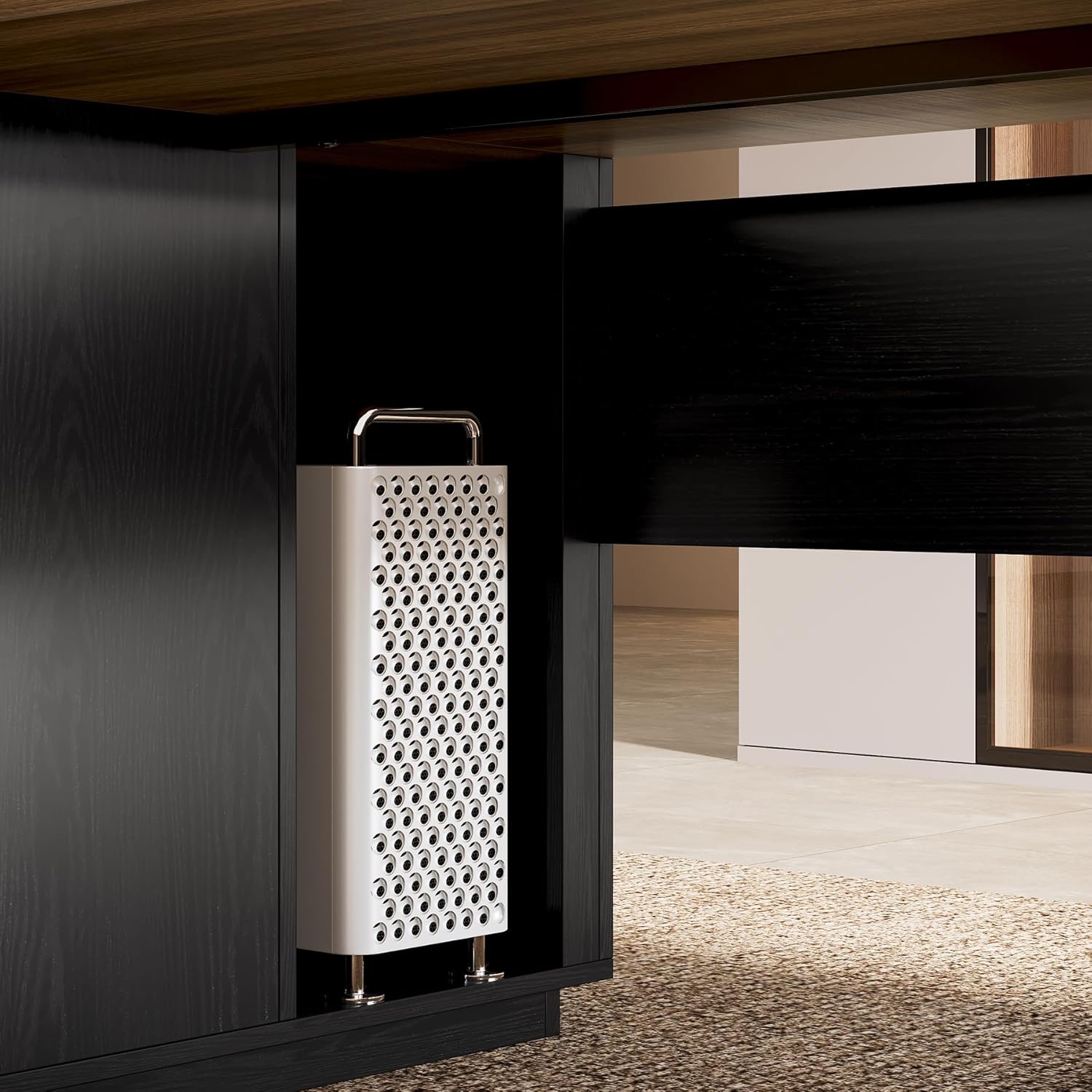
Figure 5.4: Dedicated CPU storage area.
6. Maintenance
Proper care will extend the life and appearance of your desk.
- Cleaning: Wipe surfaces with a soft, damp cloth. Avoid harsh chemicals or abrasive cleaners, which can damage the laminated finish.
- Spills: Clean spills immediately to prevent staining or damage to the wood.
- Heat and Moisture: Avoid placing hot items directly on the surface. Use coasters or protective pads. Protect from excessive moisture.
- Fasteners: Periodically check all screws and connections to ensure they remain tight. Re-tighten as needed to maintain stability.
7. Troubleshooting
If you encounter any issues with your desk, refer to the following common problems and solutions:
| Problem | Possible Cause | Solution |
|---|---|---|
| Desk is wobbly or unstable. | Loose fasteners; uneven floor. | Check and tighten all screws. Use shims under the desk feet if the floor is uneven. |
| Drawers do not slide smoothly. | Misaligned slides; obstruction; dirty tracks. | Ensure drawer slides are correctly installed and aligned. Check for any obstructions in the tracks. Clean tracks if necessary. |
| Parts are missing or damaged. | Shipping error; manufacturing defect. | Contact Tribesigns customer support immediately for assistance. |
8. Specifications
| Feature | Detail |
|---|---|
| Brand | Tribesigns |
| Model Number | QQHL0218 |
| Product Dimensions (D x W x H) | 54.7"D x 85.83"W x 29.53"H |
| Color | Brown&black |
| Style | Modern |
| Base Material | Engineered Wood |
| Finish Type | Laminated |
| Special Features | CPU compartment, Extra long desktop, file drawer, open storage shelf & in-cabinet storage shelf |
| Item Weight | 169.8 Pounds |
| Number of Drawers | 3 |
| Number of Shelves | 2 (1 open, 1 in-cabinet) |
| Required Assembly | Yes |
| Recommended People for Assembly | 2 |
| Includes All Assembly Tools | Yes |
9. Warranty and Customer Support
Tribesigns offers a limited warranty for this product. For specific warranty terms and conditions, please refer to the documentation included with your purchase or visit the official Tribesigns website.
For any product-related issues, missing parts, or assembly assistance, Tribesigns' dedicated after-sales team is available to provide quick, professional solutions. Please contact customer support via the contact information provided in your purchase documentation or through the retailer where the product was purchased.
Contact Information: Refer to your purchase receipt or the Tribesigns official website for the most current customer support details.
Related documentsQQHL0218


Ask a question about this manual
Ask about setup, troubleshooting, compatibility, parts, safety, or missing instructions. Manuals+ will review the question and use this page’s manual context to help answer it.