Introduction
Thank you for choosing Piluyaa M51-WHITE Sleep Earbuds. These lightweight, comfortable, and invisible in-ear headphones are designed to provide exceptional audio quality and noise blocking for various activities, including sleeping, focusing, and relaxing. This manual will guide you through the setup, operation, and maintenance of your new earbuds to ensure optimal performance and longevity.

Image: The Piluyaa M51-WHITE Sleep Earbuds shown with their charging case, featuring a digital display for battery levels.
What's in the Box
Upon unboxing your Piluyaa M51-WHITE Sleep Earbuds, please ensure all components are present:
- Piluyaa M51-WHITE Ear Headphones (Left and Right)
- Charging Case
- USB C Charging Cable
- User Manual (this document)

Image: Contents of the Piluyaa M51-WHITE Sleep Earbuds package, including the earbuds, charging case, and USB-C cable.
Setup
Initial Charging
Before first use, fully charge your earbuds and charging case. Connect the provided USB-C cable to the charging case and a compatible USB power source. The LED digital display on the case will indicate the charging status and remaining power.
Image: The charging case displaying battery levels for both earbuds and the case itself, indicating charging status.
Bluetooth Pairing
The M51-WHITE earbuds feature one-step pairing for convenience.
- First-Time Connection: When connecting to Bluetooth for the first time, ensure both headphones are taken out of the charging box simultaneously. After approximately 5 seconds, if one headphone's light does not flash, both headphones are connected. You can then turn on Bluetooth on your phone and find the Bluetooth name "M51" to connect. If both earphone lights are flashing, indicating they are not paired, place them back into the charging box. After about 3 seconds, take them out again. If after 5 seconds one light does not flash, they are paired. If not, wait a little longer to see if a match occurs.
- Subsequent Connections: Once initially paired, the earbuds will automatically connect to your last paired device when you open the charging case lid.
- Troubleshooting Pairing: If the two headsets are connected to Bluetooth without pairing, you may only connect to one of your headphones and not the other. In this situation, cancel your Bluetooth connection, turn Bluetooth off, then put both earphones back into the charging box. Take them out again and follow the first-time connection steps.
- Language Setting: If the earbuds are not in English when you first use them, double-click them when they are not connected to your phone to switch to English.
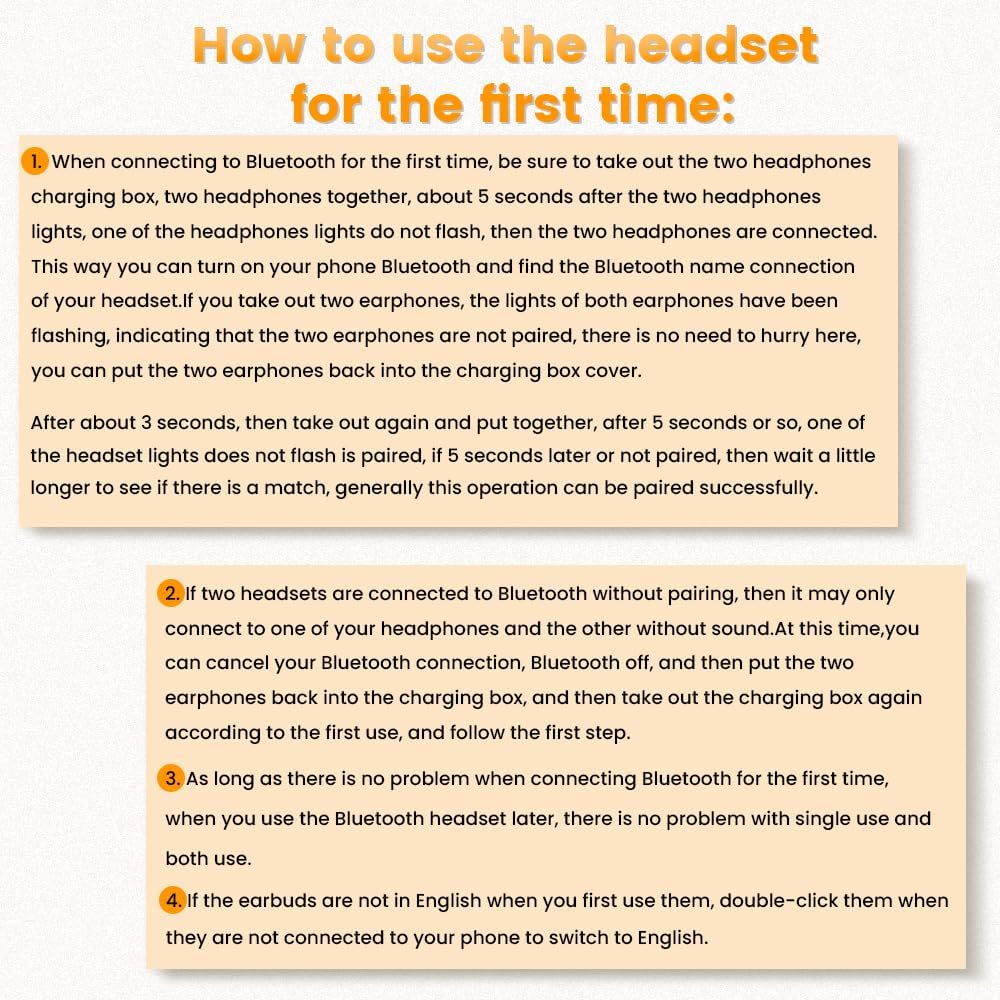
Image: A visual guide detailing the steps for initial Bluetooth pairing and troubleshooting for the earbuds.

Image: Illustration showing the earbuds' compatibility with various operating systems, including Android, Windows, and iOS.
Operating Instructions
Wearing the Earbuds
The M51-WHITE earbuds are designed for an ergonomic and comfortable fit, especially for side sleepers. Their mini, invisible, and lightweight design (3.0g per earbud) ensures they hug your ear's inner curve for a stable and comfortable experience.

Image: A close-up view of the Piluyaa M51-WHITE earbud securely and discreetly placed within the ear.
Important Note on Comfort:
The plastic design provides lightweight convenience, but some users may find it less comfortable for extended wear or while sleeping. If ear comfort is a priority, you may want to consider this before purchasing.

Image: A woman sleeping comfortably with the earbuds, accompanied by a cautionary note regarding potential comfort issues for some users due to the plastic design.
Smart Touch Controls
The M51 Sleep earbuds feature dual-ear touch controls for easy management of your audio and calls:
- Play/Pause: Click 2 times (L/R)
- Voice Assistant: Hold for 2 seconds (L/R)
- Previous Song: Click 2 times (L)
- Next Song: Click 2 times (R)
- Answer Call: Click 2 times (L/R)
- Reject Call: Hold for 1 second (L/R)
- Volume Down: Click 3 times (L)
- Volume Up: Click 3 times (R)

Image: A visual representation of the touch control functions for the left and right earbuds in binaural mode.
Sound Quality and Noise Blocking
The 10mm speakers deliver powerful, wide-range sound with dynamic treble and thumping bass. Built-in microphones ensure clear calls, and the earbuds smartly adjust noise cancellation and sound quality for an immersive audio experience.

Image: An exploded diagram illustrating the internal acoustic components of the earbud, highlighting its vocal cavity and extreme sound quality features.
The earbuds are designed to cut ambient noise without many beeps, ensuring a peaceful environment for sleep or focus. They feature directional transmission to protect privacy and automatically adjust the propagation angle of the integrated sound beam by +25° to ensure efficient sound transmission into the ear canal.

Image: A woman sleeping peacefully, demonstrating the directional sound transmission feature of the earbuds that helps protect privacy and block noise.
Battery Life and Charging
The M51-WHITE earbuds offer extended battery life for prolonged use:
- Earbud Playtime: 5-7 hours on a single charge.
- Total Playtime with Charging Case: Up to 58 hours.
The charging case supports Type-C fast charging for added convenience. The LED digital display on the case allows you to easily monitor the charging status and remaining power of both the case and the individual earbuds.

Image: A man relaxing while wearing the earbuds, with an overlay indicating up to 6 hours of listening time per charge and 30 hours total with the case.
Maintenance
To ensure the longevity and optimal performance of your Piluyaa M51-WHITE Sleep Earbuds, follow these maintenance guidelines:
- Cleaning: Regularly wipe the earbuds and charging case with a soft, dry, lint-free cloth. Avoid using harsh chemicals, cleaning sprays, or abrasive materials.
- Storage: When not in use, store the earbuds in their charging case to protect them from dust, dirt, and physical damage. Store in a cool, dry place away from direct sunlight and extreme temperatures.
- Water Exposure: These earbuds are not waterproof. Avoid exposing them to water, sweat, or high humidity.
- Charging Port: Keep the USB-C charging port free of debris.
Troubleshooting
If you encounter any issues with your Piluyaa M51-WHITE Sleep Earbuds, please refer to the following common solutions:
| Problem | Possible Cause | Solution |
|---|---|---|
| Earbuds not pairing/connecting. | Incorrect pairing procedure, Bluetooth interference. | Follow the "Bluetooth Pairing" steps carefully. Turn off and on Bluetooth on your device. Ensure earbuds are fully charged. |
| Only one earbud working. | Earbuds not properly paired with each other. | Place both earbuds back in the charging case, close the lid, wait a few seconds, then take them out again to re-establish connection. Refer to "Bluetooth Pairing" step 1. |
| Low volume or poor sound quality. | Earbuds not properly seated, low battery, audio source issue. | Adjust earbuds for a snug fit. Charge earbuds fully. Check volume on both earbuds and connected device. Try a different audio source. |
| Earbuds not charging. | Charging cable issue, dirty charging contacts, faulty power source. | Ensure USB-C cable is securely connected. Clean charging contacts on earbuds and case. Try a different USB-C cable or power adapter. |
| Touch controls unresponsive. | Temporary software glitch, dirty touch surface. | Place earbuds back in case and take them out again. Clean the touch sensitive area on the earbuds. |
If the issue persists after trying these solutions, please contact Piluyaa customer support for further assistance.
Specifications
- Model Name: M51-WHITE
- Brand: Piluyaa
- Connectivity Technology: Wireless (Bluetooth 5.4)
- Bluetooth Range: Up to 12 meters
- Earbud Playtime: 5-7 hours
- Total Playtime with Case: Up to 58 hours
- Control Method: Touch
- Audio Driver Type: Dynamic Driver
- Speaker Size: 10mm
- Frequency Range: 20 Hz - 20,000 Hz
- Impedance: 16 Ohm
- Noise Control: Sound Isolation
- Earpiece Shape: In-ear
- Item Weight: 1.76 ounces (total package)
- Battery: 1 Lithium Polymer battery (included)
- Compatible Devices: Smartphones, Laptops, Tablets, Smart Speakers
Warranty and Support
Piluyaa products are designed with quality and reliability in mind. For any warranty claims or technical support, please refer to the contact information below:
- Manufacturer: Piluyaa
- Customer Service: For 24-hour email support, please refer to the contact details provided on the product packaging or the official Piluyaa website.
- Return Policy: Please refer to your purchase platform's return policy (e.g., Amazon's 30-day refund/replacement policy).

Image: A customer service representative, symbolizing the "One to One Professional Service" and "24 hours Email support" offered by Piluyaa.


