
Introduction
Thank you for purchasing the MONODEAL Portable CD Player. This device is designed to provide high-quality audio playback from your favorite CDs, with the added convenience of Bluetooth connectivity and built-in stereo speakers. Please read this manual carefully before using the product to ensure proper operation and to maximize its lifespan.
Package Contents

Figure 1: Package Contents. The image displays the MONODEAL Portable CD Player alongside its included accessories: a dual AUX cable, a USB-C charging cable, wired earphones, and the user manual.
- MONODEAL Portable CD Player (Model: MD-602)
- USB-C Charging Cable
- Dual AUX Cable
- Wired Earphones
- User Manual
Product Overview

Figure 2: Front view of the MONODEAL Portable CD Player, highlighting the central control panel with playback buttons, mode selection, volume, and the digital display showing track information and battery status.
The MONODEAL Portable CD Player features a compact design with intuitive controls. It includes a digital display for track information, battery status, and mode indicators. Key features include:
- Built-in Stereo Speakers: Enjoy audio without headphones.
- Bluetooth 5.0 Connectivity: Easily connect to Bluetooth headphones, earphones, or speakers.
- Multiple Play Modes: Play in order, repeat track, repeat all, A-B repeat, and shuffle.
- EQ Sound Effects: Choose from BBS, Pop, Jazz, Rock, and Classic.
- Resume Function: Remembers the last played track.
- FM Transmitter: Connect to car stereos or home radios via FM.
- Rechargeable Battery: Long-lasting 2000mAh battery for extended playback.
Setup
1. Charging the Device
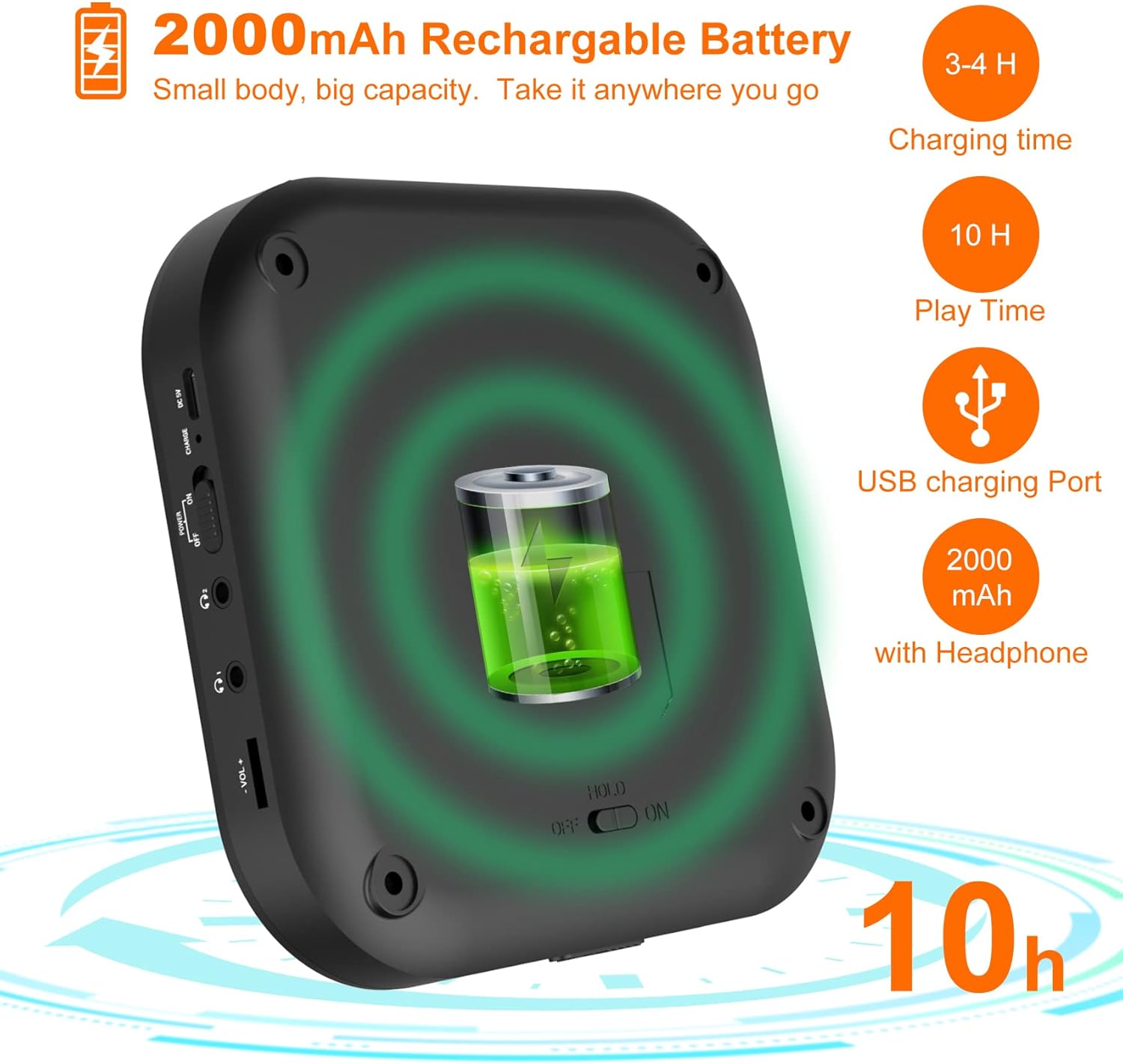
Figure 3: Battery and Charging. This image illustrates the 2000mAh rechargeable battery capacity, indicating a charging time of 3-4 hours and a play time of up to 10 hours with headphones, using the USB charging port.
Before first use, fully charge the CD player. Connect the supplied USB-C charging cable to the device's USB-C port and the other end to a USB power adapter (not included) or a computer's USB port. The charging indicator light will show the charging status. A full charge typically takes 3-4 hours and provides up to 10 hours of playback with headphones.
2. Inserting a CD
- Gently slide the "OPEN" switch to open the CD compartment lid.
- Place a CD onto the spindle with the label side facing up.
- Press down gently on the center of the CD until it clicks into place.
- Close the CD compartment lid firmly until it latches.
Operating Instructions
Basic Playback
- Ensure the "HOLD" switch on the side of the player is in the "OFF" position.
- Press the PLAY/PAUSE button (▶‖) to start playback.
- Press the PLAY/PAUSE button again to pause playback.
- Use the PREVIOUS (⏮) and NEXT (⏭) buttons to skip tracks. Press and hold to fast forward or rewind.
- Adjust volume using the VOL+ and VOL- buttons.
Bluetooth Connection

Figure 4: Bluetooth Connectivity. This image demonstrates the player's built-in Bluetooth 5.0, showing its compatibility with Bluetooth headphones, earphones, and speakers, with a woman enjoying music wirelessly.
- Turn on the CD player.
- Press the Bluetooth button (&B;) to activate Bluetooth pairing mode. The Bluetooth indicator will flash.
- Enable Bluetooth on your desired device (headphones, speaker, etc.) and set it to pairing mode.
- Select "MONODEAL CD Player" from the list of available devices.
- Once connected, the Bluetooth indicator will stop flashing and remain solid.
FM Transmitter Function

Figure 5: Car Connection Options. This image illustrates two methods to connect the CD player to a car audio system: via AUX connection or FM connection, highlighting its suitability for cars without a built-in CD player.
The player can transmit audio to an FM radio, ideal for car stereos without a CD player.
- Press the PROG/FM button to enter FM transmission mode.
- The display will show the FM frequency. Use the PREVIOUS (⏮) and NEXT (⏭) buttons to adjust the frequency.
- Tune your car radio or home radio to the same FM frequency.
- Adjust the volume on your radio for optimal sound.
Play Modes and EQ Settings

Figure 6: Play Modes and EQ. This image shows a family enjoying music, with text detailing the 5 available play modes (Play in order, Repeat a track, Repeat all, A-B repeat, Shuffle) and 5 EQ sound effects (BBS, Pop, Jazz, Rock, Classic).
- MODE Button: Press to cycle through different play modes:
- Single Cycle: Repeats the current track.
- ALL: Repeats all tracks on the CD.
- INTRO: Plays the first 10 seconds of each track.
- SHUF: Plays tracks in a random order.
- A-B Repeat: Press the A-B button at the start point (A) and again at the end point (B) of the desired section to repeat it. Press a third time to cancel.
- EQ Button: Press to cycle through different equalizer sound effects: BBS, Pop, Jazz, Rock, Classic.
Maintenance
- Keep the device clean by wiping it with a soft, dry cloth. Do not use liquid cleaners or aerosols.
- Avoid exposing the player to extreme temperatures, direct sunlight, or high humidity.
- Do not disassemble the device. Repairs should only be performed by qualified personnel.
- When not in use for extended periods, store the player in a cool, dry place.
Troubleshooting
| Problem | Possible Cause | Solution |
|---|---|---|
| Player does not turn on. | Battery is depleted. HOLD switch is ON. | Charge the battery. Set HOLD switch to OFF. |
| No sound from speakers/headphones. | Volume is too low. Headphones not properly connected. Bluetooth device not connected. | Increase volume. Ensure headphones are fully plugged in. Re-pair Bluetooth device. |
| CD skips or stops. | CD is dirty or scratched. Player is subjected to strong vibrations. | Clean the CD with a soft cloth. Use on a stable surface. |
| Cannot connect via Bluetooth. | Device is out of range. Bluetooth not in pairing mode. | Move device closer. Ensure player and receiving device are in pairing mode. |
Specifications
| Feature | Detail |
|---|---|
| Brand | MONODEAL |
| Model Number | MD-602 |
| Color | Silver |
| Connectivity Technology | Bluetooth, USB |
| Supported Audio Format | CD |
| Includes MP3 Player | Yes |
| Battery Type | 1 Lithium-ion battery required |
| Battery Capacity | 2000mAh (approx. 10 hours playback with headphones) |
| UPC | 673143964531 |
Warranty and Support
For warranty information or technical support, please refer to the contact details provided with your purchase or visit the official MONODEAL website. Keep your purchase receipt as proof of purchase for any warranty claims.


