
DOQAUS Life 4
DOQAUS Life 4 Bluetooth Headphones User Manual
Model: Life 4
1. Introduction
Thank you for choosing DOQAUS Life 4 Bluetooth Headphones. This manual provides instructions for the proper setup, operation, and maintenance of your headphones. Please read this manual thoroughly before use to ensure optimal performance and longevity of your device.
Package Contents
- DOQAUS Life 4 Bluetooth Headphones
- USB-C Charging Cable
- 3.5mm Audio Cable
- User Manual
2. Safety Information
To prevent damage to your headphones or injury to yourself, please observe the following safety precautions:
- Do not expose the headphones to extreme temperatures, humidity, or corrosive environments.
- Avoid dropping or subjecting the headphones to strong impacts.
- Do not disassemble or attempt to repair the headphones yourself. This will void the warranty.
- Clean the headphones with a soft, dry cloth only. Do not use liquid cleaners.
- Prolonged listening at high volume levels may cause hearing damage. Adjust volume to a safe level.
- Keep out of reach of children.
3. Product Overview
The DOQAUS Life 4 headphones are designed for comfort and high-quality audio. They feature 40mm drivers for clear sound and Bluetooth 5.4 technology for stable wireless connectivity.
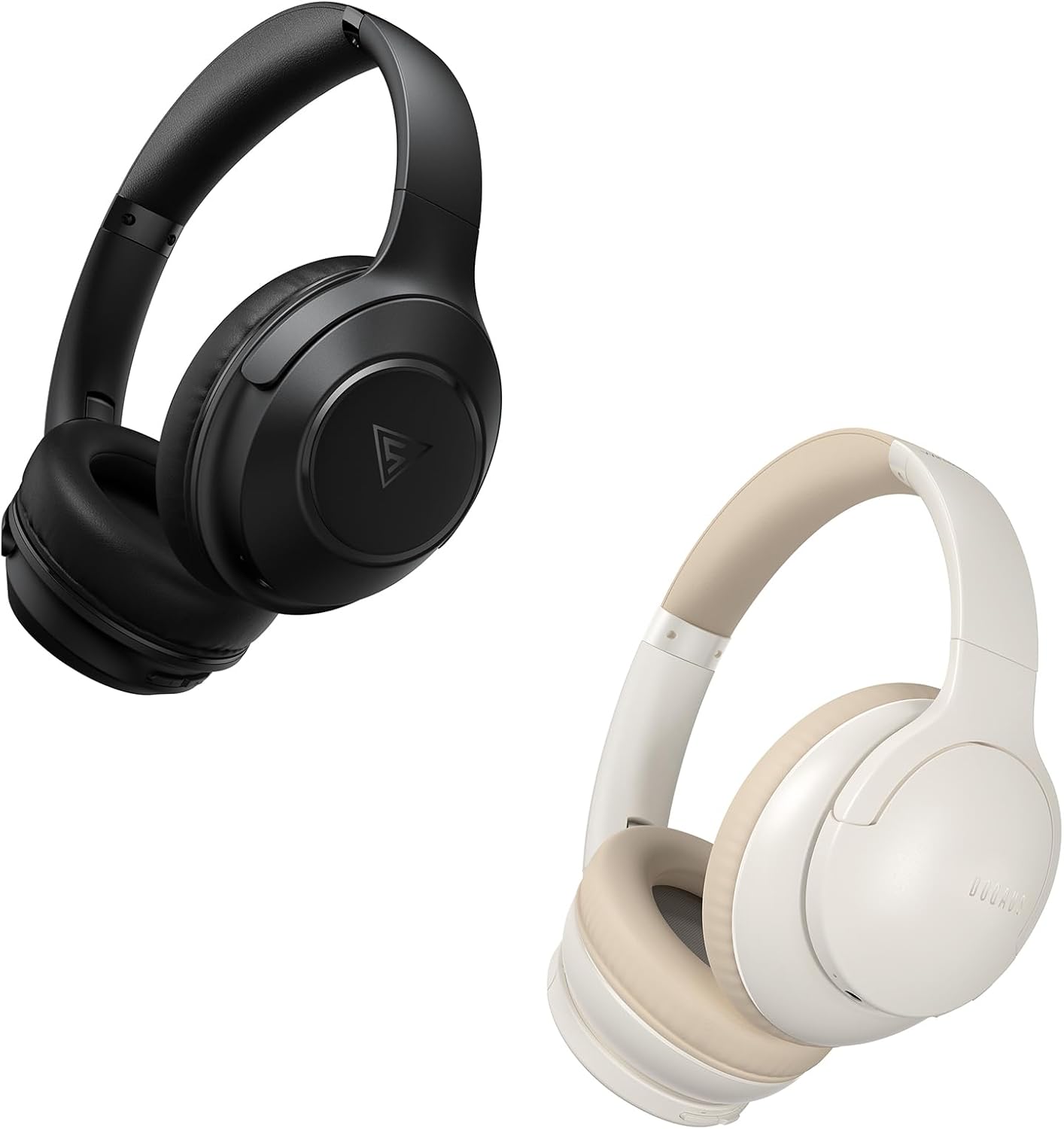
Image: DOQAUS Life 4 Bluetooth Headphones, showing both black and white color variants. These over-ear headphones feature soft earcups and an adjustable headband for comfortable wear.

Image: An internal view of the DOQAUS Life 4 headphone, highlighting the advanced Bluetooth 5.4 wireless technology chip for stable and fast connections.

Image: A close-up of the DOQAUS Life 4 headphone earcup, illustrating the 40mm large-aperture driver responsible for powerful HD sound quality.

Image: A person wearing the DOQAUS Life 4 headphones, illustrating their comfortable design suitable for all-day wear.
4. Setup
4.1 Initial Charging
Before first use, fully charge your headphones. Connect the USB-C charging cable to the charging port on the headphones and the other end to a USB power source (e.g., computer, wall adapter). The LED indicator will show charging status.
- A full charge provides up to 90 hours of playtime in Bluetooth mode.
- A quick 10-minute charge can provide approximately 5 hours of listening time.

Image: The DOQAUS Life 4 headphones displayed with text indicating "90-HOURS PLAYTIME" and "10 minutes of charging for 5 hours of listening," highlighting the extended battery life.
4.2 Bluetooth Pairing
- Ensure the headphones are turned off.
- Press and hold the Power button until the LED indicator flashes blue and red alternately, indicating pairing mode.
- On your device (smartphone, tablet, computer), enable Bluetooth and search for available devices.
- Select "DOQAUS Life 4" from the list of found devices.
- Once connected, the LED indicator will slowly flash blue.
Multi-point Connectivity: The DOQAUS Life 4 headphones support connecting to two Bluetooth devices simultaneously. After connecting to the first device, disable Bluetooth on that device, then pair with the second device. Re-enable Bluetooth on the first device, and the headphones should connect to both.
4.3 Wired Connection (AUX Mode)
To use the headphones in wired mode, connect one end of the 3.5mm audio cable to the AUX port on the headphones and the other end to your audio source. The headphones will automatically switch to wired mode, and Bluetooth functionality will be disabled.

Image: The DOQAUS Life 4 headphones demonstrating both wireless Bluetooth connectivity with a smartphone and a wired connection using a 3.5mm audio cable, illustrating versatile connection options.
5. Operating Instructions
5.1 Basic Controls
- Power On/Off: Press and hold the Power button for 3 seconds.
- Play/Pause: Press the Multi-function button once.
- Volume Up: Press the "+" button.
- Volume Down: Press the "-" button.
- Next Track: Press and hold the "+" button for 2 seconds.
- Previous Track: Press and hold the "-" button for 2 seconds.
- Answer/End Call: Press the Multi-function button once.
- Reject Call: Press and hold the Multi-function button for 2 seconds.
- Activate Voice Assistant: Double-press the Multi-function button.
5.2 EQ Modes
The DOQAUS Life 4 headphones feature three equalizer (EQ) modes to optimize your listening experience for different music styles. Press the EQ button to cycle through the modes:
- Heavy Bass Mode: Enhances low-frequency sounds for a deeper bass experience.
- Vocal Mode: Optimizes mid-range frequencies for clearer vocals.
- Balanced Mode: Provides a neutral sound profile suitable for various genres.

Image: A collage demonstrating the three EQ music modes of the DOQAUS Life 4 headphones: Heavy Bass, Vocal, and Balanced. The image shows the headphones and individuals enjoying music, indicating the versatility of sound profiles.
6. Maintenance
6.1 Cleaning
- Wipe the headphones with a soft, dry, lint-free cloth.
- Do not use abrasive cleaners, alcohol, or chemical solvents.
- Ensure charging ports and audio jacks are free of dust and debris.
6.2 Storage
- Store the headphones in a cool, dry place away from direct sunlight and extreme temperatures.
- If storing for an extended period, charge the headphones periodically to maintain battery health.
7. Troubleshooting
| Problem | Possible Cause | Solution |
|---|---|---|
| Headphones do not power on. | Low battery. | Charge the headphones fully. |
| Cannot pair with device. | Headphones not in pairing mode; Bluetooth disabled on device; device too far. | Ensure headphones are in pairing mode (flashing blue/red). Enable Bluetooth on your device. Move device closer to headphones. |
| No sound. | Volume too low; headphones not connected; incorrect audio source. | Increase volume. Verify Bluetooth connection or 3.5mm cable connection. Check audio output settings on your device. |
| Sound quality is poor. | Weak Bluetooth signal; incorrect EQ mode. | Move closer to your device. Try switching EQ modes. |
8. Specifications
- Model: Life 4
- Bluetooth Version: 5.4
- Driver Size: 40mm
- Playtime: Up to 90 hours (Bluetooth mode)
- Quick Charge: 10 minutes charge for 5 hours playtime
- Supported Audio Formats: A2DP, AVRCP, HSP, HFP, SBC, AAC
- Connectivity: Bluetooth, 3.5mm AUX
9. Warranty and Support
DOQAUS Life 4 headphones come with a 30-day return policy and an 18-month replacement warranty. For any inquiries or support needs, please contact our customer service team. All inquiries are typically processed within 24 hours.
For further assistance, please refer to the contact information provided with your purchase or visit the official DOQAUS website.
Related documentsLife 4


Ask a question about this manual
Ask about setup, troubleshooting, compatibility, parts, safety, or missing instructions. Manuals+ will review the question and use this page’s manual context to help answer it.