1. Important Safety Information
Please read all instructions carefully before using the CGOLDENWALL Electric Composter. Retain this manual for future reference.
- Do not place sharp objects in the composter.
- Avoid composting meat, dairy, and oily foods.
- Ensure proper ventilation to prevent odors.
- The machine's surface becomes very hot during operation. Avoid touching the unit during a cycle.
2. Product Overview
The CGOLDENWALL CGO-SP08 Electric Composter efficiently converts kitchen food waste into nutrient-rich fertilizer.

Image: CGOLDENWALL Electric Composter, a compact white unit suitable for countertop use.
Key Features:
- 1.2 Gallon (4.2 Liters) Capacity: Sufficient for a family's daily food waste disposal.
- Dual Activated Carbon Filters: Equipped with advanced dual filters for 50% higher deodorization efficiency, ensuring an odor-free kitchen.
- Upgraded Churning System: Features a 3D grinding blade to pulverize waste in all directions, preventing chunks and clogs.
- Smart System: One-click operation with two composting modes. Smart sensors optimize processing time and power. Includes activated carbon replacement reminder.
- Efficient Waste Reduction: Reduces waste by up to 90-95% in hours using high-temperature drying, grinding, and cooling.
- Quiet Operation: Operates below 40dB.
- Auto-Cleaning & Dishwasher-Safe Bucket: Easy cleaning with a self-cleaning mode or by placing the removable bucket in a dishwasher.
3. Setup
Before first use, ensure the composter is placed on a dry, flat, and stable surface with adequate ventilation.
3.1 Installing Carbon Filters
The composter comes with 2 activated carbon filters for odor elimination. These filters should be installed before first use.

Image: A woman installing the activated carbon filters into the designated slots on the side of the composter. The filters are designed for easy insertion and removal.
- Locate the filter compartments on the side of the unit.
- Insert the activated carbon filters into the compartments. Ensure they are securely in place.
3.2 Power Connection
Plug the composter into a standard electrical outlet. The unit is designed for continuous operation.
4. Operating Instructions
The CGOLDENWALL Electric Composter simplifies food waste management with intuitive controls.
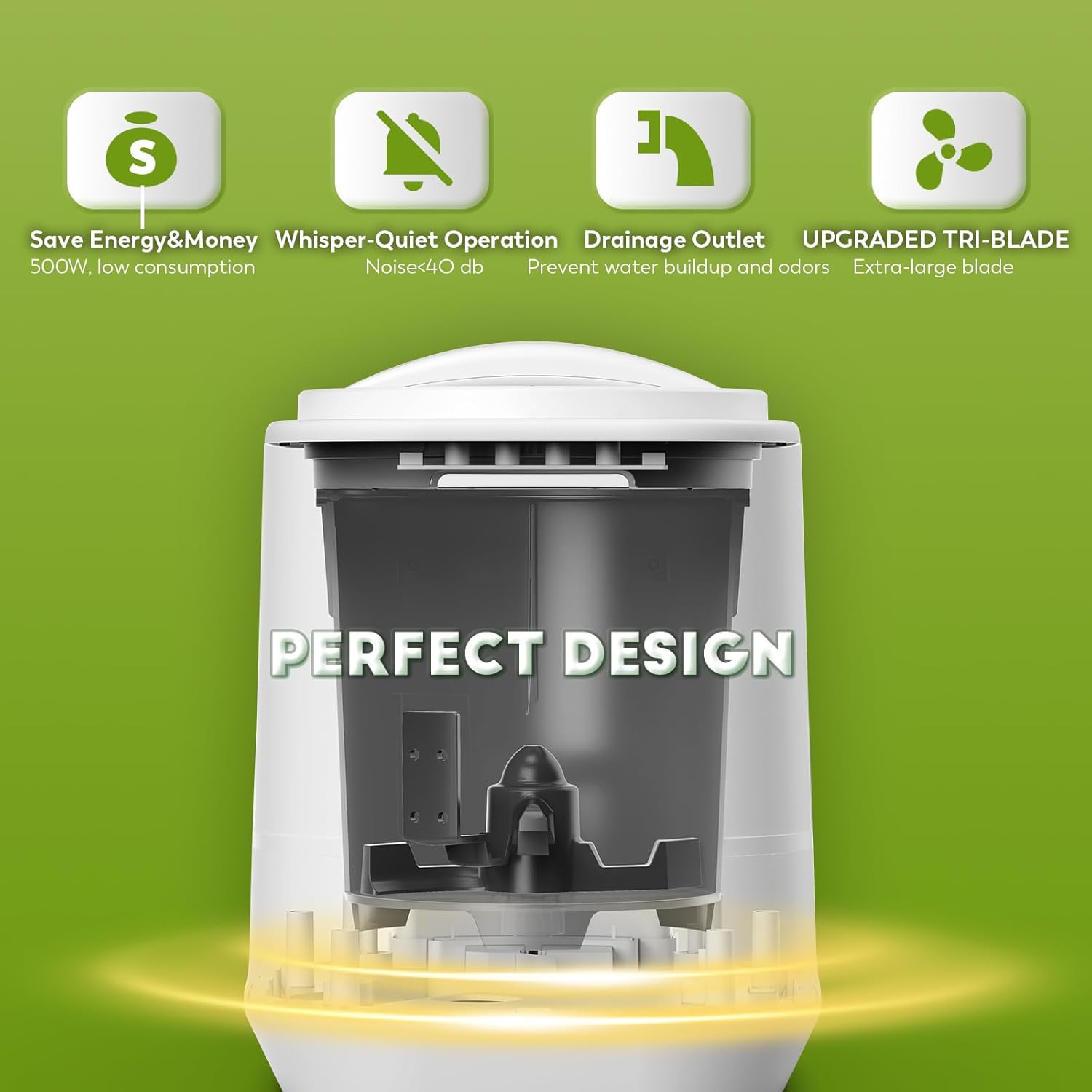
Image: Close-up of the composter's control panel with touch buttons for Power, Crush, Ferment, and Clean functions, along with indicator lights.
4.1 Adding Food Waste
The removable bucket makes adding food waste convenient. It is recommended to remove the bucket from the unit before adding scraps to prevent spills.

Image: The removable composter bucket filled with various food scraps, next to a list of acceptable items like vegetable and fruit scraps, coffee grounds, seafood, and soft bones.
- Press the 'Pick Up' button to release the lid.
- Lift the lid and remove the inner bucket using its handle.
- Add acceptable food waste to the bucket. Do not overfill or pack down the waste.
- Place the filled bucket back into the unit, aligning the notches.
- Close the lid securely until it locks into place.
4.2 Acceptable Food Waste
- Meal leftovers
- Fruit/Vegetable scraps
- Starches (e.g., bread, pasta)
- Tea & Coffee grounds
- Fibrous waste (e.g., peanut shells)
- Yard waste (e.g., leaves)
- Sticky foods
- Degradable materials
For optimal results, combine a variety of food waste types. Cut large items into smaller pieces (thumb-length) for better processing.
4.3 Prohibited Waste
Do not place the following items into the composter:
- Bones (large)
- Shells (e.g., oyster shells)
- Tough husks (e.g., corn husks)
- Pits (e.g., avocado pits)
- Cooking oil
- Plastic & Rubber
- Metal & Glass
- Medicine & Cigarettes
- Paper & Tape
4.4 Selecting a Cycle
- Press the 'Power' button to turn on the unit. The light will flash, indicating it's ready.
- Choose your desired mode:
- Crush Mode: Short press the 'Crush' button to start the grinding cycle. This mode typically runs for approximately 4 hours.
- Ferment Mode: Short press the 'Ferment' button to activate the fermentation cycle. This mode maintains a constant temperature (113-125°F) for optimal strain fermentation. Add microbial compost accelerator for best results.
- To pause a cycle, long press the 'Crush' or 'Ferment' button.
Video: Official CGOLDENWALL video demonstrating the composter's operation, including adding food scraps and starting a cycle. The video highlights the quiet operation and efficient grinding process.
5. Maintenance
Regular maintenance ensures optimal performance and longevity of your composter.
5.1 Cleaning the Unit

Image: The removable composter bucket being placed into a dishwasher, illustrating its dishwasher-safe feature for easy cleaning.
- Auto-Cleaning Mode: Press the 'Clean' button twice to activate the automatic cleaning and drying function.
- Manual Cleaning: The inner bucket is removable and dishwasher-safe. For manual cleaning, wash with soap and water.
- Wipe the exterior of the unit with a damp cloth. Do not submerge the main unit in water.
5.2 Filter Replacement
The activated carbon filters last approximately 1000 hours. The smart system will remind you when it's time to replace them.
- Open the filter compartments.
- Remove the old filters and dispose of them.
- Insert new activated carbon filters.
6. Troubleshooting
If you encounter any issues with your composter, refer to the following common solutions:
- Odor persists: Ensure filters are correctly installed and not expired. Replace filters if necessary. Check for proper lid seal.
- Waste not fully processed: Reduce the amount of food waste per cycle. Ensure large items are cut into smaller pieces. Avoid prohibited items. Run a second cycle if needed.
- Unit not starting: Check if the unit is properly plugged in. Ensure the lid is securely closed and locked.
7. Specifications
| Attribute | Value |
|---|---|
| Brand | CGOLDENWALL |
| Model Number | CGO-SP08 |
| Material | Plastic |
| Color | White |
| Capacity | 4.2 Liters (1.2 Gallons) |
| Product Dimensions | 12.8"L x 10.4"W x 13.3"H |
| Item Weight | 15.8 Pounds |
8. Warranty and Support
CGOLDENWALL is dedicated to elevating customers' quality of life through honesty, innovation, and quality products.
- Warranty: The product comes with a 1-year warranty.
- Returns: Enjoy a 30-day refund service.
- Customer Service: For any problems or questions, please contact Cgoldenwall Store customer service for 24/7 support.


