Product Overview
The LDARC R02 is a 1:64 scale mini remote control car designed for desktop racing and indoor use. This compact RC car offers high-tech features including a full proportional control system, LED lighting, and a portable design, making it suitable for enthusiasts of all ages (recommended 14 years and up).

Image: The LDARC R02 RC car, its CT03 remote control, and the included portable handbag for convenient storage and transport.

Image: Multiple R02 RC car variants (yellow, silver, pink) demonstrating the compact size and design on a miniature race track.
Safety Information
Please read all safety warnings and instructions before operating the LDARC R02 RC Car. Failure to do so may result in injury or damage to the product.
- Recommended Age: This product is suitable for individuals 14 years and up. It is not a toy for young children due to small parts.
- Choking Hazard: Contains small parts. Keep away from children under 3 years.
- Battery Safety: Do not attempt to disassemble or modify the built-in lithium battery. Use only the provided charging cable and follow charging instructions carefully.
- Operating Environment: Operate the RC car on clean, flat surfaces free of debris, hair, or other obstructions that could interfere with moving parts. Avoid wet conditions.
- Impacts: While durable, avoid severe impacts or drops from height to prevent damage to the car's components and body.

Image: Product packaging displaying safety warnings, including a choking hazard notice and a recommendation for users 14 years and older.
What's Included
The LDARC R02 RTR (Ready-To-Run) kit comes with all necessary components to begin operation immediately:
- LDARC R02 1:64 Scale Mini RC Car (with built-in 95mAh lithium battery)
- CT03 2.4GHz 10-channel Remote Control (with LCD screen and 1 AA battery included)
- Portable Handbag/Storage Case
- Type-C USB Charging Cable
- Spare Car Shell (white, for customization)
- Sticker Sheet for customization
- Instruction Manual (this document)

Image: The LDARC R02 RC car and its remote control securely placed within the included portable storage case, highlighting the compact and organized design.
Setup Guide
1. Charging the RC Car
- Locate the Type-C charging port on the LDARC R02 RC car.
- Connect the provided Type-C USB charging cable to the car.
- Connect the other end of the USB cable to a compatible 5V USB power source (e.g., computer USB port, USB wall adapter).
- The charging indicator light on the car will illuminate during charging and turn off when fully charged.
- Charging time is approximately 90 minutes for a full charge, providing up to 60 minutes of working time.
2. Installing Batteries in the Remote Control
- Open the battery compartment on the back of the CT03 remote control.
- Insert the included AA battery, ensuring correct polarity (+/-).
- Close the battery compartment securely.
3. Powering On and Pairing
- Ensure the RC car is fully charged and the remote control has a fresh battery.
- Turn on the RC car using its power switch.
- Turn on the CT03 remote control. The remote and car should automatically pair. The LCD screen on the remote will display connection status.
- If pairing fails, refer to the troubleshooting section or the detailed remote control diagram for specific binding procedures.
Operating Instructions
Basic Controls (CT03 Remote Control)
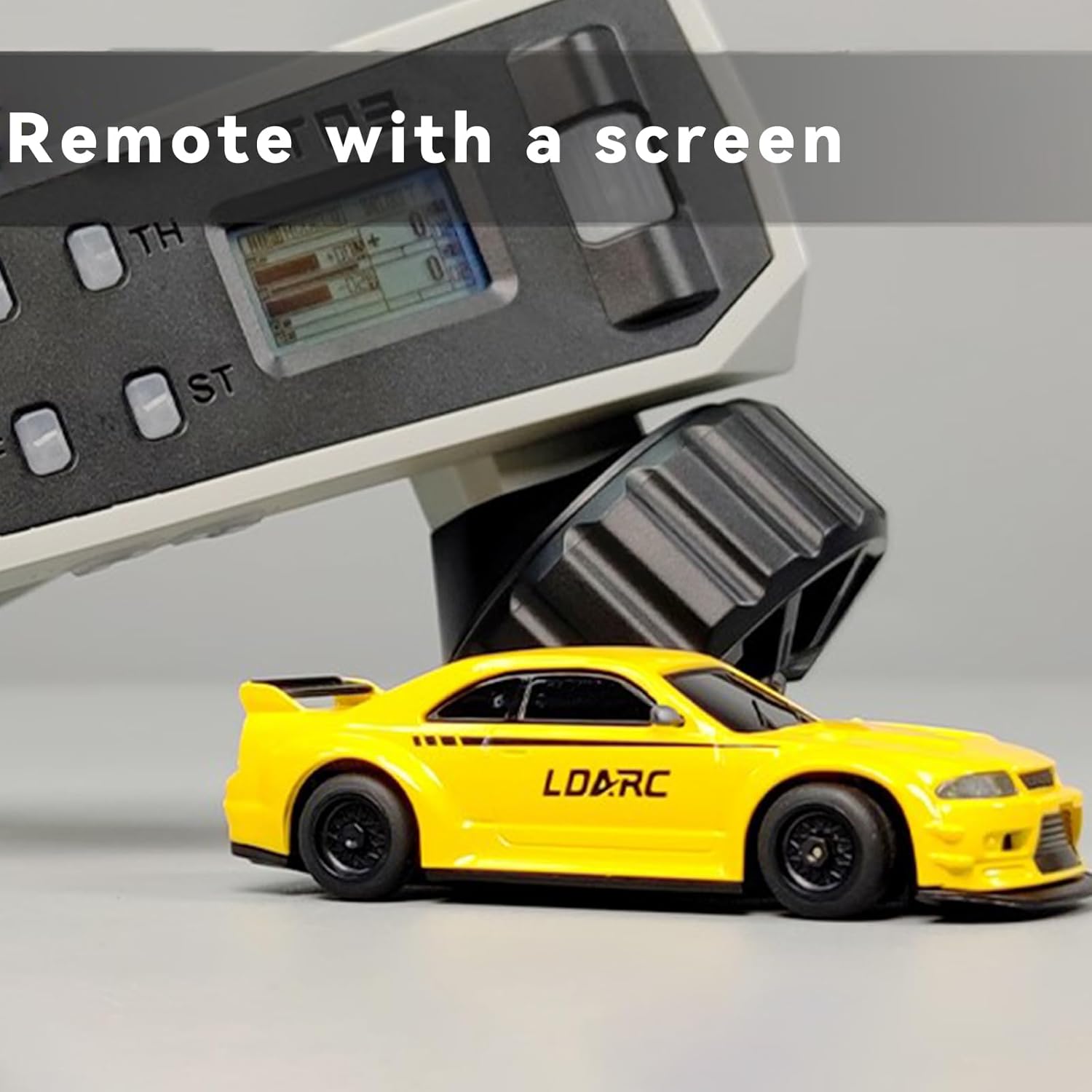
Image: The CT03 remote control, featuring an LCD screen for settings and feedback, positioned next to an LDARC R02 RC car.

Image: A detailed diagram illustrating the various buttons and their corresponding functions on the CT03 remote control, including signal strength, real-time voltage, and low voltage display.
- Throttle Trigger: Pull the trigger to move forward, push to brake or reverse. The CT03 offers full proportional throttle control for precise speed adjustments.
- Steering Wheel: Rotate the wheel left or right to steer the car. Full proportional steering allows for fine control over turns.
- [OK] Key: Used for menu navigation and confirmation on the LCD screen.
- A Light Switch: Toggles the car's headlights and taillights.
- TH (Throttle) Beginner Mode: Adjusts throttle sensitivity (Low/Middle/High) for different skill levels.
- ST (Steering) Beginner Mode: Adjusts steering sensitivity (Small/Middle/Big) for different skill levels.
- D Emergency Flashers/Turn Signal Switch: Activates emergency flashers or turn signals.
- E High and Low Beam: Controls the intensity of the car's headlights.
Advanced Features
- Lighting System: The R02 is equipped with functional headlights, brake lights, and turn signals, enhancing the realistic driving experience.
- Speed and Steering Adjustments: Utilize the CT03's LCD screen and buttons to fine-tune speed limits and steering angles for optimal performance on various surfaces.
- Voltage Alarm: The remote control's LCD screen provides real-time voltage display and a low voltage alarm to indicate when the car's battery needs recharging.

Image: A close-up view of the LDARC R02 RC car's front, showcasing its bright, functional headlights.

Image: A collage of detailed shots of the LDARC R02 RC car, highlighting features such as the front grille, rear lights, and wheel design.
Maintenance
- Cleaning: After use, gently wipe the car and remote control with a soft, dry cloth. Avoid using water or chemical cleaners. Ensure no dust or debris accumulates in the moving parts or charging port.
- Storage: When not in use, store the RC car and remote control in the provided portable handbag in a cool, dry place, away from direct sunlight and extreme temperatures. Remove the AA battery from the remote control if storing for extended periods.
- Battery Care: For optimal battery life, avoid fully discharging the car's battery frequently. Recharge it before storing for long periods.
- Inspection: Periodically inspect the car for any loose parts, damaged wires, or worn tires. Due to the small scale, handle components with care.
Troubleshooting
| Problem | Possible Cause | Solution |
|---|---|---|
| Car does not respond to remote. | Low car battery, low remote battery, car/remote not paired, out of range. | Charge car battery. Replace remote battery. Re-pair car and remote. Ensure car is within 30 meters of remote. |
| Car moves erratically or not straight. | Steering trim incorrect, debris in steering mechanism, damaged component. | Adjust steering trim on remote. Check for and remove obstructions. Inspect for damage. |
| Short operating time. | Battery not fully charged, aging battery. | Ensure full charge (90 minutes). Battery performance may degrade over time. |
| Lights not working. | Light switch off, wiring issue. | Check the 'A Light Switch' and 'E High and Low Beam' settings on the remote. Inspect wiring if accessible. |
For persistent issues not covered here, please contact customer support.
Specifications

Image: An infographic summarizing key features and specifications of the LDARC R02 RC car.
- Model: R02
- Scale: 1:64
- Dimensions (Car): 1.97 x 1.18 x 1.18 inches (approx.)
- Weight (Car): 28 grams (approx.)
- Item Weight (Package): 1.21 pounds
- Remote Control: CT03, 2.4GHz, 10 Channels, LCD Screen
- Control Distance: Approximately 30 meters
- Car Battery: Built-in 95mAh Lithium Battery
- Working Time: Up to 60 minutes
- Charging Time: Approximately 90 minutes (via Type-C USB)
- Remote Control Battery: 1 x AA battery (included)
- Features: LED Lights (headlights, brake lights, turn signals), Full Proportional Control, Speed and Steering Adjustments, Beginner Mode, Voltage Alarm, Rubber Tires, Metal Gears, 4pcs Bearings.
Warranty and Support
This product is manufactured by DongGuan LDARC Technology Co. Ltd. and sold under the captainrc brand.
For product support, technical assistance, or warranty inquiries, please contact:
- Email: SERVICE@LDARC.COM
- Website: www.ldarc.com
Please retain your proof of purchase for any warranty claims.


