
1. Introduction
Welcome to your new Velieta Beverage Refrigerator. This manual provides essential information for the safe and efficient operation, installation, and maintenance of your appliance. Please read it thoroughly before use and retain it for future reference.
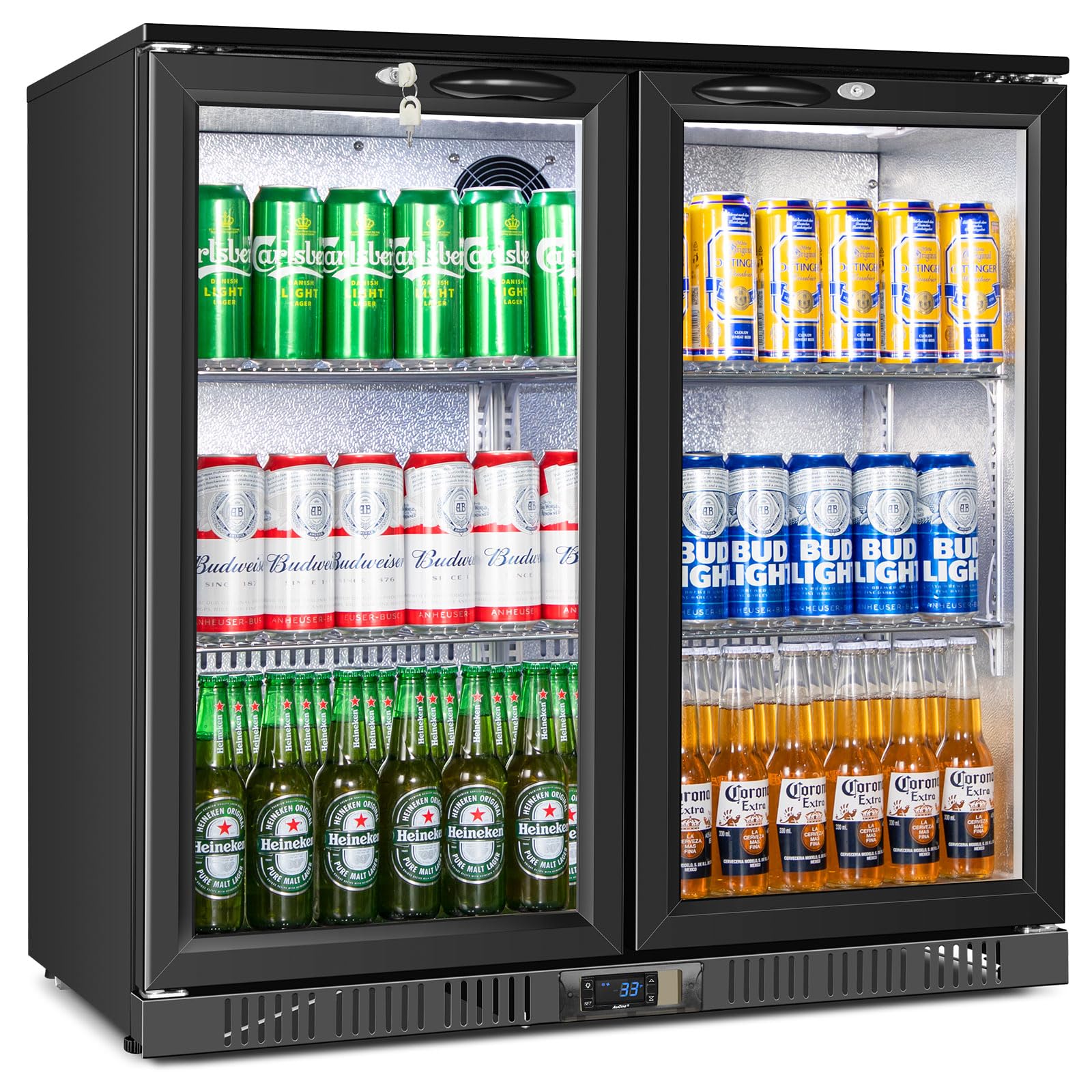
Figure 1: Overview of the Velieta VT-CD330H-02 Beverage Refrigerator.
2. Safety Information
- Ensure the appliance is properly grounded to prevent electrical shock.
- Maintain adequate ventilation around the unit. Do not block air vents.
- Avoid placing flammable materials or explosives near the refrigerator.
- Keep children away from the appliance and do not allow them to play with it.
- Unplug the unit from the power outlet before performing any cleaning or maintenance.
- Do not use mechanical devices or other means to accelerate the defrosting process, other than those recommended by the manufacturer.
3. Product Features
- Model: VT-CD330H-02
- Capacity: 7.4 Cubic Feet
- Dimensions: 20.47"D x 35.42"W x 35.43"H
- Installation Type: Freestanding, Under Counter, Built-in
- Cooling System: Advanced energy-saving, rapid cooling, automatic defrost.
- Temperature Range: 33-38°F (0.5-3.3°C)
- Doors: Dual glass doors, double-layer tempered glass, self-closing mechanism, safety lock.
- Interior: Aluminum embossed interior, bright LED lighting.
- Shelves: 4 removable wire shelves, adjustable for flexible storage.
- Control: Digital temperature control with touch interface.
- Noise Level: Low noise operation.

Figure 2: Key features and dimensions of the Velieta Beverage Refrigerator.
4. Setup and Installation
4.1 Unpacking
- Carefully remove all packaging materials, including foam and tape.
- Inspect the refrigerator for any shipping damage. Report any damage immediately to the retailer.
4.2 Placement
- Place the refrigerator on a level, stable surface capable of supporting its weight when fully loaded.
- Ensure adequate ventilation. The unit features front ventilation, allowing for built-in or under-counter installation. Do not block the front grille.
- Avoid direct sunlight or heat sources (e.g., oven, radiator) to ensure optimal cooling performance.

Figure 3: Front ventilation design for versatile installation.
4.3 Leveling
- The refrigerator is equipped with adjustable feet. Turn the feet clockwise to raise the unit or counter-clockwise to lower it until it is perfectly level.
4.4 Power Connection
- Connect the power cord to a dedicated, grounded 115 Volts AC electrical outlet.
- Allow the refrigerator to stand upright for at least 24 hours before plugging it in to allow refrigerants to settle.
- Run the empty unit for a few hours to reach the desired temperature before loading beverages.
5. Operating Instructions
5.1 Control Panel
The digital touch control panel is located at the bottom front of the unit, allowing for easy temperature and lighting adjustments.

Figure 4: Digital control panel for easy operation.
5.2 Power On/Off
- Press the power button on the control panel to turn the unit on or off.
5.3 Temperature Adjustment
- Use the 'Up' and 'Down' arrow buttons on the digital control panel to set your desired temperature between 33-38°F. The display will show the current internal temperature.
5.4 Interior Lighting
- Press the 'Light' button on the control panel to toggle the interior LED lighting on or off.
5.5 Door Lock
- Insert the provided key into the lock on each door and turn to lock or unlock.
5.6 Adjustable Shelves
- The 4 wire shelves can be removed and repositioned to accommodate various bottle and can sizes. Gently lift and slide the shelves to adjust their height.
6. Maintenance
6.1 Cleaning
- Always unplug the refrigerator before cleaning.
- Clean the interior and exterior surfaces with a mild detergent and a soft cloth. Avoid abrasive cleaners, solvents, or sharp objects that could damage the surfaces.
- Remove and wash the wire shelves with warm, soapy water. Rinse thoroughly and dry completely before returning them to the unit.
- Regularly clean the door gaskets to ensure a tight seal and prevent energy loss.
6.2 Defrosting
- This unit features an automatic defrost system. During normal operation, frost buildup is minimized.
- If excessive frost accumulates, a manual defrost cycle can be initiated via the control panel (refer to Operating Instructions for specific button).
7. Troubleshooting
- Unit Not Cooling: Check if the power cord is securely plugged in. Verify the temperature setting. Ensure the doors are fully closed and the door gaskets are sealing properly. Check for any obstructions blocking the front ventilation.
- Excessive Noise: Ensure the unit is level. Check if any items inside or around the refrigerator are vibrating.
- Excessive Frost/Condensation: Confirm that the doors are closing completely. Avoid opening the doors too frequently or for extended periods. If necessary, initiate a manual defrost cycle.
- Temperature Fluctuations: Ensure the unit is not exposed to direct sunlight or other heat sources. Verify the door seal integrity.
8. Specifications
| Feature | Detail |
|---|---|
| Brand Name | Velieta |
| Model Info | VT-CD330H-02 |
| Item Weight | 130.1 pounds |
| Product Dimensions | 20.47 x 35.42 x 35.43 inches |
| Capacity | 7.4 Cubic Feet |
| Annual Energy Consumption | 1.95 Kilowatt Hours |
| Installation Type | Freestanding & Under Counter & Built-in |
| Special Features | 4 Wire Shelves, Automatic Defrost, Compact, Digital Temperature Control, Door Lock, Energy Efficient, Dual Glass Door, Front Ventilation, Frost Free, Humidity Control, Low Noise, Touch Control, Large Capacity |
| Color | Black |
| Voltage | 115 Volts (AC) |
| Defrost | Automatic |
| Door Hinges | Right & Left |
| Door Material Type | Glass |
| Shelf Type | Wire |
| Shelves | 4 |
| Number Of Doors | 2 |
9. Warranty and Support
9.1 Warranty Information
Please refer to your purchase documentation or the product registration card for detailed warranty information specific to your Velieta Beverage Refrigerator. Optional protection plans may be available for extended coverage.
9.2 Customer Support
For any questions, technical assistance, or service requests, please contact Velieta customer support:
- Email: support@velieta.com
- Phone: (213) 432-5433

