
1. Introduction
Thank you for choosing the STF Sport One Pro Wireless Open-Ear Headphones. These headphones are designed to provide a comfortable and immersive audio experience while keeping you aware of your surroundings. Featuring IPX5 water resistance, a long-lasting battery, and an ergonomic hook design, they are ideal for sports and daily use. Please read this manual carefully before using the product to ensure proper operation and to maximize your listening experience.
2. What's in the Box
- STF Sport One Pro Wireless Open-Ear Headphones (Left and Right)
- Charging Case
- USB-C Charging Cable
- User Manual
3. Product Overview
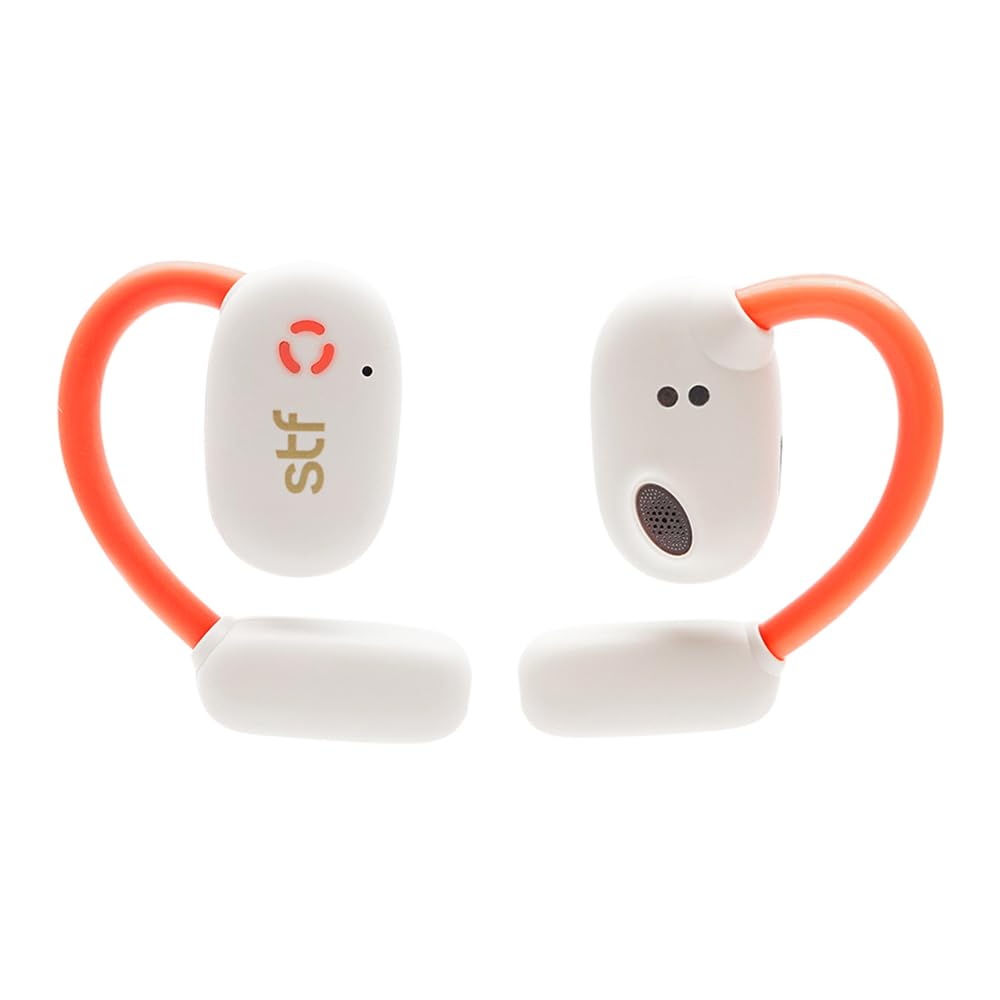
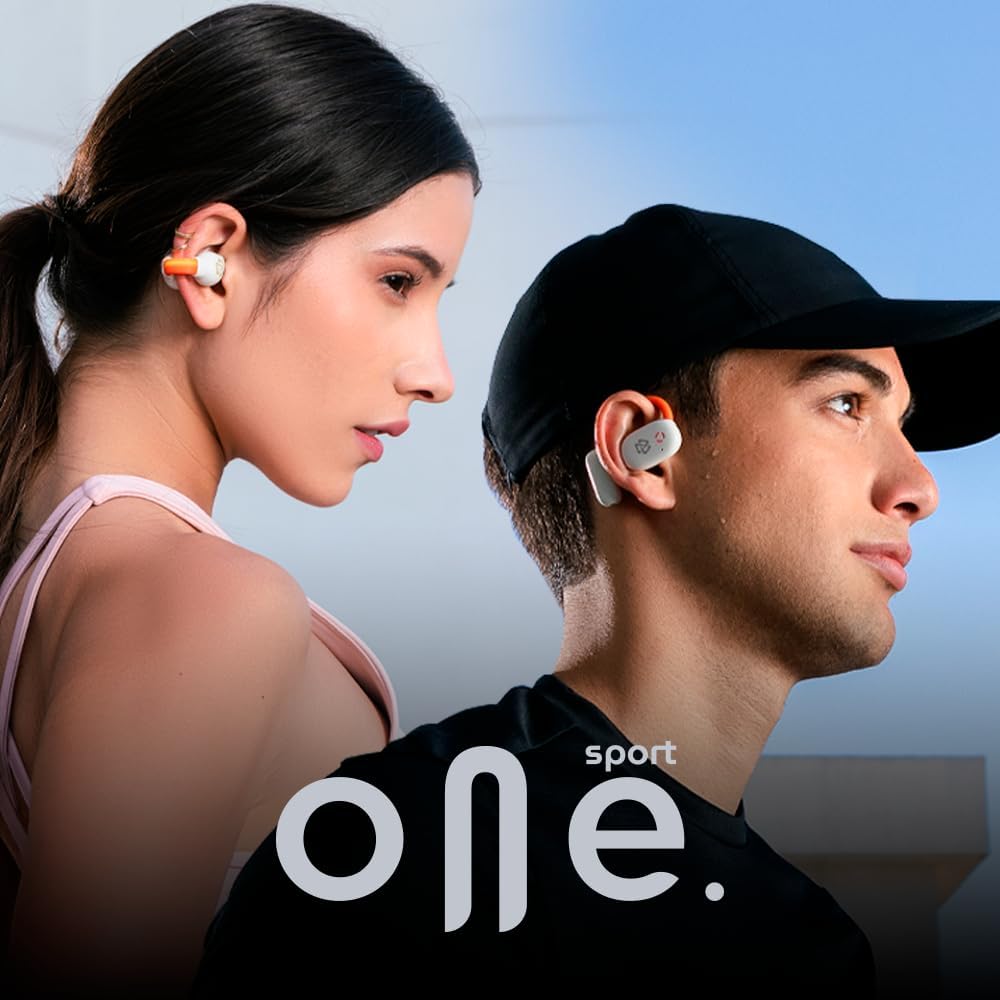
The STF Sport One Pro headphones feature an open-ear design for comfort and situational awareness, along with an ergonomic hook for a secure fit during activities. The charging case provides additional battery life and protects your headphones.


4. Setup
4.1 Charging the Headphones and Case
Before first use, fully charge the headphones and charging case. Use the provided USB-C cable to connect the charging case to a power source. The LED indicator on the case will show the charging status.
- Charging Time: Approximately 7 hours for a full charge.
- Battery Life: Up to 7 hours of continuous playback, with an additional 2 charges from the case, totaling up to 22 hours.
4.2 Pairing with Your Device
- Open the charging case. The headphones will automatically power on and enter pairing mode.
- On your device (smartphone, tablet, etc.), enable Bluetooth.
- Search for "STF Sport One Pro" in the list of available Bluetooth devices and select it to connect.
- Once connected, you will hear an audio prompt, and the LED indicator on the headphones will change.
5. Operating Instructions
The STF Sport One Pro headphones feature intuitive touch controls for easy management of your audio and calls.
5.1 Basic Controls
| Action | Left Earbud | Right Earbud |
|---|---|---|
| Play/Pause | Double tap either earbud | |
| Volume Up | N/A | Single tap |
| Volume Down | Single tap | N/A |
| Next Track | N/A | Press and hold for 1.5s |
| Previous Track | Press and hold for 1.5s | N/A |
| Answer/End Call | Double tap either earbud | |
| Reject Call | Press and hold either earbud for 1.5s | |
| Activate Voice Assistant | Triple tap either earbud | |
5.2 Special Features
- OWS (Open Wireless Stereo) Technology: Enjoy open audio that allows you to hear your surroundings while listening to music, enhancing safety during outdoor activities.
- IPX5 Water Resistance: These headphones are resistant to splashes and water jets, making them perfect for workouts and outdoor use.
- LED Lights: Integrated LED lights provide battery status indication.


5.3 Video Demonstration (Similar Product)
The following video demonstrates the usage and features of a similar STF product, the Iron Earth headphones, which share common functionalities like wireless audio and water resistance. Please note that specific features or design elements may vary slightly from the Sport One Pro model.
Video 1: Demonstration of STF Iron Earth headphones, showcasing features like wireless audio and water resistance. This provides a general idea of STF product functionality.
6. Maintenance
To ensure the longevity and optimal performance of your STF Sport One Pro headphones, follow these maintenance guidelines:
- Cleaning: Regularly wipe the headphones and charging case with a soft, dry cloth. For stubborn dirt, use a slightly damp cloth with mild soap. Avoid using harsh chemicals or abrasive materials.
- Storage: When not in use, store the headphones in their charging case to protect them from dust and damage.
- Charging: If the headphones will not be used for an extended period, charge them at least once every three months to maintain battery health.
7. Troubleshooting
7.1 Connectivity Issues
- Headphones not pairing: Ensure both headphones are in the charging case, then open the lid. Check your device's Bluetooth settings to see if "STF Sport One Pro" appears. If not, try resetting the headphones (see manufacturer's website for specific reset instructions if not covered in this manual).
- Intermittent connection: Ensure your device is within the effective Bluetooth range (typically 10 meters) and there are no major obstructions. Try disconnecting and reconnecting the headphones from your device's Bluetooth settings.
7.2 Audio Issues
- No sound: Check the volume levels on both your headphones and your connected device. Ensure the headphones are properly paired.
- Low volume: Adjust the volume on both the headphones and your device. Ensure the earbuds are positioned correctly in your ears for optimal sound delivery.
7.3 Charging Issues
- Headphones not charging: Ensure the charging contacts on the headphones and inside the case are clean and free of debris. Make sure the charging cable is securely connected to both the case and the power source.
- Case not charging: Verify the USB-C cable and power adapter are working correctly. Try a different cable or power source.
8. Specifications
| Feature | Detail |
|---|---|
| Brand | STF |
| Model Name | Sport One Pro |
| Model Number | ST-E12476 |
| Color | Blanco (White) |
| Ear Placement | Open-Ear (Canal auditivo) |
| Form Factor | Supraaurales (Over-ear hook) |
| Connectivity Technology | Wireless |
| Water Resistance Level | IPX5 (Resistant to water jets) |
| Battery Life (Earbuds) | Up to 7 Hours |
| Total Battery Life (with Case) | Up to 22 Hours |
| Charging Time | Approx. 7 Hours |
| Control Method | Push Button, Touch |
| Compatible Devices | Desktop Computer, Tablets, Mobile Phones, Video Game Consoles |
| Country of Origin | China |
9. Warranty and Support
The STF Sport One Pro headphones come with a 5-year warranty. For warranty claims, technical support, or any questions regarding your product, please refer to the contact information provided on the official STF website or your purchase documentation.
You can also visit the STF Store on Amazon for more information and product updates.