
Tribesigns AMZXK00669CD
Tribesigns 62-Inch Rectangular Executive Computer Desk User Manual
Model: AMZXK00669CD
1. Introduction
Thank you for choosing the Tribesigns 62-Inch Rectangular Executive Computer Desk. This modern wood writing table with a double pedestal design is crafted to enhance your home office or workspace with its stylish minimalist aesthetic and robust construction. This manual provides essential information for assembly, usage, maintenance, and troubleshooting to ensure a long-lasting and satisfying experience with your new desk.

Image 1.1: The Tribesigns 62-Inch Rectangular Executive Computer Desk, showcasing its elegant design and spacious tabletop in a contemporary office environment.
2. Safety Information
Please read and understand all safety instructions before assembly and use. Failure to follow these instructions may result in injury or damage to the product.
- Keep all parts and packaging materials away from children and pets.
- Assemble the desk on a soft, clean surface to prevent scratches.
- Ensure all screws and fasteners are securely tightened before use. Periodically check and re-tighten as needed.
- Do not overload the desk. The maximum weight recommendation is 500 pounds.
- Avoid placing hot items directly on the desk surface without protection.
- Do not stand or sit on the desk.
- Use the desk on a level surface to prevent wobbling and ensure stability.
- Assembly requires two people for optimal safety and ease.
3. Parts List
Before beginning assembly, verify that all components listed below are present and undamaged. If any parts are missing or damaged, please contact customer support.
| Part | Description | Quantity |
|---|---|---|
| A | Desktop Panel | 1 |
| B | Pedestal Legs (Left) | 1 |
| C | Pedestal Legs (Right) | 1 |
| D | Connecting Brackets/Beams | 2 |
| E | Adjustable Foot Pads | 4 |
| F | Hardware Pack (Screws, Allen Wrench, etc.) | 1 |
Note: All tools and parts required for assembly are included in the package.
4. Assembly Instructions
Assembly is straightforward and requires approximately 30-60 minutes with two people. Follow these steps carefully:
- Unpack and Identify Parts: Carefully remove all components from the packaging. Lay them out on a clean, soft surface to prevent damage. Refer to the Parts List to ensure all items are present.
- Attach Connecting Brackets to Pedestal Legs: Identify the connecting brackets (D) and the pedestal legs (B, C). Using the provided screws from the hardware pack (F), attach the brackets to the top inner side of each pedestal leg. Ensure they are aligned correctly.
- Secure Pedestal Legs to Desktop: With assistance, carefully place the desktop panel (A) upside down on your soft assembly surface. Align the assembled pedestal legs (B, C) with the pre-drilled holes on the underside of the desktop. Secure them using the appropriate screws from the hardware pack (F). Ensure a snug fit for stability.
- Install Adjustable Foot Pads: Screw the adjustable foot pads (E) into the bottom of each pedestal leg. These pads help level the desk on uneven floors and protect your flooring.
- Upright the Desk: With the help of another person, carefully flip the desk upright. Place it in its desired location.
- Final Tightening and Inspection: Once the desk is in place, re-check all screws and connections to ensure they are tight and secure. Gently push on the desk to confirm stability.
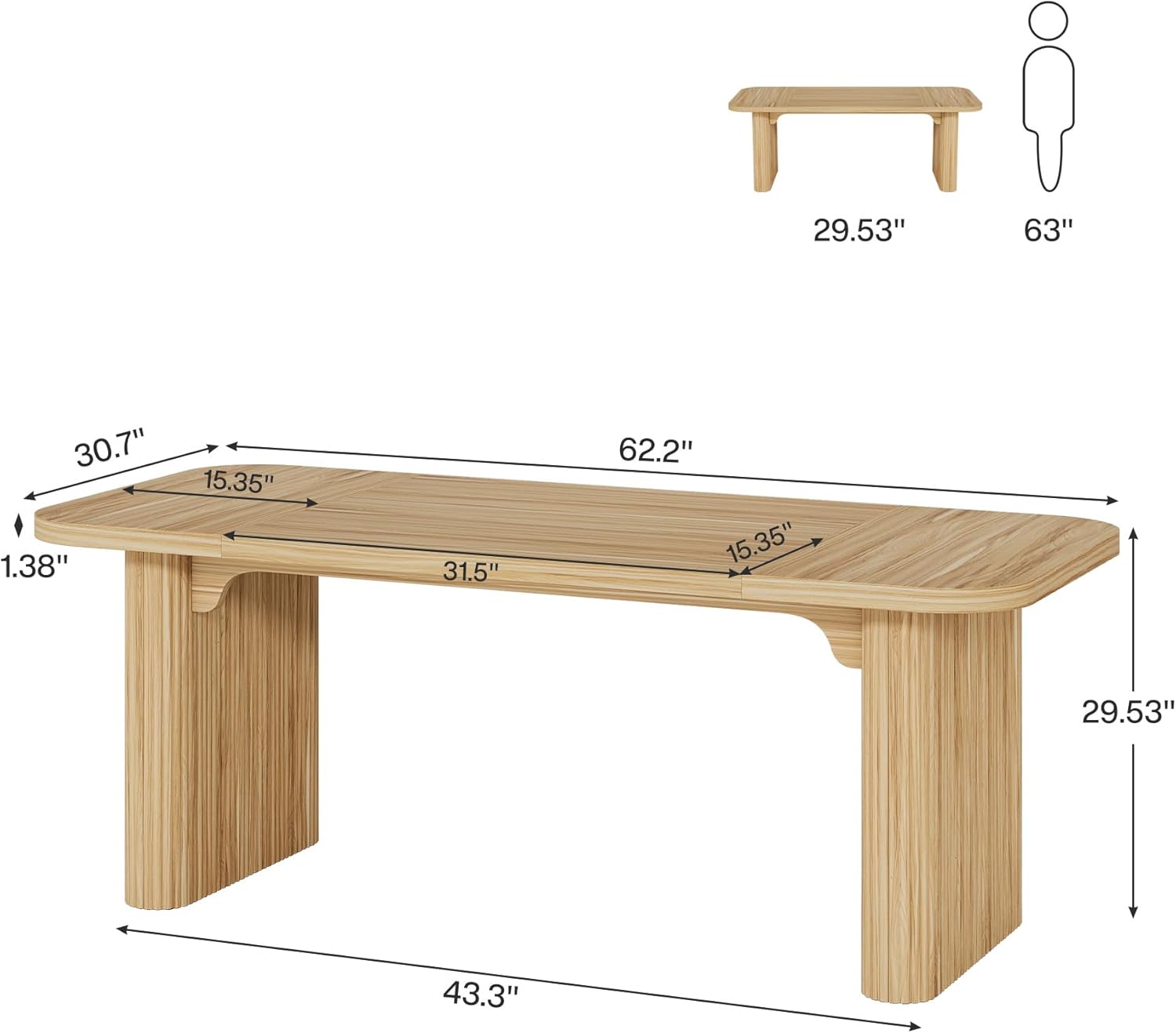
Image 4.1: Dimensional diagram of the desk, illustrating key measurements and structural components for assembly reference.
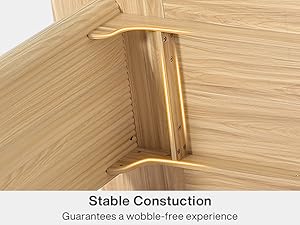
Image 4.2: Detail showing the stable construction and secure joints, ensuring a wobble-free experience.

Image 4.3: Adjustable foot pads at the base of the pedestals, designed to adapt to various floor types and provide stability.
5. Usage and Versatility
The Tribesigns Executive Computer Desk is designed for versatile functionality, adapting to various needs within your home or office environment.
- Home Office Desk: Provides ample space for computers, monitors, and office essentials, creating an efficient workstation.
- Writing Table: Its spacious and smooth surface is ideal for writing, drawing, or other creative tasks.
- Conference Table: The large rectangular design and sturdy construction make it suitable for small meetings or collaborative work.
- Dining Table: Can serve as a stylish dining table for casual meals or gatherings.
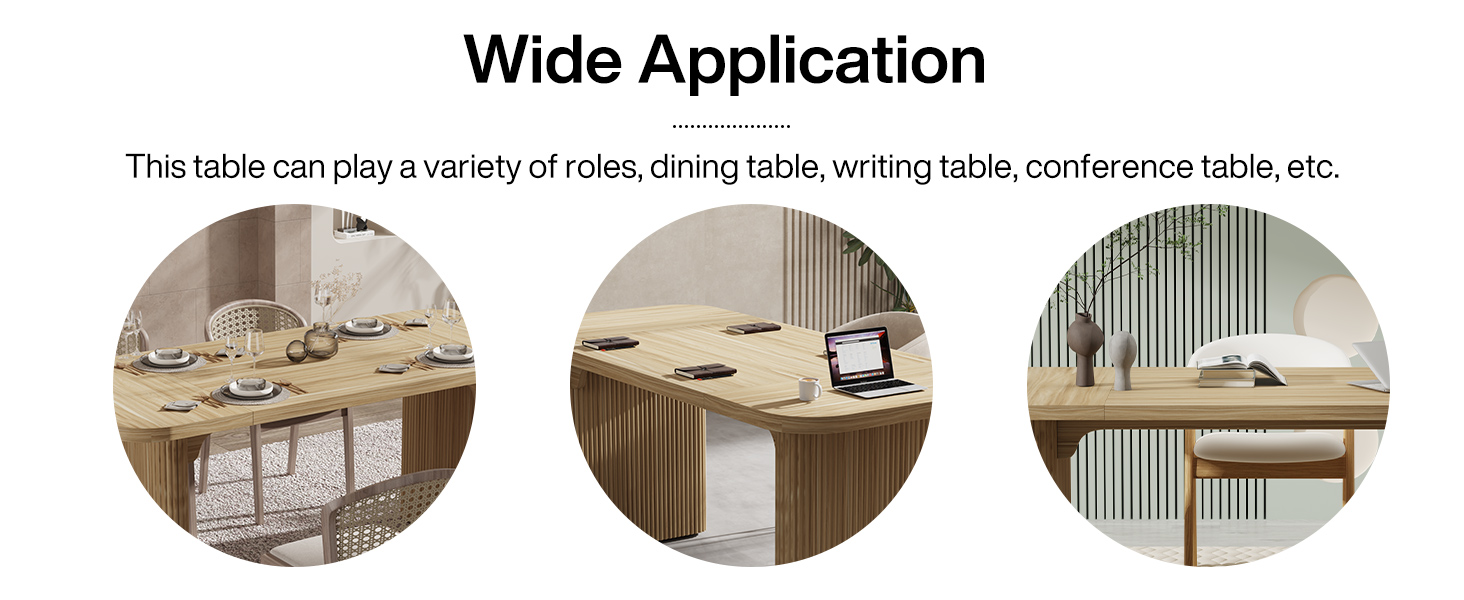
Image 5.1: The desk demonstrating its wide application, suitable for use as a dining table, writing table, or conference table.
6. Maintenance and Care
Proper care will help maintain the appearance and longevity of your Tribesigns desk.
- Cleaning: Wipe the surface with a dry, soft cloth. For stubborn marks, a slightly damp cloth can be used, followed immediately by a dry cloth. Avoid harsh chemicals or abrasive cleaners.
- Protection: Use coasters for drinks and placemats for hot items to prevent water rings and heat damage.
- Sunlight Exposure: Avoid prolonged direct sunlight exposure, which can cause fading or discoloration over time.
- Regular Checks: Periodically check all screws and connections and tighten them if necessary to maintain stability.
- Scratch Resistance: While the desk features a scratch-resistant surface, avoid dragging sharp or heavy objects across it to prevent damage.

Image 6.1: Visual representation of the desk's key features: waterproof, anti-scratch, wear resistance, and easy to clean, highlighting its durability and low maintenance.
7. Troubleshooting
If you encounter any issues with your desk, refer to the following common problems and solutions:
| Problem | Possible Cause | Solution |
|---|---|---|
| Desk wobbles | Uneven floor; loose connections | Adjust the foot pads at the bottom of the legs until stable. Check and tighten all assembly screws. |
| Parts do not align during assembly | Incorrect orientation of parts; misaligned holes | Double-check the assembly diagrams and ensure parts are oriented correctly before tightening screws. Loosen screws slightly, adjust, then re-tighten. |
| Surface scratches or marks | Sharp objects; excessive force | While scratch-resistant, extreme care is needed. For minor marks, furniture polish designed for engineered wood may help. For deeper scratches, professional repair might be needed. |
8. Specifications
| Feature | Detail |
|---|---|
| Brand | Tribesigns |
| Model Number | AMZXK00669CD |
| Product Dimensions | 30.7"D x 62.2"W x 29.52"H |
| Color | Maple |
| Style | Minimalist |
| Base Material | Engineered Wood |
| Top Material Type | Engineered Wood |
| Finish Type | Powder Coated |
| Special Feature | Scratch Resistant |
| Maximum Weight Recommendation | 500 Pounds |
| Required Assembly | Yes |
| Recommended Number of People for Assembly | 2 |
| Product Care Instructions | Wipe with Dry Cloth |
9. Warranty and Support
Tribesigns offers a limited warranty for this product, covering manufacturing defects. Please retain your proof of purchase for warranty claims.
For customer support, missing parts, or warranty inquiries, please contact Tribesigns customer service through the retailer's platform or visit the official Tribesigns website for contact information.
We are committed to providing high-quality products and excellent customer service.
Related documentsAMZXK00669CD

Ask a question about this manual
Ask about setup, troubleshooting, compatibility, parts, safety, or missing instructions. Manuals+ will review the question and use this page’s manual context to help answer it.