
1. Product Overview
The WLIVE Industrial TV Stand is designed for TVs up to 45 inches, offering a compact and durable solution for your entertainment needs. It features a heavy-duty metal frame, adjustable shelving, and integrated cable management, making it suitable for small spaces.
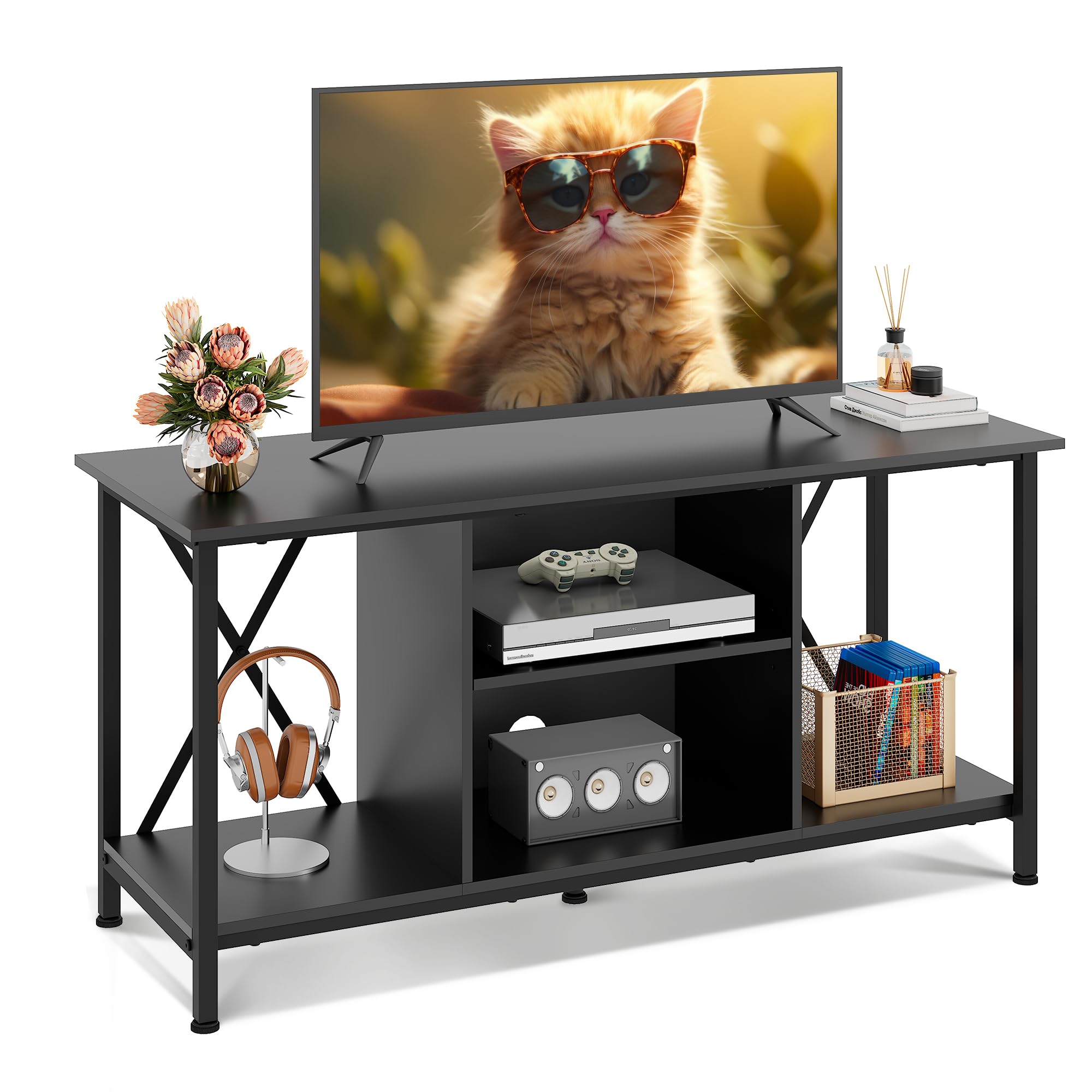
Image 1.1: The WLIVE Industrial TV Stand in a modern living room, showcasing its design and functionality.
This entertainment center combines industrial style with practical features, including waterproof and scratch-resistant materials for long-lasting use. Its thoughtful design ensures stability and organization for your media devices.

Image 1.2: A lifestyle view of the WLIVE Industrial TV Stand, demonstrating its versatility for displaying decor and media.
2. Safety Information
- Always follow assembly instructions carefully to ensure structural integrity.
- Do not exceed the maximum weight capacity of 110 lbs for the top surface and 22 lbs per shelf.
- Place the TV stand on a level surface to prevent tipping.
- Keep small parts away from children during assembly.
- Regularly check all fasteners to ensure they remain tight.
3. Parts List and Hardware
Before beginning assembly, verify that all components and hardware are present and undamaged. Refer to the included user manual for a detailed list of parts and their corresponding labels. All necessary tools for assembly are provided.

Image 3.1: An illustrative diagram of the TV stand's components, including the metal frame, shelves, and various hardware pieces.
4. Assembly Instructions
Assembly of the WLIVE Industrial TV Stand is designed to be straightforward. Follow the step-by-step instructions provided in the physical manual included with your product. Ensure all screws are tightened securely, but avoid over-tightening to prevent damage to the engineered wood components.
- Unpack all components and lay them out on a clean, soft surface to prevent scratches.
- Identify each part using the labels provided in the manual.
- Attach the metal frame components as instructed, ensuring proper alignment.
- Secure the shelves into place, paying attention to the adjustable middle shelf for desired height.
- Install the adjustable plastic feet to ensure stability on uneven surfaces.
- Once assembled, gently move the stand to its desired location.
5. Operating and Usage
5.1 Adjustable Shelving
The middle shelf of the TV stand is adjustable, allowing you to customize the storage space to fit various media players, game consoles, or books. Simply reposition the shelf supports to your preferred height.

Image 5.1: A close-up view demonstrating the three-level adjustable shelf feature and cable management cutouts.
5.2 Cable Management
The TV stand includes pre-drilled holes for discreet cable management. Route your device cables through these openings to keep your entertainment area neat, organized, and free from clutter.

Image 5.2: The rear view of the TV stand highlighting the X-shaped metal frame for stability and the integrated cable management holes.
5.3 Weight Capacity
The top surface of the TV stand is engineered to support up to 110 lbs, securely accommodating most large-screen TVs. Each internal shelf can hold up to 22 lbs. Do not exceed these limits to maintain stability and prevent damage.
6. Maintenance
6.1 Cleaning
To clean the TV stand, wipe surfaces with a soft, damp cloth. Avoid using harsh chemicals or abrasive cleaners, as these may damage the finish. The engineered wood shelves are designed for easy cleaning.
6.2 Stability Check
Periodically check the adjustable feet to ensure they are properly aligned and providing stability. If the stand feels wobbly, adjust the feet as needed. Ensure all assembly screws remain tight.

Image 6.1: Details highlighting the scratch-resistant surface, sturdy metal frame construction, and 360-degree adjustable feet for enhanced stability.
7. Troubleshooting
- Wobbling Stand: Ensure the adjustable feet are properly extended and making firm contact with the floor. Check that all screws are securely tightened.
- Missing Parts: If any parts are missing or damaged upon arrival, please contact customer support immediately.
- Assembly Difficulty: Review the instruction manual carefully. If you encounter persistent difficulties, contact customer support for assistance.
8. Specifications
| Feature | Detail |
|---|---|
| Dimensions (L x W x H) | 40.95 x 15.68 x 20.08 inches |
| Top Surface Weight Capacity | 110 lbs |
| Shelf Weight Capacity | 22 lbs (each) |
| Material | Engineered Wood, Metal |
| Color | Black |
| Item Weight | 27 Pounds |
| Assembly Required | Yes |

Image 8.1: Detailed product dimensions and weight capacities for the 41-inch TV stand.
9. Warranty and Support
WLIVE is committed to providing high-quality products and customer satisfaction. For any questions, concerns, or assistance with your TV stand, please contact our 24/7 customer support team. Refer to your purchase documentation for specific warranty details.
For further assistance, please visit the WLIVE Store on Amazon.


