
1. Introduction
Thank you for choosing the Baseus Eli 15i Fit Wireless Earphones. This manual provides essential information for setting up, operating, maintaining, and troubleshooting your device. Please read it carefully to ensure optimal performance and longevity of your earphones.
The Baseus Eli 15i Fit features an open-ear design for comfortable, long-duration listening, LDAC Hi-Res audio compatibility, a large 16mm dynamic driver, extended battery life, and IPX4 water resistance, making it suitable for various activities.
2. Product Overview
The Baseus Eli 15i Fit earphones are designed for comfort and high-fidelity audio. The package includes the earphones and a charging case.

Figure 2.1: Baseus Eli 15i Fit Wireless Earphones and Charging Case
2.1 Comfortable Open-Ear Design
The open-ear design allows you to enjoy audio while remaining aware of your surroundings. The ergonomic ear-hook structure, crafted from shape-memory alloy, combined with soft ear cushions, ensures a comfortable and secure fit for extended wear.

Figure 2.2: User wearing Baseus Eli 15i Fit earphone, showcasing the open-ear design.

Figure 2.3: User resting comfortably with Baseus Eli 15i Fit earphones.

Figure 2.4: Diagram of the ear-hook and ear cushion for comfortable fit.
2.2 High-Resolution Audio
The earphones are Hi-Res Wireless certified and support LDAC codec, delivering high-fidelity audio. They feature a large 16mm dynamic driver with a biomaterial diaphragm and neodymium magnets for accurate sound reproduction.

Figure 2.5: Exploded view of the 16mm dynamic driver and titanium-coated diaphragm.
3. Setup
3.1 Charging the Earphones
Before first use, fully charge the earphones and charging case to optimize battery performance. Use a Type-C charging cable (included) to charge the case. The earphones charge automatically when placed inside the case.
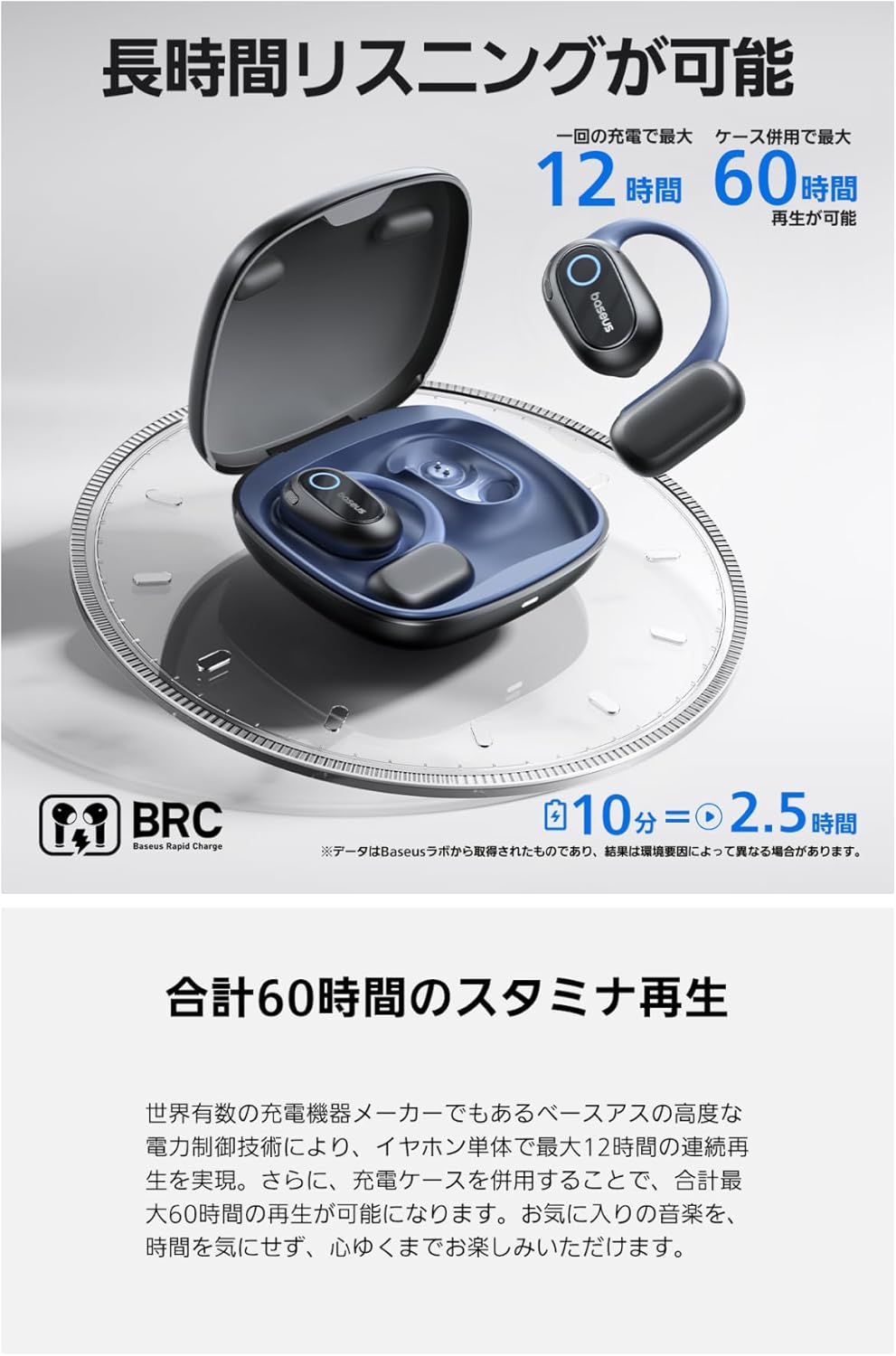
Figure 3.1: Earphones in charging case.
3.2 Bluetooth Pairing
- Ensure the earphones are charged and placed in the charging case.
- Open the charging case. The earphones will enter pairing mode.
- On your device (smartphone, tablet, etc.), enable Bluetooth.
- Search for "Baseus Eli 15i Fit" in the list of available Bluetooth devices.
- Select the earphones to connect. A confirmation sound will indicate successful pairing.
4. Operating Instructions
4.1 Audio Playback
Once paired, you can play audio from your connected device. The earphones support LDAC for high-quality wireless audio.
4.2 Call Function
The earphones are equipped with 4 ENC microphones and an AI algorithm to separate your voice from external noise, ensuring clear call quality even in noisy environments.

Figure 4.1: User making a call with Baseus Eli 15i Fit earphones.
4.3 Dedicated App Control
For advanced customization and control, download the dedicated Baseus app. The app allows you to adjust sound settings, check battery status, and more.

Figure 4.2: Baseus app interface for earphone control.
5. Maintenance
5.1 Water Resistance
The earphones have an IPX4 splashproof rating, making them resistant to sweat and light rain. They are suitable for sports and outdoor activities. However, they are not designed for submersion in water.

Figure 5.1: Earphones in use during exercise, highlighting IPX4 water resistance.
5.2 Cleaning
Regularly clean the earphones and charging case with a soft, dry cloth. Avoid using abrasive materials or harsh chemicals. Ensure charging contacts are free of debris.
6. Troubleshooting
- Earphones not pairing: Ensure earphones are charged, Bluetooth is enabled on your device, and the earphones are in pairing mode. Try restarting both the earphones (by placing them in the case and closing/opening) and your device.
- No sound: Check the volume levels on both your device and the earphones. Ensure the earphones are properly connected to your device.
- Charging issues: Verify that the charging cable is securely connected and the power source is active. Clean the charging contacts on both the earphones and the case.
- Poor call quality: Ensure the microphones are not obstructed. Try moving to an area with less background noise.
7. Specifications
| Feature | Detail |
|---|---|
| Model Name | Eli 15i Fit |
| Manufacturer Model Number | PM131 |
| Brand | Baseus |
| Headphone Form Factor | Open-ear, Ear-hook |
| Connectivity Technology | Wireless (Bluetooth 5.4) |
| Compatible Devices | iPhone, Galaxy, Sony, Google, Huawei, Honor, OPPO, OnePlus, Xiaomi, etc. |
| Driver Size | 16mm Dynamic Driver |
| Audio Codec Support | LDAC (Hi-Res Wireless certified) |
| Water Resistance Rating | IPX4 |
| Earphone Playback Time | Up to 12 hours |
| Total Playback Time (with case) | Up to 60 hours |
| Charging Port | Type-C |
| Product Weight | 81 grams |
| Included Components | Charging case |
8. Warranty and Support
8.1 Warranty Information
Baseus provides a 24-month warranty for this product. This warranty covers manufacturing defects under normal use.
8.2 Customer Support
Should you encounter any issues or require assistance, please contact our customer support. You can typically reach support through your purchase platform by navigating to: Account Service → Order History → Contact Seller.


