
TopMade MF76
TopMade MF76 MagSafe Wallet User Manual
Model: MF76 | Brand: TopMade
1. Introduction
Thank you for choosing the TopMade MF76 MagSafe Wallet. This multi-functional accessory is designed to enhance your iPhone experience by combining a secure card holder, a money clip, and a versatile stand, all while integrating with Apple's Find My network for enhanced security. This manual provides essential information for setup, operation, maintenance, and troubleshooting to ensure optimal use of your device.
2. Product Overview
The TopMade MF76 MagSafe Wallet features a robust magnetic attachment, allowing it to securely connect to your iPhone 12 series or newer, or MagSafe-compatible cases. It offers smart storage for up to 8 cards and cash, along with a multi-view stand for hands-free use. Integrated Apple Find My functionality provides location tracking and alerts.

2.1. Strong Magnetic Attachment
The wallet features upgraded magnets with up to 4200 Gs of magnetic force, ensuring a secure connection to your iPhone. This prevents accidental detachment during daily use.

3. Setup
3.1. Pairing with Apple Find My
The TopMade MF76 Wallet is fully compatible with the Apple Find My network. Follow these steps to pair your wallet with your iPhone:
- Press the power button on the wallet once to turn it on.
- Ensure Bluetooth is enabled on your iPhone.
- Open the 'Find My' app on your iPhone.
- Navigate to 'Items' > 'Add New Item' > 'Other Supported Item'.
- Follow the on-screen prompts to connect your TopMade MF76 Wallet.
- Activate 'Lost Mode' and 'Left Behind Notifications' within the Find My app settings for your wallet.
Note: Android devices are not supported for Find My functionality.

3.2. Charging the Wallet
The wallet tracker supports wireless charging only. It is compatible with all standard wireless chargers and magnetic wireless power banks. A single charge can provide up to 4 months of use for the Find My functions. The wireless charger is not included in the package.

4. Operating Instructions
4.1. Card and Cash Storage
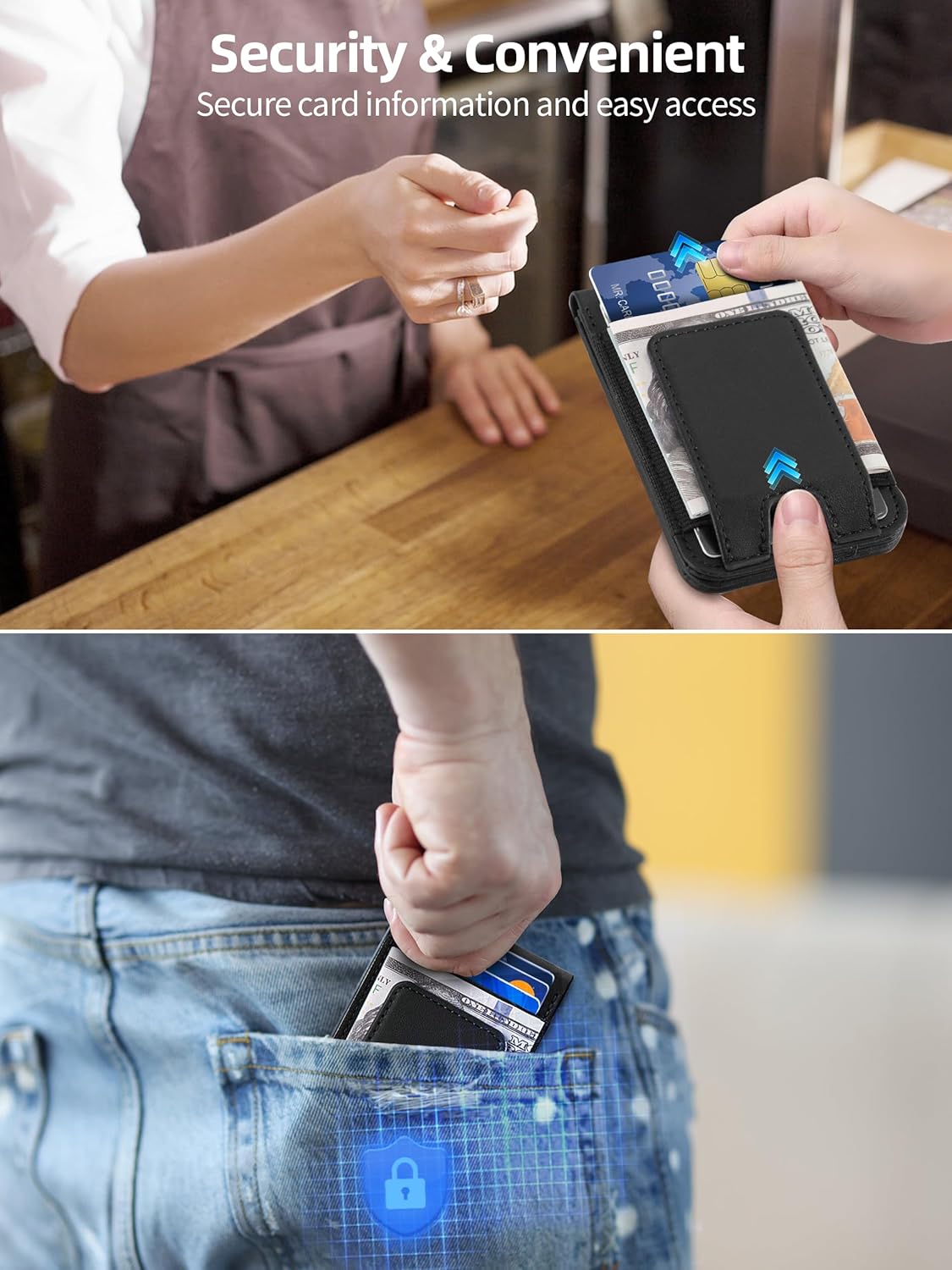
The wallet features 3 card slots and a strong magnetic money clip. It can securely hold 1-8 cards and some cash. The thumb slot design allows for quick access to your most frequently used cards, and a clear window is provided for displaying your ID.

4.2. Using as a Multi-view Stand
The strong hinge allows you to position your iPhone in either portrait or landscape orientation, with adjustable angles between 0° and 180°. This feature is ideal for watching videos, making video calls, or browsing the web hands-free.

4.3. Locating Your Wallet with Find My
If your wallet is within Bluetooth range (up to 164 feet / 50 meters), you can tap the 'Play Sound' option in the 'Find My' app or ask Siri to activate the built-in speaker to locate it. If the wallet is out of Bluetooth range, your iPhone will receive a notification with its last known location. You can also activate 'Lost Mode' to leverage the Apple Find My network for broader tracking.

4.4. Security Features
The TopMade MF76 wallet blocks RFID signals at 13.56 MHz or higher, protecting your credit cards from unauthorized scanners. Its metal mesh lining also safeguards your cards from degaussing and demagnetization.
5. Compatibility
The TopMade MF76 MagSafe Wallet is designed for iPhone 17/16/15/14/13/12 series and MagSafe-compatible cases. It is compatible with models such as iPhone 17 Pro Max/17 Pro/17 Air/17, iPhone 16 Pro Max/16 Plus/16 Pro/16, iPhone 15/15 Pro/15 Pro Max/15 Plus/14 Pro Max/14 Plus/14 Pro/14, iPhone 13 Pro Max/13 Pro/13, and iPhone 12/12 Pro/12 Pro Max.
Not compatible with iPhone 13/12 mini and non-magnetic cases.
6. Maintenance
To ensure the longevity and appearance of your TopMade MF76 MagSafe Wallet, follow these maintenance guidelines:
- Clean the wallet with a soft, damp cloth. Avoid harsh chemicals or abrasive cleaners.
- Keep the wallet away from extreme temperatures and direct sunlight to prevent material degradation.
- Avoid overfilling the card slots or money clip, as this can stretch the material and weaken the magnetic closure over time.
- Regularly check the magnetic attachment area on your iPhone and the wallet for any debris that might interfere with the magnetic connection.
7. Troubleshooting (FAQ)
7.1. How to quickly find your lost wallet using the 'Find My' feature?
- Within a Bluetooth range of up to 164 feet (50 meters), tap the 'Play Sound' option on the 'Find My' app or ask Siri to trigger the built-in speaker to locate your wallet.
- When the wallet tracker is out of Bluetooth range, your iPhone will receive a notification with the last known location. You can also activate 'Lost Mode' on your wallet finder to locate your wallet with the help of the Apple Find My network.
7.2. How to charge the wallet?
The TopMade MF76 Wallet supports wireless charging only. It is compatible with all wireless chargers and magnetic wireless power banks. One charge can provide up to 4 months of use for the Find My functions. The wireless charger is not included in the package.
8. Specifications
| Feature | Detail |
|---|---|
| Product Dimensions | 4.09 x 2.6 x 0.71 inches |
| Item Weight | 3.6 ounces |
| Model Number | MF76 |
| Battery | 1 Lithium Ion battery (included) |
| Special Features | Long-Lasting Rechargeable Battery, Magnetic Money Clip, Multi-view Adjustable Stand, Slim, Lightweight, RFID Blocking, Pocket Friendly, Works with Apple Find My App |
| Form Factor | MagSafe Wallet with Money Clip |
| Color | Black |
| Manufacturer | TopMade |
9. Warranty and Support
Your TopMade MF76 MagSafe Wallet comes with:
- 12 months of full technical support.
- 24 hours friendly customer service.
For any inquiries or support needs, please refer to the contact information provided with your product packaging or visit the official TopMade website.
Ask a question about this manual
Ask about setup, troubleshooting, compatibility, parts, safety, or missing instructions. Manuals+ will review the question and use this page’s manual context to help answer it.