
Linsoul KZ Carol Pro
LINSOUL KZ Carol Pro True Wireless Earbuds User Manual
Model: KZ Carol Pro
Introduction
Thank you for choosing the LINSOUL KZ Carol Pro True Wireless Earbuds. This manual provides essential information for setting up, operating, and maintaining your earbuds to ensure optimal performance and longevity. Please read this manual thoroughly before using the product.
Product Overview
The KZ Carol Pro earbuds are designed for audiophiles and musicians, offering high-fidelity sound and advanced noise cancellation features. They feature Bluetooth 5.4 for stable connectivity and a hybrid ANC system for an immersive listening experience.
Components
- KZ Carol Pro Earbuds (Left and Right)
- Charging Case
- USB Type-C Charging Cable
- Multiple Sets of Eartips (S, M, L)
- User Manual
Key Features
- Bluetooth 5.4 for fast and stable connections.
- Hybrid Active Noise Cancellation (ANC) with 6 microphones.
- LDAC Hi-Res Audio codec support.
- Up to 35 hours total battery life with charging case.
- Super-Linear High-Sensitivity In-Magnet Driver for superior sound.
- Enhanced Bass Technology.
- AI-Powered 360° Noise Cancellation for clear calls.
- Low-latency Gaming Mode (55ms).
- Dual Device Smart Connection.
- Intuitive touch controls.

Image: KZ Carol Pro earbuds resting in their charging case, with a green indicator light on the front of the case.

Image: The KZ Carol Pro earbuds and charging case, highlighting "7 Hours of Listening Time" for the earbuds and "35 Hours with Charging Case" for total battery life.

Image: A frequency response graph illustrating the HiFi audio tuning of the KZ Carol Pro, optimized for audiophiles and musicians.

Image: An exploded diagram showing the internal components of the Super-Linear High-Sensitivity In-Magnet Driver, emphasizing its design for deep noise cancellation and sound quality.

Image: An illustration highlighting the Enhanced Bass Technology of the earbuds, showing how bass notes are designed to be powerful and energetic.

Image: A detailed diagram of one earbud, pointing out the locations of the feedforward microphone, feedback microphone, and call noise cancellation microphone, illustrating the 6-Mic Hybrid ANC System.
Setup
1. Charging the Earbuds and Case
Before first use, fully charge the earbuds and the charging case. Connect the provided USB Type-C cable to the charging port on the case and a power source. The indicator light on the case will show charging status.
- Place earbuds into the charging case to charge them.
- A full charge for the earbuds takes approximately 1.5 hours.
- A full charge for the case takes approximately 2 hours.
2. Pairing with Your Device
- Ensure the charging case has sufficient power.
- Open the charging case. The earbuds will automatically enter pairing mode.
- On your device (smartphone, tablet, computer), enable Bluetooth.
- Search for "KZ Carol Pro" in the list of available Bluetooth devices.
- Select "KZ Carol Pro" to connect. Once connected, a voice prompt will confirm successful pairing.
- The earbuds will automatically reconnect to the last paired device when taken out of the case, if Bluetooth is enabled on the device.
Operating Instructions
Touch Controls
The KZ Carol Pro earbuds feature intuitive touch controls on each earbud. The following gestures control various functions:
| Action | Function |
|---|---|
| Single Tap (Left/Right) | Play/Pause Music, Answer/End Call |
| Double Tap (Right) | Next Track |
| Double Tap (Left) | Previous Track |
| Triple Tap (Left/Right) | Activate Voice Assistant |
| Long Press (Left/Right, 2s) | Switch ANC Modes (ANC On / Transparency / Normal) |
| Long Press (Left/Right, 3s during call) | Reject Call |
ANC Modes
The KZ Carol Pro offers multiple noise cancellation modes to adapt to different environments:
- Active Noise Cancellation (ANC) On: Eliminates up to 95% of ambient noise, ideal for noisy environments like commuting or offices.
- Transparency Mode: Allows you to hear your surroundings clearly without removing the earbuds, useful for conversations or being aware of traffic.
- Normal Mode: Standard listening mode without active noise cancellation or transparency.
Switch between modes by long-pressing either earbud's touch panel for 2 seconds.
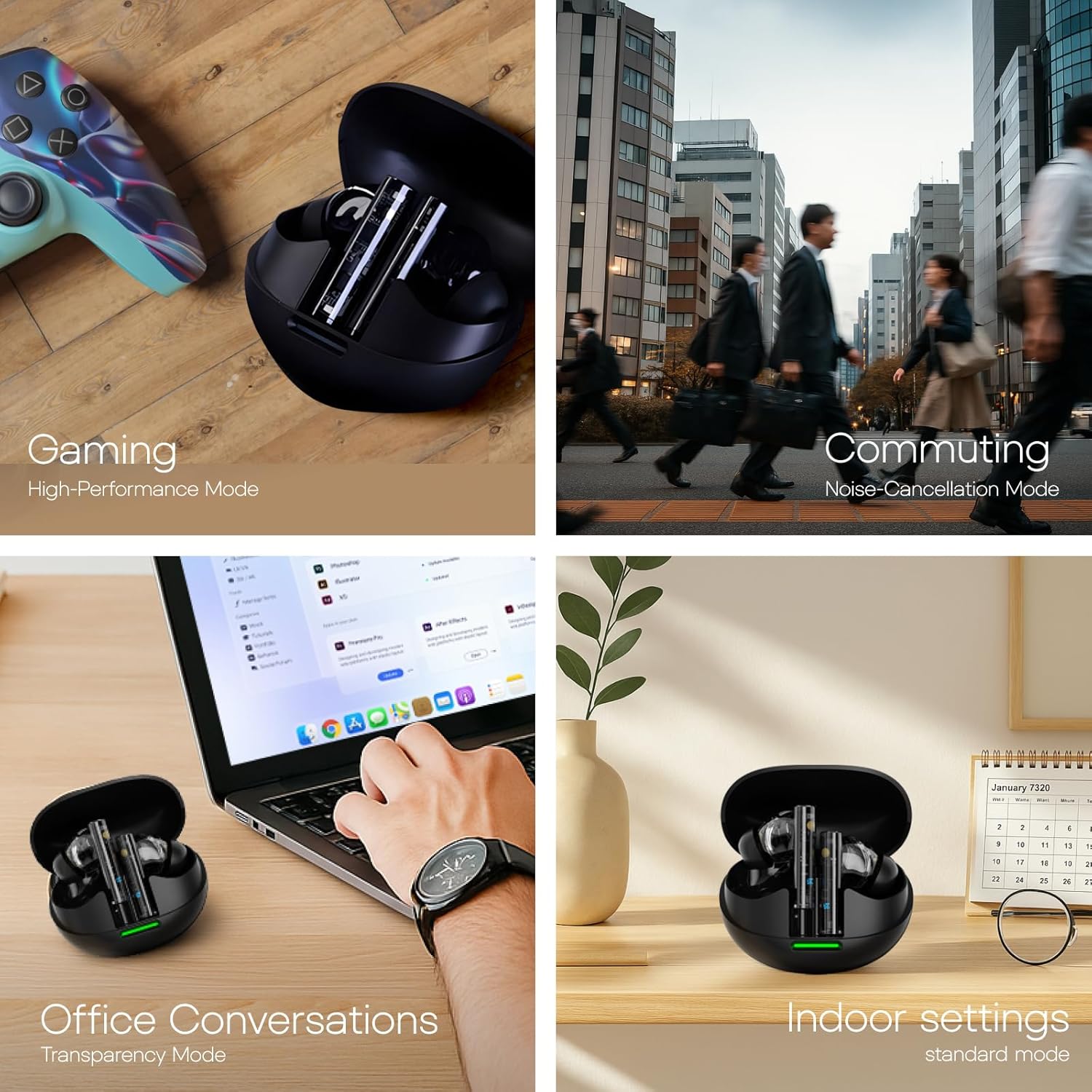
Image: A collage showing the KZ Carol Pro earbuds being used in various scenarios: Gaming (High-Performance Mode), Commuting (Noise-Cancellation Mode), Office Conversations (Transparency Mode), and Indoor settings (Standard Mode).
Call Quality and AI Noise Cancellation
The KZ Carol Pro features an AI-powered 360° noise cancellation algorithm for crystal-clear calls. The 6-microphone array isolates human voice from background noise, ensuring your voice is heard clearly even in noisy environments.

Image: A person wearing one KZ Carol Pro earbud, illustrating the AI-Powered 360° Noise Cancellation for Crystal-Clear Calls.
Dual Device Smart Connection
The earbuds can be connected to two devices simultaneously, allowing seamless switching between them without re-pairing. For example, you can listen to music on your laptop and instantly answer a call on your phone.

Image: A multi-panel image illustrating the 55ms low-latency gaming mode, dual device smart connection with a phone and tablet, and the Hi-Fi DSP Module Technology.
Gaming Mode
Activate Gaming Mode for ultra-low latency audio transmission (as low as 55ms), providing a synchronized audio-visual experience crucial for gaming. This mode minimizes delay between what you see on screen and what you hear.
Maintenance
Cleaning
- Regularly clean the earbuds and charging case with a soft, dry, lint-free cloth.
- Remove eartips and clean any earwax or debris from the earbud nozzles using a small brush or cotton swab.
- Ensure charging contacts on both earbuds and case are clean and free of dust.
- Do not use abrasive cleaners, alcohol, or chemical solvents.
Storage
- When not in use, store the earbuds in their charging case to protect them and keep them charged.
- Store in a cool, dry place away from extreme temperatures and direct sunlight.
Troubleshooting
| Problem | Solution |
|---|---|
| Earbuds not pairing. | Ensure earbuds are charged. Turn off and on Bluetooth on your device. Forget "KZ Carol Pro" from your device's Bluetooth list and re-pair. |
| Only one earbud working. | Place both earbuds back into the charging case, close the lid, wait a few seconds, then take them out again. Ensure both are charged. |
| Low volume or poor sound quality. | Adjust volume on your device. Clean earbud nozzles and eartips. Try different sized eartips for a better seal. Ensure LDAC is enabled on your device if supported and desired. |
| ANC not effective. | Ensure earbuds are properly seated in your ears for a good seal. Switch between ANC modes to confirm it's active. |
| Earbuds not charging. | Check charging cable and power source. Ensure charging contacts on earbuds and case are clean. |
Specifications
| Feature | Detail |
|---|---|
| Product Model | KZ Carol Pro |
| Bluetooth Version | 5.4 |
| Supported Codecs | LDAC, AAC, SBC |
| Bluetooth Range | Approx. 15 meters |
| Earbud Battery Capacity | 40 mAh (each earbud) |
| Earbud Playtime | Approx. 7 hours |
| Charging Case Battery Capacity | 300 mAh |
| Total Battery Life (with case) | Approx. 35 hours |
| Charging Interface | Type-C |
| Noise Cancellation | Hybrid ANC with 6 Microphones |
| Compatible Devices | Computers, Tablets, Mobile Phones |
Warranty and Support
Linsoul provides a 1-year warranty for the KZ Carol Pro earbuds. For any questions, technical support, or warranty claims, please contact Linsoul customer service through their official website or the platform where you purchased the product.
For more information, visit the Linsoul Store on Amazon.
Important Safety Information
- Do not expose earbuds or charging case to extreme temperatures, humidity, or liquids.
- Avoid dropping or subjecting the product to strong impacts.
- Do not attempt to disassemble or repair the product yourself. This will void the warranty.
- Use only the provided charging cable or a certified Type-C cable.
- Prolonged exposure to high volume levels may cause hearing damage. Listen at moderate volumes.
- Be aware of your surroundings when using earbuds, especially in situations requiring attention (e.g., driving, walking near traffic).
Ask a question about this manual
Ask about setup, troubleshooting, compatibility, parts, safety, or missing instructions. Manuals+ will review the question and use this page’s manual context to help answer it.