
Introduction
Thank you for choosing the Afloia Europa 2.0 Air Purifier. This manual provides essential information for the safe and efficient operation, maintenance, and troubleshooting of your new air purifier. Please read it thoroughly before use and retain it for future reference.

Figure 1: Front view of the Afloia Europa 2.0 Air Purifier.
Product Overview
The Afloia Europa 2.0 is designed to improve indoor air quality in large rooms, bedrooms, and multi-pet households. It features advanced 4-layer filtration, a PM2.5 air quality monitor, and smart auto mode for effortless purification.
- Coverage: Effectively purifies air in spaces up to 2000 sq ft (refreshes a 320 sq ft room 5 times per hour, or a 2000 sq ft space in one hour).
- CADR: 280m³/h (Clean Air Delivery Rate).
- Filtration: Advanced 4-layer system including a washable pre-filter, all-ergy filter, efficient filter, and active carbon filter.
- Smart Features: PM2.5 sensor with color-coded indicator lights for real-time air quality, and an intelligent auto mode that adjusts fan speed.
- Quiet Operation: Sleep Mode operates at a low 26dB.
- Safety: Certified by CARB, ETL, and FCC, ensuring 100% Ozone-free operation. Includes a Pet/Child Lock.

Figure 2: The air purifier effectively cleans air in large spaces, such as a living room with pets.
Setup
- Unpack: Carefully remove the air purifier from its packaging.
- Remove Filter Packaging: Open the back cover of the unit. Locate the filter and remove it from its protective plastic packaging.
- Install Filter: Reinsert the filter into the unit, ensuring it is correctly seated. Close the back cover securely.
- Placement: Place the air purifier on a flat, stable surface. Ensure there is at least 1 foot (30cm) clearance from the back of the unit to any wall or obstruction for optimal airflow.
- Power Connection: Plug the power adapter into the unit and then into a standard electrical outlet.
Video 1: This video demonstrates the unboxing and initial setup of the Afloia Europa 2.0 Air Purifier, including how to remove the filter from its packaging and place the unit.
Operating Instructions
The control panel is located on the top of the unit. It features intuitive touch controls and a digital display.
Control Panel Overview

Figure 3: Detailed view of the control panel, showing buttons for sleep mode, fan speed, auto mode, UV function, timer, and power.
- Power Button: Turns the unit On/Off.
- Fan Speed Button: Cycles through Low, Medium, High, and Turbo fan speeds.
- Auto Mode Button (A): Activates intelligent purification based on air quality.
- Sleep Mode Button (Moon icon): Activates quiet operation with dimmed lights.
- UV Function Button (Lightbulb icon): Turns the UV light On/Off for enhanced purification.
- Timer Button (Clock icon): Sets the operating time for 2, 4, or 8 hours.
- Child Lock Button (Lock icon): Activates/deactivates the child lock.
Air Quality Indicator
The digital display shows real-time PM2.5 levels and changes color to indicate air quality:
- Blue: Very Good Air Quality (PM2.5 ≤ 50 ug/m³)
- Green: Good Air Quality (PM2.5 51-100 ug/m³)
- Orange: Moderate Air Quality (PM2.5 101-150 ug/m³)
- Red: Bad Air Quality (PM2.5 > 150 ug/m³)
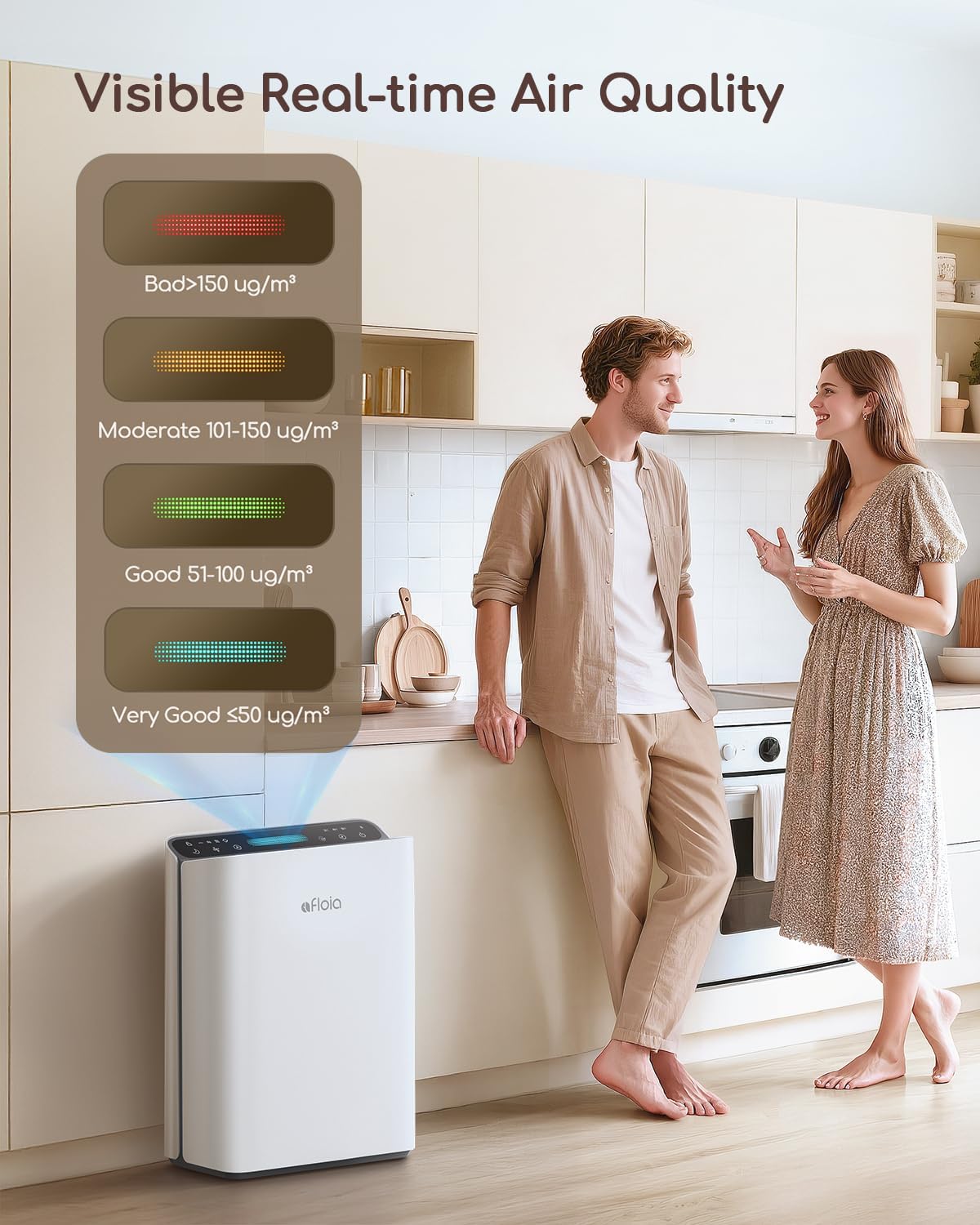
Figure 4: The air quality indicator changes color to reflect current air purity levels.
Auto Mode
Press the 'A' button to activate Auto Mode. The air purifier will automatically adjust its fan speed based on the detected air quality, increasing speed when pollution is high and reducing it when air is clean. This provides hands-free operation.

Figure 5: Auto Mode intelligently adjusts fan speed based on air quality changes.
Video 2: This video highlights the PM2.5 display and the automatic mode feature of the Afloia Air Purifier, showing its responsiveness to air quality changes.
Sleep Mode
Press the Moon icon to activate Sleep Mode. The unit will operate at its lowest fan speed (26dB) and all indicator lights will dim or turn off to ensure a peaceful sleeping environment.
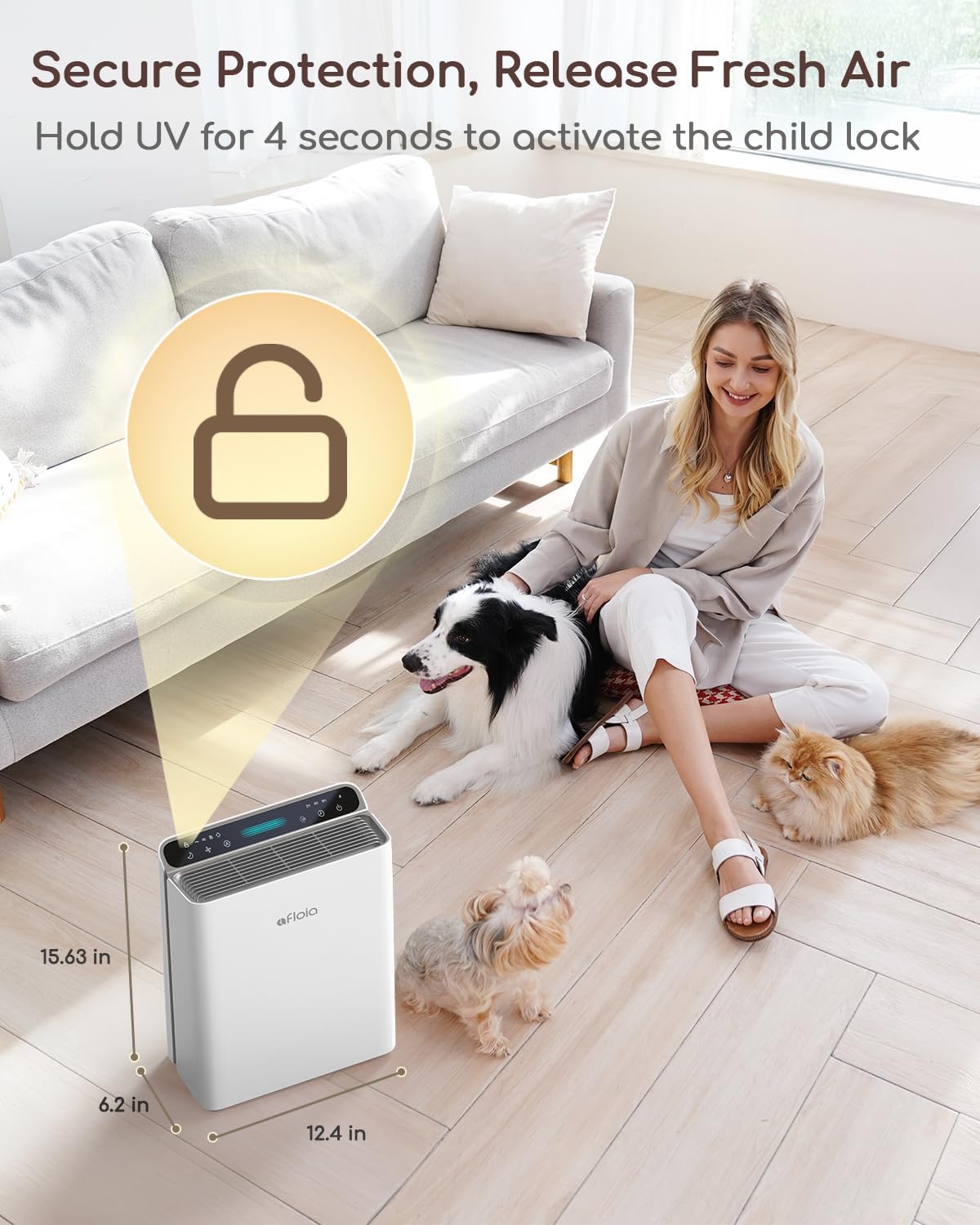
Figure 6: Sleep Mode ensures quiet operation for undisturbed rest.
Timer Function
Press the Clock icon to set the timer. You can choose for the unit to operate for 2, 4, or 8 hours before automatically turning off.
UV Light Function
Press the Lightbulb icon to activate or deactivate the UV light. This function provides an additional layer of purification by targeting airborne germs and bacteria.
Pet/Child Lock
To activate the Pet/Child Lock, press and hold the Lock icon for a few seconds. This prevents accidental changes to settings by children or pets. Repeat the action to deactivate.

Figure 7: The Pet/Child Lock prevents unintended operation.
Maintenance
Regular maintenance ensures optimal performance and extends the lifespan of your air purifier.
Filter Cleaning and Replacement
The Afloia Europa 2.0 features a washable pre-filter, which helps extend the life of the main filter. The unit also has a filter life indicator to notify you when the main filter needs attention.
- Access Filter: Turn off and unplug the air purifier. Open the back cover.
- Remove Pre-Filter: Gently detach the washable pre-filter.
- Clean Pre-Filter: Rinse the pre-filter under running water until clean. Allow it to air dry completely before reinstallation.
- Replace Main Filter: When the filter indicator light illuminates, it's time to replace the main 3-in-1 filter. Remove the old filter and insert a new genuine Afloia Europa 2.0 filter (ASIN: B0CP7VYXDP).
- Reset Filter Indicator: After cleaning or replacing the filter, press and hold the power button for 10 seconds to reset the filter indicator light.
- Reassemble: Reattach the pre-filter (if applicable) and close the back cover.
Figure 8: The washable pre-filter can be easily removed and cleaned to prolong filter life.

Figure 9: The 4-stage filtration system includes a washable pre-filter, all-ergy filter, efficient filter, and active carbon filter.
General Cleaning
Wipe the exterior of the air purifier with a soft, dry cloth. Do not use abrasive cleaners or solvents. Ensure the unit is unplugged before cleaning.
Troubleshooting
| Problem | Possible Cause | Solution |
|---|---|---|
| Unit does not turn on | Not plugged in; Power outage; Power button not pressed. | Ensure power cord is securely plugged in; Check power outlet; Press the power button. |
| Weak airflow | Filter is dirty or clogged; Air inlet/outlet blocked. | Clean the pre-filter or replace the main filter; Ensure no obstructions around air inlets/outlets. |
| Unusual noise | Unit not on a flat surface; Foreign object inside; Filter not installed correctly. | Place on a stable, flat surface; Check for and remove any foreign objects; Reinstall filter correctly. |
| Air quality indicator always red/orange | High pollution levels; Sensor is dirty. | Allow more time for purification; Clean the PM2.5 sensor (refer to manual for location). |
Specifications
- Model: Europa 2.0
- Brand: Afloia
- Product Dimensions: 6.22"D x 12.44"W x 15.67"H
- Weight: 4.6 Pounds
- Coverage Area: Up to 2000 Square Feet
- CADR: 280 m³/h
- Power Consumption: Approximately 0.63 kW·h per day
- Noise Level (Sleep Mode): 26dB
- Certifications: CARB Certified, ETL, FCC
- Filter Type: 4-layer (Washable Pre-filter, All-ergy Filter, Efficient Filter, Active Carbon Filter)
Warranty and Support
The Afloia Europa 2.0 Air Purifier comes with a Worry-Free 3-Year Warranty. For warranty claims or technical support, please contact Afloia customer service. Some product reviews mention an extended lifetime warranty if registered within 7 days of purchase; please refer to the product packaging or manufacturer's website for the most current warranty information and registration details.
For genuine replacement filters, use Afloia Europa 2.0 filters (ASIN: B0CP7VYXDP).


