
Introduction
This manual provides comprehensive instructions for the operation and maintenance of your CYBORIS S11-M 2-in-1 Magnetic Dual Splittable Bluetooth Speaker. Designed for versatility, this speaker offers both combined stereo sound and independent left/right channel audio when split. It features IPX6 waterproofing, Bluetooth V5.3 connectivity, and multiple playback options, making it suitable for various indoor and outdoor environments.
What's in the Box
- CYBORIS S11-M Speaker Unit (2 splittable parts)
- TYPE-C Charging Cable
- 3.5mm Audio Cable
- Strap
- Instruction Manual (this document)
Product Overview and Features
Splittable Dual Speaker Design
The CYBORIS S11-M speaker consists of two independent units that can be magnetically joined to form a single speaker or separated for a true wireless stereo (TWS) experience. When combined, they produce a unified sound. When separated, they deliver distinct left and right audio channels, enhancing the stereo sound field.

Image: The two halves of the CYBORIS S11-M speaker, illustrating their magnetic separation.

Image: Two speaker units operating independently, connected wirelessly to a laptop for stereo sound.
Universal Magnetic Attachment
Each speaker unit is equipped with strong magnets, allowing it to securely attach to various metallic surfaces such as refrigerators, metal poles, or vehicle bodies. This feature provides flexible placement options for your audio experience.

Image: Speaker attached to a refrigerator, highlighting its magnetic capability.
High-Fidelity Sound and Bluetooth 5.3
The speaker system delivers 20W of audio output with dynamic bass diaphragms, providing clear and undistorted HiFi sound. Bluetooth V5.3 ensures a stable and fast wireless connection, with an effective range of over 18 meters (approximately 60 feet) in open areas.
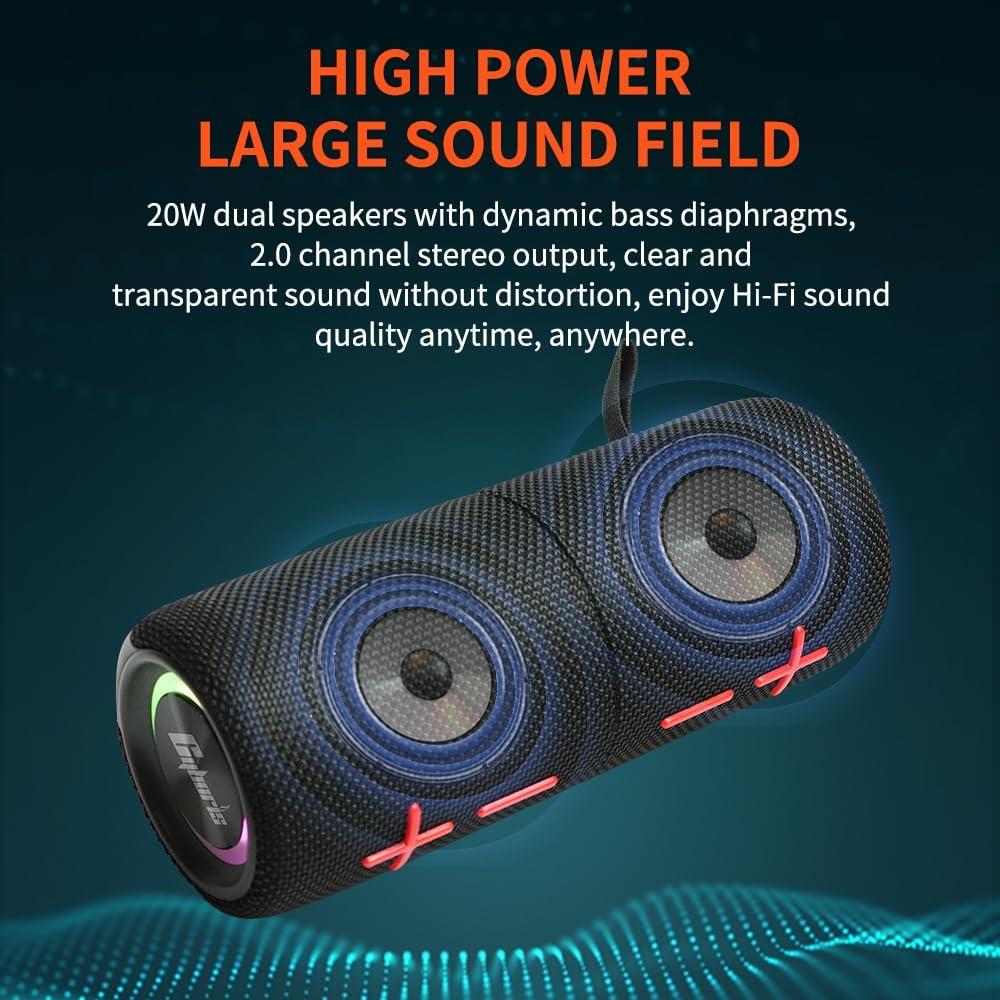
Image: Internal view of the speaker drivers, emphasizing sound quality features.
Multifunctional and Versatile Playback
Beyond wireless Bluetooth connectivity, the speaker supports music playback via TF (Micro SD) card and AUX wired input, offering multiple options for audio sources.
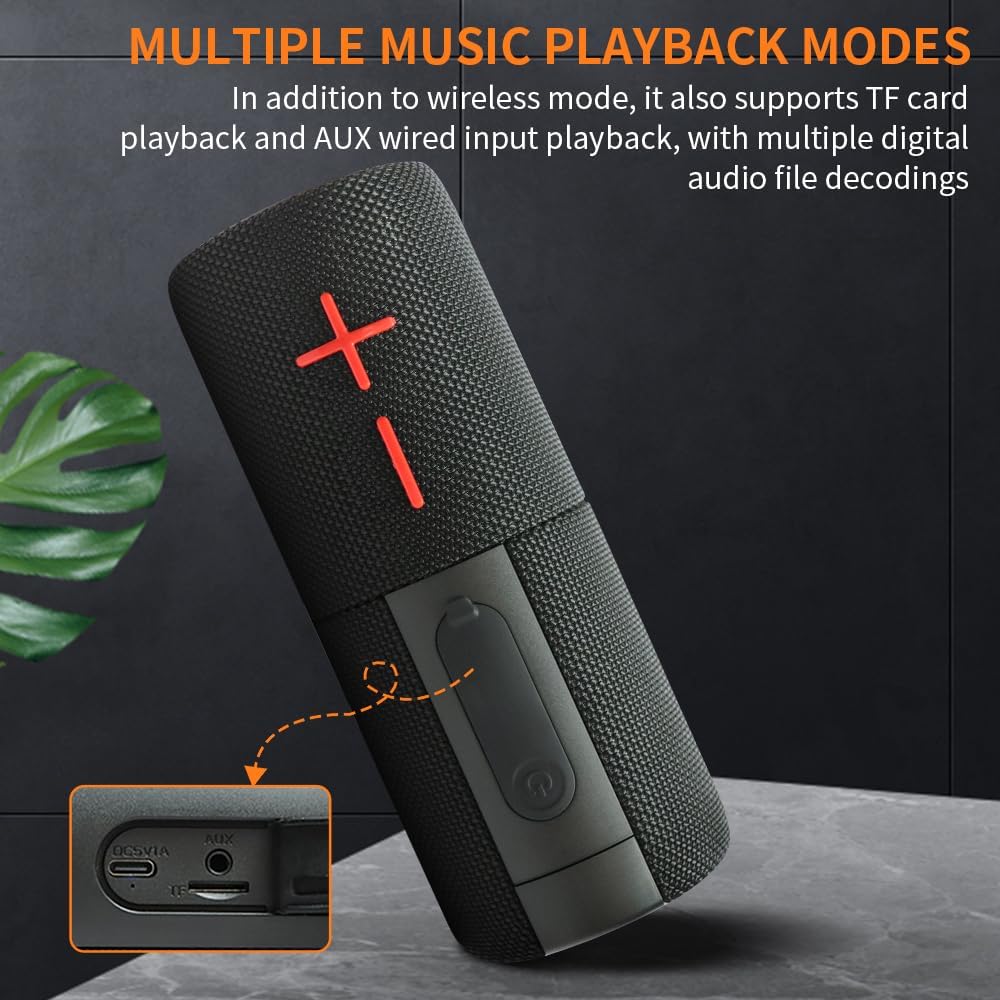
Image: Ports for TF card and AUX input, demonstrating versatile playback options.
IPX6 Waterproof Rating
With an IPX6 waterproof rating, the speaker is protected against powerful water jets, making it suitable for outdoor use and resistant to splashes or rain.

Image: Speaker enduring water splashes, showcasing its waterproof design.
Long-Lasting Battery Life
Each speaker unit is powered by a 2000mAh polymer lithium battery, totaling 4000mAh when combined. This provides up to 24 hours of continuous playback on a single charge, ideal for extended use.

Image: Speaker in an outdoor environment, representing its extended battery performance.
Enhanced User Experience
The speaker includes a built-in high-definition noise-canceling microphone for hands-free calling. Dazzling RGB lighting effects sync with the music, adding a visual element to your listening experience. Easy-to-use button controls provide intuitive operation.
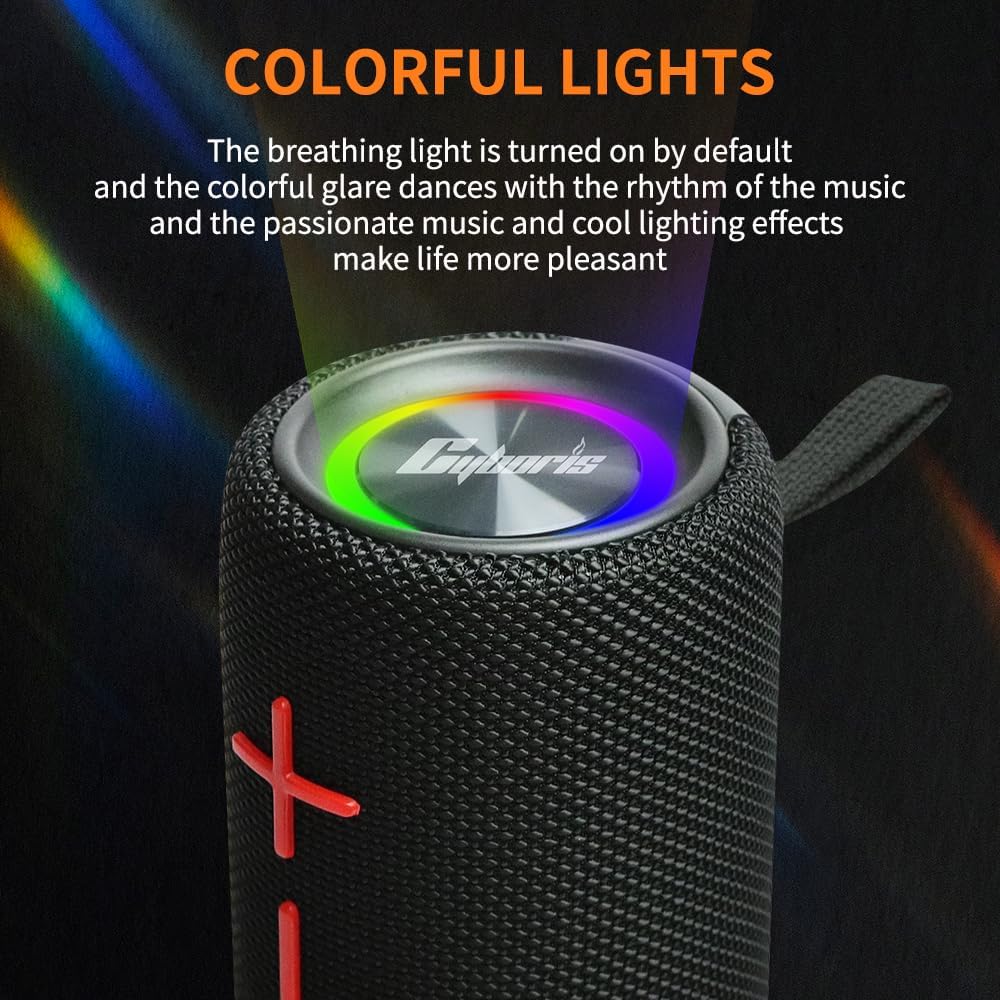
Image: Top view of the speaker with active RGB lighting, highlighting the visual effects.
Official Product Video
Video: An official product video from CYBORIS demonstrating the features and functionality of the Magnetic Dual Bluetooth Speaker, including its splittable design, magnetic attachment, and RGB lighting.
Setup
Initial Charging
Before first use, fully charge both speaker units using the provided TYPE-C charging cable. Connect the cable to a standard USB power adapter (not included). The charging indicator light will typically turn off or change color once fully charged.
Powering On/Off
- To Power On: Press and hold the Power button on each speaker unit for approximately 3 seconds until you hear an audible prompt and the indicator lights illuminate.
- To Power Off: Press and hold the Power button on each speaker unit for approximately 3 seconds until you hear an audible prompt and the indicator lights turn off.
Bluetooth Pairing (Single Speaker Mode)
- Ensure the speaker is powered on and in Bluetooth pairing mode (indicator light will typically flash blue).
- On your device (smartphone, tablet, laptop), enable Bluetooth and search for available devices.
- Select "CYBORIS S11-M" from the list of found devices.
- Once connected, you will hear a confirmation tone, and the indicator light will turn solid blue.
True Wireless Stereo (TWS) Pairing (Dual Speaker Mode)
For an immersive stereo experience, you can pair both speaker units together.
- Ensure both speaker units are fully charged and powered off.
- Power on both speaker units simultaneously. They will automatically attempt to pair with each other.
- Once successfully paired with each other, you will hear a confirmation tone (e.g., "Left Channel", "Right Channel"). The indicator lights on both speakers will then flash blue, indicating they are ready to pair with your device.
- On your device, enable Bluetooth and search for available devices.
- Select "CYBORIS S11-M" from the list. Only one "CYBORIS S11-M" entry should appear for the combined pair.
- Once connected, you will hear a confirmation tone, and the indicator lights on both speakers will turn solid blue.
Note: If the speakers do not automatically pair with each other, try powering them off and on again, ensuring they are close to each other.
Operating Instructions
Button Functions
Each speaker unit has identical controls. When in TWS mode, controls on either speaker will affect both.
- Power Button (Power Symbol):
- Press and hold for 3 seconds: Power On/Off.
- Short press: Play/Pause music; Answer/End call.
- Double press: Activate voice assistant (if supported by connected device).
- Volume Up Button (+):
- Short press: Increase volume.
- Press and hold: Next track.
- Volume Down Button (-):
- Short press: Decrease volume.
- Press and hold: Previous track.
- Mode Button (M):
- Short press: Cycle through playback modes (Bluetooth, TF Card, AUX).
- Press and hold: Toggle RGB lighting effects.
Playback Modes
- Bluetooth Mode: Default mode after pairing. Stream audio wirelessly from your device.
- TF Card Mode: Insert a Micro SD card (max 32GB, FAT32 format) with audio files into the TF card slot. The speaker will automatically switch to TF card mode and begin playback. Use the Volume +/- buttons for track navigation.
- AUX Mode: Connect an audio device using the provided 3.5mm audio cable to the AUX port. The speaker will automatically switch to AUX mode. Control playback from your connected device.
Hands-Free Calling
- Answer Call: Short press the Power button.
- End Call: Short press the Power button during a call.
- Reject Call: Press and hold the Power button for 2 seconds during an incoming call.
RGB Lighting
The speaker features dynamic RGB lighting effects. Press and hold the Mode button to cycle through different lighting modes or to turn the lighting off.
Maintenance
- Cleaning: Wipe the speaker with a soft, damp cloth. Do not use abrasive cleaners or solvents.
- Water Resistance: The speaker is IPX6 waterproof. While it can withstand powerful water jets, do not submerge it in water for extended periods. Ensure the charging port and AUX/TF card slots are securely sealed with their rubber covers when exposed to water.
- Storage: Store the speaker in a cool, dry place away from direct sunlight and extreme temperatures.
- Battery Care: To prolong battery life, avoid fully discharging the battery frequently. Charge the speaker regularly, even if not in use for extended periods (e.g., once every 3 months).
Troubleshooting
| Problem | Possible Cause | Solution |
|---|---|---|
| Speaker does not power on. | Low battery. | Charge the speaker fully. |
| Cannot pair with Bluetooth device. | Speaker not in pairing mode; Device Bluetooth off; Too far from device. | Ensure speaker is flashing blue; Turn on device Bluetooth; Move speaker closer to device (within 18m). |
| No sound or low volume. | Volume too low on speaker or device; Incorrect mode selected. | Increase volume on both speaker and device; Press Mode button to select correct input (BT/TF/AUX). |
| TWS pairing fails. | Speakers too far apart; Already paired to a device. | Ensure both speakers are powered off, then power on simultaneously close to each other. Disconnect from any previously paired devices. |
| Sound distortion. | Volume too high; Low battery; Interference. | Reduce volume; Charge speaker; Move away from sources of interference. |
Specifications
| Feature | Detail |
|---|---|
| Model Name | S11 |
| Item Model Number | S11-M |
| Brand | CYBORIS |
| Speaker Type | Outdoor, Portable, Splittable |
| Connectivity Technology | Bluetooth V5.3 |
| Bluetooth Range | Up to 18 meters (60 feet) |
| Speaker Maximum Output Power | 20 Watts (total) |
| Audio Output Mode | Stereo (2.0 Channel) |
| Frequency Response | 20 KHz (upper limit, typical for consumer electronics) |
| Water Resistance Level | IPX6 Waterproof |
| Battery Capacity | 2 x 2000mAh (Total 4000mAh) Polymer Lithium Battery |
| Battery Life | Up to 24 Hours |
| Control Method | Touch Buttons |
| Supported Playback Modes | Bluetooth, TF Card, AUX Wired Input |
| Product Dimensions | 3"D x 3"W x 8"H (combined) |
| Item Weight | 0.7 Kilograms (1.54 pounds) |
Warranty and Support
Your CYBORIS S11-M speaker comes with a limited warranty. Please refer to the warranty card included in your product packaging for specific terms and conditions. For technical support, troubleshooting assistance, or warranty claims, please contact CYBORIS customer service through the retailer where you purchased the product or visit the official CYBORIS website.
For further assistance, you may visit the CYBORIS Store on Amazon.