
Introduction
This manual provides comprehensive instructions for the VILTROX AF 135mm F1.8 LAB Z lens, a full-frame medium telephoto lens designed for Nikon Z mount cameras. Please read this manual thoroughly before using the lens to ensure proper operation and to maximize its performance. Keep this manual for future reference.
Product Overview
The VILTROX AF 135mm F1.8 LAB Z lens is engineered for high optical performance and advanced functionality. Key features include:
- Advanced Optical Structure: Features 9 groups and 14 elements, including 4 ED (Extra-low Dispersion) and 2 HR (High Refractive Index) special elements, ensuring reduced aberrations and superior image quality.
- Rapid Autofocus Speed: Equipped with a HyperVCM motor, offering significantly faster and smoother focus transitions for both photography and videography.
- Innovative Dual Floating Focus Design: Optimizes close-up performance and minimizes chromatic aberration across various focusing distances.
- Exceptional Bokeh Performance: With a 135mm focal length and a large F1.8 aperture, the lens delivers stunning background blur, allowing subjects to stand out.
- Exceptional Close-Up Quality: Achieves outstanding image quality even in close-up photography with a minimum focusing distance of 0.72m and a magnification ratio of 0.25x.
- Excellent Control: Includes an integrated LCD screen, two customizable focus hold buttons, a focus range limiter switch, and a customizable aperture ring with click stops.
- Durable and Lightweight Construction: Crafted from a magnesium-aluminum alloy, providing both robustness and high impact resistance, along with advanced dust and splash protection.
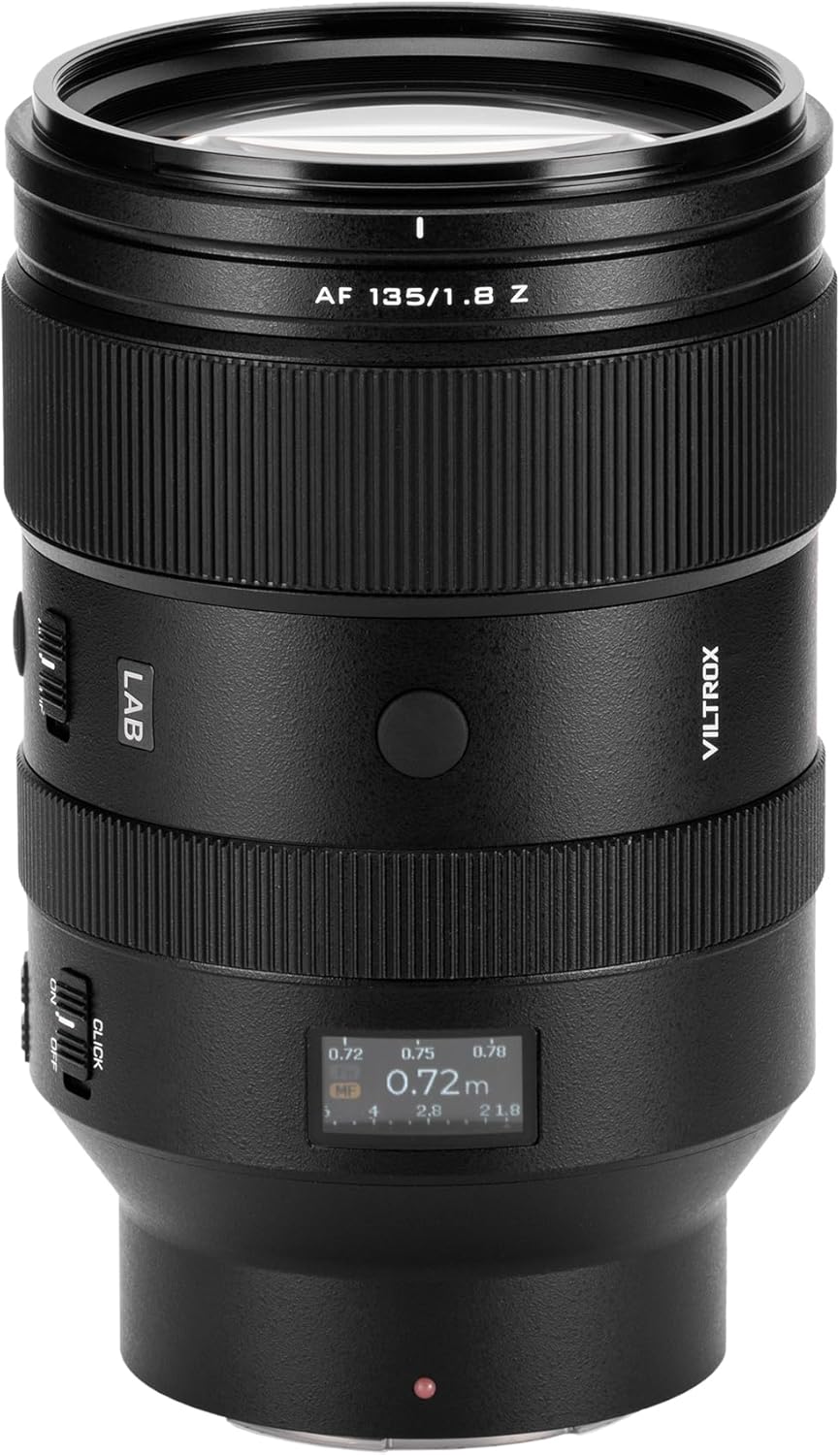
Figure 1: Front view of the VILTROX AF 135mm F1.8 LAB Z lens, showcasing its sleek design and control rings.

Figure 2: Angled view of the lens, highlighting the AF/MF switch, focus hold button, and focus range limiter.

Figure 3: Diagram illustrating the internal optical elements and weather-sealing points of the lens.
Setup
Attaching the Lens
- Ensure the camera is powered off to prevent damage to the sensor or lens contacts.
- Remove the rear lens cap from the lens and the body cap from the camera.
- Align the white mounting index mark on the lens barrel with the corresponding mark on the camera body.
- Rotate the lens clockwise until it clicks securely into place. Do not force the lens; if it does not attach easily, re-align the marks.
Detaching the Lens
- Ensure the camera is powered off.
- While pressing and holding the lens release button on the camera body, rotate the lens counter-clockwise until it stops.
- Carefully remove the lens from the camera body.
- Attach the front and rear lens caps to protect the lens elements and mount.
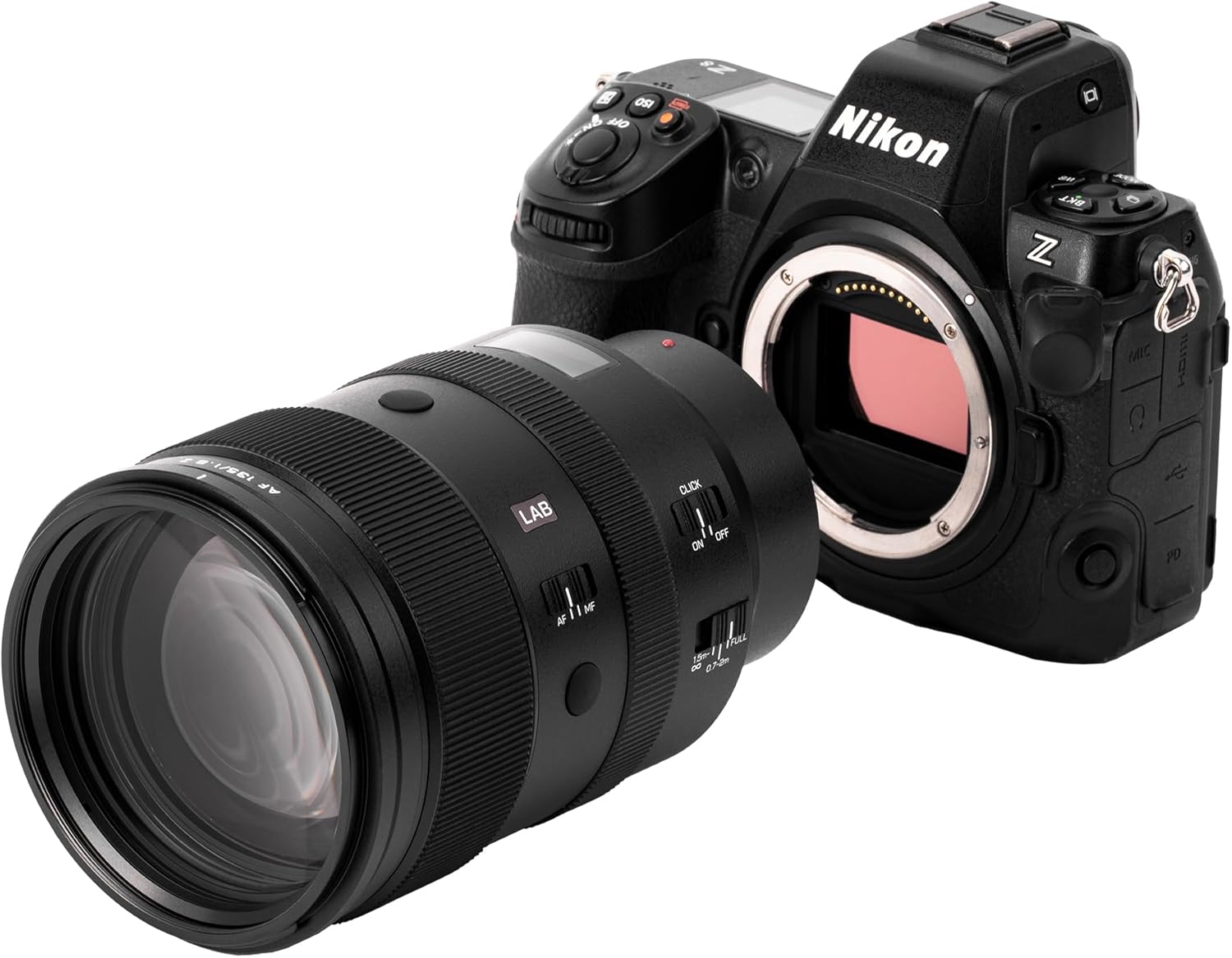
Figure 4: The VILTROX AF 135mm F1.8 LAB Z lens properly mounted on a Nikon Z series camera body.

Figure 5: Rear view of the lens, illustrating the Nikon Z mount and electronic contacts.
Operating the Lens
Autofocus (AF) and Manual Focus (MF) Switch
Locate the AF/MF switch on the side of the lens barrel. Slide the switch to select between autofocus (AF) and manual focus (MF) modes. In MF mode, rotate the focus ring to adjust focus manually.

Figure 6: Detail of the AF/MF switch and one of the customizable focus hold buttons.
Aperture Control
The lens features a customizable aperture ring with click stops for tactile feedback. You can adjust the aperture directly on the lens. Depending on your camera's settings, you may also be able to control the aperture via the camera body. Refer to your camera's manual for specific aperture control options.
Focus Hold Buttons
Two customizable focus hold buttons are strategically placed on the lens barrel. These buttons can be assigned various functions through your camera's menu system or the VILTROX app, such as focus lock, AF-ON, or depth-of-field preview. Consult your camera's manual for button customization options.
Focus Range Limiter
The focus range limiter switch allows you to restrict the autofocus range, which can improve focusing speed and accuracy in specific shooting scenarios. Available settings typically include:
- FULL: Allows the lens to focus across its entire range, from the minimum focusing distance to infinity.
- 0.72m - 2m: Limits focusing to close-up distances, ideal for macro-like shots or subjects within this range.
- 1.5m - ∞: Limits focusing to distant subjects, useful for landscapes or subjects beyond 1.5 meters.
LCD Screen
An integrated LCD screen on the lens barrel displays key information such as the current focusing distance and aperture value. This screen can be configured or turned off using the VILTROX app for personalized preferences.

Figure 7: The lens's LCD screen showing focus distance and aperture settings during operation.
Maintenance and Care
Cleaning the Lens
- Use a soft, lint-free cloth or a lens brush to gently remove dust and loose particles from the lens surface.
- For stubborn smudges or fingerprints, apply a small amount of lens cleaning solution specifically designed for optical elements onto a clean microfiber cloth. Gently wipe the lens in a circular motion from the center outwards. Never apply cleaning solution directly to the lens surface.
- Avoid touching the glass elements with your fingers to prevent oil and dirt transfer.
Storage
- When not in use, always attach the front and rear lens caps to protect the optical elements from dust, scratches, and impact.
- Store the lens in a cool, dry place, away from direct sunlight, high humidity, and extreme temperatures.
- If storing for an extended period, consider using a dehumidifying agent (e.g., silica gel) in the storage area to prevent mold and mildew growth.
Dust and Splash Protection
The VILTROX AF 135mm F1.8 LAB Z lens is designed with advanced dust and splash protection to withstand various environmental conditions. However, it is not fully waterproof. Avoid exposing the lens to heavy rain, direct water spray, or submersion.
Troubleshooting
Lens Not Recognized by Camera
- Ensure the lens is securely attached to the camera body, with the mounting marks aligned and the lens rotated until it clicks.
- Power off the camera, detach the lens, and then reattach it firmly.
- Clean the electronic contacts on both the lens mount and the camera body with a clean, dry cloth.
- Check for any available firmware updates for both the lens and the camera. Outdated firmware can sometimes cause compatibility issues.
Autofocus Issues
- Verify that the AF/MF switch on the lens is set to AF (Autofocus).
- Check the focus range limiter setting; ensure it is set to FULL or an appropriate range for your subject distance.
- Ensure there is sufficient light and contrast in the scene for the autofocus system to operate effectively.
- If the issue persists, try switching to manual focus (MF) to confirm the lens can focus manually.
Aperture Control Malfunction
- Ensure the aperture ring is not accidentally locked if your camera or lens has such a feature.
- Check your camera's menu settings to ensure aperture control is configured to the desired method (e.g., lens ring control or camera dial control).
Firmware Update
Firmware updates for the lens can be performed via the USB-C port located on the lens mount. Visit the official VILTROX website for the latest firmware versions and detailed update instructions. Some updates may require the use of the VILTROX app on a mobile device for a Bluetooth connection.

Figure 8: The USB-C port on the lens, used for firmware updates.
Specifications
| Feature | Detail |
|---|---|
| Model Number | AF 135/1.8 Z |
| Focal Length | 135mm |
| Maximum Aperture | F1.8 |
| Minimum Aperture | F16 (Typical for similar lenses, not explicitly stated in data) |
| Lens Type | Telephoto |
| Compatible Mountings | Nikon Z |
| Optical Structure | 9 groups, 14 elements (including 4 ED, 2 HR) |
| Minimum Focusing Distance | 0.72m |
| Magnification Ratio | 0.25x |
| Autofocus Motor | HyperVCM |
| Product Dimensions | 5.81 x 3.66 x 3.66 inches |
| Item Weight | 4.78 pounds (2.17 kg) |
| Manufacturer | Shenzhen Jueying Technology Co., Ltd. |
What's in the Box
The VILTROX AF 135mm F1.8 LAB Z lens package includes the following items:
- VILTROX AF 135mm F1.8 LAB Z Lens
- Lens Hood
- Front Lens Cap
- Rear Lens Cap
- Lens Pouch

Figure 9: The complete package contents, including the lens, hood, caps, and pouch.
Warranty and Support
VILTROX products are covered by a limited warranty. For detailed warranty information, product registration, and technical support, please visit the official VILTROX website or contact their customer service. Keep your purchase receipt as proof of purchase for warranty claims.
For the latest firmware updates and additional resources, please visit the VILTROX Official Website.
Official Product Videos
No official product videos from the seller with relevant metadata were found for embedding in this manual.


