Introduction
The BORUIT EV10 EDC Keychain Flashlight is a compact and powerful illumination tool designed for everyday carry. Featuring a dual lighting system with both spotlight and floodlight capabilities, a versatile RGB side panel, and a robust aluminum construction, it is suitable for various applications from daily tasks to outdoor adventures. This manual provides detailed instructions for the safe and effective use of your EV10 flashlight.

Image: The BORUIT EV10 EDC Keychain Flashlight, showcasing its compact design and RGB side light.
What's in the Box
Please check the package contents to ensure all items are present:
- BORUIT EV10 EDC Keychain Flashlight
- USB-C Charging Cable
- Keyring
- Lanyard
- Belt Clip
Specifications
| Feature | Detail |
|---|---|
| Brand | BORUIT |
| Model | EV10 (V8) |
| Material | Aluminum |
| Light Source Type | LED |
| White Brightness | Up to 1100 Lumens |
| Battery Capacity | 1000 mAh Lithium Polymer |
| Charging Time | Approx. 2 hours (USB-C) |
| Max Runtime | Up to 54 hours (low white-light mode) |
| Dimensions (LxWxH) | 2.68" x 1.38" x 0.63" |
| Weight | 2.19 ounces (62 grams) |
| Water Resistance | IP68 Waterproof Rated |
| Special Features | Adjustable Light Modes, High Power, Impact Resistant, Rechargeable, Magnetic Tail, Belt Clip, RGB Sidelight |
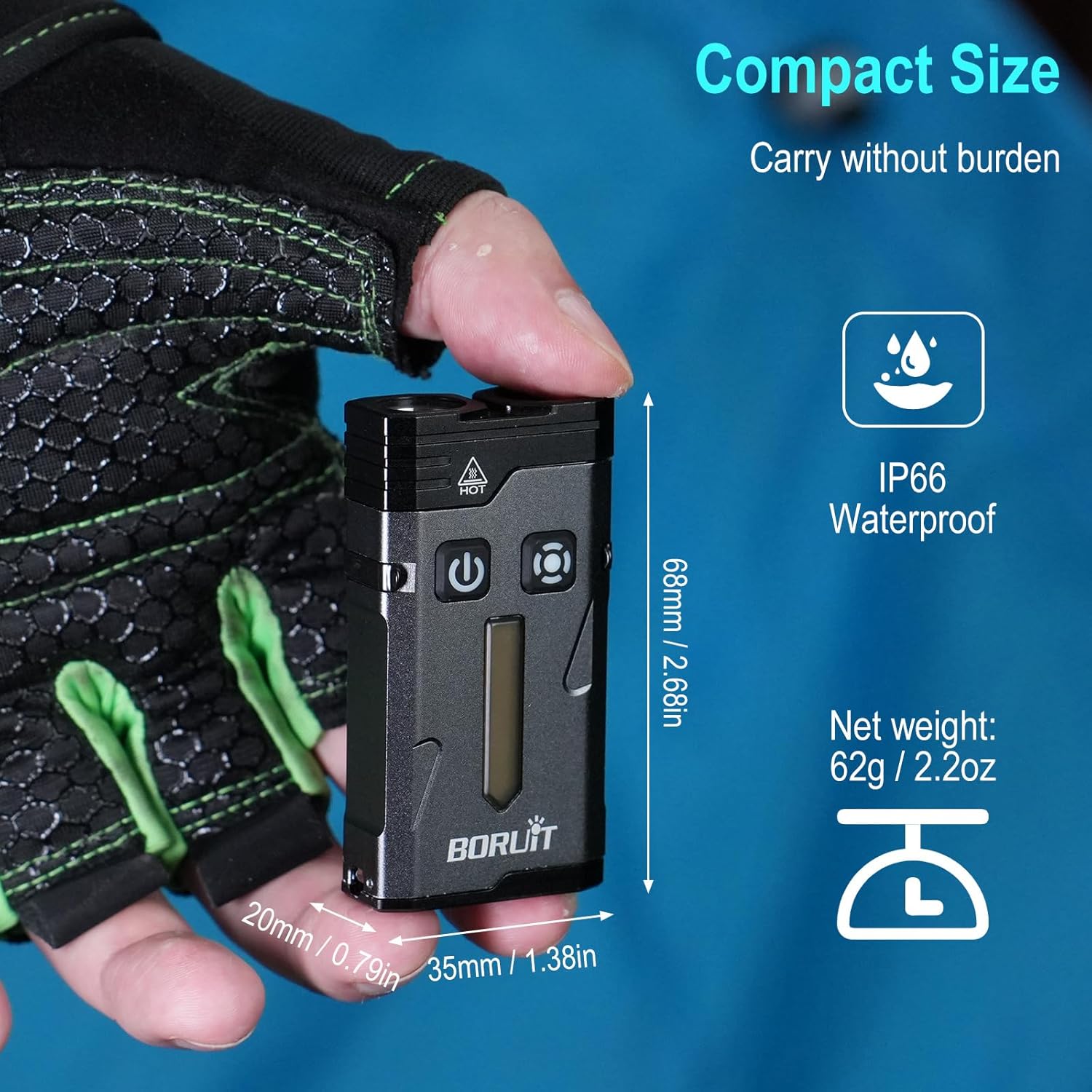
Image: The compact dimensions and IP68 waterproof rating of the EV10 flashlight.
Setup
Initial Charging
Before first use, fully charge your BORUIT EV10 flashlight. The device comes with a built-in 1000 mAh Lithium Polymer battery.
- Locate the USB-C charging port on the side of the flashlight.
- Connect the provided USB-C cable to the flashlight and the other end to a compatible USB power source (e.g., computer USB port, wall adapter).
- During charging, a red light will flash. Once fully charged, the light will turn green.
- Charging typically takes approximately 2 hours.

Image: The EV10 flashlight connected via USB-C for charging, showing the red flashing light for charging and green for full charge. Also displays battery life for various modes.
Attaching Accessories
The EV10 comes with a keyring, lanyard, and belt clip for convenient carrying options.
- Keyring: Attach the keyring to the designated loop on the flashlight for easy attachment to keys or other items.
- Lanyard: Thread the lanyard through the loop for wrist carry or to prevent accidental drops.
- Belt Clip: The robust back clip can be secured to a backpack strap, belt, or the brim of a cap for hands-free illumination. The clip slides into a recessed groove on the side of the flashlight.
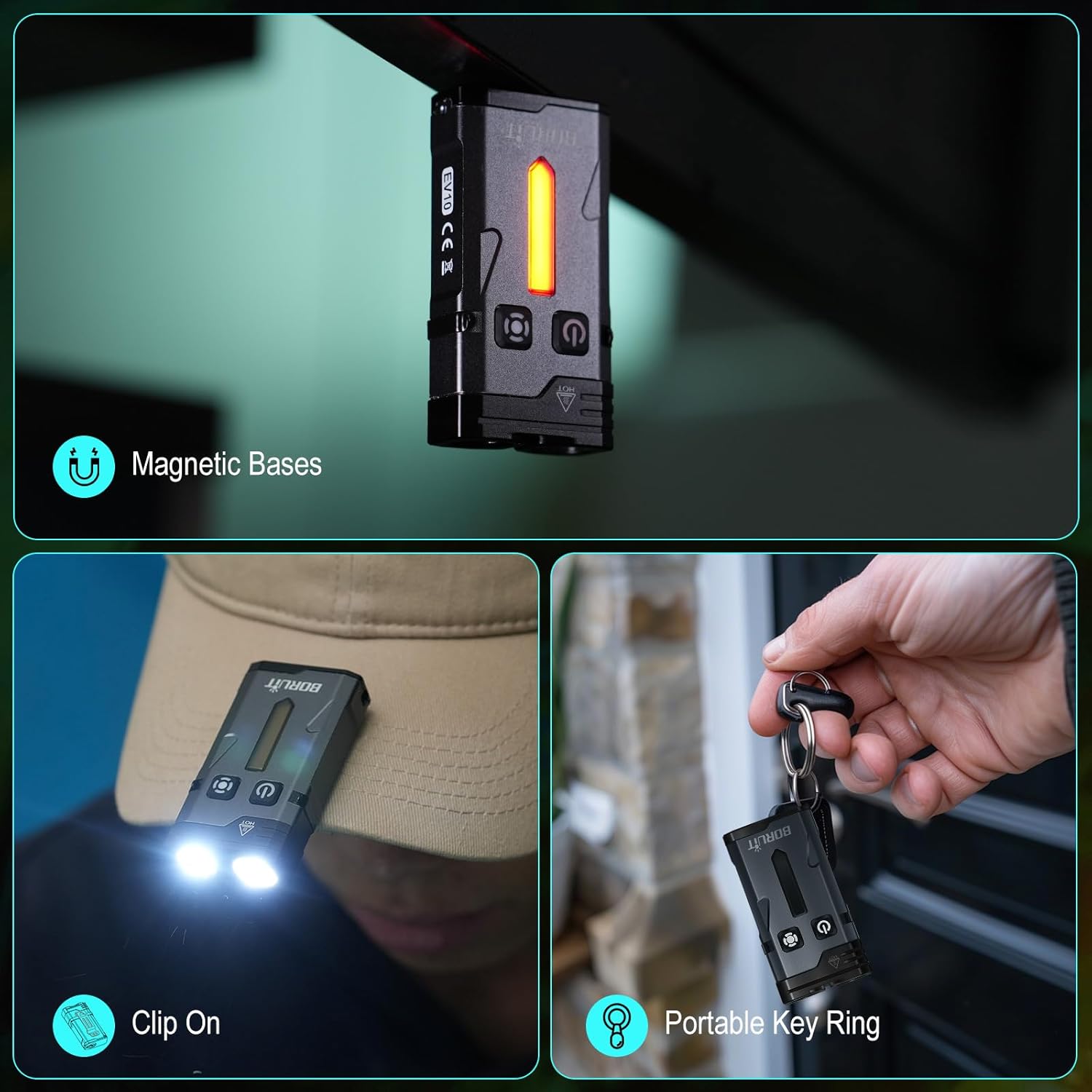
Image: Demonstrates the magnetic base feature, the flashlight clipped onto a cap, and attached to a keyring.
Operating Instructions
The BORUIT EV10 features two main buttons: a left button (power/mode) and a right button (sidelight/RGB). The device has a memory function for the main white light modes.
Main White Light Operation (Left Button)
The main light consists of two LEDs, offering both spotlight and floodlight options.
- Turn ON/OFF: Press and hold the left button.
- Switch Modes (Single-Click): While the main light is on, single-click the left button to cycle through the following modes:
- Spotlight High
- Spotlight Medium
- Spotlight Low
- Floodlight High
- Floodlight Medium
- Floodlight Low
- Turbo Mode (Double-Click): Double-click the left button from any state (on or off) to activate Turbo mode, which combines both spotlight and floodlight at maximum brightness (1100 lumens).
- Strobe Mode (Triple-Click): Triple-click the left button from any state (on or off) to activate Strobe mode.
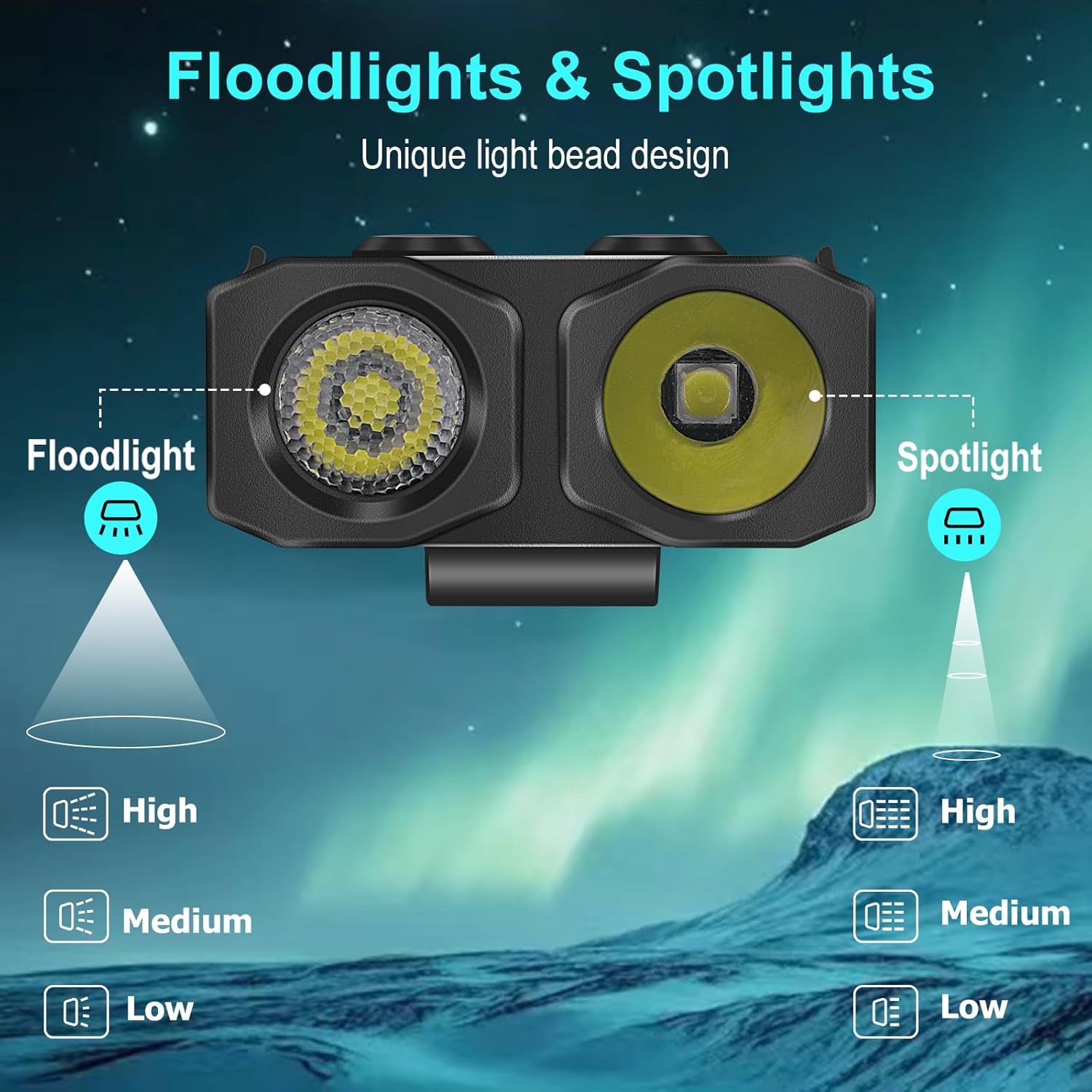
Image: Diagram illustrating the separate floodlight and spotlight beams of the EV10 flashlight, each with High, Medium, and Low settings.

Image: Visual guide on operating the main white light modes, including press and hold for ON/OFF, single-click for mode cycling (Spotlight High/Med/Low, Floodlight High/Med/Low), double-click for Turbo, and triple-click for Strobe.
Sidelight Operation (Right Button)
The unique RGB side panel features 14 LEDs and offers various colorful modes.
- Turn ON/OFF: Press and hold the right button.
- Switch Colors/Modes (Single-Click): While the sidelight is on, single-click the right button to cycle through different static colors (e.g., Red, Green, Blue, Yellow, Cyan, Purple, White).
- Toggle Effects (Double-Click): Double-click the right button to switch between dynamic effects such as:
- Colored Breathing Light
- Colored Streamline Light
- Colored Dropflow Light
- Flowing Rainbow Light
- Emergency Alerts (Triple-Click): Triple-click the right button to activate the Red and Blue flashing warning light.

Image: Illustrates the various colorful side light modes including Colored Breathing Light, Colored Streamline Light, and Colored Dropflow Light, activated by single and double clicks of the right button. Shows a spectrum of static colors.

Image: Visual guide on operating the side light modes, including press and hold for ON/OFF, single-click for color cycling, double-click for dynamic effects (White Constant, Colored Constant, Breathing, Streamline, Dropflow, Flowing Rainbow), and triple-click for Red and Blue flashing warning light.
Magnetic Tail Feature
The EV10 flashlight is equipped with a strong magnetic tail, allowing it to be securely attached to metal surfaces. This feature provides hands-free illumination, useful for tasks like vehicle maintenance or working in dark spaces.

Image: The BORUIT EV10 flashlight magnetically attached to a metal surface, demonstrating its hands-free capability.
Maintenance
To ensure the longevity and optimal performance of your BORUIT EV10 flashlight, follow these maintenance guidelines:
- Cleaning: Wipe the flashlight with a soft, damp cloth to remove dirt or debris. Do not use harsh chemicals or abrasive cleaners.
- Storage: Store the flashlight in a cool, dry place away from direct sunlight and extreme temperatures. If storing for extended periods, ensure the battery is partially charged (around 50%) to preserve battery health.
- Charging: Recharge the battery regularly, even if not in frequent use, to prevent deep discharge and extend battery life.
- Water Resistance: While IP68 rated, avoid prolonged submersion or exposure to high-pressure water jets. Ensure the USB-C port cover is securely closed when not charging to maintain water resistance.

Image: A banner highlighting key features of the BORUIT EV10, including magnetic suction, Type-C charging, and IP66 waterproof rating, which are relevant for maintenance.
Troubleshooting
If you encounter issues with your BORUIT EV10 flashlight, please refer to the following common problems and solutions:
| Problem | Possible Cause | Solution |
|---|---|---|
| Flashlight does not turn on. | Low battery or no charge. | Charge the flashlight fully using the provided USB-C cable. |
| Light output is dim. | Low battery. | Recharge the flashlight. |
| Buttons are unresponsive. | Temporary software glitch. | Try connecting to charger briefly, then disconnect and attempt to operate again. If issue persists, allow battery to fully drain and then recharge. |
| Sidelight not changing colors/effects. | Incorrect button press sequence. | Ensure you are using the right button. Single-click for static colors, double-click for dynamic effects, triple-click for warning light. |
| Flashlight gets warm during extended use. | Normal operation, especially in high/turbo modes. | This is normal for high-power LEDs. Reduce brightness mode if discomfort occurs. The device has built-in thermal management. |
Warranty and Support
The BORUIT EV10 EDC Keychain Flashlight is covered by a manufacturer's warranty. Please refer to the product packaging or the official BORUIT website for specific warranty terms and conditions.
For technical support, troubleshooting assistance, or warranty claims, please contact BORUIT customer service through their official channels. Contact information can typically be found on the product packaging or the brand's official website.
Note: Keep your purchase receipt as proof of purchase for warranty purposes.


