
Introduction
Welcome to the user manual for your NAVEE GT3 Max Electric Scooter. This manual provides essential information for the safe operation, maintenance, and troubleshooting of your scooter. Please read this manual thoroughly before using your scooter to ensure optimal performance and safety.

Image: The NAVEE GT3 Max Electric Scooter, designed for grand travels.
Safety Instructions
Your safety is paramount. Always adhere to the following safety guidelines:
- Always wear a helmet and appropriate protective gear (knee pads, elbow pads) when riding.
- Familiarize yourself with local traffic laws and regulations regarding electric scooters.
- Do not ride in wet conditions, heavy rain, or through puddles.
- Avoid riding on slippery surfaces, loose gravel, or uneven terrain.
- Maintain a safe distance from other vehicles and pedestrians.
- Do not perform stunts or sudden maneuvers.
- Ensure the scooter is fully charged and all components are secure before each ride.
- The scooter is designed for one rider only. Do not carry passengers.
- Do not exceed the maximum weight capacity of 120 kg.
- Utilize the dual braking system for effective stopping.
Product Overview and Features
The NAVEE GT3 Max Electric Scooter is engineered for performance and comfort. Key features include:
- Quadruple Shock Absorption: Equipped with a four-way suspension system, including a front fork and rear spring suspension, for a smooth and comfortable ride even on uneven roads.
- Extended Range: A robust battery system and efficient energy recovery provide an impressive range of up to 75 km. Energy is recovered during braking or deceleration.
- Powerful Motor: Features a strong rear-wheel drive for excellent acceleration and performance, capable of handling various terrains and inclines.
- Climbing Capacity: Easily ascends slopes up to 22%, offering reliable performance on hilly routes.
- NAVEE App Integration: Provides functions such as energy recovery settings, electronic lock, and automatic sensor headlights. The app also assists in locating your scooter and enables easy Bluetooth unlocking.
- Dual Braking System: Ensures reliable and effective stopping power.
- 10-inch Tires: Provides stability and improved handling.

Image: Visual representation of key features including the reliable dual braking system, elegant design, powerful 1000W motor, quadruple shock absorption, 22% max climbing capacity, 75km max range, and advanced TCS for safe riding.

Image: Illustration of the powerful 1000W motor and the scooter's 22% climbing capability, highlighting its robust performance.
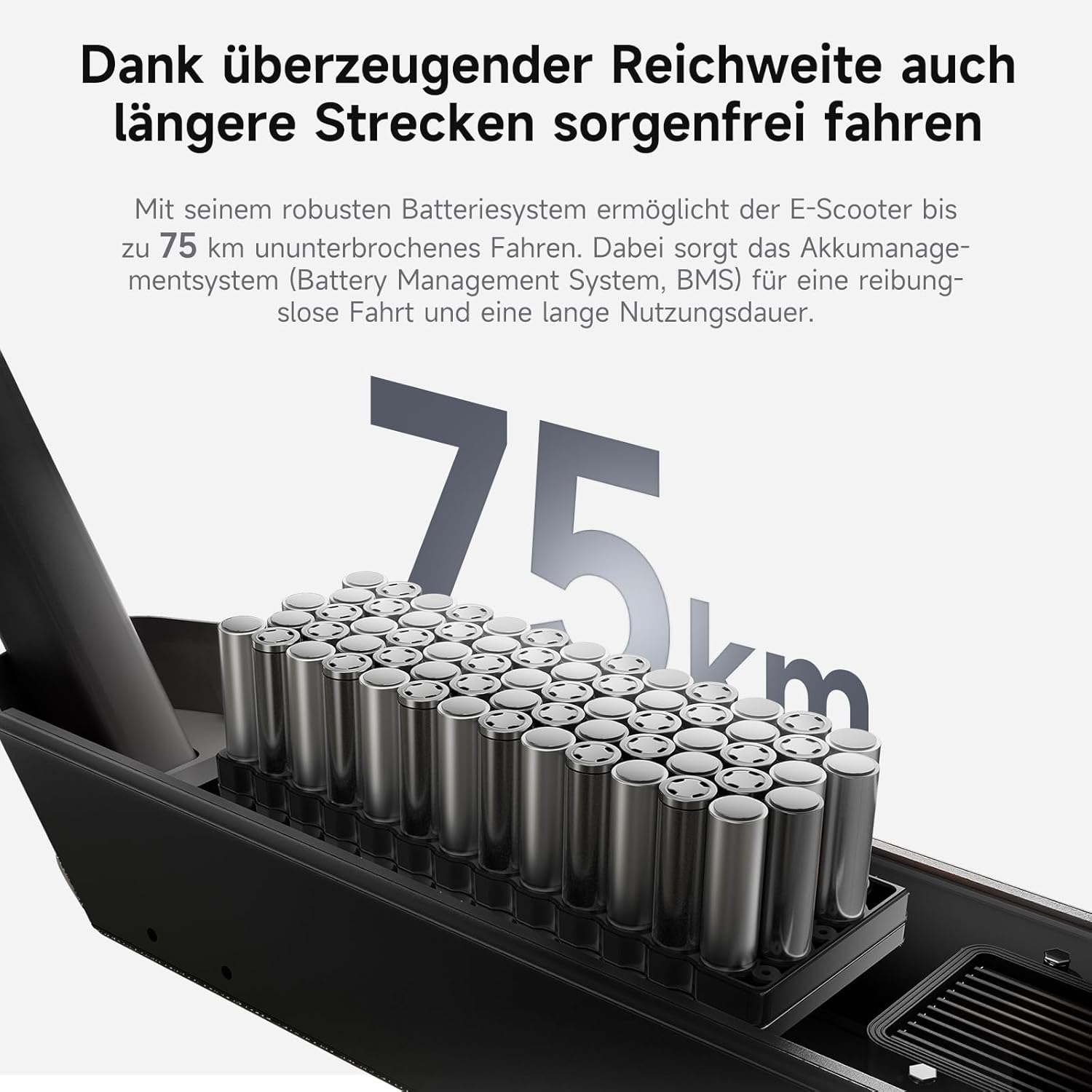
Image: Depiction of the scooter's battery system, emphasizing its impressive 75km range for worry-free longer journeys.

Image: Close-up view of the front fork and rear suspension, illustrating the quadruple shock absorption system for a smoother ride.
Setup
Unpacking and Initial Assembly
- Carefully remove all components from the packaging. The package includes the electric scooter, registration papers, charger, and user manual.
- Unfold the scooter according to the quick start guide (if provided separately). Ensure the stem locking mechanism is securely engaged.
- Attach the handlebars if they are not pre-installed. Ensure all screws are tightened firmly.
Initial Charging
- Before first use, fully charge the scooter's battery.
- Connect the charger to the charging port on the scooter.
- Plug the charger into a standard power outlet. The charging indicator light on the charger will change (e.g., from red to green) when charging is complete.
- Do not overcharge the battery. Disconnect the charger once fully charged.
NAVEE App Connection
- Download the official NAVEE app from your smartphone's app store.
- Turn on your scooter and enable Bluetooth on your smartphone.
- Open the NAVEE app and follow the on-screen instructions to pair your scooter. This will enable features like electronic lock, energy recovery settings, and automatic sensor headlights.
Operating Instructions
Powering On/Off
- To power on, press and hold the power button on the display panel.
- To power off, press and hold the power button again until the display turns off.
Riding
- Place one foot on the deck and push off with the other foot to gain initial momentum.
- Once moving, gently press the accelerator lever to engage the motor.
- Adjust your speed using the accelerator. The digital display shows your current speed.
- To slow down or stop, release the accelerator and apply the brake levers. The scooter features a dual braking system for efficient stopping.
- Use the integrated lights for visibility, especially in low-light conditions. The automatic sensor headlights can be managed via the NAVEE app.
Folding the Scooter
- Ensure the scooter is powered off.
- Locate the folding mechanism on the stem.
- Follow the specific instructions for your model to release the locking mechanism and fold the stem down towards the rear wheel. Ensure it clicks into place for secure transport.
Maintenance
Regular maintenance ensures the longevity and safe operation of your NAVEE GT3 Max scooter.
- Battery Care:
- Charge the battery regularly, even if not in use, to maintain its health.
- Avoid completely draining the battery before recharging.
- Store the scooter in a cool, dry place, away from direct sunlight and extreme temperatures.
- Tire Pressure:
- Check tire pressure regularly. Proper inflation (for 10-inch tires) is crucial for ride quality, range, and tire lifespan. Refer to the tire sidewall for recommended pressure.
- Brake Inspection:
- Periodically inspect the brake levers and cables for proper function and wear.
- Ensure the brakes engage smoothly and effectively. Adjust if necessary or consult a professional.
- Cleaning:
- Clean the scooter with a damp cloth. Do not use high-pressure water jets or immerse the scooter in water.
- Avoid getting water into electrical components.
- General Checks:
- Regularly check all screws and bolts for tightness.
- Inspect the frame for any signs of damage or cracks.
Troubleshooting
This section addresses common issues you might encounter with your scooter.
| Problem | Possible Cause | Solution |
|---|---|---|
| Scooter does not turn on. | Low battery; loose connection; power button issue. | Charge the battery fully. Check all cable connections. If problem persists, contact support. |
| Reduced range. | Under-inflated tires; cold weather; aggressive riding style; battery degradation. | Check and inflate tires to recommended pressure. Ride in optimal conditions. Adjust riding style. |
| Brakes feel weak. | Brake pads worn; cable loose; brake system needs adjustment. | Inspect brake pads for wear. Check brake cable tension. Consult a professional for adjustment or replacement. |
| Unusual noises during riding. | Loose components; debris in wheels; suspension issue. | Inspect all visible parts for looseness. Check wheels for obstructions. If noise persists, seek professional inspection. |
| App connection issues. | Bluetooth off; app outdated; scooter not in pairing mode. | Ensure Bluetooth is on. Update the NAVEE app. Restart scooter and phone. Try re-pairing. |
For more complex issues or if troubleshooting steps do not resolve the problem, please contact NAVEE customer support.
Specifications
| Feature | Detail |
|---|---|
| Brand | NAVEE |
| Model Name | GT3 Max |
| Color | Black |
| Material | Aluminum (Frame) |
| Wheel Size | 10 Inches |
| Wheel Material | Rubber |
| Maximum Weight Capacity | 120 Kilograms |
| Product Dimensions (L x W x H) | 118 x 59 x 126 cm |
| Item Weight | 23 Kilograms |
| Brakes | Rear Braking, Front Braking (Dual System) |
| Suspension | Double Suspension (Quadruple Shock Absorption) |
| Special Features | Digital Display, Speedometer, Light, Foldable, Dual Braking System |
| Included Components | Electric Scooter, Registration Papers, Charger, User Manual |
Warranty and Support
For warranty information, please refer to the documentation included with your purchase or visit the official NAVEE website. Keep your proof of purchase for warranty claims.
If you require technical assistance, have questions about your scooter, or need to report an issue, please contact NAVEE customer support through their official channels. Contact details can typically be found on the product packaging or the official brand website.


