
Introduction
The NENRENT EMS/TENS Foot Stimulator is an electronic device designed to provide relief from muscle pain, neuropathy pain, swollen feet, stiffness, cramps, and numbness, while also improving blood circulation. It utilizes two clinically proven physical therapies: Electrical Muscle Stimulation (EMS) and Transcutaneous Electrical Nerve Stimulation (TENS).
EMS works by mimicking the body's bioelectrical signals, stimulating muscle contractions to improve blood circulation, muscle strength, and recovery. TENS targets specific muscle groups with low-frequency pulses, disrupting pain signals and stimulating the release of dopamine to alleviate various types of pain, including neuropathy, chronic acute, and arthritis pain.
This device is intended for home use to help reduce feet, leg, and calves fatigue.

Image: Benefits of using the NENRENT EMS/TENS Foot Stimulator, including improved circulation and pain relief.
Safety Information
Important Precautions: Do not use if you have DVT (Deep Vein Thrombosis), pacemakers, or are pregnant. Always read the instruction manual before use to ensure proper use and prevent injury.
Consult your doctor before using this device if you have any pre-existing medical conditions or concerns.

Image: Important safety warnings and contraindications for using the foot stimulator.
Product Overview
The NENRENT EMS/TENS Foot Stimulator features an ergonomic design that imitates the contours of the foot for optimal nerve stimulation. It includes an LCD display, control buttons on the unit, and a wireless remote control for convenient operation.
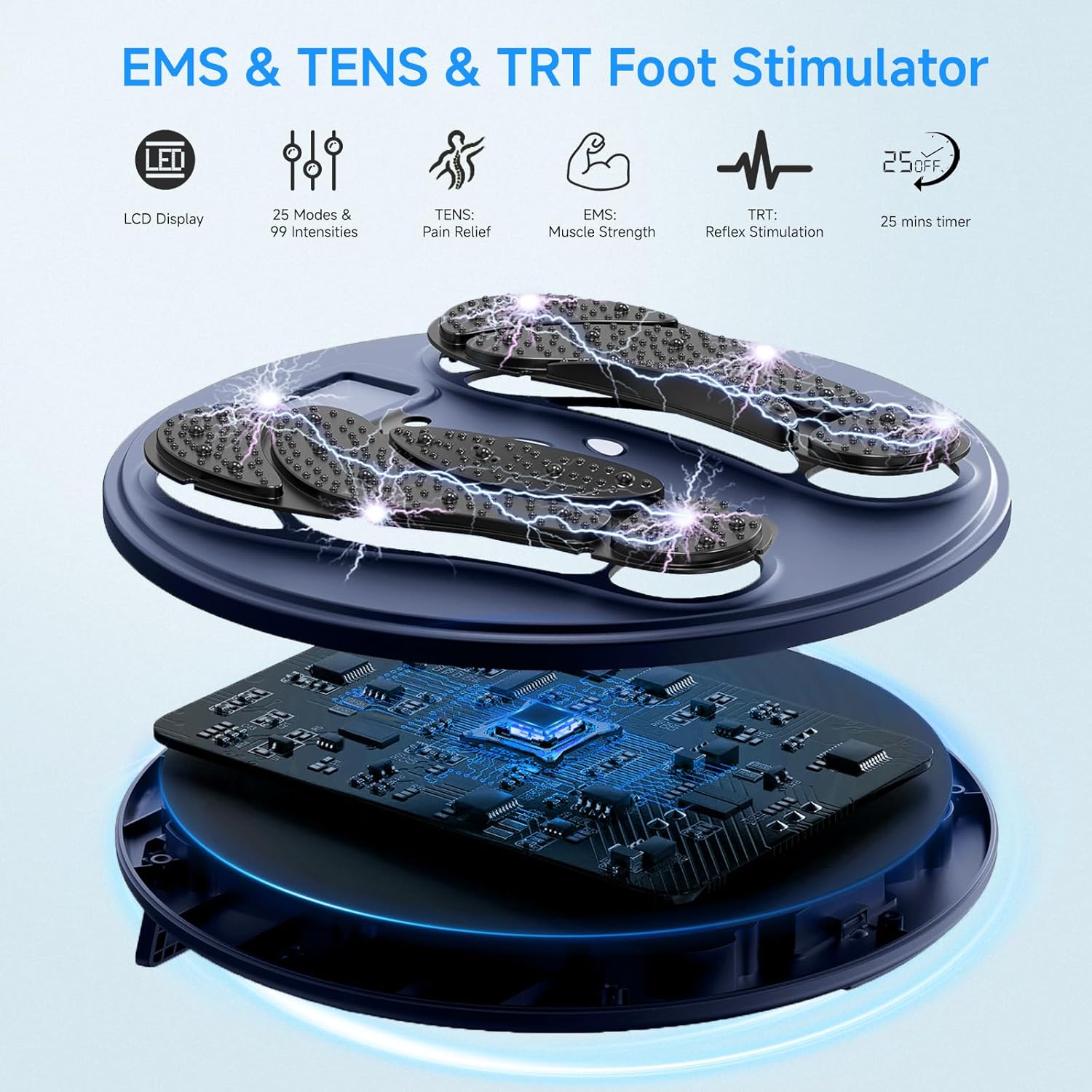
Image: Internal components and key features of the foot stimulator.

Image: Physical dimensions and design features, including the remote control.
Setup
- Prepare Your Feet: For enhanced electrical conductivity, you may soak your feet in warm water prior to use. Ensure your feet are clean and dry before placing them on the device.
- Position the Device: Place the foot stimulator on a flat, stable surface.
- Place Your Feet: Place both bare feet on the designated footpads of the machine. The device requires contact from both feet to function correctly.
- Power On: Press the power button on the device or use the remote control to turn the unit on.

Image: Visual guide for preparing and setting up the foot stimulator.
Operating Instructions
The NENRENT EMS/TENS Foot Stimulator offers multiple modes and intensity levels to customize your therapy session. It can be controlled wirelessly via the included remote control, eliminating the need to bend over.
Mode Selection
After powering on the device, select your desired mode using the 'M' button on the unit or the remote control. The device offers various modes simulating different physical therapies.
Intensity Adjustment
Adjust the intensity level using the '+' and '-' buttons on the unit or the remote control. Start with a low intensity and gradually increase it to a comfortable level. The device features 50 intensity levels to suit individual preferences.
Automatic Shut-off
For safety and convenience, the device features a 30-minute automatic shut-off function. This ensures that sessions do not exceed recommended durations.

Image: Detailed breakdown of the 10 available modes and 50 intensity levels.
Maintenance
Proper maintenance ensures the longevity and optimal performance of your NENRENT EMS/TENS Foot Stimulator.
Cleaning
- Before cleaning, ensure the device is powered off and disconnected from any power source.
- Wipe the surface of the device with a soft, damp cloth. Do not use abrasive cleaners, solvents, or harsh chemicals.
- Ensure no liquid enters the control panel or charging port.
- Allow the device to air dry completely before storage or next use.
Storage
- Store the device in a cool, dry place away from direct sunlight and extreme temperatures.
- Keep the device out of reach of children and pets.
- If storing for an extended period, ensure the device is fully charged before storage and recharge periodically to maintain battery health.
Troubleshooting
If you encounter any issues with your NENRENT EMS/TENS Foot Stimulator, please refer to the following common solutions:
- Device does not power on: Ensure the device is fully charged. If using for the first time or after a long period of disuse, charge it for at least 2-3 hours.
- No sensation or weak stimulation:
- Ensure both bare feet are firmly placed on the footpads. The device requires complete contact to create a circuit.
- Increase the intensity level gradually.
- Ensure your feet are clean and adequately moisturized for better conductivity.
- Remote control not working: Check if the remote control's battery needs replacement. Ensure there are no obstructions between the remote and the device.
- Uncomfortable sensation: Reduce the intensity level. If discomfort persists, discontinue use and consult a healthcare professional.
If these steps do not resolve the issue, please contact customer service for further assistance.
Specifications
| Feature | Detail |
|---|---|
| Product Dimensions | 13 x 13 x 1.6 inches |
| Item Weight | 2.65 Pounds (1.2 Kilograms) |
| Model Number | AST-300W |
| Power Source | Battery Powered |
| Target Use Body Part | Feet |
| Massager Form | Foot Massager Machine |
| Specific Uses For Product | Plantar Fasciitis, Neuropathy, Circulation |
| Product Benefits | Pain Relief, Muscle Therapy, Blood Flow Control |
| Is Product Cordless | Yes |
| Battery Average Life | 30 minutes (per session) |
| Material Type | Plastic |
| Color | Dark Blue |
Warranty and Support
NENRENT offers a 30-day hassle-free return policy for this product. Additionally, it comes with a lifetime limited warranty, ensuring peace of mind regarding manufacturing defects and performance issues.
For any questions, concerns, or technical support, please contact our 24/7 online customer service. Refer to the contact information provided in your product packaging or visit the official NENRENT website for support details.