
Introduction
Welcome to your LUDOS ZENITH Wired Earbuds. These in-ear headphones are designed to provide clear audio and reliable performance across a wide range of devices. This manual provides essential instructions for setup, operation, maintenance, and troubleshooting to ensure optimal use of your earbuds.
Package Contents
Upon unboxing your LUDOS ZENITH Wired Earbuds, please ensure all the following items are present:
- 1x LUDOS ZENITH Earphones (with integrated cable)
Setup
Follow these steps to connect your LUDOS ZENITH Wired Earbuds to your device:
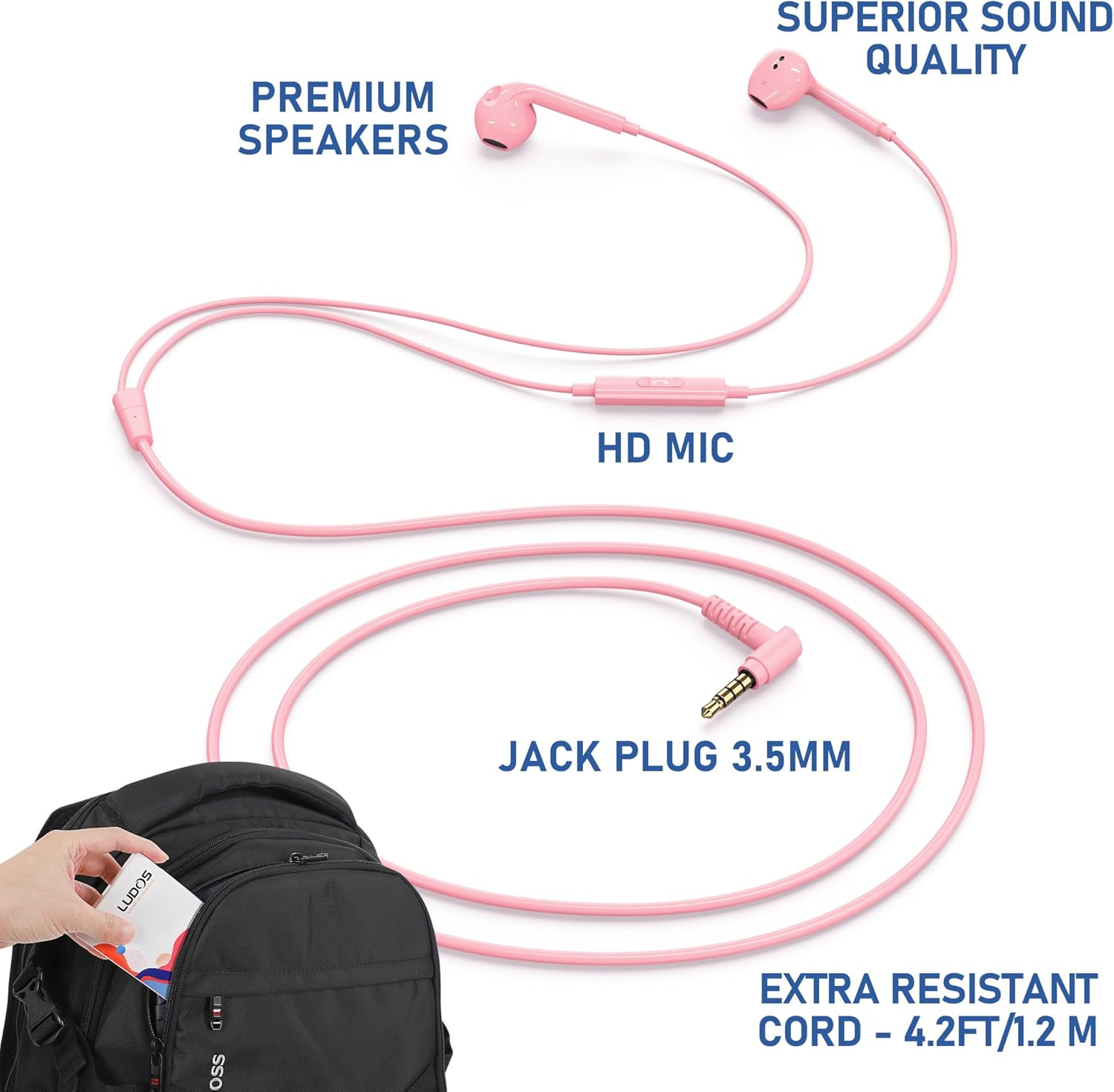
- Identify the Audio Port: Locate the 3.5mm audio jack on your desired device (e.g., smartphone, laptop, tablet, gaming console controller).
- Connect the Earbuds: Insert the 3.5mm jack plug of the LUDOS ZENITH earbuds firmly into the device's audio port.
- Adapter Requirement: For devices that do not feature a 3.5mm audio jack (e.g., some newer smartphones with only USB-C or Lightning ports), a compatible adapter (not included) will be necessary. Connect the earbuds to the adapter, then connect the adapter to your device's port.
Operating Instructions
Once connected, your LUDOS ZENITH Wired Earbuds are ready for use. Here’s how to operate them:
Wearing the Earbuds
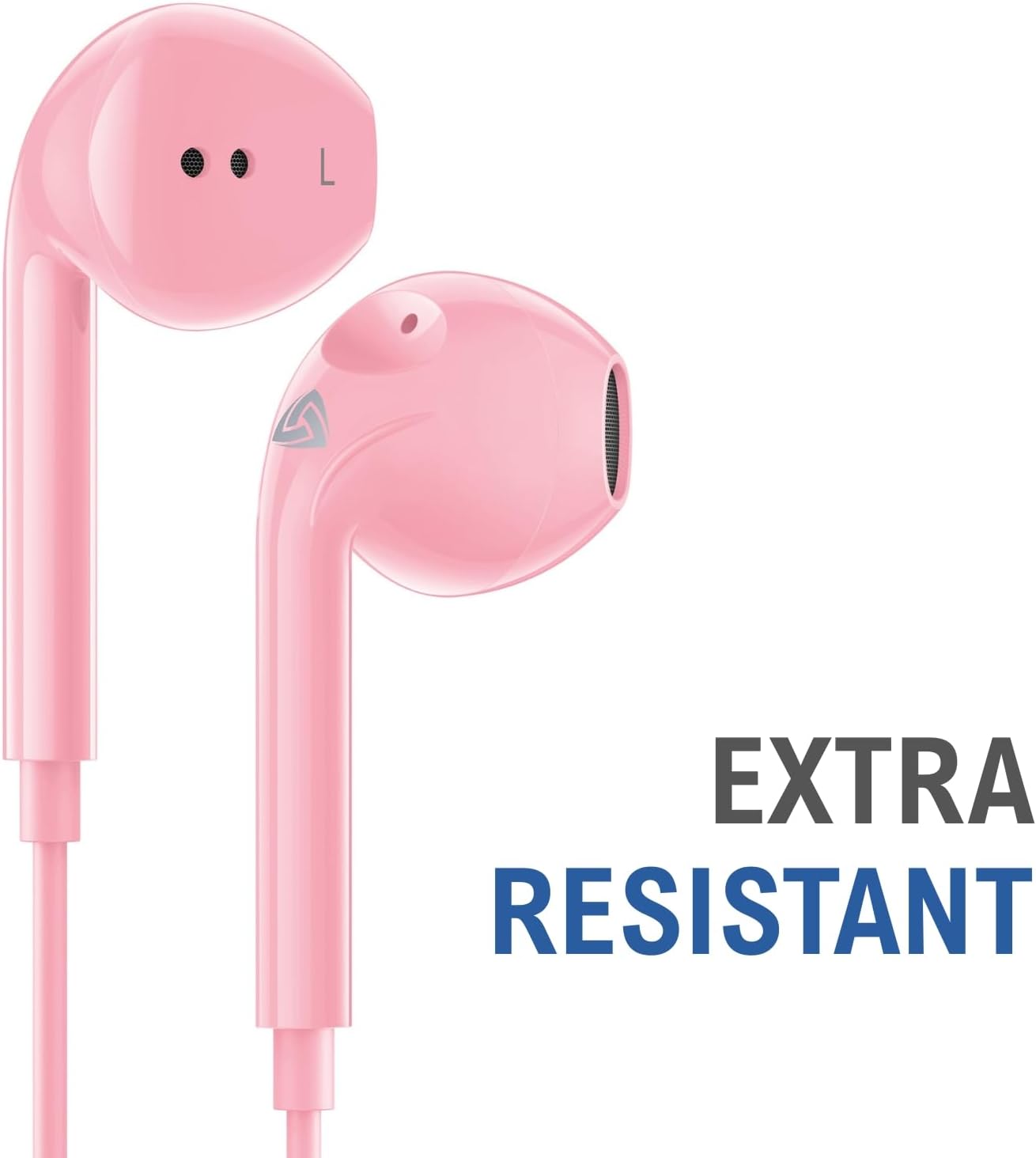
- Identify the 'L' (Left) and 'R' (Right) markings on each earbud.
- Gently insert each earbud into the corresponding ear canal. Adjust their position until they feel comfortable and secure.
In-line Control Unit
The earbuds feature an in-line control unit with a single button and an integrated microphone for convenient management of audio and calls.
- Play/Pause Audio: Press the button once to play or pause your music or other audio content.
- Answer/End Call: Press the button once to answer an incoming phone call or to end an active call.
- Next Track: Press the button twice quickly to skip to the next audio track.
- Previous Track: Press the button three times quickly to return to the beginning of the current track or to the previous track.
- Volume Adjustment: The in-line control unit does not include dedicated volume adjustment buttons. Please adjust the volume directly on your connected device.

Microphone Usage
The integrated HD microphone is designed for clear voice capture. During calls or voice recordings, ensure the microphone is positioned to face your mouth for optimal clarity.
Features
The LUDOS ZENITH Wired Earbuds offer several key features for an enhanced audio experience:
- Superior Sound Quality: Experience detailed and balanced audio for music, movies, and calls.
- Integrated HD Microphone: Ensures clear voice transmission for effective communication.
- Comfortable In-Ear Design: Lightweight and ergonomically shaped for a secure and comfortable fit, even during prolonged use.
- Extra Resistant, Tangle-Free Cord: The durable 4.2ft (1.3m) cable is designed to resist tangling, enhancing longevity and ease of storage.
- Passive Noise Isolation: The in-ear design helps to reduce ambient noise, allowing you to focus on your audio while maintaining some awareness of your surroundings.
Compatibility
The LUDOS ZENITH Wired Earbuds are broadly compatible with devices featuring a 3.5mm audio jack:
- Smartphones & Tablets: iPhone 5 and 6, iPad Mini/Air, Samsung S8/S9/S10, Galaxy M02s/F02s, M62/F62, A32/A52/A72, Note 8/9/10, iPod touch, Huawei, One Plus, and most other Android devices.
- Computers: PC, Laptops, MacBooks, Chromebooks.
- Gaming Consoles: PS4, Xbox One, Nintendo Switch (via controller 3.5mm port).
- Note: Newer generation iPhones (iPhone 7 and above) and some USB-C only devices require a separate Lightning to 3.5mm adapter or USB-C to 3.5mm adapter, respectively (adapters not included).

Maintenance and Care
To ensure the longevity and optimal performance of your LUDOS ZENITH Wired Earbuds, follow these care guidelines:
- Cleaning: Gently wipe the earbuds and cable with a soft, dry cloth. Avoid using harsh chemicals, solvents, or abrasive materials. Do not immerse the earbuds in water or any other liquid.
- Storage: When not in use, store your earbuds in the provided mesh pouch or a protective case to prevent tangling, knotting, and physical damage.
- Handling: Avoid pulling the cable forcefully when disconnecting from a device. Always grasp the plug itself. Do not bend the cable excessively, especially near the connectors, to prevent internal wire damage.
- Environment: Keep the earbuds away from extreme temperatures, high humidity, and direct sunlight.
Troubleshooting
If you encounter any issues with your LUDOS ZENITH Wired Earbuds, please refer to the following common solutions:
- No Sound or Intermittent Audio:
- Ensure the 3.5mm jack is fully and securely inserted into your device's audio port.
- Check the volume settings on your connected device to ensure it is not muted or set too low.
- Test the earbuds with a different audio source or device to determine if the issue is with the earbuds or the original device.
- Poor Sound Quality (Distortion, Muffled Sound):
- Inspect the earbud speakers for any debris or earwax buildup. Gently clean if necessary.
- Check the cable and connectors for any visible damage or kinks.
- Try a different audio file or streaming service to rule out source quality issues.
- Microphone Not Working:
- Verify that the 3.5mm jack is fully inserted.
- Check your device's audio input settings to ensure the external microphone is selected and not muted.
- Test the microphone with a different application or device to isolate the problem.
- In-line Control Button Not Responding:
- Ensure the earbuds are properly connected to your device.
- Restart your connected device.
- Confirm that the device and application you are using support the in-line control functions.
Specifications
| Feature | Specification |
|---|---|
| Brand | LUDOS |
| Model | ZENITH |
| Color | Pink |
| Ear Placement | In Ear |
| Form Factor | In Ear |
| Impedance | 32 Ohms |
| Cable Length | 4.2 ft / 1.3 m |
| Connectivity Technology | Wired (3.5mm Jack) |
| Additional Features | Tangle Free Cord, Microphone Included, Noise Isolation, Call Control |
| Material | Thermoplastic Elastomer (TPE) |
| Item Weight | 0.02 Kilograms |
Warranty and Support
LUDOS ZENITH Wired Earbuds come with a 2-year warranty. For any questions, technical assistance, or warranty claims, please contact LUDOS customer support. Support is available 24/7 to assist you with your product.
For more information or to contact support, please visit the official LUDOS website or refer to the contact details provided with your product packaging.