
1. Introduction
This manual provides essential information for the installation, operation, and maintenance of your MSI GeForce RTX 5070 12G SHADOW 2X OC graphics card. Please read this guide thoroughly before proceeding with installation to ensure proper functionality and to prevent damage to your system components.
2. Safety Information
- Always disconnect the power supply from your computer before installing or removing any hardware components.
- Wear an anti-static wrist strap or frequently touch a grounded metal object to discharge static electricity, which can damage electronic components.
- Handle the graphics card by its edges to avoid touching sensitive components.
- Ensure adequate ventilation within your computer case to prevent overheating.
- Keep the graphics card away from moisture and extreme temperatures.
3. Package Contents
Verify that your package contains the following items:
- MSI GeForce RTX 5070 12G SHADOW 2X OC Graphics Card
- Quick Start Guide (this document)
- Driver CD/DVD (or instructions for online download)
- Power adapter cable (if required for your power supply configuration)
If any items are missing or damaged, please contact your retailer.
4. Product Overview
The MSI GeForce RTX 5070 12G SHADOW 2X OC is a high-performance graphics card designed for desktop computers. It features a dual-fan cooling system and multiple display outputs.
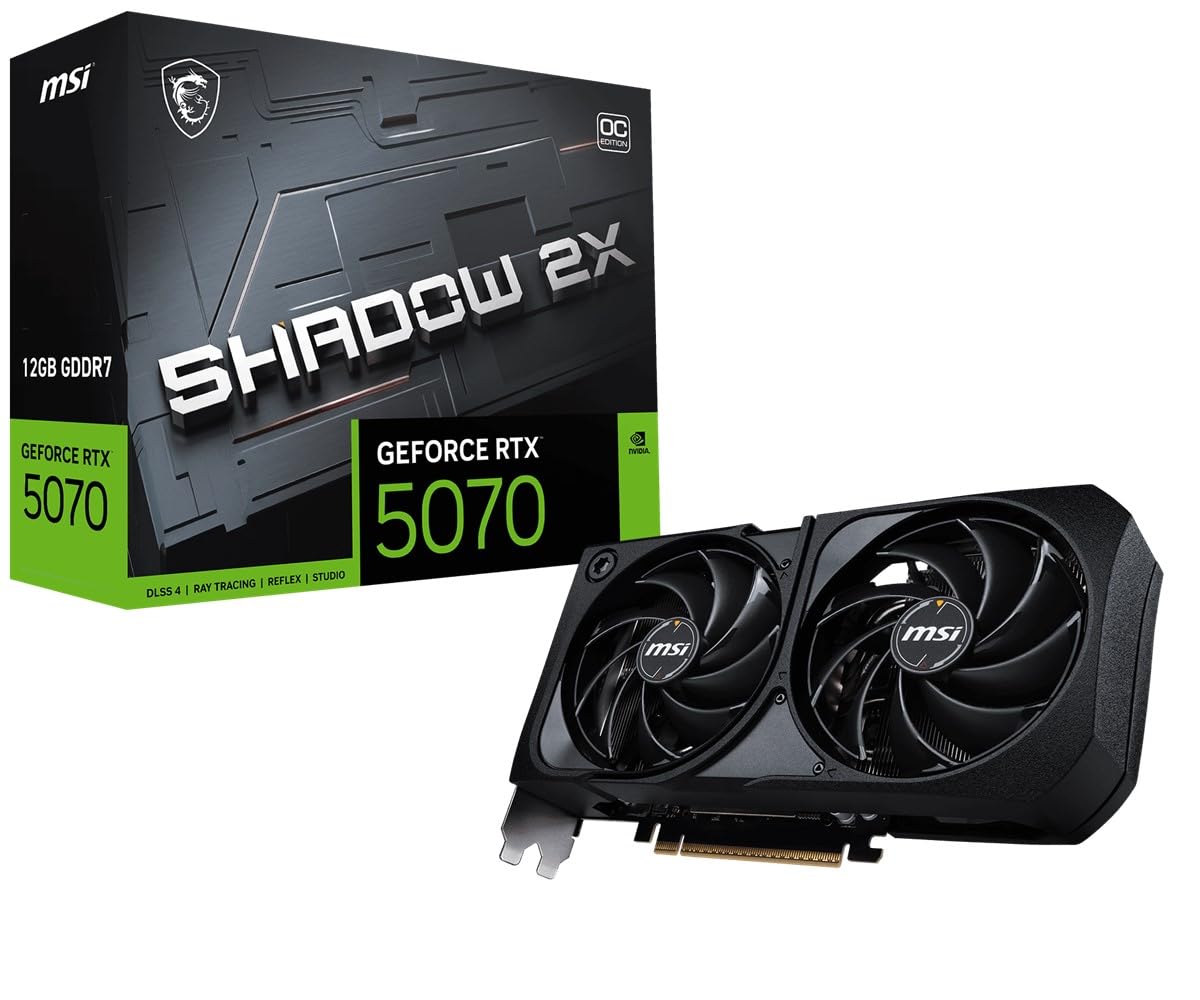
Figure 4.1: Front view of the graphics card, highlighting the dual-fan cooling system.

Figure 4.2: Side view of the graphics card, displaying the 'GEFORCE RTX' logo and heatsink design.

Figure 4.3: Rear I/O panel with DisplayPort and HDMI connectors.
5. Setup
5.1 Pre-installation Checks
- Power Supply: Ensure your power supply unit (PSU) meets the minimum wattage requirements for the RTX 5070 and has the necessary PCIe power connectors. Refer to the specifications section for power requirements.
- Motherboard: Confirm your motherboard has an available PCI Express x16 slot.
- Case Clearance: Check that your computer case has sufficient space for the graphics card's dimensions (23.1 cm x 12.6 cm).
5.2 Physical Installation
- Power off your computer and unplug the power cord from the wall outlet.
- Open your computer case.
- Locate an empty PCI Express x16 slot on your motherboard. Remove any expansion slot covers that obstruct the installation.
- Carefully align the graphics card with the PCIe slot and press it down firmly until it is securely seated. A click may be heard.
- Secure the graphics card to the case with screws.
- Connect the required PCIe power cables from your power supply to the graphics card. Ensure all connectors are fully seated.
- Close your computer case.
- Reconnect the power cord and turn on your computer.
5.3 Driver Installation
- After booting into your operating system, if a display is shown, proceed to download the latest drivers.
- Visit the official MSI support website or NVIDIA's official driver download page.
- Select your graphics card model (GeForce RTX 5070) and operating system.
- Download and run the driver installer. Follow the on-screen instructions to complete the installation.
- Restart your computer after the driver installation is complete.
6. Operating
6.1 Connecting Displays
Connect your monitor(s) to the DisplayPort or HDMI outputs on the graphics card. The card supports multiple displays simultaneously.
- DisplayPort: For high-resolution and high-refresh-rate monitors.
- HDMI: Commonly used for TVs and monitors, supporting various resolutions and audio passthrough.
6.2 Display Settings
Once drivers are installed, you can configure display settings through your operating system's display settings or the NVIDIA Control Panel. Here you can adjust resolution, refresh rate, and multi-monitor setups.
7. Maintenance
7.1 Cleaning
Regular cleaning helps maintain optimal performance and extends the lifespan of your graphics card.
- Dust Removal: Periodically use compressed air to clear dust from the fans and heatsink fins. Ensure the computer is powered off and unplugged before cleaning.
- Fan Blades: Gently clean fan blades with a soft brush if dust accumulation is significant. Hold the fan blades in place to prevent them from spinning during cleaning.
7.2 Driver Updates
Keep your graphics drivers updated to ensure compatibility with the latest games and applications, and to benefit from performance improvements and bug fixes. Check the NVIDIA website regularly for new driver releases.
8. Troubleshooting
If you encounter issues with your graphics card, refer to the following common troubleshooting steps:
- No Display Output:
- Ensure the monitor cable is securely connected to both the graphics card and the monitor.
- Verify that the graphics card is fully seated in the PCIe slot and all power cables are connected.
- Test with a different monitor or cable if possible.
- System Instability/Crashes:
- Ensure your drivers are up to date. Consider performing a clean driver installation.
- Check your power supply unit (PSU) to ensure it provides sufficient and stable power.
- Monitor GPU temperatures using software like MSI Afterburner to check for overheating.
- Poor Performance:
- Ensure your display is connected to the graphics card, not the motherboard's integrated graphics.
- Verify that your game or application settings are not excessively high for your hardware.
- Check for background applications consuming system resources.
9. Specifications
| Feature | Specification |
|---|---|
| Model Name | GeForce RTX 5070 12G SHADOW 2X OC |
| Part Number | V532-005R |
| Graphics Coprocessor | NVIDIA GeForce RTX 5070 |
| Brand | MSI |
| Graphics RAM Size | 12 GB |
| GPU Clock Speed | 2.54 GHz |
| Video Output Interface | DisplayPort, HDMI |
| Graphics RAM Type | GDDR6X |
| Compatible Devices | Desktop |
| Video Card Interface | PCI Express |
| Memory Clock Speed | 28 GHz |
| GPU Series | NVIDIA RTX 50 Series |
| Maximum Display Resolution | 7680 x 4320 |
| Item Dimensions (L x W) | 23.1 cm x 12.6 cm |
| Included Components | Graphics card |
| Item Weight | 724 Grams |
10. Warranty and Support
10.1 Warranty Information
This MSI GeForce RTX 5070 12G SHADOW 2X OC graphics card comes with a 1-year manufacturer's warranty. Please retain your proof of purchase for warranty claims. The warranty covers defects in materials and workmanship under normal use.
10.2 Technical Support
For technical assistance, driver downloads, or further product information, please visit the official MSI support website:
You may also contact the manufacturer directly:
Micro-Star INT'L CO., LTD.No.69, Lide St., Zhonghe Dist.,
New Taipei City 235, Taiwan
http://www.msi.com.


