
PGST PGST A105F
PGST Smart Home Security System User Manual
Model: PGST A105F
Brand: PGST
Introduction
This user manual provides comprehensive instructions for the installation, operation, and maintenance of your PGST Smart Home Security System. Designed for ease of use and robust protection, this wireless alarm system offers real-time alerts, multiple alarm modes, and compatibility with smart home assistants like Alexa and Google Assistant. Ensure you read this manual thoroughly before setting up and using your system.
Key Features
- Real-Time Alerts & No Monthly Fees: Receive instant notifications via the Smart Life Tuya App (iOS/Android) and calls/messages from the 4G GSM card during emergencies. No hidden costs or recurring charges.
- Multiple Alarm Modes: Features loud sound alarms with siren and supports Arm/Disarm/Stay at Home modes via the app.
- Intelligent & Precise Control: Accurately detects intrusions and can be expanded with additional PGST accessories like smoke detectors and security cameras.
- Easy DIY Installation: Simple to install in key areas of your home, user-friendly for all ages.
- Voice Control: Compatible with Amazon Alexa and Google Assistant for convenient arming and disarming.
- 2.4-inch TFT Colorful Display Screen: Provides clear information and easy navigation.
- Support for 11 Languages: Multi-language menu display, voice operation prompts, and alarm SMS settings.
- Anti-demolition Alarm Function: Alerts if the host unit is tampered with or removed.
- Wireless Sensor Battery Low Alarm: Notifies you via app when door magnet or infrared sensors have low battery.
Components Included
The 8-piece kit includes:
- 1 x PGST A105F Alarm System Host
- Additional sensors and accessories as part of the 8-piece kit (e.g., door alarms, motion detector, remote controls, RFID tags, SOS button).

Image: Overview of the PGST Smart Home Security System 8-piece kit, showing the main control panel, motion sensor, door/window sensor, remote controls, RFID tags, and an SOS button.
Setup
Initial Setup & Network Configuration
The PGST Smart Home Security System is designed for easy DIY installation. Follow these steps to configure your network:

Image: Diagram showing two methods for network configuration: Method 1 (Soft AP Configure) and Method 2 (Airlink Configure), detailing host and phone operations.
- Power On: Connect the main alarm host to a power source.
- Download App: Download the "Smart Life" or "Tuya Smart" app from your device's app store (iOS/Android).
- Register/Login: Create an account or log in to the app.
- Add Device: In the app, select "Add Device" and choose the security system.
- Network Configuration (Method 1 - Soft AP):
- On the Host: Go to Menu -> Wi-Fi -> Soft AP Configure.
- On your Phone: Connect to Wi-Fi (2.4GHz), enable Bluetooth, open the Smart Life APP, and select "Add devices".
- Network Configuration (Method 2 - Airlink):
- On the Host: Go to Menu -> Wi-Fi -> Airlink Configure.
- On your Phone: Connect to Wi-Fi (2.4GHz), open the Smart Life APP, select "Add devices", then "Alarm", "Wi-Fi", and "Blink Quickly".
- Pair Sensors: Follow the app's instructions to pair included sensors (door/window sensors, motion detectors, etc.) with the main alarm host.
- Placement: Strategically place sensors in key areas of your home, such as entry points and high-traffic zones.
Sensor Installation Tips
- Door/Window Sensors: Install on the frame and moving part of doors and windows. Ensure alignment for proper detection.
- Motion Detectors: Mount in corners or on walls to cover a wide area, typically 6-8 feet high. Avoid direct sunlight or heat sources.
- Siren: Place in a central location or outdoors (if weather-resistant) for maximum sound projection.
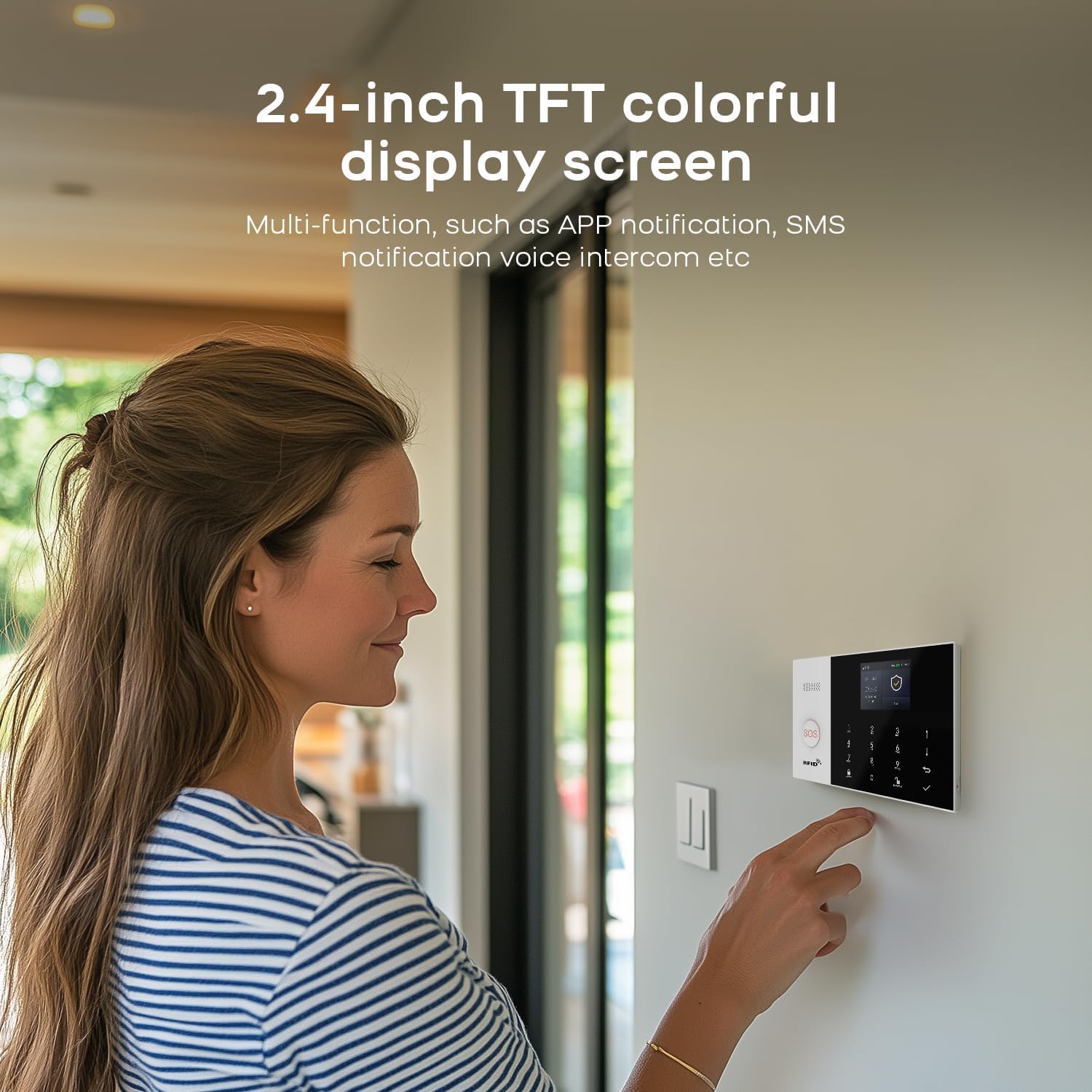
Image: A woman interacting with the 2.4-inch TFT colorful display screen of the PGST security system, highlighting its multi-functionality.
Operating Instructions
Arming and Disarming
The system offers flexible arming and disarming options:
- App Control: Use the Smart Life/Tuya App to remotely arm, disarm, or set "Stay at Home" mode.
- Keypad: Enter your PIN on the main alarm host keypad to arm or disarm.
- Remote Control: Use the provided remote controls for quick arming/disarming.
- Voice Control: Integrate with Amazon Alexa or Google Assistant to arm or disarm using voice commands (e.g., "Alexa, arm my home").

Image: A woman and a dog in a living room, demonstrating voice control compatibility with Amazon Alexa and Google Assistant for the PGST security system.
Alarm Notifications
When an alarm is triggered, the system provides immediate notifications:
- App Push Alerts: Receive instant notifications on your smartphone via the Smart Life/Tuya App.
- 4G GSM Card Alerts: If a 4G GSM card is inserted, the system can call or send SMS messages to pre-set numbers.
- Siren: The system's siren will emit a loud sound to deter intruders and alert occupants.

Image: Illustration showing the PGST security system dialing pre-set alarm calls and sending messages to multiple contacts when an emergency occurs.
SOS Alarm Function
The system includes an SOS button for immediate assistance in emergencies, particularly useful for the elderly or those needing quick help.
Video: Demonstrates the SOS alarm function, showing a person pressing an SOS button and the immediate alert received on a smartphone, enabling timely assistance.
Doorbell Prompt Function
Utilize the smart intercom feature to communicate with visitors or delivery personnel, ensuring you never miss a package.
Video: Illustrates the doorbell prompt feature, showing a delivery person leaving a package, a user pressing a smart doorbell, and a person receiving a video call on their smartphone to communicate with the delivery person.
Water Immersion Detection
The water immersion detector alerts you when water levels exceed a set threshold, preventing potential damage from leaks or floods.
Video: Shows a water immersion detector in a bathroom, demonstrating how it triggers an alarm when water levels rise, indicating a potential flood or leak.
Smoke Detection
The smoke detector provides early warning of fire hazards, sending alarms directly to your mobile phone.
Video: Illustrates the smoke detector in a kitchen, showing it activating and sending an alarm to a mobile phone when smoke is detected, allowing for timely intervention.
Solar Siren Integration
For enhanced security, the system can integrate with a solar siren, providing a high-decibel alarm sound outdoors.
Video: Demonstrates the solar siren installed on an exterior wall, emitting a loud alarm sound when triggered by the security system.
Maintenance
- Battery Check: The system will notify you via the app if wireless sensors (door magnet, infrared) have low battery. Replace batteries promptly to ensure continuous protection.
- Regular Cleaning: Gently wipe the main alarm host and sensors with a soft, dry cloth to remove dust. Avoid using abrasive cleaners or liquids.
- Firmware Updates: Check the Smart Life/Tuya App regularly for any available firmware updates for your system to ensure optimal performance and security.

Image: Illustrates the wireless sensor low battery alarm, showing how door magnets and infrared sensors send low voltage signals to the host, which then pushes information to the user through the app.
Troubleshooting
- Setup Difficulties: If you encounter issues during setup, refer to the "Setup" section or contact customer support. Operation videos can be provided if necessary.
- Connectivity Issues: Ensure your Wi-Fi network is 2.4GHz (5G Wi-Fi is not supported). Check your internet connection and the system's Wi-Fi status.
- Sensor Not Triggering: Verify that sensors are correctly paired and installed. Check battery levels for wireless sensors.
- App Not Receiving Alerts: Ensure the Smart Life/Tuya App has necessary permissions (notifications, background data) on your smartphone. Check your phone's internet connection.
Specifications
| Attribute | Value |
|---|---|
| Brand | PGST |
| Model Number | PGST A105F |
| Power Source | Battery Powered |
| Compatible Devices | Smartphone |
| Item Dimensions (L x W x H) | 8 x 6 x 4 inches |
| Connectivity Technology | Wireless |
| Alert Type | Motion Only (expandable) |
| Control Method | App |
| Unit Count | 8.0 Count (for 8-piece kit) |
| UPC | 704444503096 |
| Item Weight | 1.39 pounds |
Warranty and Support
PGST offers a 1-Year Warranty for this Smart Home Security System. If you have any questions, require assistance with setup, or encounter any issues, please feel free to contact PGST customer support. Quality is our top priority, and every product undergoes rigorous multi-stage testing to ensure compliance with international safety standards.
For further assistance, you may also refer to the PGST Store on Amazon for additional resources and contact information.
Related documentsPGST A105F


Ask a question about this manual
Ask about setup, troubleshooting, compatibility, parts, safety, or missing instructions. Manuals+ will review the question and use this page’s manual context to help answer it.