
Introduction
The aeac Smart Watch IDW19 is a versatile wearable device designed for both men and women, compatible with Android and iPhone devices. It features a 1.8-inch touch screen, built-in Alexa, and comprehensive health and fitness tracking capabilities. This manual provides essential information for setting up, operating, and maintaining your smartwatch.
What's in the Box
- Smartwatch Body ×1
- Smartwatch Band ×1
- Smartwatch Manual ×1
- Smartwatch Charging Cable ×1

Image: Contents of the aeac Smart Watch IDW19 packaging.
Setup
1. Initial Charging
Before first use, fully charge your smartwatch. Connect the magnetic charging cable to the charging points on the back of the watch and plug the USB end into a power adapter (not included). A full charge takes approximately 2 hours and provides 7-10 days of daily use.
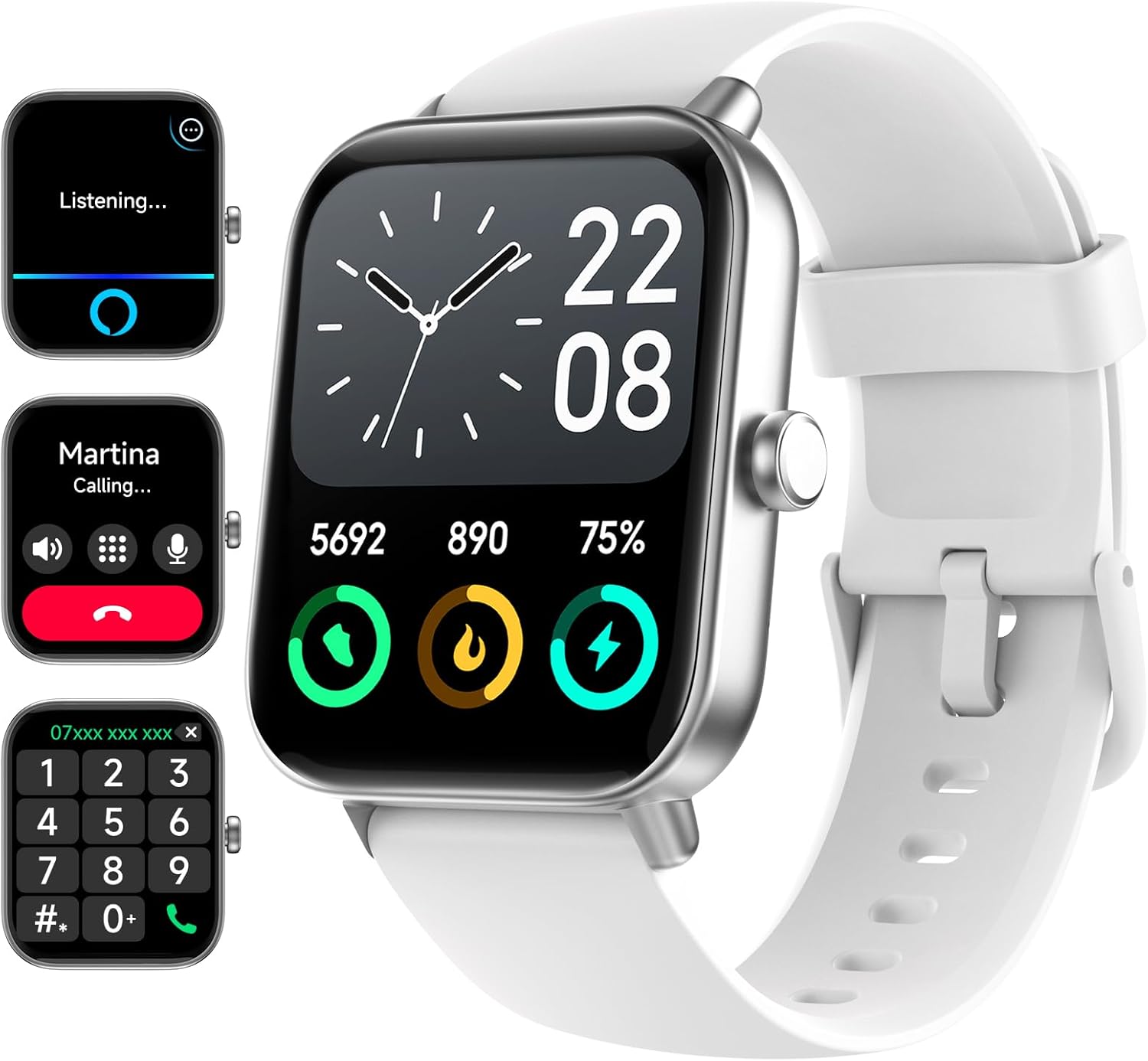
Image: The aeac Smart Watch IDW19 displaying its interface.
2. App Installation and Pairing
- Download the 'Veryfit' app from your smartphone's app store (compatible with iOS 9.0 or above, Android 6.0 or above).
- Open the app and follow the on-screen instructions to create an account or log in.
- Enable Bluetooth on your smartphone.
- In the 'Veryfit' app, search for your aeac Smart Watch IDW19 and pair it. Ensure the device name matches.
- Once paired, the watch will synchronize with your phone, and you can customize settings and view data within the app.
Operating the Smart Watch
1. Basic Navigation
- Swipe Up/Down: Scroll through menus and notifications.
- Swipe Left/Right: Access quick functions or widgets.
- Tap: Select an item or open an application.
- Side Button: Press to return to the home screen or wake the device.
2. Call Management
With Bluetooth 5.3, the smartwatch allows you to manage calls directly from your wrist. You can make, answer, or reject calls. Please note that the smartwatch cannot send messages or reply to texts.

Image: On-wrist connection features, showing call history, dialer, and message reminders.
3. Notifications
Receive instant notifications from apps like Facebook, Instagram, WhatsApp, and Snapchat directly on your wrist when your phone is nearby.
4. Alexa Voice Assistant
Utilize the built-in Alexa voice assistant for various tasks, including setting alarms, checking the weather, or controlling your music with simple voice commands.
5. Watch Face Customization
Personalize your smartwatch with a variety of watch faces available through the 'Veryfit' app. You can choose from over 160 options, including personalized photo backgrounds.

Image: Two aeac Smart Watches, demonstrating customizable watch faces.
Health Monitoring
The aeac Smart Watch IDW19 uses advanced sensors to provide 24/7 accurate health monitoring.
1. Heart Rate Monitoring
Continuously monitors your heart rate, providing insights into your cardiovascular health and helping you optimize workout intensity.

Image: 24/7 Heart Rate monitoring feature displayed on the smartwatch and companion app.
2. Blood Oxygen (SpO2) Monitoring
Tracks your blood oxygen levels, helping you understand important changes in your body. Note: This function should not be used for medical purposes. The SpO2 feature requires more frequent charging.

Image: Blood Oxygen Levels Monitor feature on the smartwatch and companion app.
3. Sleep Monitoring
Automatically analyzes your sleep stages (deep, light, and awake) and provides detailed sleep reports in the 'Veryfit' app to help optimize your rest and recovery. You can also set a smart alarm to gently wake you up during your optimal sleep stage.

Image: Sleep tracking and sleep score feature for building better bedtime habits.
4. Stress Level Monitoring
Understand how your body handles stress with a daily Stress Management Score, helping you learn to respond to stress in a healthier way.

Image: Keep Stress in Check feature, displaying daily stress management score.
5. Menstrual Cycle Tracking
Log menstrual cycles to gain predictive insights for family planning and fertility tracking. Receive notifications about impending periods, ovulation windows, and fertile days.

Image: Menstrual Cycle Tracking feature on the companion app.
Fitness Tracking
The aeac Smart Watch IDW19 is your comprehensive workout companion.
1. Sport Modes
Choose from over 110 sport modes, including running, swimming, cycling, yoga, and soccer. The watch accurately records daily statistics such as steps, distance, calories burned, and active minutes.

Image: Over 100 sport modes and daily readiness score for effective workouts.
2. Waterproof Design
With IP68 waterproof protection, you can wear the watch during swimming and other water-based activities.

Image: The 'Move More' feature, highlighting activity tracking and sedentary reminders.
3. Daily Readiness Score
Optimize your workout routine with a Daily Readiness Score that indicates if you are ready to exercise or should prioritize recovery.
Other Functions
The aeac Smart Watch IDW19 is equipped with many additional functions:
- Remote Camera Control
- Music Control
- Weather Forecasts
- Alarm Clocks
- Flashlight
- Pedometer
- Calculator

Image: Weather forecast displayed on the smartwatch.

Image: Flashlight feature of the smartwatch.
Maintenance
1. Charging
To maintain optimal battery life, ensure the watch is fully charged when indicated. The 350mAh battery provides extended use, and regular charging helps preserve its capacity.
2. Cleaning
Wipe the watch screen and band regularly with a soft, damp cloth to remove dirt and sweat. Avoid using harsh chemicals or abrasive materials.
3. Water Resistance
The IP68 rating means the watch is resistant to dust and can withstand immersion in water up to 1.5 meters for up to 30 minutes. After exposure to water, especially saltwater, rinse the watch with fresh water and dry it thoroughly to prevent corrosion.
Troubleshooting
If you encounter issues with your aeac Smart Watch IDW19, consider the following:
- Connectivity Problems: Ensure Bluetooth is enabled on your phone and the watch is within range. Restart both devices and attempt to re-pair.
- App Synchronization Issues: Check that the 'Veryfit' app is up to date and running in the background. Ensure your phone has a stable internet connection.
- Inaccurate Readings: Ensure the watch is worn snugly on your wrist. Clean the sensors on the back of the watch.
- Battery Draining Quickly: Reduce screen brightness, disable unnecessary notifications, and limit continuous heart rate monitoring if not needed.
For further assistance, refer to the support information provided in the Warranty & Support section.
Specifications
| Feature | Detail |
|---|---|
| Model Number | IDW19 |
| Product Dimensions | 7.87 x 1.57 x 0.39 inches |
| Item Weight | 3.2 ounces |
| Screen Size | 1.8 Inches |
| Screen Type | HD Touch Screen |
| Shape | Rectangular |
| Operating System | Android Phone / iOS Phone compatible |
| Memory Storage Capacity | 480 MB |
| Battery Capacity | 350 Milliamp Hours |
| Battery Type | Lithium Polymer (1 D battery included) |
| Connectivity Technology | Bluetooth |
| Wireless Communication Standard | Bluetooth |
| GPS | Via Smartphone |
| Waterproof Rating | IP68 |
Warranty & Support
aeac is committed to providing excellent customer service and product reliability.
- Warranty: 3-Year warranty provided.
- Free Replacement: 2 Years free replacement.
- Return Policy: 7 days no reason to return.
- Technical Support: 24/7 lifetime tech support available.
- Customer Service: Quick service via email for any problems you encounter.

Image: aeac customer service and warranty commitments.
Please feel free to reach out to aeac for any issues or questions regarding your smartwatch.


