
Introduction
Thank you for choosing the Monster Open Ear AC390 Headphones. These wireless earbuds are designed to provide a rich audio experience with an open-ear design for comfort and situational awareness. Featuring Bluetooth 6.0 connectivity, IPX5 water resistance, and a rotating charging case, the AC390 offers convenience and performance for various activities. This manual provides detailed instructions for setup, operation, maintenance, and troubleshooting to ensure optimal use of your device.
What's in the Box
Please check the package contents to ensure all items are present:
- Open Ear AC390 Wireless Earbuds x2
- Charging Case x1
- USB-C Charging Cable x1
- User Instructions x1

Image: The Monster Open Ear AC390 Headphones package contents, showing the earbuds, charging case, USB-C cable, and user manual.
Product Overview
The Monster Open Ear AC390 Headphones feature an ergonomic design and advanced audio technology. Below are key components and features:
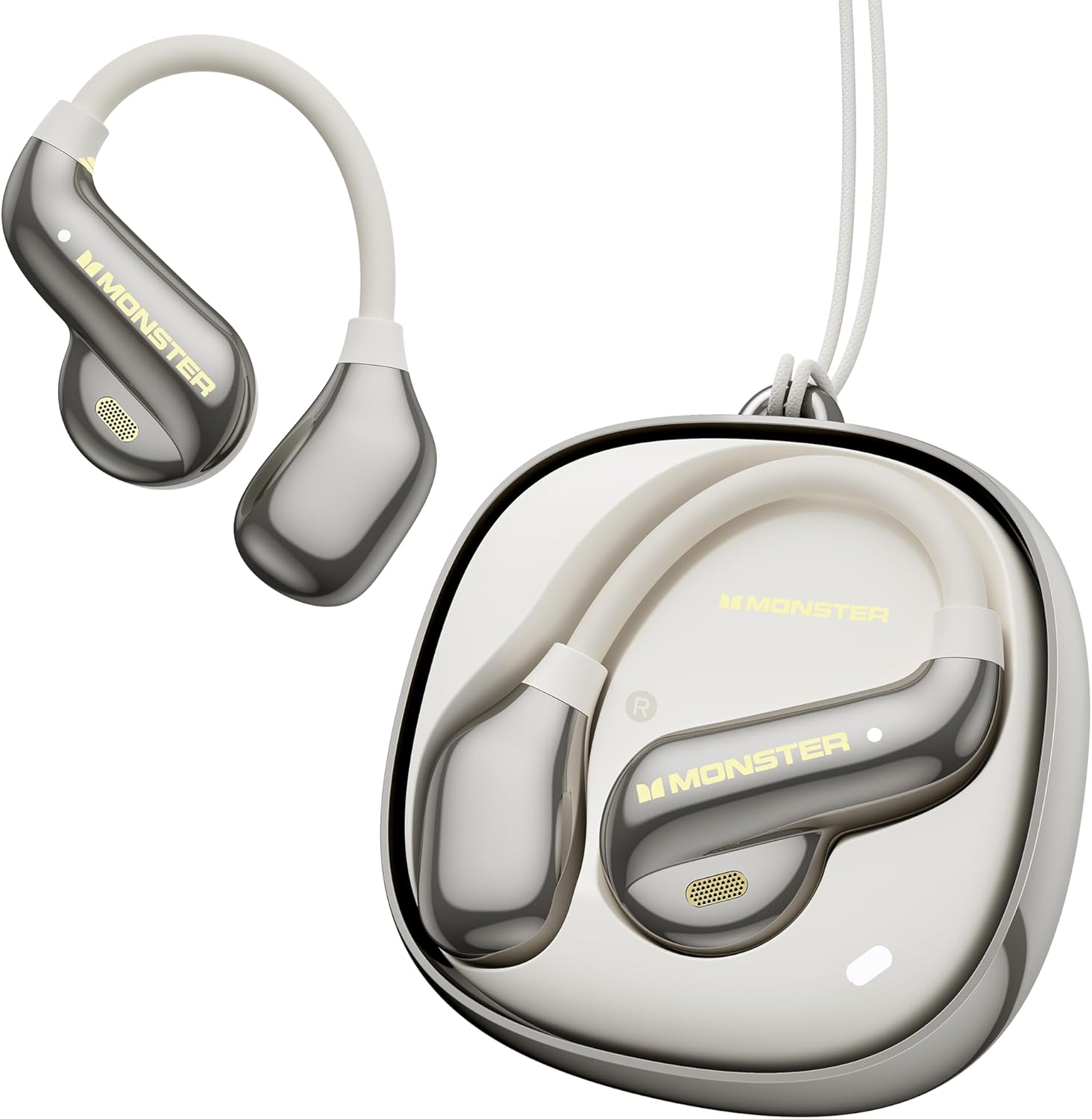
Image: The Monster Open Ear AC390 Headphones, showcasing the earbuds and their unique rotating charging case.

Image: Overview of the AC390's main attributes: ultra-lightweight design, innovative rotating charging case, open-ear comfort, and high-fidelity audio.

Image: The open-ear design of the AC390 headphones, allowing users to remain aware of their surroundings.
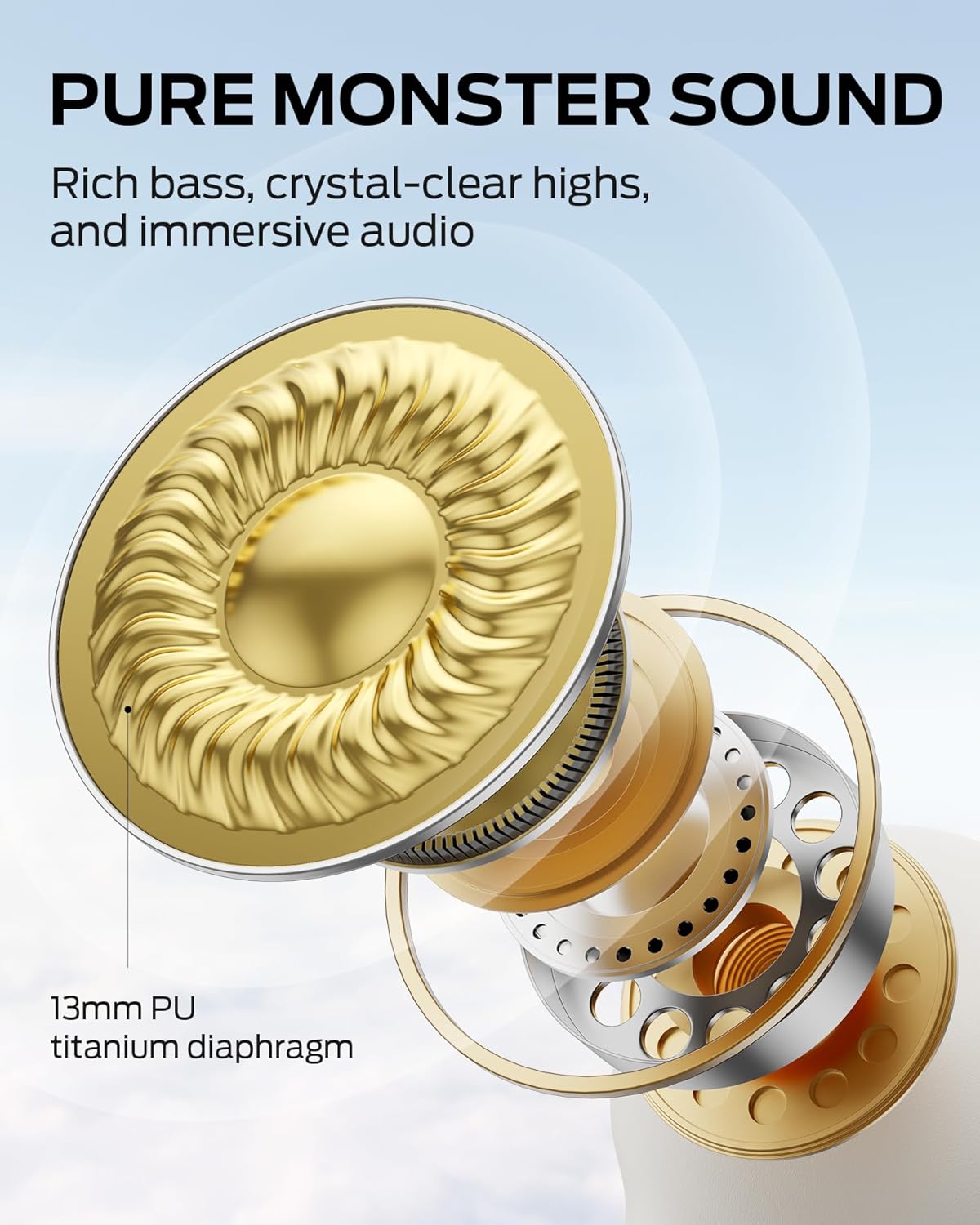
Image: Detailed view of the 13mm PU titanium diaphragm driver, which delivers the Pure Monster Sound with crisp highs, full mids, and deep bass.

Image: The innovative magnetic rotating charging case, designed for effortless one-hand access and secure storage.
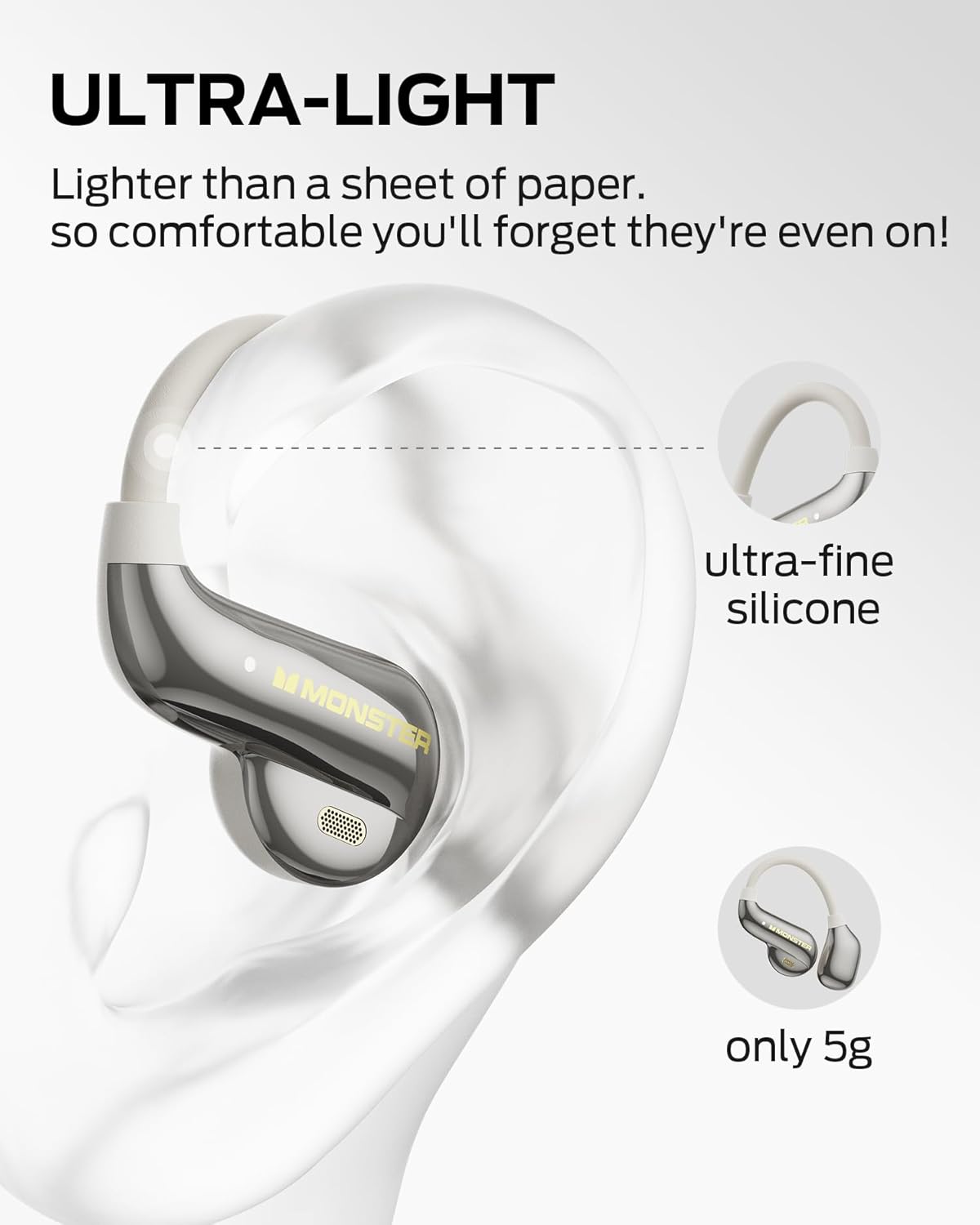
Image: The ultra-lightweight design of each earbud, weighing only 5g, ensuring comfortable extended wear.

Image: Further details on the rotating charging case, highlighting its quick-access and magnetic features for convenience.

Image: Illustration of the advanced Bluetooth 6.0 technology, ensuring a fast, stable, and low-latency wireless connection.

Image: The IPX5 water resistance rating, indicating the headphones are protected against sweat and light rain.
Setup
1. Initial Charging
- Place both earbuds into the charging case.
- Connect the USB-C charging cable to the charging port on the case and plug the other end into a USB power adapter (not included).
- Allow approximately 2 hours for a full charge of the case and earbuds. The charging indicator lights will provide status.
- A fully charged case provides an additional 16 hours of playtime, extending the total battery life to 24 hours.
2. Bluetooth Pairing
- Ensure the earbuds are charged and inside the charging case.
- Open the charging case. The earbuds will automatically enter pairing mode, indicated by a flashing LED light on the earbuds.
- On your device (smartphone, tablet, laptop), enable Bluetooth and search for available devices.
- Select "Monster AC390" from the list of found devices.
- Once connected, the LED indicator on the earbuds will stop flashing, and you will hear a confirmation tone.
- The AC390 uses Bluetooth 6.0 for faster pairing and stable connections.
Operating Instructions
Touch Controls
The Monster Open Ear AC390 Headphones feature intuitive touch controls on each earbud:

Image: A visual guide to the touch controls on the AC390 earbuds.
- Single Click: Volume Up (Right Earbud) / Volume Down (Left Earbud)
- Double Click: Answer/End Call / Play/Pause Music
- Triple Click: Previous Track / Next Track
- Press and Hold (2 seconds): Reject Call
Power On/Off
- Power On: Open the charging case, and the earbuds will automatically power on.
- Power Off: Place the earbuds back into the charging case and close the lid. They will automatically power off and begin charging.
Maintenance
- Cleaning: Use a soft, dry, lint-free cloth to clean the earbuds and charging case. Avoid using abrasive cleaners or solvents.
- Water Resistance: The earbuds are IPX5 water resistant, meaning they can withstand sweat and light rain. Do not submerge them in water or expose them to heavy rain. Ensure they are dry before placing them back in the charging case.
- Storage: When not in use, store the earbuds in their charging case to protect them and maintain battery life. Store in a cool, dry place away from extreme temperatures.
Troubleshooting
| Problem | Solution |
|---|---|
| Earbuds not pairing |
|
| No sound or low volume |
|
| Charging case not charging |
|
| One earbud not working |
|
Specifications
| Feature | Detail |
|---|---|
| Model Name | Monster Open Ear AC390 Headphones |
| Connectivity Technology | Wireless (Bluetooth 6.0) |
| Ear Placement | Open Ear |
| Audio Driver Type | 13mm PU Titanium Diaphragm Dynamic Driver |
| Battery Life (Earbuds) | Up to 8 hours on a single charge |
| Total Playtime (with Case) | Up to 24 hours |
| Charging Time | Approximately 2 hours |
| Water Resistance Level | IPX5 (Moisture Resistant) |
| Control Type | Touch Control |
| Item Weight (Each Earbud) | 5g (Ultra-Lightweight) |
| Frequency Range | 20Hz - 20,000Hz |
| Included Components | Earbuds, Charging Case, USB-C Cable, User Instructions |
Warranty and Support
For detailed warranty information and customer support, please refer to the official Monster website or contact their customer service directly. The product typically comes with a limited manufacturer's warranty covering defects in materials and workmanship.
Online Support: Visit the Monster Store on Amazon for product information and support resources.


