Introduction
This manual provides essential information for the safe and effective operation, maintenance, and troubleshooting of your YOSUDA Walking Pad Treadmill with Auto Incline. Please read this manual thoroughly before initial use and retain it for future reference.
Safety Information
- Always place the treadmill on a flat, stable surface.
- Ensure adequate clear space around the treadmill during operation.
- The maximum weight capacity for this treadmill is 300 pounds. Do not exceed this limit.
- Keep children and pets away from the treadmill during operation.
- Always maintain balance when starting or stopping the treadmill.
- In case of emergency, press the stop button on the remote control immediately.
- Unplug the treadmill from the power outlet when not in use or before cleaning and maintenance.
- Do not operate the treadmill if the power cord or plug is damaged.
- The treadmill is controlled primarily by the remote. Ensure the remote is always accessible and functional.
Package Contents
Upon unpacking, please verify that all the following components are included:

Figure 1: Package Contents - This image displays the YOSUDA Walking Pad Treadmill along with its included accessories: a remote control, power cord, lubricating oil, a hex tool, the user manual, and a battery.
- YOSUDA Walking Pad Treadmill (Main Unit)
- Remote Control
- Power Cord
- Lubricating Oil
- Hex Tool
- User Manual (this document)
- Battery (for remote control)
Setup
The YOSUDA Walking Pad Treadmill is designed for minimal setup, requiring no assembly. It is ready for use almost immediately after unboxing.

Figure 2: Easy Setup and Storage - This image illustrates the treadmill being removed from its packaging and its ability to be stored upright, emphasizing its compact design and built-in wheels for easy relocation.
- Carefully remove the treadmill from its packaging.
- Place the treadmill on a flat, level surface in your desired exercise area. Ensure there is sufficient space around the unit for safe operation.
- Plug the power cord into a grounded electrical outlet.
- Insert the battery into the remote control.
- Turn on the main power switch, usually located near the power cord connection point.
The treadmill features built-in wheels for easy movement and can be stored upright to save space when not in use.
Operating Instructions
Your YOSUDA Walking Pad Treadmill is operated primarily via the included remote control. The integrated LED display provides real-time workout data.
Remote Control Functions

Figure 3: Remote Control and Display - This image highlights the remote control's functions and the large LED display, showing metrics like speed, calories, incline, time, and distance.
- Start/Stop Button: Press to start or stop the treadmill belt.
- Speed Increase (+): Increases the walking speed.
- Speed Decrease (-): Decreases the walking speed. The speed range is 0.6 to 4 MPH.
- Auto-Incline Up (▲): Increases the incline level.
- Auto-Incline Down (▼): Decreases the incline level. The treadmill features a 3-stage auto-incline from 0% to 9%.
The auto-incline feature allows for seamless adjustment of exercise intensity without needing to pause your workout.

Figure 4: Auto Incline Functionality - This image demonstrates the treadmill's auto-incline capability, allowing users to adjust the slope remotely for varied workout intensity.
LED Display
The large LED screen displays key workout metrics simultaneously, including:
- Speed
- Calories Burned
- Incline Level
- Time Elapsed
- Distance Covered
Workout Pause Feature
You can pause your workout at any time, and the data will resume from where you left off when you restart. Note that workout data resets when the walking pad is turned off completely.

Figure 5: Save Your Stats While You Pause - This image demonstrates the treadmill's ability to pause a workout and retain data, allowing users to resume their session without losing progress.
Maintenance
Regular maintenance ensures the longevity and optimal performance of your treadmill.
- Cleaning: Wipe down the treadmill with a damp cloth after each use to remove sweat and dust. Do not use abrasive cleaners.
- Lubrication: Periodically lubricate the running belt according to the instructions provided with the lubricating oil. This helps maintain smooth operation and reduces wear.
- Belt Adjustment: If the running belt starts to shift to one side, it may need adjustment. Use the included hex tool to make small adjustments to the rear rollers until the belt is centered. Refer to the detailed instructions in the separate user manual for precise belt alignment procedures.
- Power Cord Inspection: Regularly inspect the power cord for any signs of damage. If damaged, discontinue use and contact customer support.
Troubleshooting
This section addresses common issues you might encounter with your YOSUDA Walking Pad Treadmill.
| Problem | Possible Cause | Solution |
|---|---|---|
| Treadmill does not start. | Power cord not plugged in; Main power switch off; Remote control battery low or not inserted correctly. | Ensure power cord is securely plugged into a grounded outlet. Turn on the main power switch. Check and replace remote control battery (CR2032). |
| Remote control is unresponsive or inconsistent. | Remote not pointed directly at the display; Low battery; Interference. | Ensure the remote is pointed directly at the front display panel. Replace the remote control battery. Minimize potential interference from other electronic devices. |
| Running belt is shifting to one side. | Belt alignment issue. | Refer to the "Belt Adjustment" section under Maintenance and use the hex tool to re-center the belt. Make small, gradual adjustments. |
| Treadmill stops unexpectedly (auto-shutoff). | Built-in safety auto-shutoff feature. | This model has an auto-shutoff feature after a period of inactivity or continuous use. To avoid unexpected stops, consider manually pausing or stopping the treadmill during breaks rather than relying solely on the auto-shutoff. Be aware of your surroundings when the treadmill is in operation. |
| Unusual noise during operation. | Lack of lubrication; Loose components; Belt friction. | Apply lubricating oil to the running belt. Check for any loose screws or parts and tighten them. Ensure the belt is properly aligned. |
Specifications
Detailed technical specifications for the YOSUDA Walking Pad Treadmill.
| Feature | Detail |
|---|---|
| Brand | YOSUDA |
| Model Name | YSD-EW-new |
| Color | Black Orange |
| Product Dimensions (LxWxH) | 51.4"D x 23.8"W x 6.1"H |
| Item Weight | 55.8 Pounds |
| Material | Alloy Steel |
| Maximum Speed | 4 MPH |
| Minimum Speed | 0.6 MPH |
| Special Feature | Auto Incline, Compact Design, Portable, Remote Control |
| Maximum Horsepower | 2.5 Horsepower |
| Maximum Incline Percentage | 9% (3-stage adjustable) |
| Assembly Required | No |
| Display Type | LED |
| Power Source | Corded Electric |
| Metrics Measured | Distance, Speed, Calories, Incline, Time |
| Maximum Weight Recommendation | 300 Pounds |
| Folded Size | 42.5 x 16.9 x 6.1 inches |
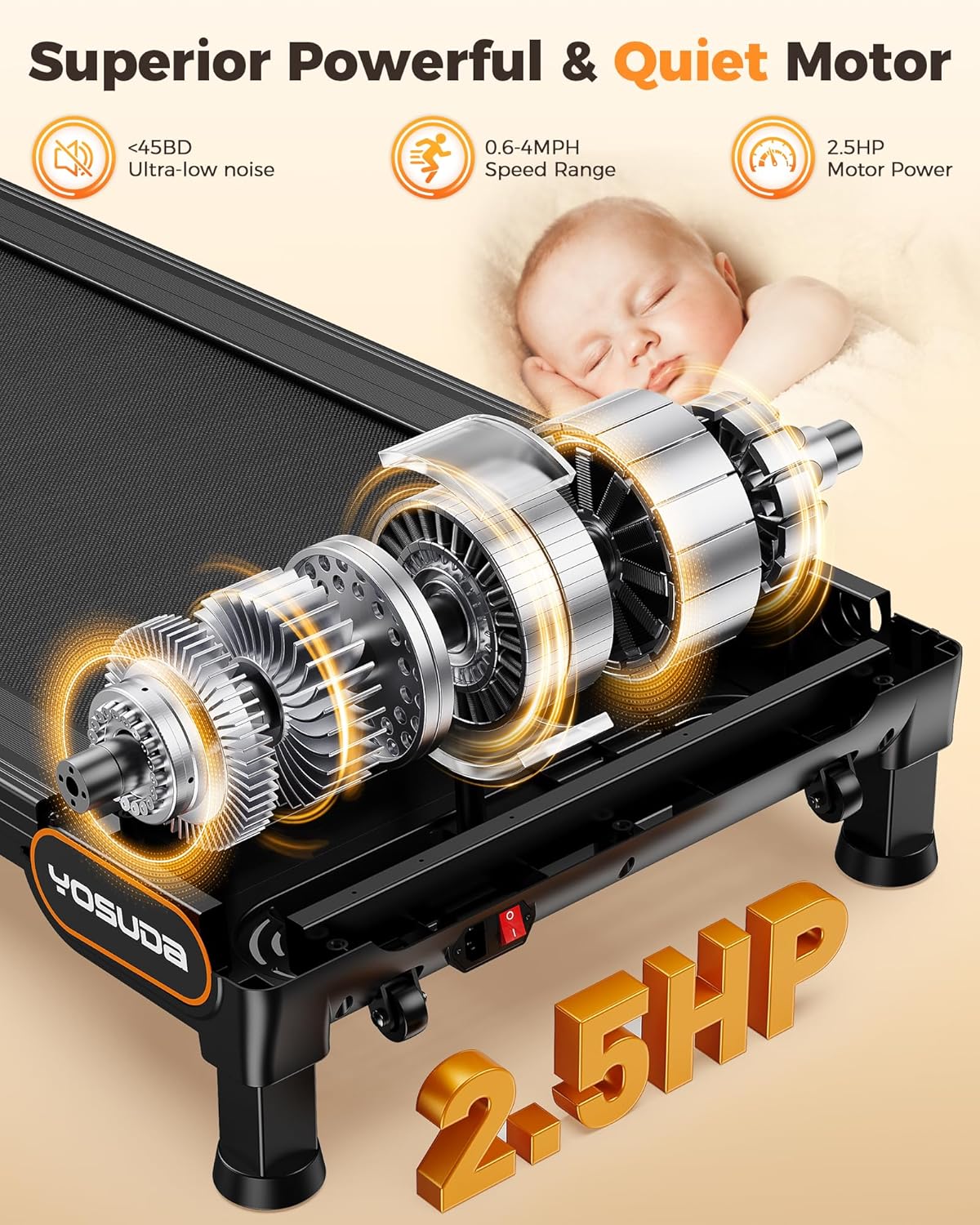
Figure 6: Powerful and Quiet Motor - This image highlights the treadmill's 2.5 HP motor, emphasizing its low noise operation (under 45dB) and speed range of 0.6-4 MPH.

Figure 7: Knee-Safe Design with Shock Absorption - This image illustrates the treadmill's shock absorption system and multi-layer belt designed for a comfortable and knee-friendly workout. Note: The product specifications state a maximum weight recommendation of 300 LBS, which should be adhered to.
Warranty and Support
Your YOSUDA Walking Pad Treadmill comes with a 1-year warranty from the date of purchase, covering manufacturing defects.
For customer support, technical assistance, or warranty claims, please contact YOSUDA customer service. Refer to the contact information provided on the product packaging or the official YOSUDA website.
The product is sold by YKWENYA and offers 30-day easy returns.


