
1. Introduction
Thank you for choosing the FUSOU 13-Drawer Vanity Desk. This manual provides essential information for the safe assembly, proper operation, and effective maintenance of your new vanity desk. Please read these instructions thoroughly before beginning assembly or use, and retain them for future reference.

Image 1.1: The FUSOU 13-Drawer Vanity Desk with its integrated mirror and accompanying stool.
2. Safety Information
To ensure safe use and prevent damage, please observe the following safety precautions:
- Always unplug the vanity desk from the power outlet before performing any assembly, cleaning, or maintenance.
- Exercise caution during assembly to avoid sharp edges and potential pinch points.
- Do not place excessively heavy objects on the glass tabletop to prevent breakage or damage.
- Keep the vanity desk away from direct heat sources, open flames, or flammable materials to prevent fire hazards.
- Supervise children when they are near the vanity desk to prevent accidents.
- Ensure all electrical connections are secure and comply with local electrical codes.
3. Package Contents
Your FUSOU 13-Drawer Vanity Desk package includes the following components. Please verify all parts are present before beginning assembly. The item typically ships in two separate boxes, which may arrive at different times.
- Vanity Desk Frame Components
- Mirror with Integrated LED Bulbs
- 13 Drawers with Knobs
- Glass Tabletop Panel
- Vanity Stool (Cushioned)
- Power Outlet Unit (with AC sockets and USB ports)
- Hair Dryer Stand
- Assembly Hardware (screws, dowels, cam locks, etc.)
- Detailed Installation Instructions
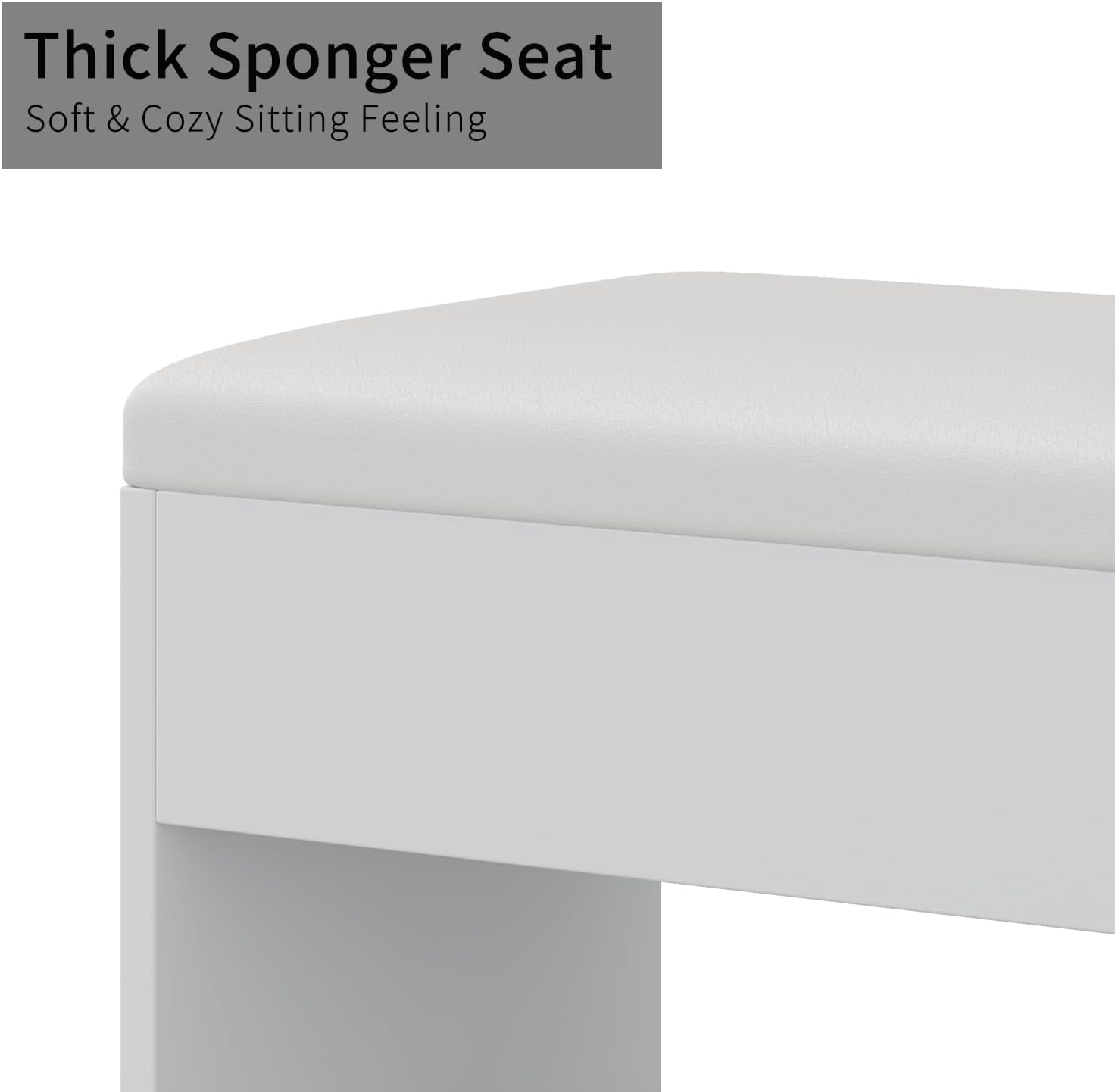
Image 3.1: The vanity desk is shipped in two separate packages, which may arrive on different dates.
4. Assembly Instructions
Assembly of the FUSOU 13-Drawer Vanity Desk requires careful attention to the provided step-by-step guide. It is recommended to have two people for assembly, and to set aside several hours for completion.
4.1 Before You Begin
- Clear a spacious, clean, and well-lit area for assembly.
- Unpack all components and verify against the package contents list.
- Gather necessary tools (e.g., screwdriver, hammer). An electric drill can expedite the process but use a low torque setting to avoid stripping screws or damaging wood.
- Keep children and pets away from the assembly area.
4.2 General Assembly Steps
- Follow the detailed installation instructions provided in your package. Each step is illustrated with diagrams.
- Assemble the main desk frame first, ensuring all connections are secure.
- Install the drawer slides onto the desk frame.
- Assemble each of the 13 drawers, attaching the crystal knobs.
- Carefully place the glass tabletop into its designated slot.
- Mount the mirror unit onto the desk, ensuring it is stable and securely fastened.
- Install the power outlet unit and hair dryer stand on the side of the desk.
- Assemble the vanity stool.
For specific, detailed steps, refer to the instruction manual included in your product packaging.
5. Operating Instructions
5.1 LED Mirror Lighting
The vanity mirror features 12 Hollywood-style LED bulbs with three adjustable lighting modes:
- Cold Light: Bright, white light suitable for detailed makeup application.
- Natural Light: Mimics natural daylight, ideal for everyday makeup.
- Warm Light: Soft, yellow-toned light for evening looks or a relaxed ambiance.
To operate the lighting:
- Turn On/Off: Press the touch switch on the mirror surface once to turn the lights on or off.
- Change Color Mode: With the lights on, short press the touch switch repeatedly to cycle through Cold, Natural, and Warm light modes.
- Adjust Brightness: With the lights on, long press the touch switch to continuously adjust the brightness level for the selected color mode. Release when the desired brightness is achieved.

Image 5.1: The mirror offers three distinct lighting modes and adjustable brightness for optimal illumination.
5.2 Integrated Power Outlet
The vanity desk includes a built-in power outlet with 2 standard AC sockets (125V/12A) and 2 USB ports (5V/2A) for convenient charging and powering of electronic devices. A dedicated hair dryer stand is also provided.
- Plug the vanity desk's main power cord into a wall outlet.
- Connect your hair dryer, curling iron, phone, tablet, or other devices to the appropriate AC or USB ports.
- Always ensure devices are compatible with the provided voltage and amperage.

Image 5.2: The integrated power strip provides convenient access to AC outlets and USB charging ports.
5.3 Storage Drawers
The vanity desk features 13 drawers designed for organized storage of cosmetics, jewelry, accessories, and other personal items. The central drawers include a glass top, allowing for easy visibility and access to contents.

Image 5.3: The vanity desk offers extensive storage with 13 drawers to keep items organized.

Image 5.4: The embedded tempered glass tabletop allows for clear visibility of stored items.
5.4 Vanity Stool
The included vanity stool features a double-layer soft sponge and PU fabric cushion for comfort during extended use. The stool is designed to fit neatly under the desk when not in use, optimizing space.

Image 5.5: The vanity stool features a thick, soft cushion for enhanced comfort.
6. Maintenance
Regular maintenance will help preserve the appearance and functionality of your vanity desk.
- Cleaning the Surface: Wipe the desk surfaces with a soft, damp cloth. Avoid abrasive cleaners or harsh chemicals that could damage the finish.
- Cleaning the Glass: Use a glass cleaner and a microfiber cloth for the mirror and glass tabletop to prevent streaks.
- LED Bulbs: The LED bulbs are designed for long life. If a bulb needs replacement, consult the manufacturer for compatible replacements.
- Drawer Slides: Periodically check drawer slides for smooth operation. If they become stiff, a small amount of silicone lubricant can be applied.
- Electrical Components: Ensure the power cord and outlet unit are free from damage. Do not attempt to repair electrical components yourself.
7. Troubleshooting
If you encounter issues with your vanity desk, refer to the following common problems and solutions:
| Problem | Possible Cause | Solution |
|---|---|---|
| LED lights not turning on. | Power cord unplugged; faulty connection; bulb issue. | Ensure the vanity is plugged into a working outlet. Check all electrical connections. If individual bulbs are replaceable, check them. |
| Power outlets/USB ports not working. | Vanity not powered; circuit overload. | Verify the vanity is plugged in. Ensure the total power draw of connected devices does not exceed the unit's capacity. |
| Drawers are stiff or not closing smoothly. | Misaligned slides; debris in slides; overtightened screws. | Check drawer slide alignment. Clean any debris. Loosen screws slightly if overtightened. |
| Glass tabletop appears loose. | Improper installation; securing clips not engaged. | Refer to assembly instructions to ensure the glass is correctly seated and secured. |
If you experience a problem not listed here or require further assistance, please contact FUSOU customer support.
8. Specifications
| Feature | Detail |
|---|---|
| Brand | FUSOU |
| Model Number | VD018-WH |
| Color | White |
| Frame Material | Engineered Wood |
| Product Dimensions (L x W x H) | 15.75"D x 47.06"W x 55.06"H |
| Item Weight | 150 pounds |
| Number of Drawers | 13 |
| Mirror Lighting | 12 LED Bulbs, 3 Color Modes (Cold, Natural, Warm), Dimmable |
| Power Outlet | 2 AC Sockets (125V/12A), 2 USB Ports (5V/2A) |
| Assembly Required | Yes |

Image 8.1: Detailed product dimensions for the vanity desk and accompanying stool.
9. Warranty and Support
FUSOU is committed to providing excellent service. If you have any questions regarding your vanity desk, its assembly, or require support, please do not hesitate to contact us. Refer to your purchase documentation for specific warranty details and contact information.


