
Introduction
Thank you for choosing the VGR V-350 Foil Shaver. This manual provides essential information for the safe and effective use, maintenance, and care of your new shaver. Please read it thoroughly before first use and keep it for future reference.
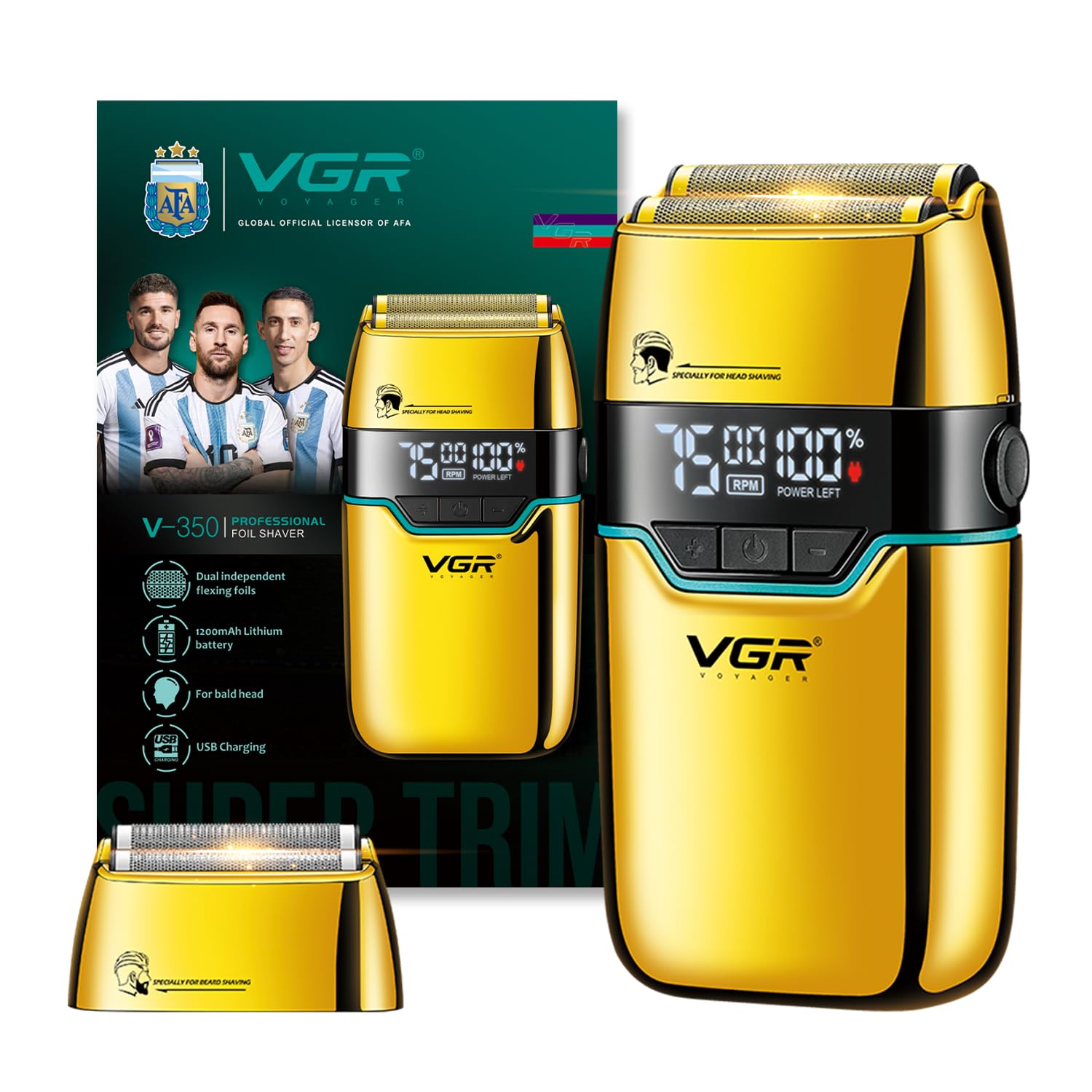
Image: The VGR V-350 Foil Shaver, showcasing its design and color.
Important Safety Instructions
- This appliance is not waterproof. Avoid direct water contact.
- Keep out of reach of children under 8 years old unless supervised by an adult.
- Do not use the shaver if it is damaged in any way.
- Avoid exposing the shaver to high heat. Do not burn the built-in battery.
- Ensure the shaver is fully charged before initial use.
What's Included
The VGR V-350 Foil Shaver package includes the following components:
- 1x VGR V-350 Foil Shaver
- 2x Protection Caps for the foil heads
- 1x Cleaning Brush
- 1x Travel Pouch
- 1x USB Type-C Charging Cable
- 1x User Manual (this document)
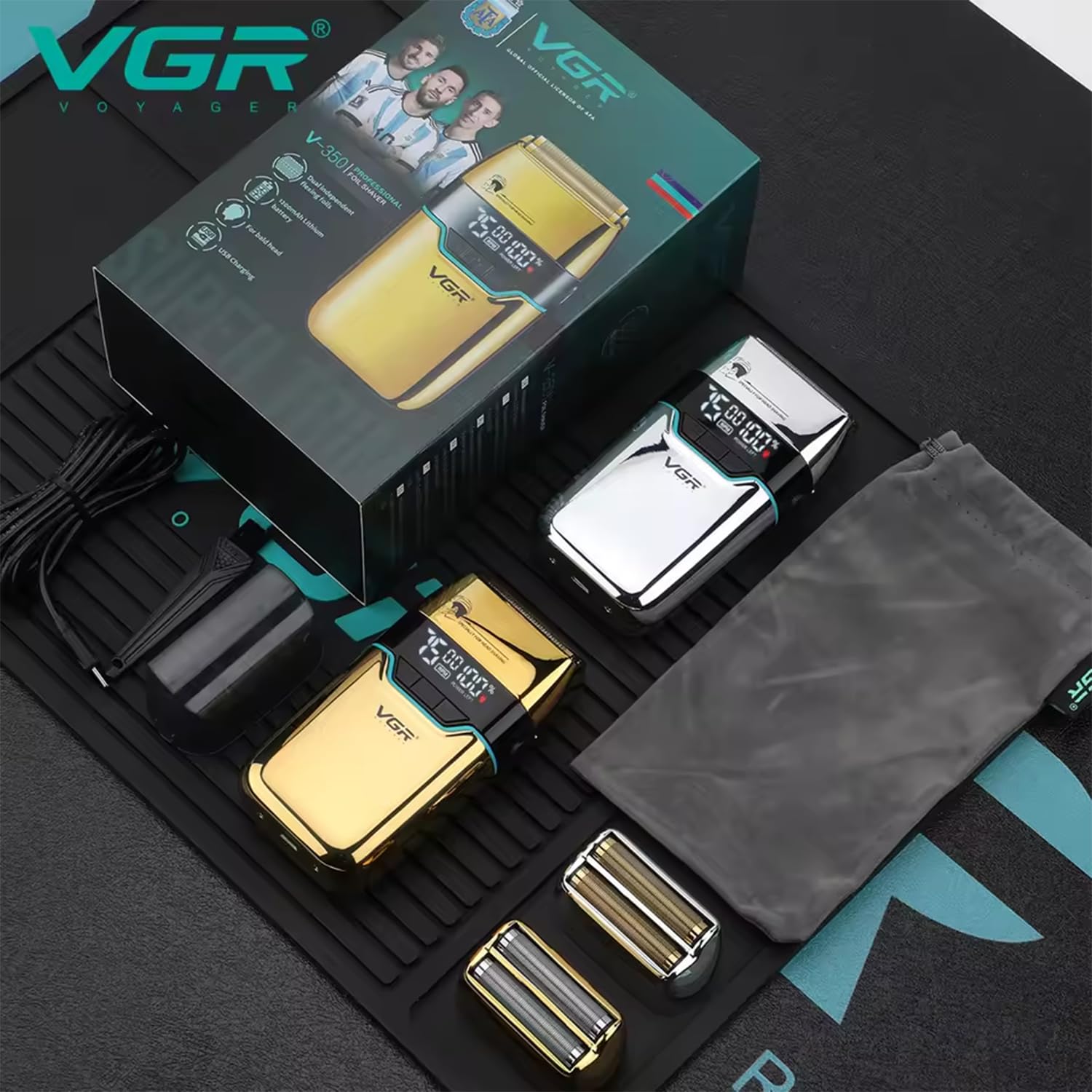
Image: All components included with the VGR V-350 Foil Shaver.
Setup
Initial Charging
- Before first use, fully charge the shaver for approximately 2 hours.
- Connect the USB Type-C charging cable to the shaver's charging port.
- Plug the other end of the USB cable into a compatible USB power source (e.g., laptop, USB outlet, USB charger, car charger, or power bank).
- The LED display will indicate the charging status and battery percentage.
- Once fully charged, the shaver provides up to 180 minutes of cordless use.

Image: The shaver connected to a USB-C charging cable, illustrating charging options.
Operating Instructions
Powering On/Off and Speed Adjustment
- To turn on the shaver, press the power button.
- The LED display will show the current RPM speed and battery percentage.
- To adjust the speed, use the '+' and '-' buttons. The shaver offers three speed settings: 6500 RPM, 7000 RPM, and 7500 RPM. Select the speed suitable for your hair type and desired performance.
- To turn off the shaver, press the power button again.

Image: Close-up of the LED display on the shaver, indicating battery percentage and RPM.
Shaving Technique
The VGR V-350 features dual independent flexing foils designed for a close and smooth shave on both the head and beard.
- For best results, shave against the direction of hair growth.
- Apply gentle pressure and move the shaver in straight or circular motions.
- The dual floating foil heads are designed to reduce irritation, making it suitable for sensitive areas.

Image: The dual independent flexing foils of the VGR V-350 Foil Shaver.
Travel Lock Function
The shaver includes a travel lock function to prevent accidental activation during transport.
- To activate the travel lock, press and hold the power button for a few seconds until a lock icon appears on the LED display.
- To deactivate, press and hold the power button again until the lock icon disappears.
Maintenance
Cleaning the Shaver
Regular cleaning ensures optimal performance and hygiene.
- Ensure the shaver is turned off and disconnected from the charging cable before cleaning.
- Remove the foil head assembly.
- Use the included cleaning brush to remove any trapped hair from the foils and the cutting blades.
- Do not rinse the shaver under water as it is not waterproof.
- Replace the foil head assembly and protection cap after cleaning.
Lubrication
To maintain blade performance and longevity, apply a small amount of lubricating oil (not included, but commonly available for shavers) to the blades after every few uses.
- Apply one or two drops of lubricating oil to the foil heads.
- Turn on the shaver for a few seconds to distribute the oil evenly.
- Wipe off any excess oil.
Troubleshooting
- Shaver not turning on: Ensure the shaver is charged. Check if the travel lock is activated.
- Reduced shaving performance: Clean the foil heads and blades thoroughly. Consider lubricating the blades. If performance does not improve, the foils or blades may need replacement (replacement parts sold separately).
- Charging issues: Ensure the USB Type-C cable is securely connected to both the shaver and the power source. Try a different USB power adapter or port.
Specifications
| Model Name | V-350 Professional Foil Shaver |
| Brand | VGR |
| Motor Speed | 6500/7000/7500 RPM (3 adjustable speeds) |
| Battery Type | Built-in 1200mAh Lithium Battery |
| Charging Time | Approx. 2 hours |
| Cordless Use Time | Up to 180 minutes |
| Charging Interface | USB Type-C |
| Power Source | Battery Powered (Cordless & Corded use) |
| Special Features | Dual Independent Flexing Foils, High-Speed Motor, Travel Lock, LED Display |
| Blade Material | Stainless Steel |
| Product Dimensions | 12 x 6.5 x 3 cm |
| Item Weight | 251 g |
| Country of Origin | China |
Warranty and Support
Warranty Information
The VGR V-350 Foil Shaver comes with a built-in lithium battery with an estimated life of 5 years. For specific warranty terms and conditions, please refer to the warranty card included with your product or contact VGR customer support.
Customer Support
For any queries, assistance, or support regarding your VGR V-350 Foil Shaver, please contact:
- Email: customercare@vgrofficial.in
- Phone: 18002578939 (Available from 10:00 AM to 6:00 PM, Monday to Saturday)
- Website: www.vgrofficial.in
Manufacturer: Ningbo VGR Electric Appliance Co., Ltd.
Packer & Importer: VGR India Official Private Limited / SA International


