
Introduction
The Ring Outdoor Cam Plus, Battery is a versatile and powerful outdoor security camera designed to provide comprehensive surveillance for your home or business. Featuring 2K video resolution, advanced motion detection, and full-color night vision, this camera offers reliable monitoring day and night. Its battery-powered design allows for flexible placement, and integration with Alexa provides convenient voice control.

Image: The Ring Outdoor Cam Plus, Battery, shown mounted on an exterior wall, demonstrating its discreet and effective placement for monitoring.
Key Features
- 2K Video with Wide Field of View: Capture clear, detailed footage with 2K resolution and a wide 160° diagonal field of view, allowing you to see more of your property.
- Ring Vision Technology: Experience superior image quality through a combination of advanced hardware and software, optimizing every moment captured by the camera.
- Low-Light Sight: Achieve full-color detail even in near-dark conditions, utilizing ambient light for enhanced night vision.
- Mount-Anywhere Versatility: Designed for flexible installation, the camera can be placed on a table or mounted on a wall or ceiling using the included hardware.
- Live View & Two-Way Talk: See, hear, and speak to visitors or deter intruders in real-time from your smartphone or tablet.
- Advanced Motion Detection: Customize motion zones to focus on specific areas and receive alerts only when activity is detected in those zones.
- Remote-Activated Security Siren: Trigger a siren remotely from the Ring app to deter unwanted visitors.
- Dual-Band Wi-Fi 6 Connectivity: Ensures a stable and fast connection to your home network for optimal performance.

Image: A visual comparison illustrating the enhanced clarity and detail provided by the 2K video resolution of the Outdoor Cam Plus compared to 1080p.
Setup
Setting up your Ring Outdoor Cam Plus, Battery is designed to be straightforward, with an estimated installation time of approximately 10 minutes.
What's Included:
- Ring Outdoor Cam Plus (Battery)
- Quick Release Battery Pack
- Micro USB Charging Cable
- Installation Hardware
- Setup Guide
- Security Sticker
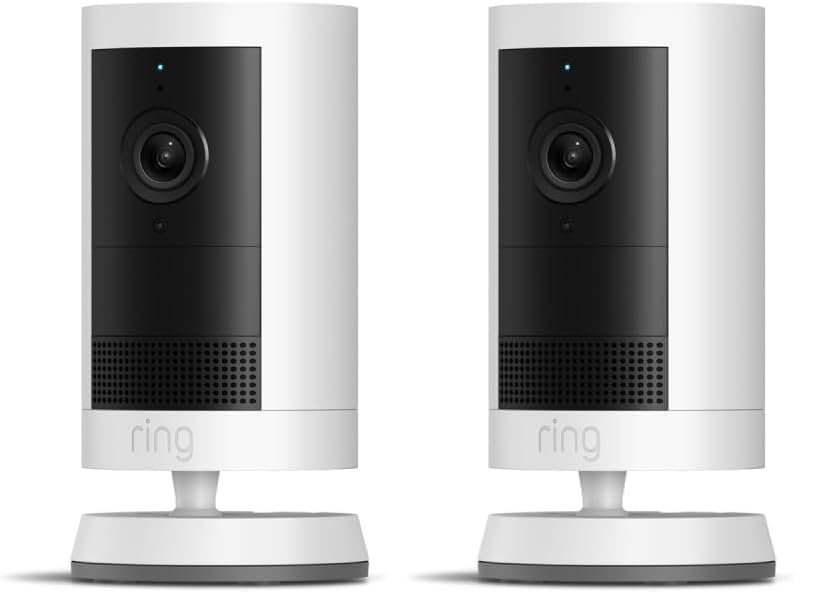
Image: A pair of Ring Outdoor Cam Plus cameras, illustrating the product bundle.
Installation Steps:
- Charge the Battery: Fully charge the Quick Release Battery Pack using the provided Micro USB Charging Cable before installation.
- Download the Ring App: Download the Ring app from your device's app store (iOS or Android).
- Create/Log In to Account: Open the app and create a new account or log in to your existing Ring account.
- Add Device: Follow the in-app instructions to add your new Ring Outdoor Cam Plus. You will scan a QR code on the device to begin the setup process.
- Mount the Camera: Choose a suitable location for mounting. The camera requires a vertical or horizontal surface for mounting. Use the included installation hardware to securely attach the camera. Ensure the camera is within range of your Wi-Fi network.

Image: A person demonstrating the mounting process of the Ring Outdoor Cam Plus onto a wooden surface, highlighting its ease of installation.
Operation
Once installed, your Ring Outdoor Cam Plus provides continuous monitoring and allows for interactive engagement with your property.
Using the Ring App:
- Live View: Access real-time video and audio from your camera at any time through the Ring app.
- Two-Way Talk: Use the microphone and speaker functions within the app to communicate with anyone on your property.
- Motion Alerts: Receive instant notifications on your smartphone when motion is detected. Customize motion zones and sensitivity settings to reduce false alerts.
- Event History: Review recorded motion events and Live View sessions in your event history (requires a Ring Protect subscription for cloud storage).
- Siren Activation: Manually activate the built-in security siren from the app to deter intruders.
Alexa Integration:
Connect your Ring Outdoor Cam Plus with Alexa-enabled devices for hands-free monitoring and control.
- Voice Commands: Use commands like "Alexa, show me the backyard" to view your camera's live feed on compatible Echo Show devices.
- Custom Notifications: Receive audible notifications from your Echo Dot or other Alexa devices when motion is detected by your camera.

Image: An Echo Show device displaying the live video feed from a Ring camera, demonstrating seamless integration with Alexa for convenient monitoring.
Maintenance
Regular maintenance ensures optimal performance and longevity of your Ring Outdoor Cam Plus.
- Battery Charging: The Quick Release Battery Pack allows for easy removal and recharging. Monitor battery levels in the Ring app and recharge as needed using the Micro USB Charging Cable.
- Cleaning: Periodically wipe the camera lens and body with a soft, damp cloth to remove dust, dirt, or smudges that may affect video clarity. Avoid abrasive cleaners.
- Software Updates: Ensure your camera's firmware is up to date. The Ring app will typically prompt you for available updates. These updates often include performance improvements and security enhancements.
Troubleshooting
If you encounter issues with your Ring Outdoor Cam Plus, refer to the following common solutions:
- Connectivity Issues: Ensure your Wi-Fi network is stable and meets the recommended minimum upload speed of 3.5 Mbps for optimal performance. Check if the camera is within range of your router.
- Poor Video Quality: Video quality may vary based on internet bandwidth and device temperature. Ensure a strong Wi-Fi signal. If the camera is exposed to direct sunlight in extreme heat conditions, it may temporarily turn off to prevent overheating.
- Battery Draining Quickly: Frequent motion alerts, Live View usage, and extreme temperatures can affect battery life. Adjust motion detection settings to reduce unnecessary recordings. Consider a Ring Solar Panel (sold separately) for continuous charging if placed in a sunny location.
- Motion Detection Not Working: Verify that motion detection is enabled in the Ring app and that motion zones are correctly configured to cover the desired areas.
- Two-Way Talk Issues: Check your device's microphone and speaker settings. Ensure there is no obstruction to the camera's microphone or speaker.
For more detailed troubleshooting or persistent issues, visit the Ring support website or contact Ring customer service.
Specifications
| Feature | Specification |
|---|---|
| Dimensions | 2.6 in x 2.6 in x 5.0 in (6.7 cm x 6.7 cm x 12.8 cm) including stand |
| Available Colors | White, Black |
| Video | 2K Video |
| Motion Detection | Advanced Motion Detection with Customizable Motion Zones |
| Field of View | 160° Diagonal, 140° Horizontal, 80° Vertical |
| Audio | Two-way talk with Noise Cancellation |
| Siren | Remote-activated security siren |
| Power | Quick Release Battery Pack |
| Internet Requirements | Recommended minimum upload speed of 3.5 Mbps for optimal performance. Video resolution may vary depending on internet bandwidth. |
| Connectivity | Dual-band Wi-Fi connection @ 2.4GHz, 5.0GHz (Wi-Fi 6) |
| Estimated Install Time | 10 minutes |
| Operating Conditions | -4°F to 122°F (-20°C to 50°C), Weather Resistant. Camera may temporarily turn off when exposed to direct sunlight in extreme heat conditions. |
| Setup Requirement | Vertical or horizontal surface for mounting |
Warranty and Support
Warranty:
The Ring Outdoor Cam Plus, Battery comes with a one-year limited warranty.
Software Security Updates:
This device receives guaranteed software security updates until at least four years after the device is last available for purchase as a new unit on our websites. For information specific to your device, visit the Software Security Updates section in the Ring Control Center.
Important Disclaimers:
- Video quality may vary based on internet bandwidth and device temperature.
- Your Ring videos in the cloud are stored temporarily, up to 180 days. Changing your video storage time will only affect videos recorded after you adjust the setting. Refer to Ring Subscription Plans for more details.
- For customers in Illinois & Texas: Ring Smart Video Search is not available on Ring devices due to specific state legislation.


