
1. Introduction
Welcome to the OLIGHT Oclip Ultra user manual. This document provides instructions for the safe and efficient operation of your new clip-on flashlight. The Oclip Ultra is a compact and versatile lighting tool designed for various applications, featuring multiple light sources and a durable construction.
Key Features
- 3-in-1 Light Source Design: Combines flood, spot, and UV light for diverse uses.
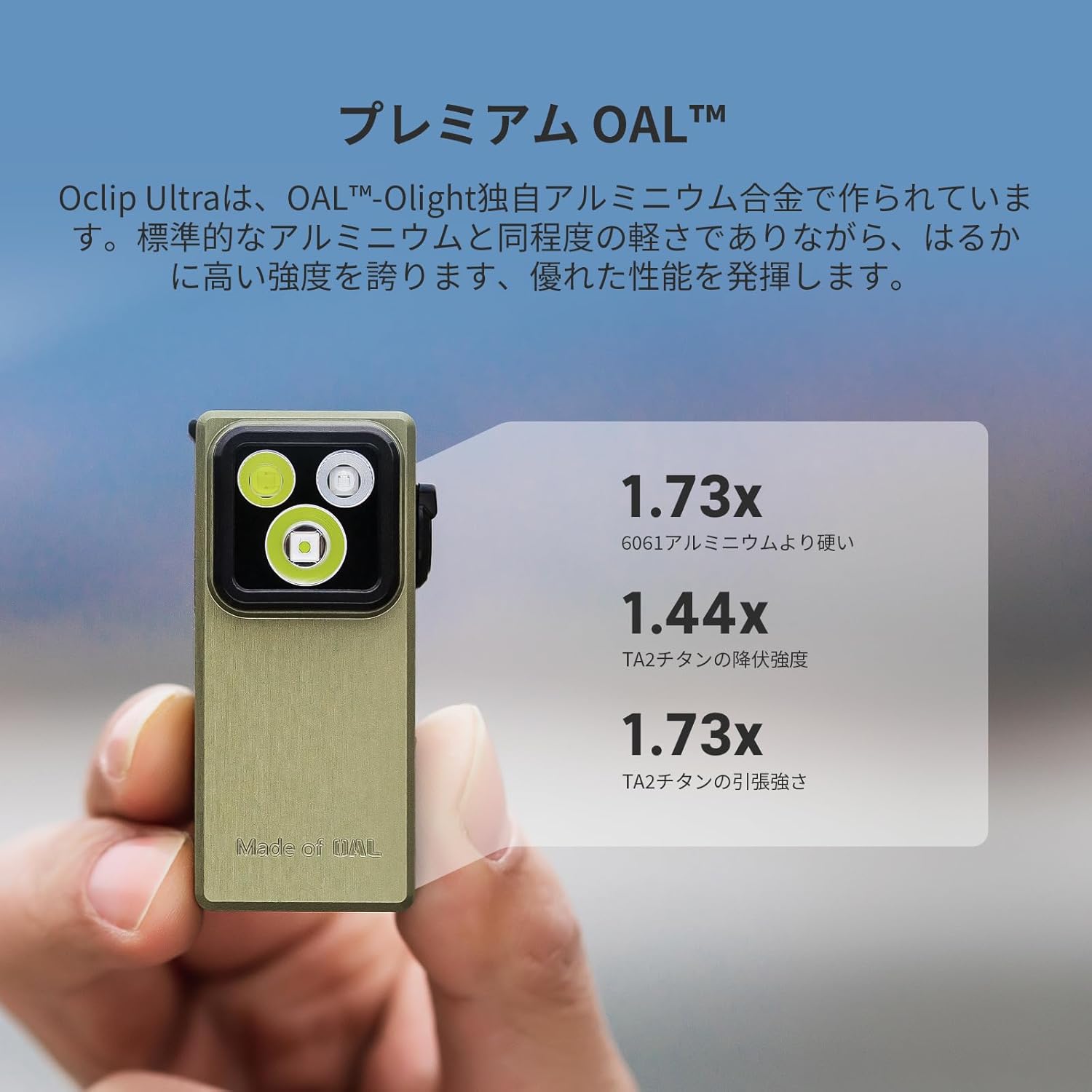
- Durable OAL Aluminum Body: Approximately twice the hardness of 6061 aluminum, offering durability and lightweight performance.
- Simple Mode Switching: Intuitive dial switch for easy operation.
- Compact and Portable: Clip-on, magnetic, and hanging options for hands-free use.
- Long Battery Life & Fast Charging: Up to 144 hours of use, 1.5 hours for full Type-C charge.
2. Product Overview
Familiarize yourself with the components of your Oclip Ultra flashlight.

Front view of the OLIGHT Oclip Ultra flashlight in Olive Green, showing the three light emitters and the rotary switch on the side.

Diagram illustrating the Oclip Ultra's three light sources: Flood (530 lumens), Spotlight (130 meters), and UV light (800mW), along with a maximum runtime of 144 hours.
3. Charging the Device
The Oclip Ultra is equipped with a Type-C charging port.
- Connect the provided Type-C charging cable to the device and a compatible USB power source.
- A full charge takes approximately 1.5 hours.
- The device can operate for up to 144 hours on a single charge, depending on the mode used.

The OLIGHT Oclip Ultra flashlight connected to a USB-C charging cable.
4. Operation
Power On/Off and Mode Selection
The Oclip Ultra features a dial-style mode switch for simple and intuitive operation. Rotate the switch to select between different light modes.
Close-up view of the rotary switch on the side of the Oclip Ultra, used for selecting different light modes.
Changing Brightness
To adjust the brightness, long-press the side button. The brightness will cycle through moonlight, low, medium, and high settings.
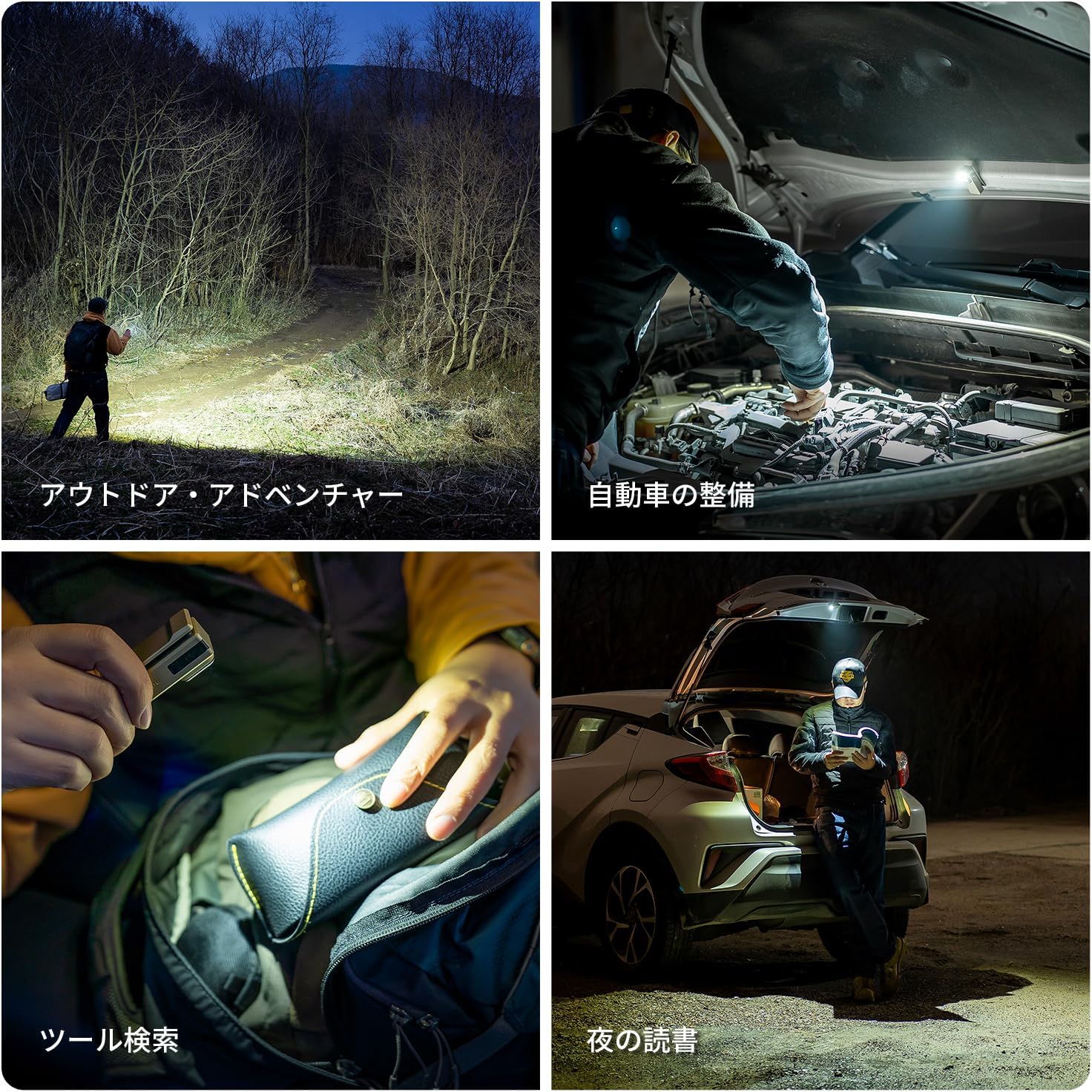
Diagram illustrating how to adjust brightness by long-pressing the side button, cycling through moonlight, low, medium, and high modes.
Light Modes
Floodlight Mode
Provides a wide beam for general illumination, ideal for lighting up broad areas. Maximum output: 530 lumens.

A person using the Oclip Ultra's floodlight mode to illuminate a wide area in a dark forest.
Spotlight Mode
Offers a focused beam for long-distance observation or detailed inspection. Maximum beam distance: 130 meters.

A person using the Oclip Ultra's spotlight mode to inspect an engine compartment.
UV Light Mode
Utilize the UV light for specialized tasks such as detecting counterfeit currency, identifying minerals, or performing hygiene inspections. Output: 800mW.

A person using the Oclip Ultra's UV light to inspect a pet's fur.
5. Usage Scenarios
The Oclip Ultra's versatile design allows for various hands-free applications, enhancing convenience in different situations.

Collage of images showing different ways to carry the Oclip Ultra: clipped to clothing, attached to a keychain, and magnetically mounted.

Collage of images depicting the Oclip Ultra in various use cases: outdoor adventures, car maintenance, tool searching, and night reading.
6. Maintenance
To ensure optimal performance and longevity of your OLIGHT Oclip Ultra, follow these maintenance guidelines:
- Cleaning: Regularly wipe the body of the flashlight with a soft, damp cloth. Avoid abrasive cleaners or solvents.
- Charging Port: Keep the Type-C charging port free from dust and debris.
- Storage: Store the flashlight in a cool, dry place when not in use.
- Battery Care: For prolonged storage, charge the battery to approximately 50% every few months to maintain battery health.
7. Troubleshooting
If you encounter issues with your Oclip Ultra, refer to the following common solutions:
- Light Not Turning On:
- Check if the battery is charged. Connect to a Type-C charger.
- Ensure the rotary switch is correctly set to a light mode.
- Dim Light Output:
- The battery might be low. Recharge the device.
- The light mode might be set to a lower brightness level. Adjust using the side button.
- Charging Issues:
- Verify the Type-C cable is securely connected to both the flashlight and the power source.
- Try a different Type-C cable or power adapter.
- Ensure the charging port is clean.
- Unresponsive Buttons/Switch:
- Ensure the device is not in lockout mode (refer to advanced features if applicable).
- If the issue persists, contact customer support.
8. Specifications
| Feature | Detail |
|---|---|
| Manufacturer | OLIGHT |
| Product Model Number | 300009-O-OCLIPULTRA#JP-FBA |
| Product Dimensions | 13.1 x 6.9 x 5.2 cm; 170 g |
| ASIN | B0DYV6WTVN |
| Battery | 1 Lithium Ion battery (included) |
| Country of Origin | China |
| Special Features | Magnetic base, impact resistant, lightweight, dustproof |
| Color | Olive Green |
| Included Components | Charging cable |
| Battery Type | Lithium Polymer |

Image showing a detailed table of specifications for the Oclip Ultra, including lumen output, beam distance, and runtime for various modes.
9. Warranty and Support
OLIGHT is committed to providing high-quality products. For warranty information or technical support, please visit the official OLIGHT website or contact their customer service directly.
You can find more information about OLIGHT products at: OLIGHT Store on Amazon.


