
1. Introduction
This manual provides essential instructions for the safe and efficient operation, maintenance, and troubleshooting of your WYBOT M100 Corded Robotic Pool Cleaner. The M100 is designed for thorough cleaning of pool floors, walls, and waterlines in both above-ground and in-ground pools up to 60 feet. It features advanced navigation, powerful suction, and app control for a comprehensive cleaning experience.
2. Important Safety Instructions
- Read all instructions carefully before operating the appliance.
- Do not operate the cleaner if the power cord is damaged. Contact customer support for replacement.
- Ensure the power supply unit is placed at least 3.5 meters (11.5 feet) from the edge of the pool.
- Do not enter the pool while the cleaner is operating.
- Always disconnect the power supply before performing any maintenance or cleaning.
- This appliance is not intended for use by persons with reduced physical, sensory, or mental capabilities unless supervised or instructed.
- Use only the power supply unit provided by the manufacturer.
3. Package Contents
Verify that all components are present in the package:
- WYBOT M100 Robotic Pool Cleaner Unit
- Power Supply Unit
- User Manual
- (Optional) Quick Start Guide
4. Setup
4.1 Unpacking and Placement
Carefully remove the WYBOT M100 from its packaging. Place the robotic cleaner into the pool. Ensure the power supply unit is positioned outside the pool, at a safe distance (minimum 3.5 meters / 11.5 feet) from the pool edge, and in a dry, shaded area.
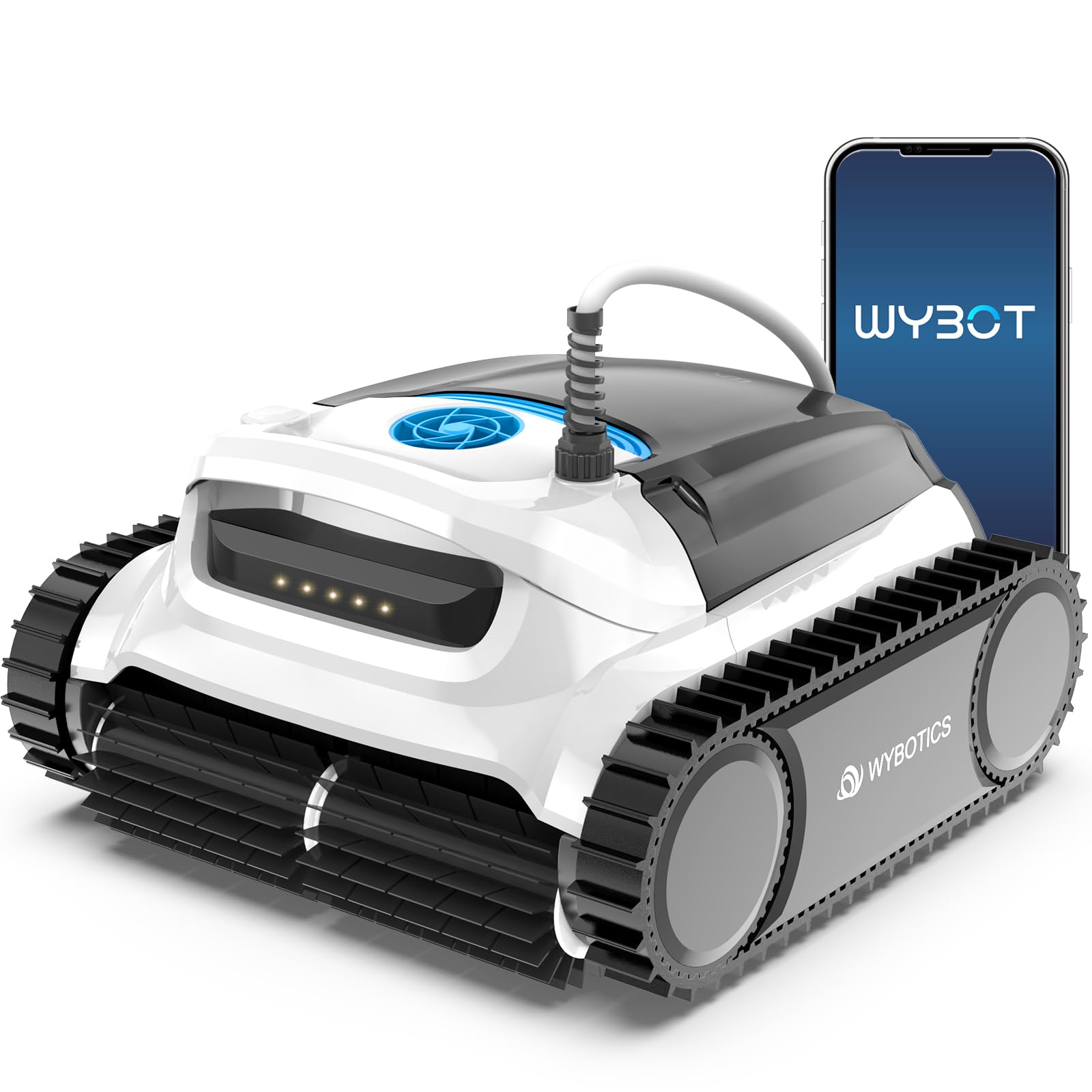
Figure 4.1: WYBOT M100 in pool with power supply connection.
4.2 Power Connection
Connect the floating cable from the cleaner to the power supply unit. Then, plug the power supply unit into a grounded electrical outlet. The unit is designed for "Plug and Play" operation.

Figure 4.2: WYBOT M100 Power Supply Unit.
5. Operating Instructions
5.1 Initial Start-up
Once connected to power, the cleaner is ready for operation. Press the power button on the power supply unit or use the mobile application to initiate a cleaning cycle.
5.2 App Control and Features
The WYBOT M100 can be controlled via a dedicated mobile application. This app allows you to:
- Schedule weekly cleaning sessions.
- Select various cleaning modes.
- Check the current water temperature.
- Manually control the cleaning path for spot cleaning.
- Receive timely status information from the robot cleaner.
- Utilize the "One-click Return-to-Home" function.

Figure 5.1: WYBOT M100 App Interface.
5.3 Cleaning Modes and Navigation
The M100 utilizes high-precision gyroscopes and infrared sensors for intelligent pool mapping and efficient cleaning. It supports:
- Omni-directional Cleaning: Maps the pool's shape and size for thorough coverage of floors, walls, and waterlines.
- Spot Cleaning: Allows targeting specific areas for intensive cleaning via manual app control.
- Full Coverage Cleaning: Ensures comprehensive cleaning of the entire pool surface, including floor, walls, steps, and waterline.

Figure 5.2: Total Pool Mapping and Cleaning Paths.
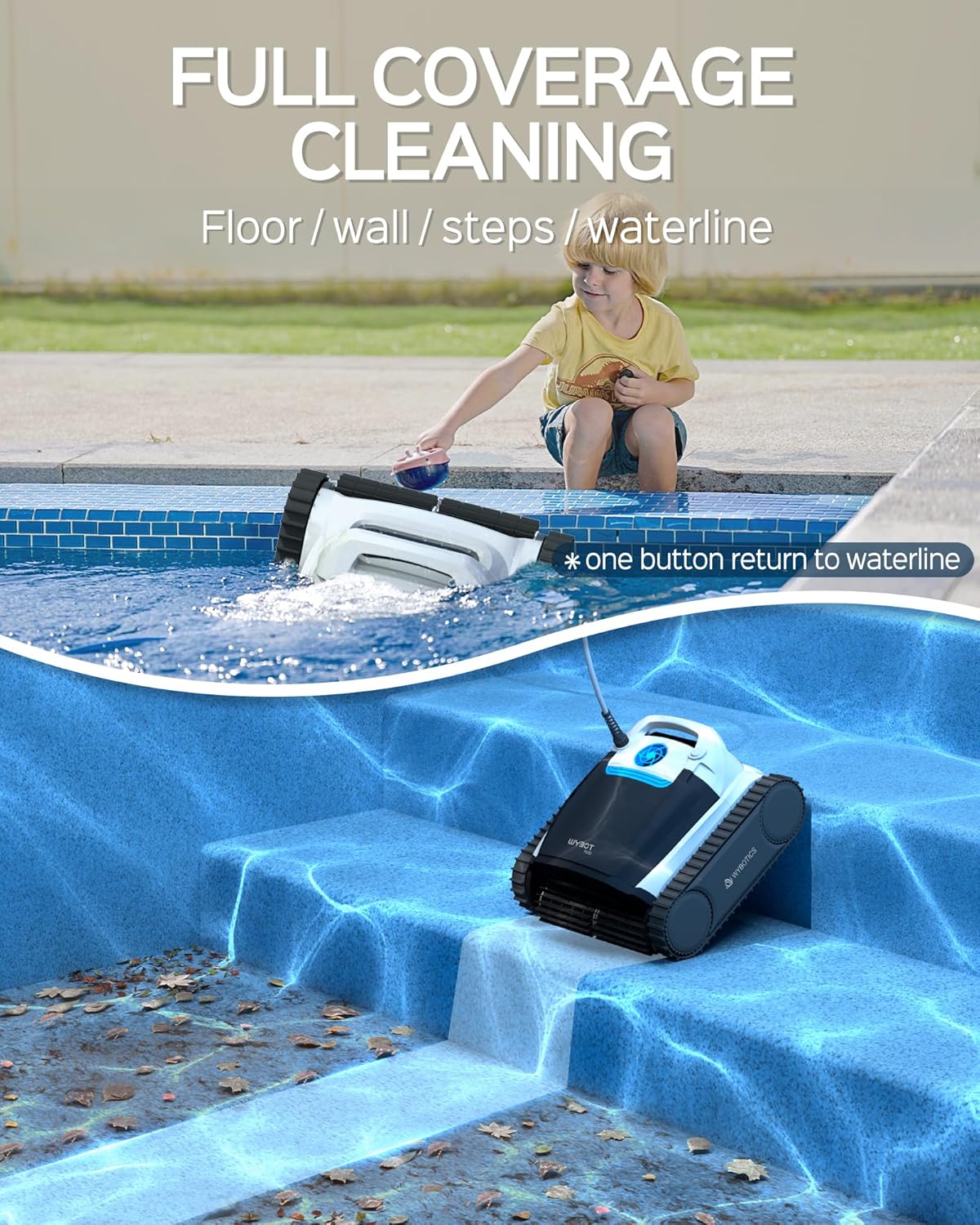
Figure 5.3: Full Coverage Cleaning of Pool Surfaces.
5.4 Superior Scrubbing and Suction
The M100 is equipped with powerful active scrubbing brushes and advanced brushless motors (up to 100W) to deliver strong suction and fine filtration, ensuring effective removal of debris.

Figure 5.4: Superior Scrubbing Capability.
6. Maintenance
6.1 Filter Cleaning
Regularly clean the filter basket to maintain optimal cleaning performance. Disconnect the power supply before accessing the filter. Remove the filter basket, empty debris, and rinse thoroughly with a hose.
6.2 Unit Cleaning and Storage
After each use, rinse the cleaner with fresh water to remove any pool chemicals or debris. Store the cleaner in a cool, dry place away from direct sunlight and extreme temperatures. Ensure the power supply unit is also stored in a dry environment.
7. Troubleshooting
| Problem | Possible Cause | Solution |
|---|---|---|
| Cleaner does not power on. | No power to the unit; power cord or outlet issue. | Check power supply connection to outlet and cleaner. Ensure outlet is functional. |
| Cleaner gets stuck or moves slowly. | Filter basket is full; debris caught in brushes/wheels; pool steps/obstacles. | Clean filter basket. Remove any obstructions. Manually guide cleaner past obstacles or use app control. |
| Poor cleaning performance. | Clogged filter; worn brushes; incorrect cleaning mode. | Clean filter thoroughly. Inspect brushes for wear and replace if necessary. Select appropriate cleaning mode via the app. |
| App connectivity issues. | Bluetooth not enabled; app outdated; interference. | Ensure Bluetooth is active on your device. Update the app to the latest version. Try reconnecting. |
If the problem persists after attempting these solutions, please contact WYBOT customer support.
8. Specifications
| Feature | Detail |
|---|---|
| Model Name | WYM1-WY350 |
| Brand | WYBOT |
| Power Source | DC |
| Control Method | App |
| Special Feature | Rechargeable (Note: The product is corded for primary operation; 'rechargeable' may refer to internal battery for app features or memory.) |
| Installation Type | Robotic |
| Product Dimensions (L x W x H) | 20" x 19" x 14" (50.8 x 48.3 x 35.6 cm) |
| Material | Plastic |
| Color | Black-White |
| Manufacturer | WYBOT |
9. Warranty and Support
9.1 Warranty Information
WYBOT provides a two-year maintenance service for the WYBOT M100 Robotic Pool Cleaner motor and PCB (Printed Circuit Board) from the date of purchase. This warranty covers defects in materials and workmanship under normal use. Please retain your proof of purchase for warranty claims.
9.2 Customer Support
For technical assistance, troubleshooting, or warranty inquiries, please contact WYBOT customer support. Refer to the official WYBOT website or your purchase documentation for the most current contact information.