
1. Product Overview
The BoxWave PD miniSync (240W) is a retractable USB Type-C to Type-C cable designed for efficient charging and high-speed data transfer. Its innovative retractable mechanism keeps the cable organized and tangle-free, making it ideal for portable use. This cable supports Power Delivery (PD) up to 240W, ensuring rapid charging for compatible devices.
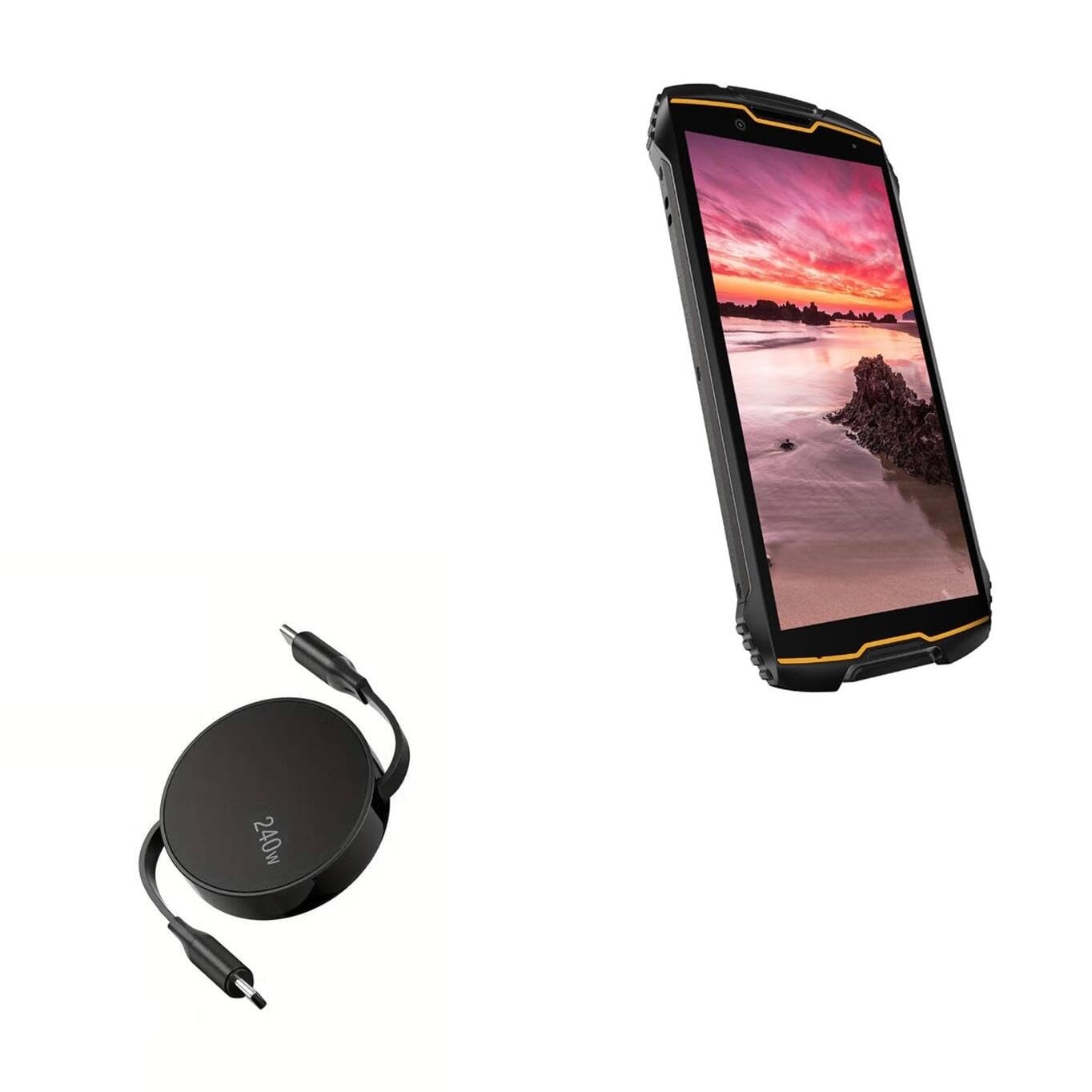
Image: The BoxWave PD miniSync 240W Retractable USB Type-C Cable in its compact, retracted state.
2. Key Features
- Innovative Retraction Design: The cable features a unique retraction mechanism that allows it to extend and retract smoothly, preventing tangles and knots.
- High Power Delivery (240W): Capable of delivering up to 240 Watts of power, enabling fast charging for a wide range of USB Type-C devices.
- Universal Compatibility: Utilizes the universal USB Type-C PD Protocol, ensuring compatibility with various power sources and devices.
- High-Speed Data Transfer: Supports data transfer speeds up to 5Gbps, allowing for quick syncing of files.
- Durable Construction: Made with high-quality polycarbonate material and a heavy-duty ribbon-style cable for enhanced durability.
- Portable and Compact: Retracts to a minuscule 3 inches for easy portability, extending up to 5 feet for ample reach.

Image: Illustration showing the retractable cable preventing tangles compared to a standard cable mess.

Image: Diagram illustrating the various adjustable lengths of the retractable cable, from 5 inches to 58 inches.
3. Setup
To begin using your BoxWave PD miniSync cable, follow these simple steps:
- Unpack: Carefully remove the cable from its packaging.
- Extend the Cable: Gently pull both USB Type-C connectors simultaneously until the cable reaches your desired length. The cable will lock into one of the pre-set lengths. Do not pull only one side, as this can damage the retraction mechanism.
- Connect: Insert one USB Type-C connector into your power source (e.g., wall adapter, power bank, computer) and the other USB Type-C connector into your device (e.g., smartphone, tablet, laptop).

Image: A smartphone connected to a laptop via the BoxWave PD miniSync cable, demonstrating a typical setup.
4. Operating Instructions
4.1 Charging Your Device
The PD miniSync cable supports fast charging for compatible devices.
- Ensure both your power source and device support USB Power Delivery (PD) for optimal charging speeds.
- Connect one end of the cable to a compatible USB Type-C power adapter or port.
- Connect the other end of the cable to your device's USB Type-C port.
- Your device should indicate that it is charging.

Image: A laptop connected to a power source using the BoxWave PD miniSync 240W cable, illustrating power delivery.
4.2 Data Transfer
Use the PD miniSync cable to transfer data between your devices.
- Connect one end of the cable to your computer's USB Type-C port.
- Connect the other end of the cable to your device's USB Type-C port.
- Your computer should recognize the connected device, allowing you to access and transfer files.

Image: Close-up of a USB Type-C connector, highlighting its role in swift data syncing.
4.3 Extending and Retracting the Cable
The cable's retractable design offers convenience and prevents tangles.
- To Extend: Gently pull both USB Type-C connectors away from the central hub simultaneously. The cable will click into various pre-set lengths. Stop pulling when you reach your desired length.
- To Retract: Give a quick, gentle tug on both connectors simultaneously. The cable will then retract fully into the central hub.
- Important: Always pull both ends evenly to avoid damaging the internal retraction mechanism.

Image: Hands demonstrating how to gently pull both ends of the PD miniSync to extend the cable.
5. Maintenance
Proper care will extend the life of your BoxWave PD miniSync cable.
- Cleaning: Use a soft, dry cloth to wipe the cable and connectors. Avoid using harsh chemicals or abrasive materials.
- Storage: When not in use, fully retract the cable to its compact form. Store it in a cool, dry place away from direct sunlight and extreme temperatures.
- Handling: Always handle the connectors, not the cable itself, when plugging or unplugging. Avoid bending the cable sharply or applying excessive force to the retraction mechanism.
6. Troubleshooting
| Issue | Possible Cause | Solution |
|---|---|---|
| Device not charging. | Loose connection, incompatible power source, faulty device port. | Ensure cable is securely connected at both ends. Try a different power adapter or wall outlet. Verify your device's charging port is clean and undamaged. |
| Slow charging speed. | Power source not supporting PD, device not supporting PD, background apps. | Use a power adapter that supports USB PD and matches your device's power requirements. Close unnecessary background applications on your device. |
| Cable not retracting/extending smoothly. | Uneven pulling, internal mechanism obstruction. | Always pull both ends simultaneously and evenly. Do not force the mechanism. If the issue persists, contact customer support. |
| Device not recognized for data transfer. | Loose connection, incorrect device settings, driver issues. | Ensure secure connections. Check your device's USB connection settings (e.g., 'File Transfer' mode). Try a different USB port on your computer. Update computer drivers if necessary. |
7. Specifications
| Feature | Detail |
|---|---|
| Brand | BoxWave |
| Model | PD miniSync (240W) |
| Connector Type | USB Type-C to USB Type-C |
| Power Delivery | Up to 240W |
| Data Transfer Speed | Up to 5Gbps |
| Cable Length (Extended) | Up to 5 feet (1.5 meters) |
| Cable Length (Retracted) | 3 inches (7.6 cm) |
| Color | Jet Black |
| Item Weight | 1.5 Ounces (42.5 grams) |
8. Warranty and Support
For warranty information or technical support, please contact BoxWave customer service. Refer to the product packaging or the official BoxWave website for the most current contact details and warranty terms.