
Introduction
Thank you for choosing the Tek Styz Slim Foldable Wireless Keyboard. This portable keyboard with an integrated touchpad is designed for seamless compatibility across various operating systems, including iOS, Android, Mac, and Windows. Its compact, tri-fold design makes it ideal for travel and on-the-go productivity. This manual provides detailed instructions for setup, operation, maintenance, and troubleshooting to ensure optimal performance of your device.
Key Features
- Full-Size Folding Design: Unfolds into a comfortable, full-size keyboard for efficient typing.
- Integrated Touchpad: Features a highly sensitive touchpad with left and right click functions for enhanced navigation.
- Universal Compatibility: Connects via Bluetooth 5.3 to iOS, Android, Mac, and Windows devices.
- Long-Lasting Battery: Built-in rechargeable battery provides up to 48 hours of continuous use and 560 days of standby time on a single charge.
- Durable Construction: Crafted from aircraft-grade aluminum for excellent stiffness and resistance to bumps.
- Portable and Compact: Tri-fold design allows it to fold into a small, compact size for easy transport.

Image: The keyboard supports multiple operating systems and devices.
Package Contents
Please ensure all items are present in the package:
- Tek Styz Slim Foldable Wireless Keyboard (TS-1146)
- Charging USB Cable
Setup Guide
1. Charging the Keyboard
Before initial use, fully charge the keyboard. Connect the provided USB charging cable to the keyboard's charging port and to a standard USB power source (e.g., computer USB port, USB wall adapter). The charging indicator light will illuminate during charging and turn off when fully charged.
- Charging Time: Approximately 2-3 hours.
- Working Time: Up to 48 hours of continuous use.
- Standby Time: Up to 560 days.
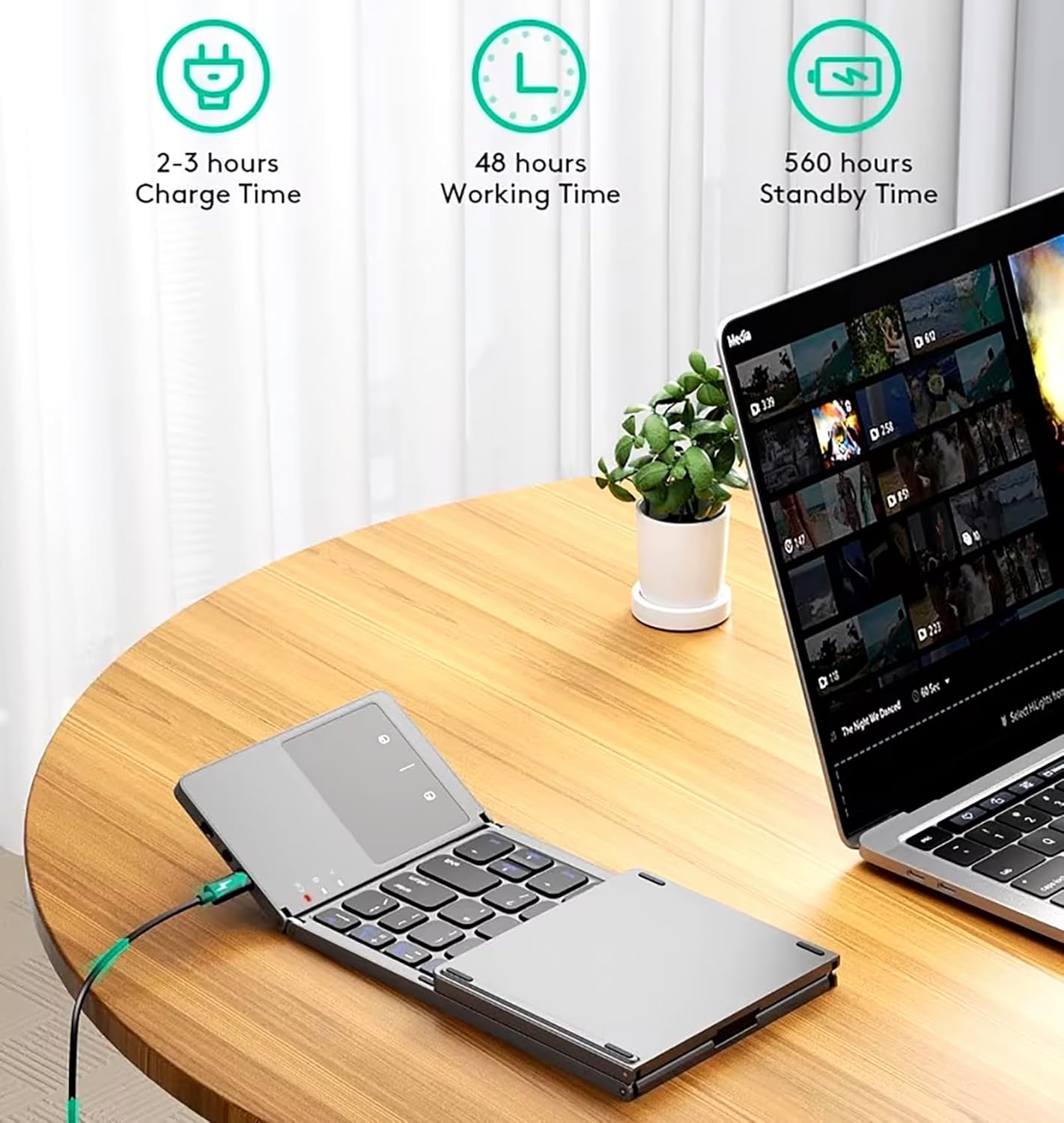
Image: Charging the keyboard and battery life indicators.
2. Bluetooth Pairing
Follow these steps to pair your keyboard with a device:
- Unfold and Power On: Unfold the keyboard completely. The power indicator light will turn on. Locate the power switch (usually on the side or back) and slide it to the 'ON' position.
- Activate Bluetooth on Your Device: On your smartphone, tablet, or computer, go to the Bluetooth settings and ensure Bluetooth is enabled.
- Enter Pairing Mode: Press the Fn + C keys simultaneously on the keyboard to enter Bluetooth pairing mode. The Bluetooth indicator light will start blinking.
- Select and Pair: On your device's Bluetooth settings, look for "Bluetooth Keyboard" or a similar name (e.g., "TS-1146") in the list of available devices. Select it to initiate the pairing process.
- Confirm Connection: Once paired, the Bluetooth indicator light on the keyboard will stop blinking and remain solid or turn off, depending on the model. Your device should show the keyboard as connected.
Note: For desktop PCs or laptops without built-in Bluetooth, a third-party Bluetooth adapter (not included) is required. Touchpad functionality may be limited on iOS 12 and below, and certain macOS versions.

Image: Key components of the keyboard including power switch and charging port.
Operating Instructions
Typing and Keyboard Functions
The keyboard layout is standard QWERTY. Use the function (Fn) key in combination with other keys for special functions, such as media control or system shortcuts, as indicated by the icons on the keys.
Touchpad Usage
The integrated touchpad allows for mouse-like navigation. Use standard gestures for pointing and clicking.
- Single Finger Tap: Left click.
- Two Finger Tap: Right click.
- Single Finger Drag: Move cursor.
- Two Finger Scroll: Scroll up/down or left/right (if supported by the operating system).

Image: The highly sensitive touchpad with left and right click functionality.
Switching Between Devices
This keyboard supports connecting to multiple devices. To switch between paired devices, refer to your device's Bluetooth settings or specific keyboard shortcuts if available (not explicitly detailed in provided data, but implied by "Multi-Connect With Bluetooth 5.3 Up to 3 Devices & Switch Easily").
Maintenance
To ensure the longevity and optimal performance of your keyboard, follow these maintenance guidelines:
- Cleaning: Use a soft, dry, lint-free cloth to clean the keyboard surface. For stubborn dirt, slightly dampen the cloth with water or a mild electronic cleaner. Avoid excessive moisture.
- Storage: When not in use, fold the keyboard to protect the keys and touchpad. Store it in a cool, dry place away from direct sunlight and extreme temperatures.
- Avoid Liquids: Do not expose the keyboard to liquids. In case of accidental spills, power off the keyboard immediately and allow it to dry completely before attempting to use it again.
- Handle with Care: Avoid dropping the keyboard or subjecting it to strong impacts, as this can damage internal components.
Troubleshooting
If you encounter issues with your Tek Styz Slim Foldable Wireless Keyboard, please refer to the following common solutions:
- Keyboard Not Connecting/Pairing:
- Ensure the keyboard is fully charged.
- Make sure the keyboard's power switch is 'ON'.
- Verify Bluetooth is enabled on your device.
- Ensure the keyboard is in pairing mode (Bluetooth indicator blinking).
- Try unpairing and re-pairing the keyboard from your device's Bluetooth settings.
- Move the keyboard closer to your device to rule out range issues.
- Keys Not Responding:
- Check if the keyboard is connected to your device.
- Recharge the keyboard.
- Restart your connected device.
- Touchpad Not Working:
- Ensure the keyboard is properly connected.
- Check your device's operating system for any touchpad compatibility notes (e.g., iOS 12 and below, certain macOS versions may have limited functionality).
- Clean the touchpad surface.
- Short Battery Life:
- Ensure the keyboard is fully charged for the recommended time.
- The keyboard has an auto-sleep mode to conserve battery when idle.
Specifications
| Feature | Detail |
|---|---|
| Model Name | TS-1146 |
| Product Dimensions (Unfolded) | 11.89"L x 3.82"W x 0.31"H (30.2cm L x 9.7cm W x 0.79cm H) |
| Folding Size | 5.98" x 3.82" x 0.71" (15.2cm x 9.7cm x 1.8cm) |
| Item Weight | 8 ounces (approx. 227g) |
| Material | Aluminum, Metal |
| Connectivity Technology | Bluetooth 5.3 |
| Compatible Devices | Android, Apple iPhone 11, 11 Pro, 11 Pro Max, iOS, Mac, Windows |
| Battery Type | Nonstandard Battery (included) |
| Battery Life (Continuous Use) | Up to 48 hours |
| Standby Time | Up to 560 days |
| Charging Time | 2-3 hours |

Image: Keyboard dimensions in both unfolded and folded states.
Warranty Information
This product comes with a standard manufacturer's warranty. Please refer to the product packaging or the seller's website for specific warranty terms and conditions. Keep your purchase receipt as proof of purchase for any warranty claims.
Customer Support
For further assistance, technical support, or inquiries regarding your Tek Styz Slim Foldable Wireless Keyboard, please contact the seller or manufacturer directly. Contact information can typically be found on the product packaging or the official brand website.
Product Overview Video
Video: An overview of the Tek Styz Bluetooth TriFold Keyboard (Model TS-1146), demonstrating its folding mechanism, multi-device compatibility, touchpad, and battery life. This video is provided by the seller, Essential Contraptions.